Lunar Computer College
Your Future, Our Mission – Shaping IT Experts for Tomorrow
Your Future, Our Mission – Shaping IT Experts for Tomorrow
100
+ and more courses available10000
+ students have got Computer Training Certificates1000
+ students are doing freelancing and jobCourses

Computer science and technology courses are highly valuable for today’s job market.
Computer Courses
Lunar Typing Tutor – Free Keyboard Typing Tutor for Windows
Computer Encyclopedia
Windows Installation Demo Guide
Computer Hardware
| Computer | Monitor / LCD | System Unit | Motherboard | Power Supply |
| CPU | Expansion Slots | RAM / ROM | CMOS Battery | CD / DVD |
| Floppy Disk Drive | Hard Disk | Keyboard | Mouse | Printer |
Computer Networking
Computer Network Topologies
Computer Architecture & Engineering
Computer Programming
Computer Office Work
Computer Graphics & Designing
Website Designing and Developing
Computer Online Earning
SEO (Search Engine Optimization)
12- Tenses in Urdu Hindi
-
How Waiting for the “Right Time” Ruins Your Life
Think about that one big thing you’ve been wanting to start. A new business, a fitness routine, a YouTube channel, or even just a hard conversation.
Now, let me ask you a question, and I want you to be completely honest with yourself: What exactly are you waiting for?
If you are like most people, your answer is probably: “I’m just waiting for the right time.” You’re waiting until you have more money, more experience, less stress, or until life settles down.
But here is the brutal truth that nobody wants to tell you: The perfect time does not exist. It is a myth. And waiting for it is quietly, slowly, ruining your life.
Welcome back to Inspire with Rana. Today, we are breaking down the dangerous trap of “tomorrow” and how you can escape it before it consumes your potential. If you’re ready to finally stop waiting and start winning, hit that subscribe button, and let’s dive in.
Let’s look at why we do this. Why do our brains love the idea of “perfect timing”?
It’s because waiting feels safe. When you say, “I’ll start when things settle down,” it feels like a responsible decision. It doesn’t feel like procrastination; it feels like planning.
But let’s be real. When does life ever actually settle down?
Never. Life is messy. It is loud, unpredictable, and constantly throwing curveballs. There will always be a bill to pay, a crisis to manage, or a day when you just feel too tired.
When you say you are waiting for perfect conditions, what you are actually doing is giving away your power. You are telling yourself that the external world gets to decide when you succeed.
Hear me clearly: Conditions are never perfect. Winners don’t wait for the right conditions; they create them. If you wait until you are 100% ready, you will be waiting for the rest of your life.
We think waiting is free. We think it’s just pausing. But waiting has a massive, hidden cost.
First, it kills your momentum. Inspiration has an expiration date. When you get a great idea, your energy is sky-high. But every single day you delay, that energy drops. Soon, the excitement turns into doubt, and the doubt turns into fear.
Second, you are losing time, which is your only non-renewable resource. You can always get back lost money. You can never get back a lost year. Think back to where you were exactly 365 days ago. If you had started that project then, even poorly, where would you be today? You’d be a whole year closer to your dream. Instead, you are still standing at the starting line.
But the worst thing it costs you? Confidence. Every time you make a promise to yourself and break it by pushing it to “tomorrow,” you lose trust in yourself. You start believing that you are a person who only talks, but never executes.
Let’s peel back the layers. Why are you really waiting?
It’s usually not because you lack time or money. It’s because you are terrified.
“Waiting for the perfect time” is just a fancy, socially acceptable mask for the fear of failure.
If you don’t start, you can’t fail. If you don’t launch the business, it can’t go bankrupt. If you don’t write the book, nobody can criticize it. Perfectionism is just fear wearing a suit.
But think about this: Is failing really worse than never knowing what you were capable of? Is a temporary setback worse than a lifetime of regret?
Imagine yourself at 80 years old, looking back at your life. Are you going to say, “I’m so glad I waited for the perfect moment”? No. You’re going to wish you had the courage to step into the arena, mess up, learn, and grow.
So, how do we fix this? How do we break out of this loop?
We use a concept practiced by some of the most successful CEOs in the world: The 70% Rule.
Don’t wait until you have 100% of the information, 100% of the money, or 100% of the confidence. Start when you are 70% ready.
If your video script is 70% good, record it. If your business plan is 70% ready, launch it. If your fitness plan is 70% clear, go to the gym.
You figure out the remaining 30% while moving. Action creates clarity. You cannot steer a parked car. You have to start driving before you can change direction. Shift your mindset from perfection to progression. A messy start will always beat a perfect pause.
As we close this video, look at your watch or the time on your screen.
This moment, right now, is the only moment you actually own. The past is gone, and the future is not promised.
Stop waiting for a green light that may never come. Stop waiting for the perfect season, the perfect salary, or the perfect mood.
Take that imperfect first step today. Download the app. Write the first paragraph. Make the phone call. Do it scared. Do it tired. Do it with what you have. Just start.
Thank you for watching this episode of Inspire with Rana. If this message woke something up inside you, leave a comment below saying, “I am starting today.” Don’t forget to like this video and share it with someone who needs to hear this.
Until next time, keep pushing, keep growing, and stop waiting. I’ll see you in the next video.
How Waiting for the “Right Time” Ruins Your Life -
If you want to create a professional website, three terms you will hear again and again are Domain Name, Web Hosting, and SSL Certificate.
For beginners, these terms can sound confusing. But once you understand what each one does, building a website becomes much easier.
In this guide, we will explain:
- What is a domain name?
- What is web hosting?
- What is SSL?
- Why are they necessary?
- How to register a domain step by step
- How domain and hosting work together
- How to connect a domain with hosting
- What beginners should check before buying
- Common mistakes to avoid
1. What Is a Domain Name?
A domain name is the address people type into their browser to visit your website.
For example:
google.com
youtube.com
lunarcomputercollege.comInstead of remembering a complicated IP address such as
142.250.xxx.xxx, users can simply remember a domain name.Simple Example
Think of your website as a house.
Your domain name is the address of the house.
For example:
lunarcomputercollege.com
When someone enters this address into a browser, the internet finds the server where your website is hosted and displays your website.
2. Why Do You Need a Domain Name?
A domain gives your website a professional and memorable identity.
For example, compare:
mybusiness.wordpress.com
with:
mybusiness.com
A custom domain generally looks more professional and is easier to promote.
A domain can be useful for:
- Business websites
- Educational websites
- Personal portfolios
- Blogs
- Online stores
- Freelancing profiles
- Company websites
- YouTube and social media branding
A domain also allows you to create professional email addresses such as:
instead of using a general email service address.
3. What Is a Domain Extension?
The part after the final dot is called the domain extension or Top-Level Domain (TLD).
Examples include:
.com.net.org.info.edu.pk.co.uk
Which Extension Should You Choose?
For many businesses and general websites,
.comis a commonly used choice.For a Pakistan-focused website, a
.pkdomain may also be appropriate.The important thing is to choose an extension that matches your website, audience and branding.
4. What Is Web Hosting?
Buying a domain does not automatically create a website.
You also need a place where your website files are stored.
That place is called web hosting.
Web hosting is a service that provides server space and resources for your website.
Your website may contain:
- HTML files
- CSS files
- JavaScript
- Images
- Videos
- WordPress files
- Databases
- Plugins
- Themes
These files need to be stored on a server connected to the internet.
Simple Example
Remember our house example:
Domain = Address
Hosting = House
Your domain tells people where your website is located, while hosting provides the actual space where the website lives.
5. Domain vs Hosting
Many beginners confuse these two.
Here is the easiest way to remember them:
Domain Hosting Website address Website storage/server Example: yoursite.com Server space Used to find your website Stores website files Registered for a period Usually purchased as a hosting plan Does not contain your website by itself Contains your website data You normally need both for a traditional self-hosted website.
6. What Is SSL?
SSL stands for Secure Sockets Layer.
Today, modern websites generally use TLS (Transport Layer Security), but people still commonly use the term SSL.
SSL/TLS creates an encrypted connection between the visitor’s browser and the website.
When SSL is properly installed, your website normally uses:
https://
instead of:
http://
For example:
You may also see a padlock icon in the browser.
7. Why Is SSL Important?
SSL is important because it helps protect information transferred between a website and its visitors.
This can include information such as:
- Login credentials
- Contact forms
- Personal information
- Payment information
- Other data submitted through a website
SSL is particularly important for websites that have:
- Login systems
- Contact forms
- Membership accounts
- Online payments
- E-commerce functionality
- Customer information
Even a simple business or educational website should normally use HTTPS.
8. Domain + Hosting + SSL: How They Work Together
Let’s put everything together.
Suppose you want to create a website called:
mycollege.com
You would typically need:
Step 1 — Domain
Register:
mycollege.com
This gives your website its internet address.
Step 2 — Hosting
Purchase web hosting.
Your WordPress files, images, database and other website content will be stored on the hosting server.
Step 3 — Connect Domain to Hosting
Your domain needs to point to the hosting server.
This is usually done using nameservers or DNS records.
Step 4 — Install WordPress
Once the domain is connected to the hosting account, WordPress can be installed.
Step 5 — Enable SSL
Install/activate an SSL certificate and configure the website to use HTTPS.
Your website can then be accessed securely through:
9. Step-by-Step Guide: How to Register a Domain
Now let’s look at the practical process.
Step 1: Decide Your Domain Name
First, choose a name for your website.
For example:
lunarcomputercollege.com
Try to choose a domain that is:
- Easy to remember
- Easy to spell
- Short where possible
- Related to your brand
- Easy to pronounce
- Free from unnecessary numbers or symbols
Avoid unnecessarily complicated names.
For example:
BestComputerTrainingInstituteLahore123.com
is difficult to remember.
A shorter brand-based domain is generally easier to promote.
Step 2: Check Domain Availability
Go to a reputable domain registrar and search for your desired domain.
Enter your domain name into the domain search box.
For example:
mynewwebsite.com
The registrar will tell you whether the domain is available.
If it is already registered, you may need to choose another name.
Important
Do not assume that adding a small change automatically makes a good domain.
For example:
mycollege.com
is taken.
You might consider:
mycollegepk.com
or another meaningful alternative.
10. Choose the Correct Domain Extension
If your preferred
.comdomain is available and suitable for your project, you may choose it.Other extensions can also be appropriate depending on the purpose of the website.
For example:
.org — commonly associated with organizations
.net — historically associated with networks and technology
.pk — Pakistan-related domain
.co.uk — United Kingdom-related domain
Remember that the best extension depends on your brand, audience and availability.
11. Add the Domain to Your Cart
After selecting an available domain, the registrar will usually show the registration price.
Before paying, carefully check the order.
Look for:
- Domain registration price
- Renewal price
- Registration period
- Privacy options
- Additional services
- Taxes
- Any unnecessary add-ons
Important Student Tip
A domain may be advertised at a low first-year price, while its renewal price can be higher.
Always check the renewal price, not just the introductory price.
12. Domain Privacy
Some domain registrars offer domain privacy/proxy services.
Depending on the domain and registrar, certain registration information may be protected or redacted from public registration records.
Students should understand what privacy protection is included and whether it costs extra.
Don’t automatically purchase every optional service shown during checkout.
13. Create Your Registrar Account
You will normally need to create an account with the domain registrar.
Use accurate information and secure your account with a strong password.
If two-factor authentication (2FA) is available, enable it.
Your domain account is important because losing access to it can create serious problems.
14. Complete the Payment
Select your available payment method and complete the purchase.
After successful registration, the domain should appear inside your registrar account.
You have now registered your domain.
But remember:
Registering a domain does not mean that WordPress has been installed.
You still need hosting and website setup.
15. How to Buy Web Hosting
After purchasing your domain, select a suitable hosting plan.
Beginners should generally consider:
- Storage
- Bandwidth/resources
- Number of websites allowed
- Database support
- WordPress compatibility
- SSL availability
- Backups
- Control panel
- Customer support
- Renewal price
Don’t buy the most expensive plan simply because it has more features.
Choose a plan appropriate for the website you actually need.
16. Connect Your Domain to Your Hosting
This is one of the most important practical steps for students.
Your domain is registered with the domain registrar.
Your hosting is provided by the hosting company.
They need to be connected.
Usually, the hosting company gives you nameservers, such as:
ns1.examplehost.com
ns2.examplehost.com
You then enter these nameservers in your domain registrar’s DNS or nameserver settings.
After the DNS changes are made, the domain can start pointing to your hosting server.
Important
DNS changes may not appear everywhere immediately.
The amount of time can vary depending on DNS caching and configuration.
17. Install WordPress
Once your domain is connected to hosting, you can install WordPress.
Many hosting companies provide an automatic WordPress installer.
The usual process is:
- Log in to your hosting control panel.
- Find the WordPress installer.
- Select your domain.
- Enter your website name.
- Create an administrator username.
- Create a strong password.
- Enter your email address.
- Start the installation.
- Wait for the installation to finish.
After installation, you can usually access the WordPress dashboard through:
yourdomain.com/wp-admin
18. Install and Configure SSL
Your hosting provider may include an SSL certificate, often through an automated certificate service.
After SSL is active, your website should use HTTPS.
For example:
should redirect to:
The exact SSL installation process depends on your hosting provider.
Check Your Website
Open your website in a browser and confirm that it loads using:
HTTPS
You should also check that images, scripts and other resources are not being loaded insecurely.
19. Why HTTPS Is Better Than HTTP
HTTP sends web traffic without the encryption provided by HTTPS.
HTTPS uses TLS encryption to protect data in transit.
This helps reduce the risk of someone intercepting or modifying information while it travels between the visitor and the website.
Therefore:
HTTPS should be considered a basic security requirement for modern websites.
20. Does SSL Make a Website Completely Secure?
No.
This is an important point for students.
SSL/TLS protects the connection between the browser and website, but it does not automatically protect everything on your website.
A secure WordPress website also needs:
- Strong passwords
- Updated WordPress
- Updated themes
- Updated plugins
- Reliable backups
- Security monitoring
- Secure hosting
- Limited administrator access
- Good website maintenance
Think of SSL as one important layer of security, not the entire security system.
21. Common Mistakes Beginners Make
Mistake 1: Buying Only a Domain
A domain alone does not give you traditional web hosting.
Mistake 2: Ignoring Renewal Prices
A cheap first-year offer may have a higher renewal price.
Mistake 3: Buying Too Many Add-ons
Registrars often offer additional services during checkout.
Read each option carefully before purchasing.
Mistake 4: Using Weak Passwords
Never use simple passwords such as:
123456
or
password
Use strong, unique passwords.
Mistake 5: Forgetting Domain Renewal
If a domain expires, the website and email services associated with it can be affected.
Keep your registration details and renewal dates under control.
Mistake 6: Installing Too Many WordPress Plugins
Every plugin adds functionality, but unnecessary plugins can increase maintenance and security risks.
Install only what your website actually needs.
Mistake 7: Not Taking Backups
Always maintain reliable backups before making major changes to a WordPress website.
22. A Simple Real-World Example
Suppose a student wants to start a photography business.
She chooses:
Domain:
myphotography.comHosting:
A suitable WordPress hosting planSSL:
HTTPS-enabled SSL certificateWebsite:
WordPressThe setup would look like this:
Domain
↓
myphotography.comDNS / Nameservers
↓
Connect domain to hostingHosting Server
↓
WordPress files + databaseSSL/TLS
↓
Secure HTTPS connectionVisitor
↓
https://myphotography.comThis is the basic structure behind many websites.
23. What Students Should Remember
The easiest way to remember everything is:
DOMAIN
The address of your website
HOSTING
The server space where your website lives
SSL/TLS
Security that encrypts the connection between the visitor and website
So:
Domain = Address
Hosting = Home
SSL = Secure ConnectionOnce students understand these three concepts, WordPress website setup becomes much easier to understand.
24. Before You Buy: Student Checklist
Before purchasing a domain or hosting plan, check the following:
☐ Is the domain name correct?
☐ Is the spelling correct?
☐ Is the domain available?
☐ What is the first-year price?
☐ What is the renewal price?
☐ Is SSL included?
☐ Is WordPress supported?
☐ Are backups available?
☐ How much storage is included?
☐ How many websites can be hosted?
☐ What support is provided?
☐ Are there unnecessary add-ons in the cart?
☐ Have you enabled account security such as 2FA?
Conclusion
A professional website normally requires more than simply installing WordPress.
You need to understand the relationship between the domain, hosting and SSL/TLS.
Your domain gives your website its address.
Your hosting provides the server space where your website is stored.
Your SSL/TLS certificate and HTTPS help secure communication between your website and its visitors.
Once these basics are understood, you can move on to the next stages of website development, including WordPress installation, themes, plugins, Elementor, SEO, website security, backups and performance optimization.
For students learning WordPress and web development, understanding these fundamentals is one of the first practical steps toward creating and managing professional websites.
Domain, Web Hosting & SSL Explained: A Complete Beginner’s Guide -
 Lunar Typing Tutor – Free Keyboard Typing Tutor for Windows
-
Continue ……
Complete Canva Course -
Maximize Your Career with Resume Templates
Written By Qainat Fatima
In today’s fiercely competitive job market, standing out to potential employers is more critical than ever. One formidable weapon in a job seeker’s arsenal is the resume—an indispensable tool that shapes the crucial first impression. Professional resume designs are not just about aesthetics; they blend form and function to create effective job applications that capture attention and narrate professional prowess. By harnessing the power of meticulously crafted templates, candidates can significantly enhance career potential, presenting themselves as the best fit for the role they aspire to fill.

Embracing a high-quality resume template is akin to wearing a tailored suit to a job interview. It speaks volumes of your professionalism even before the first handshake. With an array of customizable options, these templates offer a foundation upon which to build a compelling career narrative, showcasing skills, experiences, and milestones in a coherent, visually engaging manner. In doing so, they provide a beacon through which job seekers can signal their aptitude and ambitions.
Key Takeaways
- Professional resume templates are essential tools for creating a positive initial impression in the job search.
- Well-designed resumes act as a career narrative, spotlighting the job seeker’s skills and achievements.
- Effective job applications are bolstered by strategic template use, increasing the chances of securing interviews.
- Templates offer a structured approach to resume writing, saving time while ensuring coherence and professionalism.
- Utilizing resume templates can be a pivotal step in career advancement, unlocking potential opportunities.
Understanding the Importance of a Strong Resume
When embarking on a job search, the significance of having a compelling resume cannot be overstated. Your resume acts as more than just a document; it is a strategic tool that communicates your professional narrative to potential employers, emphasizing the essence of impactful job applications. A strategically constructed resume is one of the paramount job search essentials, proving to be the cornerstone of successful career development. Using resume templates can be a big help for your job search.
The Role of a Resume in Job Hunting
The resume is often the initial introduction a potential employer has to a job candidate. It functions as the bridge between the individual’s professional past and their future aspirations. By summarizing educational background, skills, and experiences, a well-crafted resume can significantly enhance the odds of progressing through the hiring process. Resume significance isn’t just about cataloging achievements; it’s about weaving a story that aligns with the needs and values of the prospective employer.
https://www.youtube.com/watch?v=2lycnV0COk0
First Impressions Matter: The Resume’s Impact
Studies have shown that employers typically spend only a few seconds glancing at each resume during the preliminary selection phase. This highlights the critical role of a resume in making a memorable first impression. An impactful job application, therefore, must be meticulously formatted, with clear headings, concise language, and a focus on quantifiable accomplishments. It’s about creating a document that stands out in a sea of candidates, making the case for why you are the best fit for the role, both culturally and professionally.
- Conveys professionalism and readiness
- Summarizes your most relevant qualifications and experiences
- Establishes a clear match between your skills and the job requirements
- Enables you to stand out from a large pool of applicants
In today’s competitive job market, harnessing the power of resume significance is more than just a necessity; it’s an opportunity to make a potent declaration of your career ambitions and potential contributions to a prospective employer’s success.
Choosing the Right Resume Template for Your Industry
When it comes to a strategic job application, selecting an industry-specific resume template is crucial. The template you choose serves as a blueprint for presenting your career narrative, so it’s essential to customize a professional template that aligns with industry expectations. Below, we delve into the factors you should consider to ensure your resume stands out whilst adhering to sector norms.

Different industries have varying norms when it comes to resumes. For instance, creative fields such as graphic design or advertising may allow for more aesthetic liberty, while industries like banking or healthcare tend to prefer a conservative layout. Here are some guidelines to help you tailor your resume to your targeted field:
- For finance and banking: Opt for a template with a clean, traditional layout that radiates professionalism.
- In technology and engineering: Go for a modern but simple design that focuses on clarity and highlights technical skills.
- Within the creative arts: Experiment with unique designs and use of color to showcase your originality and flair.
- For the legal profession: Stick to a highly formal template that foregrounds your qualifications and experience.
Remember that the ultimate goal is to authenticate your competencies and convey them logically. Even in more conservative fields, a bit of subtle personalization can demonstrate your thoroughness in crafting a strategic job application.
Here’s a snapshot of how resume expectations may differ across sectors:
Industry Design Preference Key Focus Areas Finance Conservative Numerical Prowess, Professionalism Technology Modern/Clean Technical Skills, Innovations Creative Arts Original/Unique Creativity, Portfolio Pieces Legal Field Traditional/Formal Legal Qualifications, Case Experience To sum up, your resume template is more than just a framework – it’s a strategic tool that, when customized effectively, enhances your chances of landing the job. Balance creativity with professionalism, tailor your resume to industry standards, and you’re bound to make a compelling impression.
How Resume Templates Can Save You Time
In the realm of job hunting, efficiency is key. Utilizing well-crafted resume templates is a strategic move towards quick resume creation, leading to more time-efficient job applications. Incorporating personalized resume templates not only portrays a professional image but also saves valuable time, allowing for a swift transition into the competitive job market.
Streamlining Resume Creation with Templates
The power of a resume template lies in its structured approach to presenting professional information. By offering a pre-formatted layout and essential segments, templates significantly reduce the time it takes to craft an impactful resume. You begin with a foundation that has seen countless hours of expert design work, guiding you with the collective experience of professional resume creators. The core layout typically includes placeholders for career objectives, work history, education, skills, and achievements—all laid out with the visual hierarchy in mind.
Efficiency vs. Personalization in Templates
While the efficiency of resume templates is indisputable, personalization remains crucial. It’s essential to balance the time-saving benefits of a template with individual customization to ensure that your resume stands out. The key is to embed personal branding elements seamlessly without compromising the structural integrity of the template.
Here are some tips to maintain personalization while optimizing for efficiency:
- Choose a template that aligns with your industry and add industry-specific keywords.
- Edit the color scheme and font style to reflect your personal brand while keeping readability in focus.
- Use the bullet points and pre-defined sections to showcase unique accomplishments and skills.
- Include a professional summary or profile to introduce your career narrative and differentiate yourself.
Remember that the goal is to utilize the time saved by the template to focus on refining the content—ensuring that each word leads to a stronger candidate impression.
Feature Benefit Personalization Tip Pre-formatted Sections Quick input of information Add quantitative achievements Industry-Standard Layout Widely accepted format Include relevant certifications Customizable Headers Structured presentation of data Use headers to highlight expertise Built-In Bullet Points Efficient organization of achievements Tailor bullets to showcase unique successes Through the strategic use of resume templates, job seekers can present their qualifications effectively while also respecting their time constraints. A well-chosen template propels you halfway through the journey; the rest is crafting the narrative that lands the interview.
Tailoring Your Resume Template to Tell Your Story
When it comes to crafting a narrative resume, the magic lies in a balance between personal branding and the flexible features of customizable resume templates. A resume is more than a record of your work history; it’s the narrative arc of your professional journey. It should weave your past roles, key achievements, and skills into a compelling story that captures the essence of your unique value proposition.
Selecting the right resume template starts with understanding its role as a canvas for your personal brand. The aim is to choose a design that speaks to your industry, personality, and career goals. From here, the template must be finessed to showcase your narrative in a way that feels both authentic and strategic.
Personalizing your resume means more than filling in the blanks; it involves deeply integrating your professional persona into every line and bullet point.
Here are critical steps to ensure your resume template reflects a narrative that resonates with your audience:
- Identify your core strengths and distill them into clear, impactful statements.
- Highlight your most career-defining accomplishments, focusing on measurable outcomes.
- Opt for keywords that align with your industry and the position you’re targeting.
- Ensure that the layout and design elements complement your personal brand without overshadowing the content.
As you inject personality and professional milestones into your resume, remember that consistency is key. Make sure your personal branding flows through all sections, from the summary to the skills and experience listings. This cohesiveness ensures that your career story is not only understood but felt by hiring managers.
https://www.youtube.com/watch?v=z1zTdTx8mY8
Beyond aesthetic customization, the content of your resume should align with your professional narrative. Here’s an example of how to articulate your career story through carefully selected sections:
Resume Section Content Focus Tips for Personal Branding Professional Summary Your value proposition and overarching career theme Use a tone that captures your professional personality and ambition. Work Experience Key achievements and roles that have shaped your career Quantify success with statistics and specific examples to add credibility. Skills Core competencies and specialized knowledge Include industry-specific skills that reflect your expertise and relevance. Education & Certifications Academic qualifications and professional development milestones Highlight any unique or prestigious programs that enhance your narrative. Personal Projects or Volunteer Work Holistic view of your interests and values outside work Draw parallels between these activities and your professional life to show a well-rounded character. Remember, the best narrative resumes don’t just present facts—they tell the story of a candidate with intention, direction, and dynamism. Customizing your resume template is an opportunity to infuse your career aspirations with personality, making it not just a pitch, but a testament to your professional journey.
Key Elements of a Successful Resume Template
Creating a visually appealing resume that stands out in a sea of applicants can be a formidable task, but armed with the right resume template essentials and professional formatting techniques, this process becomes significantly more manageable. A fine balance between aesthetic appeal and content clarity is key to attracting potential employers while showcasing your professional prowess.

Design & Layout Best Practices
When considering design and layout, it is imperative to employ a structure that guides the reader through your accomplishments with ease. Stick to a logical flow, using distinct headings and subheadings to delineate sections clearly. Consistent use of white space not only enhances readability but also prevents your resume from appearing cluttered.
- Maintain a uniform margin throughout the document to ensure a tidy, professional look.
- Choose a layout that highlights your strengths, with a prominent placement for your most notable achievements and qualifications.
- Include a professional personal statement or summary at the top of the resume to immediately engage the reader.
Fonts and Formatting for Readability
The right fonts and formatting are the linchpins of readability on your resume. Opt for tried and true fonts like Arial, Calibri, or Times New Roman to maintain a professional appearance. The font size should ideally fluctuate between 10 to 12 points for body text and up to 14 points for headers, ensuring your resume is easily scannable.
Section Font Size Font Style Headers 14pt Bold Subheaders 12pt Italic/Bold Body Text 10-12pt Regular Footer 10pt Regular/Italic Employ bullet points for listing items such as responsibilities, achievements, and skills to aid skimming. Moreover, use bold text and italics sparingly to emphasize job titles or other crucial information, but avoid underlining text, as this can confuse with hyperlink formatting.
With the blend of these components – well thought out design & layout practices combined with strategic fonts and formatting choices – your resume is set to make a memorable impression, opening doors to new professional possibilities.
Omitting Common Mistakes with Resume Templates
In navigating the job market, avoiding common pitfalls in resume templates is crucial. To assist in perfecting job applications, it’s essential to recognize these widespread resume template pitfalls and learn how to sidestep them. The aim is to create a professional document that stands out without falling prey to oft-seen errors.
While resume templates are meant to simplify the creation process, they require careful personalization. Let’s explore the typical mistakes and present effective solutions:
- Leaving in placeholder text: Triple-check your resume to ensure that all placeholders have been replaced with your actual information.
- Insufficient customization: Tailor every section of the resume template to reflect your unique skills, experiences, and career achievements.
- Inappropriate designs: Select a template design that aligns with the professional standards of your industry.
These strategies can significantly reduce resume errors and increase your chances of impressing potential employers. A well-crafted resume can be the gateway to your next career opportunity.
The Magic of Customization: Making a Template Your Own
Standing out in the saturated pool of job applications demands a strategic approach to resume personalization. It is here where the transformative power of customization becomes your ally, allowing you to take a general template and infuse it with a narrative that is uniquely yours. Far from being a mundane document, your resume is the storytelling platform of your professional journey.
Personal Branding Through Resume Design
To establish a robust personal brand, you must select a resume design that speaks to your individuality as much as your professionalism. It’s about finding balance; a resume that marries your personality with the expectations of your target industry. Personalized touches could mean the integration of color schemes reflective of your industry or the structured presentation of your career milestones that echo your logical thinking process.
As you showcase your talents, consider elements like layout and graphical elements, which can turn a standard template into a reflection of your career arc. And remember, every modification you make should aim not only to catch the eye but also to highlight to prospective employers why you’re their ideal candidate. The design of your resume is the first introduction to your personal brand, ensuring you stand out in a pile of job applications.
Highlighting Your Strengths
When it comes to emphasizing your strengths and achievements, customizing a template goes beyond mere aesthetics. This strategic exercise involves selectively presenting information to underscore your most job-relevant skills and successful projects. Consider using bullet points to concisely communicate your accomplishments or inserting a sidebar to compile testimonials or a list of skills.
- Quantify your accomplishments with specific numbers and percentages to add credibility.
- Deploy action verbs to bring to life the roles and responsibilities you’ve successfully managed.
- Select font styles and sizes that facilitate easy skimming, ensuring your strengths are immediately visible.
Mastery of resume personalization not only boosts the chances of your application standing out but also reveals a candidate willing to invest extra effort to showcase their talents effectively. Through careful and nuanced customization, you can turn a simple resume template into an unforgettable personal brand statement. Let your resume be the key to unlocking the doors to your dream job.

Making Use of Keywords and Phrases in Your Resume
In the quest to stand out in a sea of applicants, the strategic placement of keywords and phrases throughout your resume has become a crucial element of job hunting success. It’s not just about stuffing your resume with buzzwords, but rather, integrating a thoughtful selection of industry-relevant terms that can make a significant difference. Let’s delve into optimizing for both human eyes and the algorithms of Applicant Tracking Systems (ATS).
SEO for Your Resume: Outsmarting Applicant Tracking Systems
Applicant Tracking Systems have revolutionized the recruitment process, parsing hundreds of resumes to identify the most qualified candidates. To navigate these digital gatekeepers effectively, your resume must be rich in keyword optimization. These systems are designed to recognize specific industry terminology and ranks each submission by the frequency and context of these keywords. An ATS-friendly resume is not a luxury but a necessity to ensure your professional profile reaches the human decision-makers. Below, we offer insights on optimizing your resume with the language of your industry:
Choosing the Right Language for Your Field
Equally as important, the language you employ on your resume should echo the vocabulary used within your target industry. This includes incorporating industry terminology that showcases your knowledge and expertise. A recruiter or hiring manager is more likely to relate to a candidate who speaks their language fluently and is able to demonstrate this through the careful curation of their career narrative on paper. Here’s a guide to integrating industry-specific language in your resume:
- Identify key terms from job postings in your field and ensure these are reflected in your resume.
- Demonstrate your experiences using the language that speaks to the challenges and solutions specific to your industry.
- Use quantifiable achievements to make a strong, verifiable impression.
Constructing an ATS-friendly resume that also appeals to the human aspect of the hiring process is about balancing keyword optimization with personal storytelling. The right terminology can make your resume not just another document, but a compelling testament to your fit for the role.
Utilizing Resume Templates for Different Career Levels
Adapting your resume for various stages of your career is crucial for highlighting the experience and skills most relevant to the level of job you’re pursuing. For those launching their careers, entry-level resumes benefit from templates designed to emphasize education and potential rather than extensive work history. Conversely, seasoned professionals may opt for executive resume templates that spotlight leadership roles and significant accomplishments that speak to strategic decision-making capabilities.
Here are some career progression strategies to consider when choosing a template:
- For entry-level positions, focus on templates that provide space for internships, volunteer work, and educational achievements.
- Mid-career professionals should choose templates that balance professional experience with personal development and ongoing education.
- Executives should select templates that allow for an extensive presentation of their career timeline, board memberships, and sizeable contributions to their field.
Each career stage demands particular attention to detail:
Career Stage Template Focus Implementation Strategy Entry-Level Education & Skills Highly customizable sections to showcase soft skills and academic projects. Mid-Career Professional Experience & Achievements Use of bullet points to highlight measurable successes and career milestones. Executive Leadership & Vision Subtle use of space to detail expansive careers without overwhelming the reader. The selection and customization of a resume template also involves a strategic approach to the content’s nature:
- Analyze job descriptions in your field and incorporate keywords that match your experience and skills.
- Keep the design sleek and professional to ensure the content speaks more than the template.
- Ensure that your resume is easily updatable as your career advances.
In conclusion, think of a resume template as a foundation upon which your professional narrative is built. Tailoring it to reflect your personal brand and career level is key to constructing a compelling case for your candidacy, no matter what rung of the career ladder you currently occupy.
Resume Templates: Transforming Your Career Opportunities
The evolution of career development tools has brought resume transformation to the forefront, offering professionals an unrivaled advantage in crafting job-winning resumes. By utilizing customizable templates, job seekers can strategically position themselves for growth and success in their chosen fields.
Leveraging Templates for Career Advancement
Earning a competitive edge in today’s job market goes beyond listing experiences and skills; it’s about presenting them in a way that resonates with employers and stands out in a sea of applicants. Resume templates have emerged as powerful allies in this endeavor, allowing individuals from different industries to mold their career narratives into compelling, marketable documents that appeal directly to hiring managers and recruiters.
Case Studies: Real-Life Success Stories
Anecdotes of career acceleration underscore the effectiveness of well-chosen resume templates. Professionals across various sectors have experienced breakthroughs by tailoring their resumes with the help of design and content cues that these templates provide. Here are examples of how they’ve translated personal qualifications into professional triumphs:
- A marketing executive revamped their resume to emphasize digital proficiencies, resulting in a job offer from a Fortune 500 company.
- A software developer leveraged a modern, code-themed resume template that caught the attention of a leading tech startup.
- An educator used a template emphasizing their curriculum development skills, landing a department head position in a prestigious school district.
Each success story serves as a testament to the transformative power of a tailored resume in facilitating career milestones. Investing time in perfecting your resume can pay dividends, turning potential opportunities into concrete offers and career advancements.
Conclusion
In the maze of the modern job market, where each opportunity might attract hundreds of applicants, an effective resume can be the lighthouse that guides your career to safe harbor. As we’ve explored throughout this article, professional resume designs not only encapsulate your qualifications but also enhance your career potential, setting the stage for your future success.
Recap: The Power of a Polished Resume
From the critical role of first impressions to industry-specific customizations, the discussions underscore that an effective resume serves as more than just a summary of your professional history. It is the strategic marketing of your personal brand — a key to unlocking career enhancement. The well-prepared resume wields the power to elevate your job search strategies, ensuring that you stand out in a crowded field.
Next Steps: Putting Your Resume to Work
Now that we’ve equipped you with the insights and techniques for crafting compelling resumes, it’s time to take action. Engage with leading resume-building platforms or seek the expertise of professional resume writers. Transform your career opportunities by putting into practice the art of creating effective resumes. So, initiate your journey towards impactful job applications and step into the realm of potential and growth that lies ahead.
FAQ
Why are resume templates crucial in a job search?
Resume templates play a pivotal role in the job search process because they provide a structured and professional format for presenting qualifications effectively. They help in making a strong, visually appealing first impression, which is critical in a competitive job market.
How does a strong resume impact my job hunting chances?
A strong resume acts as a crucial first contact with potential employers, summarizing your skills, experience, and education compellingly. It’s essential for making a memorable first impression; studies have shown a direct correlation between a well-formatted resume and increased job interview opportunities.
What should I consider when choosing a resume template for my industry?
When selecting a resume template, consider your industry’s specific expectations. For instance, creative fields might appreciate unique designs, while traditional sectors may favor a conservative approach. Strike a balance between professionalism and creativity to match your industry’s standards.
Can a resume template really save me time?
Absolutely, resume templates are designed to save you time by providing a pre-structured layout that only requires you to input your information. While they streamline the creation process, it’s still important to personalize the content to ensure that your resume stands out.
How can I customize a resume template to tell my career story?
To tell your career story through a resume, select a customizable template and tailor it to reflect your professional journey. Modify the design to align with your career goals and achievements, crafting a narrative that showcases your unique path and aspirations.
What are some key elements of a successful resume template?
A successful resume template should have a professional and visually appealing design and layout. Use effective design elements, select fonts and formatting that enhance readability, and arrange content in a logical, easy-to-follow structure.
How can I avoid common mistakes with resume templates?
To avoid common mistakes with resume templates, make sure to thoroughly customize it to fit your personal information, remove all placeholder text, and choose a template that is appropriate for your industry. Double-check for any errors to ensure a clean and polished final resume.
In what ways can I personalize a resume template to reflect my personal branding?
Personalize your resume template by incorporating design elements that match your personal brand, such as color schemes and font styles that align with your professional image. Emphasize your strengths and key achievements in a way that clearly demonstrates your value proposition to employers.
Why is it important to use keywords and phrases in my resume?
Using keywords and phrases in your resume is crucial to pass through Applicant Tracking Systems (ATS) that many companies use to screen job applications. It also allows you to demonstrate your knowledge and expertise in your field by using industry-specific terminology.
How can I utilize resume templates at different career levels?
Resume templates can be adapted for various career stages by scaling the complexity and depth of content. Entry-level resumes might focus more on education and potential, while executive templates will emphasize leadership experience and strategic contributions to organizations.
Can resume templates really transform my career opportunities?
Yes, resume templates can significantly transform your career opportunities by providing the tools to create a refined and strategic job application. They serve as a guide for showcasing your professional experience and skills in the best light, leading to career development and advancement.
Maximize Your Career with Resume Templates -
ASCII (American Standard Code for Information Interchange) is a widely-used character encoding standard that assigns numeric values to represent characters in electronic communication. Understanding ASCII is essential for anyone working with computers, as it forms the basis for encoding text and symbols in digital form.
What is ASCII?
ASCII assigns a unique numerical value to each character, including letters, numbers, punctuation marks, and control characters. These numerical values range from 0 to 127 and are represented in binary format, making it easy for computers to store and process textual data.
The ASCII Code Chart
Below is a comprehensive ASCII code chart showcasing the decimal values along with their corresponding characters:
ASCII Code Chart
Dec Char Dec Char Dec Char Dec Char 0 NUL 32 SPACE 64 @ 96 ` 1 SOH 33 ! 65 A 97 a 2 STX 34 “ 66 B 98 b 3 ETX 35 # 67 C 99 c 4 EOT 36 $ 68 D 100 d 5 ENQ 37 % 69 E 101 e 6 ACK 38 & 70 F 102 f 7 BEL 39 ‘ 71 G 103 g 8 BS 40 ( 72 H 104 h 9 TAB 41 ) 73 I 105 i 10 LF 42 * 74 J 106 j 11 VT 43 + 75 K 107 k 12 FF 44 , 76 L 108 l 13 CR 45 – 77 M 109 m 14 SO 46 . 78 N 110 n 15 SI 47 / 79 O 111 o 16 DLE 48 0 80 P 112 p 17 DC1 49 1 81 Q 113 q 18 DC2 50 2 82 R 114 r 19 DC3 51 3 83 S 115 s 20 DC4 52 4 84 T 116 t 21 NAK 53 5 85 U 117 u 22 SYN 54 6 86 V 118 v 23 ETB 55 7 87 W 119 w 24 CAN 56 8 88 X 120 x 25 EM 57 9 89 Y 121 y 26 SUB 58 : 90 Z 122 z 27 ESC 59 ; 91 [ 123 { 28 FS 60 < 92 \ 124 | 29 GS 61 = 93 ] 125 } 30 RS 62 > 94 ^ 126 ~ 31 US 63 ? 95 _ 127 DEL What is ASCII & ASCII Code Chart? -
- General Shortcuts:
Win(Windows Key): Open or close the Start menu.Win + D: Show the desktop or restore open windows.Win + L: Lock the computer.
- Explorer Shortcuts:
Alt + D: Select the address bar in Windows Explorer.Win + E: Open Windows Explorer.F2: Rename a selected file or folder.
- Taskbar Shortcuts:
Win + T: Cycle through taskbar items.Shift + Click on Taskbar Item: Open a new instance of a program.Win + Number (1-9): Activate the program pinned to the taskbar in the corresponding position.
- Window Management:
Win + Left/Right Arrow: Snap the active window to the left or right side of the screen.Shift + Win + Left/Right Arrow: Move the active window to the next monitor.Alt + Space: Open the window menu for the active window.
- System Tools:
Ctrl + Shift + Esc: Open Task Manager.Win + R: Open the Run dialog.Win + Pause/Break: Open System Properties.
- Accessibility Shortcuts:
Ctrl + Shift + N: Create a new folder in Windows Explorer.Ctrl + Shift + Esc: Open Task Manager directly.
useful keyboard shortcuts for Windows 7 - General Shortcuts:
-
Color Code Generator
Color Code Generator
RGB Code:
CMYK Code:
Hex Code:
rgb and cmyk color code generator -
5 Best Helpful Tools & Apps To Use On Computer For Students.
Written By Qainat Fatima
In today’s digital age, students are constantly seeking efficient ways to enhance their learning experience and productivity. With the abundance of tools and apps available, it can be overwhelming to choose the right ones.
This article delves into the five best tools and apps specifically designed for student use on computers. Each app has been carefully selected based on its utility, user-friendliness, and ability to cater to various academic needs.
From organizing notes to managing tasks, these tools are essential for any student looking to streamline their study process.
SEOmagnifier Website to Rewrite Sentence Online:
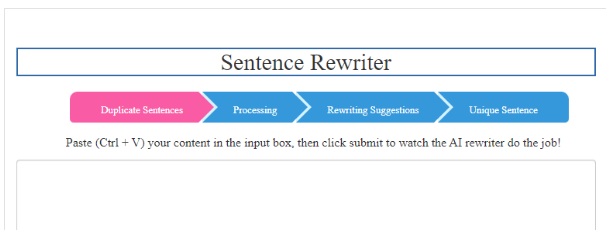
SEOmagnifier is a versatile online tool widely used by students, content creators, and SEO professionals. It offers a range of services, including sentence rewriting, which is particularly useful for academic purposes. Here’s a more detailed overview:
Usage Statistics:
Exact user statistics for SEOmagnifier are not publicly available, but it’s known to be popular among students and professionals who require content rewriting tools. The user base is likely to be in the thousands, given its utility in various fields.
How to Use It:
Using SEOmagnifier is straightforward. You simply need to visit their website, select the sentence rewriting tool, and input the text you want to rephrase.
The tool then processes your input and provides a rewritten version of the text.
This process involves changing certain words and phrases to create a new version of the content while maintaining the original meaning.
Benefits for Students:
Plagiarism Avoidance:
It helps in avoiding plagiarism in academic writing by rewording existing content, making it unique.
Improved Understanding:
Rewriting complex material can aid in better understanding, as it forces the student to engage with the content more deeply.
Enhanced Writing Skills:
Regular use of such tools can indirectly improve a student’s own paraphrasing and writing skills.
Time-Saving:
It can save time for students who need to process a large amount of information and present it in their own words.
Read Here: What Are The Uses Of CorelDraw?
Evernote:
Evernote is a highly popular note-taking app that has gained significant traction among students, professionals, and anyone who needs to keep their information organized. Here’s an in-depth look at Evernote:
Usage Statistics:
As of my last update in April 2023, Evernote had millions of users worldwide, though specific current figures are not publicly available. It’s known for its wide user base due to its versatility and ease of use.
Free or Paid:
Free Version:
Evernote offers a basic version that is free of charge. This version usually includes features like note-taking, basic syncing across devices, and some level of organization.
Premium Versions:
For more advanced features, such as greater storage, offline access to notes, and more sophisticated organizational tools, Evernote offers paid plans. These premium options are tailored to users who need more extensive capabilities from their note-taking app.
How to Use It:
Creating an Account: To start using Evernote, you first need to create an account.
Taking Notes: You can begin taking notes, which can be text, voice memos, or even images.
Organizing: Notes can be organized into notebooks, tagged for easy searching, and even linked together.
Syncing: The sync feature allows your notes to be accessible across all your devices where Evernote is installed.
Web Clipper: A popular feature for students is the Evernote Web Clipper, which allows you to save web pages directly into your Evernote account for later review.
Benefits for Students:
Organization:
Helps in keeping lecture notes, research, and reading materials organized and easily accessible.
Accessibility:
Sync across devices ensures that notes are available whether on a laptop, tablet, or smartphone.
Collaboration:
Some versions of Evernote allow for sharing and collaborating on notes, which is useful for group projects.
Integration:
Evernote integrates with various other apps and tools, enhancing its utility.
Wolfram Alpha:
Wolfram Alpha is a unique and powerful computational knowledge engine widely used by students, educators, and professionals, particularly in the fields of science, technology, engineering, and mathematics (STEM). Here’s a more detailed look at Wolfram Alpha:
Usage Statistics:
While specific user numbers for Wolfram Alpha are not publicly disclosed, it’s known to have a large and diverse user base. This is due to its wide range of applications in academic and professional contexts. The platform is especially popular among students and educators in STEM fields.
Free or Paid:
Free Version: Wolfram Alpha offers a free version that provides access to its basic computational abilities. This is generally sufficient for simple queries and standard mathematical problems.
Pro Version: For more advanced features like step-by-step solutions, enhanced computational capabilities, and specialized problem-solving tools, Wolfram Alpha offers a paid subscription known as Wolfram Alpha Pro. This version is particularly beneficial for higher-level mathematics, complex data analysis, and professional research.
How to Use It:
Accessing the Platform: Users can access Wolfram Alpha via its website or through its mobile app.
Entering Queries: You simply enter a question or computation into the search bar. Wolfram Alpha then processes this input using its vast database and computational power to provide answers and solutions.
Types of Queries: It can handle a wide range of queries, from solving mathematical equations and graphing functions to providing scientific data and historical facts.
Benefits for Students:
Homework Help:
It’s an excellent tool for solving math problems, checking homework, and understanding complex concepts.
Research Assistance:
Provides quick access to a vast array of data, which is useful for research and data analysis projects.
Interactive Learning:
The tool’s ability to generate plots, diagrams, and visual representations of data helps in better understanding and visualizing concepts.
Time-Saving:
It can quickly solve complex calculations, saving students a significant amount of time.
Trello
Trello is a highly versatile and user-friendly project management tool that has gained widespread popularity among various user groups, including students, for its ability to organize and prioritize tasks efficiently. Here’s a detailed look at Trello:
Usage Statistics:
Trello has a substantial user base, boasting millions of users worldwide. Its popularity stems from its simplicity and effectiveness in managing tasks for both individual and collaborative projects.
Free or Paid:
Free Version: Trello offers a robust free version that includes features like creating boards, lists, and cards, which are essential for basic task management. This is typically sufficient for most student needs.
Premium Versions: For more advanced functionality, such as larger file attachments, more powerful automation, and additional integration options, Trello offers paid plans. These plans are geared towards professional teams requiring more extensive project management features.
How to Use It:
Getting Started: Users can sign up for free on Trello’s website or through its mobile app.
Creating Boards: Once registered, you can create boards for different projects or subjects.
Organizing Tasks: Within each board, you can create lists to categorize tasks, and then add cards to these lists representing individual tasks or assignments.
Collaboration: Trello allows you to invite others to your boards, making it great for group projects or study groups. Everyone can see updates and changes in real-time.
Benefits for Students:
Organization: Helps students keep track of assignments, deadlines, and various tasks in an organized and visual manner.
Flexibility: Trello’s simple drag-and-drop interface makes it easy to adjust priorities and deadlines.
Collaboration: The collaborative aspect of Trello is ideal for group projects, allowing all members to contribute and stay updated.
Integration: Trello integrates with other apps and services, enhancing its functionality for a wide range of academic and extracurricular activities.
Read Here: Learn Adobe PhotoShop Step by Step
Soundcore App for PC:

The Soundcore app is an excellent music application for students who appreciate a musical interlude to rejuvenate their minds. You can easily download the Soundcore app for PC with some basic steps. Here’s a guide on benefits for students for using Soundcore app, and why it’s particularly suitable for their music needs:
Benefits for Students:
Enhanced Concentration:
Listening to music can increase concentration and focus, especially during long study sessions.
While specific statistical data on the impact of music on concentration and focus during study sessions can vary, several studies have highlighted its benefits. For instance, a study conducted at Stanford University found that listening to music can engage the brain in a way that improves attention and memory, suggesting its potential to enhance academic performance.
Stress Reduction:
Music is known to reduce stress and anxiety, which is crucial for students dealing with academic pressures.
Quantifying the exact reduction in stress from listening to music can be challenging, as it varies widely among individuals and depends on several factors like the type of music, the listener’s personal preferences, and their psychological state.
Improved Mood:
The right playlist can significantly uplift a student’s mood, fostering a positive study environment.
Customizable Listening Experience:
The Soundcore app often offers customizable sound settings, allowing students to tailor their listening experience to their preferences.
Why Students Should Use the Soundcore App for Music:
High-Quality Sound: Soundcore is known for delivering superior sound quality, which is essential for an immersive listening experience.
Wide Range of Music: The app provides access to a broad range of music genres, catering to diverse musical tastes.
Ease of Use: With its user-friendly interface, students can easily navigate through their favorite songs and playlists.
Customization Options: The app may offer equalizer settings and other customization options to enhance the listening experience.
In summary, the Soundcore app is a valuable tool for students who enjoy music as a means to relax, focus, and enhance their study sessions. Its combination of high-quality sound, ease of use, and customizable features make it an ideal choice for students’ diverse listening needs.
Conclusion
In conclusion, these five tools and apps represent the pinnacle of digital convenience and efficiency for students. Whether it’s for writing assignments, managing projects, or taking a much-needed musical break, each tool offers unique benefits that can significantly enhance the academic journey.
As students navigate through their educational pathways, these applications not only provide practical solutions but also encourage a more organized, productive, and stress-free learning environment. Embracing these technologies can be a game-changer in achieving academic success and personal development.
5 Best Helpful Tools & Apps To Use On Computer For Students -
Hi Today I am going to type unique and trending topics for article writing.
Unique and Trending Topics to Write Articles Trending topics are constantly changing, but you can always find topics that are timeless and relevant to your audience.
You can also focus on topics that are new and haven’t been written about yet, or topics that are new to the industry or region.
Additionally, you can always write about topics that have a personal connection to you or your audience.
I have already typed for unique articles on this website.
Updating Currently …..
unique and trending topics for article writing -
The present indefinite tense, also known as the simple present tense, is one of the most commonly used verb tenses in the English language.
It is used to describe actions, facts, or habits that are true in general or happening at the present moment.
In this blog post, we will explore various example sentences that illustrate the usage of the present indefinite tense.
Example Sentences:
- I walk to school every day.
- She loves to read books in her free time.
- They play football on weekends.
- He always drinks coffee in the morning.
- The sun rises in the east.
- We usually eat dinner at 7 pm.
- The train departs at 8 o’clock.
- Cats chase mice for food.
- My sister enjoys playing the piano.
- Students study hard to achieve good grades.
More 10
-
I brush my teeth twice a day.
-
She goes to the market every Sunday.
-
We watch TV after dinner.
-
He reads the newspaper in the morning.
-
The teacher checks our homework daily.
-
My mother cooks delicious food.
-
They go to bed at 10 p.m.
-
Ahmad drinks a glass of milk every night.
-
Birds sing in the morning.
-
Children play in the park every evening.
Example Sentences of Present Indefinite Tense -
Take any job until you find your dream job, pride won’t buy you bread.
In the pursuit of finding your dream job, it can be tempting to wait for the perfect opportunity to come along. However, it is important to remember that pride alone won’t provide sustenance or financial stability.
Taking any job that comes your way, even if it is not your ideal choice, can be a practical and necessary step towards achieving your ultimate career goal.
By accepting temporary or less-than-ideal positions, you not only gain valuable work experience but also demonstrate your dedication and willingness to work hard.
These seemingly “unimportant” jobs can teach you essential skills, help you build a network, and provide a steady income while you search for your dream job.
Moreover, taking any job shows a level of humility and adaptability that is highly valued in the professional world.
It shows employers that you are willing to put in the effort and do what it takes to succeed, even if it means starting from a less desirable position.
Additionally, working in a job that may not align with your long-term goals can also provide valuable insights and perspectives that can inform your future career decisions.
It allows you to understand different industries, work environments, and job responsibilities, ultimately helping you refine your career path and identify what truly fulfils you.
While it is important to have aspirations and strive for your dream job, it is equally important to be practical and realistic. Life is not always a straight path, and sometimes taking detours can lead to unexpected opportunities and growth.
So, until you find your dream job, don’t hesitate to take any job that comes your way. Remember, pride won’t buy you bread, but gaining experience, learning, and staying dedicated will pave the way towards your ultimate career success.
Take any job until you find your dream job, pride won’t buy you bread. -
In the English language, the proper use of modal verbs is essential for effective communication.
Two commonly confused modal verbs are “could” and “would.” Understanding the distinctions and knowing when to use each one can significantly enhance your language skills.
In this blog post, we will delve into the nuances of “could” and “would” and provide examples to help you grasp their correct usage.
- The Function of “Could”:
“Could” is a modal verb used to express possibility or ability in the past, present, or future.
It implies that something is feasible or has the potential to happen.
Here are some key scenarios where “could” is appropriately used:
- Expressing past ability: “I could swim when I was a child.”
- Offering or requesting something politely: “Could you please pass the salt?”
- Speculating about a possibility: “She could be at the library.”
- The Function of “Would”:
“Would” is a modal verb that signifies willingness, determination, or habitual actions. It is commonly used in conditional sentences and to express preferences or desires.
Let’s explore some situations where “would” is appropriately employed:
- Expressing desires or preferences: “I would love to visit Paris someday.”
- Talking about hypothetical situations: “If I had more time, I would travel the world.”
- Making polite requests: “Would you mind closing the door, please?”
- Differentiating Between “Could” and “Would”:
While “could” and “would” are both modal verbs, they have distinct functions. The key difference lies in their primary purposes:
- “Could” primarily suggests possibility or ability.
- “Would” mainly expresses willingness, determination, or habitual actions.
It is crucial to keep these differences in mind when using these modal verbs to ensure accurate communication.
- Examples of Correct Usage:
To further solidify your understanding, here are a few examples illustrating the appropriate usage of “could” and “would”:
- “I could finish the project by tomorrow if I work overtime.”
- “Would you like to join us for dinner tonight?”
- “We could go hiking this weekend if the weather permits.”
- “If I won the lottery, I would buy a luxurious mansion.”
Conclusion:
Mastering the usage of “could” and “would” is key to effective communication in the English language.
By understanding their distinct functions, you can convey your thoughts and ideas accurately.
Remember to practice using these modal verbs in various contexts to gain confidence in their proper usage.
With time and practice, you will become proficient in harnessing the power of “could” and “would” to express your intentions clearly and precisely.
How to use could and would -
The uses of About;
In today’s digital era, the word “about” has become an integral part of our everyday vocabulary. While it may seem like a simple and unassuming preposition, its uses extend far beyond what meets the eye.
In this blog post, we will delve into the various ways in which the word “about” can be employed, showcasing its versatility and importance in different contexts.
1. Expressing Approximations:
One of the primary uses of “about” is to convey an approximation or estimation. When we say, “It will take about 30 minutes to reach our destination,” we are providing a rough estimate of the time required.
This usage allows us to communicate in a concise manner, providing a general idea without getting into specific details.
2. Discussing Topics or Subjects:
“About” is often employed to indicate the subject or topic of a conversation, presentation, or written piece.
For example, if we say, “Let’s talk about climate change,” we are directing the focus of the discussion towards that particular issue. Similarly, newspaper headlines often include the word “about” to summarize the main subject of an article.
3. Conveying Concern or Interest:
When we ask someone “What are you thinking about?” or “What are you worried about?”, we are expressing our curiosity or concern about their thoughts or feelings.
In interpersonal communication, this use of “about” helps to initiate meaningful conversations and foster deeper connections.
4. Indicating Purpose or Intention:
The word “about” can also be used to convey the purpose or intention behind an action.
For instance, if we say, “She’s passionate about helping others,” we are highlighting her motivation and dedication towards making a positive impact in the lives of others.
This usage helps us understand the underlying drive behind someone’s actions or choices.
5. Describing Location or Position:
In addition to its more abstract uses, “about” is frequently used to describe the location or position of an object or person.
For example, if someone asks, “Where is the library?” and we respond, “It’s about two blocks away,” we are indicating the approximate distance or location.
This usage is particularly useful when providing directions or giving spatial references.
Conclusion:
As we have explored in this blog post, the word “about” is far more versatile than it may initially appear.
From expressing approximations to discussing topics, conveying concern, indicating purpose, or describing location, “about” allows us to communicate with precision and clarity in various contexts.
Next time you come across this seemingly simple word, take a moment to appreciate its multifaceted nature and the role it plays in our everyday conversations.
What are the uses of About? -
What are the full forms of etc, i.e, viz
Introduction:
Abbreviations are commonly used in written communication to convey information concisely.
They help save time, space, and effort. However, sometimes we come across abbreviations that leave us puzzled.
In this blog post, we will demystify three commonly used abbreviations: etc., i.e., and viz.
We will explore their full forms, meanings, and usage, allowing you to enhance your understanding of these abbreviations and communicate more effectively.
- etc. – Et cetera
The abbreviation “etc.” is derived from the Latin phrase “et cetera,” which translates to “and other things.”
It is primarily used to indicate that there are additional items, examples, or possibilities that are not explicitly mentioned.
For example, in a sentence like “She loves reading novels, biographies, etc.,” the abbreviation “etc.” implies that there are more genres of books that the person enjoys, but they are not specifically listed.
- i.e. – Id est
The abbreviation “i.e.” is derived from the Latin phrase “id est,” which means “that is.”
It is used to clarify or explain a statement or concept mentioned before it.
For instance, in the sentence “She loves reading classics, i.e., books that have stood the test of time,” the abbreviation “i.e.” introduces a clarification by stating that classics refer to books that have endured over time.
- viz. – Videlicet
The abbreviation “viz.” is derived from the Latin word “videlicet,” which translates to “namely” or “that is to say.”
It is used to introduce or specify examples or specific details related to the preceding statement.
For example, in the sentence “She loves reading classic novels, viz., Pride and Prejudice and Jane Eyre,” the abbreviation “viz.” provides specific examples of classic novels that the person enjoys.
Conclusion:
Abbreviations such as etc., i.e., and viz. are widely used in written communication to convey information concisely.
By understanding their full forms and meanings, you can effectively incorporate them into your writing and enhance clarity for your readers.
While abbreviations can be helpful, it’s essential to use them appropriately and sparingly to avoid confusion.
So, the next time you come across these abbreviations, you’ll know exactly what they stand for and how to use them correctly.
What are the full forms of etc, i.e, viz -
What is the Usage of “Until,” “Till,” and “By”
Introduction:
When it comes to expressing time-related conditions or limits, the English language offers several options.
Among them, the words “until,” “till,” and “by” are commonly used. In this blog post, we will explore the subtle differences in their usage and clarify when to employ each one accurately.
- Until:
The word “until” is used to indicate a specific point in time or an event that will occur before another specified point in time.
It is often used to express a limit or condition that continues up to a particular moment. For example:
– “Please wait until I finish my work.”
– “The Lunar Computer College is open until 9 pm.”
– “We won’t leave until everyone is ready.”
In these examples, “until” establishes a timeframe or condition that extends until a specified time or event occurs.
- Till:
“Till” is an informal variant of “until” and is commonly used in conversational English or informal writing.
Both “till” and “until” are interchangeable in most cases. For instance:
– “I’ll be working till 5 pm today.”
– “Please wait till I come back.”
In these examples, “till” is used to express the same time-based condition as “until,” but in a more casual manner.
- By:
The word “by” is used to indicate a deadline or a specific time when an action is expected to be completed.
Unlike “until” or “till,” “by” sets a limit or condition that requires the action to be completed before the specified time. For example:
– “Please submit your project report by Friday.”
– “I need the report by tomorrow morning.”
In these instances, “by” denotes that the action should be completed before the mentioned time, ensuring it is not delayed beyond the given deadline.
Conclusion:
Understanding the differences in usage between “until,” “till,” and “by” is essential for effective communication in English.
While “until” and “till” are often interchangeable, “by” carries a distinct meaning, indicating a deadline or the need to complete an action before a specific time.
By using these words appropriately, you can convey time-related conditions accurately, ensuring clear and concise communication.
Remember, the choice between “until,” “till,” and “by” depends on the context and the desired emphasis.
So, next time you find yourself unsure which word to use, refer back to this blog post as a helpful guide.
What is the Usage of “Until,” “Till,” and “By” -
What is your appellation?
In today’s interconnected world, individuals often go by different names, each serving a specific purpose or reflecting a particular facet of their identity.
These names, known as appellations, hold significant cultural and personal significance. In this blog post, we will delve deeper into the concept of appellation and explore its various forms and applications.
Defining Appellations:
An appellation can be defined as a name or title by which a person is known or addressed. It goes beyond the legal name given at birth and encompasses a broader range of the names that individuals adopt or acquire throughout their lives.
Appellations can include nicknames, pseudonyms, professional titles, and even honorifics bestowed upon individuals based on their achievements or social standing.
Personal Appellations:
Personal appellations are names that individuals choose to identify themselves with, often reflecting their personality, interests, or aspirations.
These can be nicknames given by friends or family, online usernames, or even self-created monikers.
Personal appellations can provide a sense of uniqueness and individuality, allowing individuals to express different aspects of their identity.
Professional Appellations:
In the professional realm, appellations are crucial in establishing credibility and expertise. These appellations can include academic titles such as “Doctor” or “Professor,” professional titles like “Engineer” or “Architect,” or even industry-specific designations like “Certified Public Accountant” or “Chartered Financial Analyst.”
Professional appellations help individuals communicate their qualifications and achievements, enabling others to recognize their expertise in a particular field.
Cultural Appellations:
Cultural appellations are deeply rooted in traditions, customs, and societal norms. These names often reflect a person’s heritage, lineage, or social standing within a particular community.
Examples of cultural appellations include titles like “Sir” or “Madam” used to show respect or honour, honorifics like “Grandmaster” or “Elder,” or even religious titles such as “Reverend” or “Imam.” Cultural appellations serve as a way to acknowledge and honour the traditions and values of a particular culture or community.
The Evolution of Appellations:
Appellations have evolved, reflecting the changing dynamics of society. In the digital age, online personas and social media profiles have given rise to new forms of appellation, such as usernames, avatars, or handles.
These appellations allow individuals to present themselves in the virtual world, often creating a distinct online identity that may differ from their real-life persona.
Conclusion:
Appellations are not just names; they hold immense personal, professional, and cultural significance.
Whether it’s a nickname shared among friends, a professional title earned through years of hard work, or a cultural honorific bestowed upon an individual, appellations play a crucial role in shaping our identities and how others perceive us.
Understanding the power and significance of appellations helps us appreciate the richness and diversity of human expression and communication.
What is your appellation? -
RAM vs ROM
In the world of computers, two key components play a crucial role in storing and accessing data – RAM (Random Access Memory) and ROM (Read-Only Memory).
While they both serve distinct purposes, their differences often lead to confusion. In this blog post, we will explore the characteristics and functions of RAM and ROM, shedding light on their significance in the world of computing.
RAM (Random Access Memory):
RAM is a type of volatile memory that provides temporary storage for data that is actively being used by the computer’s operating system, software applications, and open files.
It allows for quick and frequent access to data, enabling the computer to perform tasks efficiently. When you open multiple programs or files simultaneously, RAM ensures smooth multitasking by temporarily storing the necessary data.
Key characteristics of RAM:
1. Volatile Nature: RAM is volatile memory, meaning that its contents are lost when the computer is powered off or restarted. This property allows the RAM to be quickly cleared, making it readily available for new data when the system boots up again.
2. Fast Data Access: RAM offers rapid data access times, allowing the computer’s processor to quickly retrieve and modify information stored in it. This speed helps in enhancing the overall performance of the system.
Types of RAM:
1. DRAM (Dynamic Random Access Memory): DRAM is the most common type of RAM used in computers. It is based on capacitors that store binary data as electrical charges. However, due to its volatile nature, DRAM needs to be constantly refreshed to maintain data integrity.
2. SRAM (Static Random Access Memory): SRAM is a faster and more expensive type of RAM compared to DRAM. It uses flip-flops to store data, making it more stable and capable of retaining information without constant refreshing. SRAM is commonly used in cache memory, where speed and reliability are crucial.
ROM (Read-Only Memory):
ROM is a type of non-volatile memory that stores data that is permanently written during the manufacturing process. Unlike RAM, the data stored in ROM cannot be modified or erased by normal computer operations.
ROM retains its contents even when the computer is powered off.
Key characteristics of ROM:
1. Non-volatile Nature: ROM retains the data stored in it even when the power is turned off. This property makes it suitable for storing crucial system instructions, such as the computer’s firmware or BIOS (Basic Input/Output System).
2. Read-Only Access: As the name suggests, data stored in ROM can only be read and not modified. This characteristic ensures that critical instructions and information remain unaltered, providing stability to the system.
Types of ROM:
1. PROM (Programmable Read-Only Memory): PROM is a type of ROM that can be programmed by the user or manufacturer after the chip is manufactured. Once programmed, the data stored in PROM becomes permanent and cannot be changed.
2. EPROM (Erasable Programmable Read-Only Memory): EPROM allows the user to erase the data stored in it using ultraviolet light. It can then be reprogrammed with new data, making it reusable to some extent.
3. EEPROM (Electrically Erasable Programmable Read-Only Memory): EEPROM, as the name suggests, can be erased and reprogrammed electrically. It provides greater flexibility compared to EPROM as it does not require exposure to ultraviolet light for erasing.
Conclusion:
RAM and ROM, though both essential in the world of computing, serve different purposes and exhibit distinct characteristics.
RAM provides temporary storage for data actively used by the computer, enabling faster access and efficient multitasking. On the other hand,
ROM stores permanent instructions and data that are crucial for the computer’s operation. Understanding the differences between RAM and ROM is vital for comprehending how computers function and how data is stored and accessed in various scenarios.
RAM vs ROM -
System Unit vs CPU. The system unit and CPU are two important components of a computer system. While they work together to provide the necessary functions of the computer, they have different roles to play.
The system unit is the main body of the computer system that contains all the major components, including the CPU.
It is responsible for providing power to the computer and contains all the necessary ports for connecting peripherals such as a keyboard, mouse, and external storage devices.
The system unit also houses the motherboard, RAM, and other components that are necessary for the computer to function properly.
The CPU, on the other hand, is the brain of the computer. It is responsible for executing instructions and performing calculations required to run programs and perform tasks.
The CPU receives information from the input devices such as the keyboard, processes the data, and sends back the results to the output devices like the monitor.
The CPU can be thought of as the engine of the computer system, while the system unit acts as the chassis that holds everything together.
In terms of performance, the CPU is the most important component of the computer system as it determines the speed and efficiency with which the system performs tasks.
When choosing a computer system, it is important to consider both the CPU and system unit to ensure that they are compatible with each other and provide the necessary performance for the tasks you intend to perform.
It is also important to consider the upgradeability of both components to ensure that you can keep up with the latest technology and software requirements.
In conclusion, the system unit and CPU are both essential components of a computer system, working together to provide the necessary functions.
While the system unit acts as the chassis that holds everything together, the CPU is the engine of the computer system responsible for executing instructions and performing calculations.
When choosing a computer system, it is important to consider both components to ensure that they are compatible and provide the necessary performance for your needs.
system unit vs cpu -
Present Tense Past Tense Past Participle Present Participle Abuse Abused Abused Abusing Act Acted Acted Acting Add Added Added Adding Admire Admired Admired Admiring Advise Advised Advised Advising Allow Allowed Allowed allowing Answer Answered Answered Answering Apear Appeared Appeared Appearing Appoint Appointed Appointed Appointing Arise Arose Arisen Arising Arrest Arrested Arrested Arresting Arrive Arrived Arrived Arriving Ask Asked Asked Asking Attack Attacked Attacked Attacking Awake Awoke Awoke Awaking Bake Baked Baked Baking Bark Barked Barked Barking Bathe Bathed Bathed Bathing Be “Was, Were” Been Being Bear Bore Born Bearing Become Became Become Becoming Beg Begged Begged Begging Begin Began Begun Beginning Behave Behaved Behaved Behaving Behold Beheld Beheld Beholding Believe Believed Believed Believing Bend Bent Bent Bending Bet Bet Bet Betting Bid Bade Bidden Bidding Bind Bound Bound Binding Bite Bit Bitten Biting Bleed Bled Bled Bleeding Bless Blessed Blessed Blessing Blow Blew Blown Blowing Boast Boasted Boasted Boasting Boil Boiled Boiled Boiling Borow Brorowed Borrowed Borrowing Break Broke Broken Breaking Bring Brought Brought Bringing Build Built Built Building Burn Burnt Burnt Burning Burst Burst Burst Bursting Buy Bought Bought Buying Call Called Called Calling Carry Carried Carried Carrying Cast Cast Cast Casting Catch Caught Caught Catching Change Changed Changed Changing Check Checked Checked Checking Choose Chose Chosen Choosing Clap Clapped Clapped Clapping Clean Cleaned Cleaned Cleaning Climb Climbed Climbed Climbing Cling Clung Clung Clinging Close Closed Closed Closing Collect Collected Collected Collecting Come Came Come Coming Complain Complained Complained Complaining Consult Consulted Consulted Consulting Cook Cooked Cooked Cooking Copy Copied Copied Copying Cost Cost Cost Costing Count Counted Counted Counting Cover Covered Covered Covering Creep Crept Crept Creeping Cross Crossed Crossed Crossing Crow Crowed Crowed Crowing Cry Cried Cried Crying Cut Cut Cut Cutting Dance Danced Danced Dancing Deceive Deceived Deceived Deceiving Decide Decided Decided Deciding Decorate Decorated Decorated Decorating Defeat Defeated Defeated Defeating Desire Desired Desired Desiring Die Died Died Dying Dig Dug Dug Digging Dip Dipped Dipped Dipping Discover Discovered Discovered Discovering Divide Divided Divided Dividing Do Did Done Doing Draw Drew Drwan Drawing Dream Dreamed Dreamed Dreaming Drink Drank Drunk Drinking Drive Drove Driven Driving Dye Dyed Dyed Dyeing Earn Earned Earned Earning Eat Ate Eaten Eating Employ Employed Employed Employing Enter Entered Entered Entering Explain Explained Explained Explaining Face Faced Faced Facing Fail Failed Failed Failiing Fall Fell Fallen Falling Fear Feared Feared Fearing Feed Fed Fed Feeding Feel Felt Felt Feeling Fight Fought Fought Fighting Find Found Found Finding Fine Fined Fined Fining Finish Finished Finished Finishing Flee Fled Fled Fleeing Float Floated Floated Floating Fly Flew Flown Flying Forbid Forbade Forbidden Forbidding Forget Forgot Forgotten Forgetting Freeze Froze Frozen Freezing Gather Gathered Gathered Gathering Get Got Got Getting Give Gave Given Giving Graze Grazed Grazed Grazing Grind Ground Ground Grinding Grow Grew Grown Growing Hang Hung Hung Hanging Hate Hated Hated Hating Have Had Had Having Hear Heard Heard Hearing Help Helped Helped Helping Hide Hid Hidden Hiding Hold Held Held Holding Hurt Hurt Hurt Hurting Improve Improved Improved Improving Invite Invited Invited Inviting Join Joined Joined Joining Jump Jumped Jumped Jumping Keep Kept Kept Keeping Kill Killed Killed Killing Kneel Knelt Knelt Kneeling Knit Knitted Knitted Knitting Know Knew Known Knowing Laugh Laughed Laughed Laughing Lay Laid Laid Laying Learn Learned Learned Learning Leave Left Left Leaving Lend Lent Lent Lending Let Let Let Letting Lie Lay Lain Lynig Light Lighted Lit Lighting Like Liked Liked Liking Listen Listened Listened Listening Live Lived Lived Living Look Looked Looked Looking Lose Lost Lost Listening Love Loved Loved Loving Make Made Made Making Marry Married Married Marrying Mean Meant Meant Meaning Meet Met Met Meeting Melt Melted Melted Melting Mend Mended Mended Mending Mix Mixed Mixed Mixing Move Moved Moved Moving Name Named Named Naming Need Needed Needed Needing Nip Nipped Nipped Nipping Obey Obeyed Obeyed Obeying Open Opened Opened Opening Oppose Opposed Opposed Opposing Order Ordered Ordered Ordering Pay Paid Paid Paying Peep Peeped Peeped Peeping Plant Planted Planted Planting Play Played Played Playing Plough Ploughed Ploughed Ploughing Pluck Plucked Plucked Plucking Praise Praised Praised Praising Pray Prayed Prayed Praying Preach Preached Preached Preaching Prepare Prepared Prepared Preparing Prevent Prevented Prevented Preventing Promise Promised Promised Promising Prove Proved Proved Proving Pull Pulled Pulled Pulling Punish Punished Punished Punishing Push Pushed Pushed Pushing Put Put Put Putting Quit Quit Quit Quitting Qurrel Quarrelled Quarrelled Quarrelling Rain Rained Rained Raining Reach Reached Reached Reaching Read Read Read Reading Refuse Refused Refused Refused Remember Remembered Remembered Remembering Repair Repaired Repaired Repairing Reply Replied Replied Replying Resign Resigned Resigned Resigning Rest Rested Rested Resting Return Returned Returned Returning Ride Rode Ridden Riding Ring Rang Rung Ringing Rise Rose Risen Rising Roar Roared Roared Roaring Save Saved Saved Saving Saw Sawed Sawed Sawing Say Said Said Saying See Saw Seen Seeing Seek Sought Sought Seeking Select Selected Selected Selecting Sell Sold Sold Selling Send Sent Sent Sending Set Set Set Setting Shake Shook Shaken Shaking Shed Shed Shed Shedding Shine Shone Shone Shining Shoot Shot Shot Shooting Shrink Shrank Shrunk Shrinking Shut Shut Shut Shutting Sing Sang Sung Singing Sink Sank Sunk Sinking Sit Sat Sat Sitting Slay Slew Slain Slaying Sleep Slept Slept Sleeping Slip Slipped Slipped Slipping Speak Spoke Spoken Speaking Spend Spent Spent Spending Spit Spat Spat Spitting Spread Spread Spread Spreading Stand Stood Stood Standing Stay Stayed Stayed Staying Steal Stole Stolen Stealing Stick Stuck Stuck Sticking Stop Stopped Stopped Stopping Strike Struck Struck Striking Study Studied Studied Studying Swear Swore Sworn Swearing Sweep Swept Swept Sweeping Swim Swam Swum Swimming Swing Swung Swung Swinging Take Took Taken Taking Talk Talked Talked Talking Teach Taught Taught Teaching Tear Tore Torn Tearing Tell Told Told Telling Think Thought Thought Thinking Thrust Thrust Thrust Thrusting Tie Tied Tied Tying Touch Touched Touched Touching Trust Trusted Trusted Trusting Try Tried Tried Trying Understand Understood Understood Understanding Use Used Used Using Wait Waited Waited Waiting Walk Walked Walked Walking Wander Wandered Wandered Wandering Wash Washed Washed Washing Waste Wasted Wasted Wasting Watch Watched Watched Watching Wear Wore Worn Wearing Weave wove Woven Weaving Wed Wedded Wedded Wedding Weep Wept Wept Weeping Win Won Won Winning Wind Wound Wound Winding Wish Wished Wished Wishing Wonder Wondered Wondered Wondering Work Worked Worked Working Worship Worshipped Worshipped Worshipping Wound Wounded Wounded Wounding Wrap Wrapped Wrapped Wrapping Wring Wrung Wrung Wringing Write Wrote Written Writing Yield Yielded Yielded Yielding Three Forms of Verb -
Father’s Day is a special day dedicated to honouring fathers and celebrating their influence in our lives.
Before I describe Father’s Day, let me try to describe who is the father.
Who is the father?
Fatherhood is a complex and multi-dimensional concept that means different things to different people.
In a broad sense, a father is a biological or adoptive male parent who plays an essential role in raising a child.
However, the definition of fatherhood goes beyond just biology and legal status.
A father can be a mentor, a role model, a protector, a provider, and a friend.
He can be someone who teaches his children important life skills such as how to ride a bike, how swim, or how to drive.
He can also be someone who provides emotional support and guidance when his children need it most.
A father can be someone who inspires his children to pursue their dreams and achieve their goals.
Fatherhood is not just about being present physically; it is also about being present emotionally and mentally.
A father who is emotionally available and engaged with his children can have a significant impact on their development and well-being.
He can help his children build self-esteem, resilience, and a sense of security.
However, fatherhood is not without its challenges.
Balancing work, family, and other responsibilities can be difficult, and fathers may struggle to find the time and energy to connect with their children.
Moreover, societal expectations of what it means to be a father can be unrealistic and create pressure for fathers to conform to certain stereotypes.
In conclusion, fatherhood is a complex and multifaceted concept that extends beyond just biology and legal status.
A father can be a mentor, a role model, a protector, a provider, and a friend to his children.
Being emotionally present and engaged with one’s children is crucial to their development and well-being.
Despite the challenges, being a father can be one of the most rewarding and fulfilling experiences in life.
What is Father’s Day?
This day is celebrated on the third Sunday of June every year, and it is a time for children to show their fathers how much they appreciate them.
The origins of Father’s Day can be traced back to the early 20th century when a woman named Sonora Smart Dodd wanted to honour her father, who had raised her and her siblings on his own after their mother died.
She campaigned for a day to be set aside to celebrate fathers, and in 1910, the first Father’s Day was celebrated in Spokane, Washington.
Since then, Father’s Day has become a popular holiday around the world.
It is a day to give thanks to our dads for all they do for us and to let them know how much we love and appreciate them.
People celebrate Father’s Day in many different ways, from giving gifts and cards to spending the day doing activities together.
Some popular Father’s Day gift ideas include personalized items like mugs and t-shirts, as well as gadgets like smartwatches and wireless earbuds.
Many people also choose to give their fathers experiences, like tickets to a sporting event or a day out at a spa.
However you choose to celebrate Father’s Day, the most important thing is to show your dad how much you care.
Whether it’s through a thoughtful gift, a heartfelt message, or simply spending time together, make sure to take the opportunity to let your dad know how much he means to you.
Fathers Day -
What are the Podcasts on YouTube?
Podcasts have been around for quite some time, but they have recently gained a lot of popularity among YouTube users. So, what exactly is a podcast on YouTube?
In simple terms, a podcast is a type of digital media that consists of an audio or video file that can be downloaded or streamed online. It can be anything from a talk show, a news broadcast, an interview, or even a storytelling session. The beauty of podcasts is that they are free to access and can be listened to anytime, anywhere.
YouTube has become one of the go-to platforms for podcasters to share their content. The video-sharing platform has made it easy for creators to upload their podcasts, allowing them to reach a wider audience. YouTube offers a vast array of podcast genres, from comedy to politics, health, and lifestyle.
One of the benefits of subscribing to podcasts on YouTube is that you can get notified every time a new episode is released. This means that you don’t have to keep checking if there is new content available. Additionally, YouTube allows viewers to interact with creators by leaving comments, making it a great way to engage with like-minded individuals.
In conclusion, podcasts on YouTube are a fantastic way to stay informed, entertained, and engaged. If you haven’t already, you should give them a try. With so many options available, you are sure to find something that piques your interest.
How to use Podcasts
Podcasts have gained immense popularity over the last few years. They are an excellent way to consume information, be it educational, entertaining, or news. YouTube, on the other hand, is the second most used search engine after Google. It is also the third most visited website globally. Many people use YouTube for watching videos, but not everyone knows that it can also be used to listen to podcasts. In this blog post, we will discuss how to use podcasts on YouTube.
Firstly, YouTube has a feature called “YouTube Channels.” Many podcasters have created their channels, where they upload their podcast episodes. You can search for these channels on YouTube by typing the name of the podcast or the podcaster. Once you find the channel, you can subscribe to it to receive notifications of new episodes. You can also create a playlist of your favourite podcasts for easy access.
Secondly, YouTube also has a feature called “YouTube Music.” It is a music streaming service that allows you to listen to music and podcasts. You can download the app on your phone or access it through the YouTube website. YouTube Music has a vast collection of podcasts, and you can browse them by topic or genre. You can listen to podcasts on YouTube Music while doing other tasks on your phone.
Thirdly, some podcasts are available in video format. These podcasts are usually recorded in a studio or with a camera. You can find these podcasts on YouTube by searching for the podcast name or the podcaster’s name. You can watch the podcast as a video or just listen to it as audio.
In conclusion, YouTube is an excellent platform to listen to podcasts. You can find podcasts by searching for the channels, using YouTube Music, or browsing video podcasts. With these methods, you can listen to your favourite podcasts on YouTube while doing other tasks or watching videos.
What are the Podcasts on YouTube -
Outbound links are an essential part of SEO, but they’re often overlooked. Outbound links are links from your website to other websites. By including outbound links in your website, you show search engines that your website is connected to other authoritative sites. This adds to your website’s credibility and helps it rank higher in search engine results.
Outbound links also help to keep readers on your website longer. Linking to other websites can provide a more comprehensive view of a topic, which encourages readers to stay engaged and read more. This can lead to more page views, more time on the page and ultimately, more conversions.
When adding outbound links to your website, it’s important to be selective. Choose links that are relevant to your content and from credible sources. This will help ensure that the links you include are actually beneficial to your website and readers.
When adding outbound links, there are a few best practices to keep in mind. First, use descriptive anchor text for the link. This helps readers understand what the link is about and creates a better experience. Second, open the link in a new window. This allows readers to remain on your website while they view the other page.
Finally, be mindful of how often you use outbound links. Too many outbound links can distract readers and potentially lead to a decrease in conversions. It’s important to strike a balance between providing helpful links and not overwhelming readers.
In conclusion, outbound links are an important part of SEO. They help to create credibility for your website and keep readers engaged. When adding outbound links, be sure to use descriptive anchor text, open links in a new window, and use them sparingly. Following these best practices will help ensure that your outbound links are actually helping your website.
How to add Outbound links to the website?
Adding outbound links to your website is a great way to help your readers find more information about the topics you’re discussing. Not only will it add value to your content, but it will also help your website rank better in search engine results. Here’s how you can add outbound links to your website:
1. Identify Relevant Links: Before you start adding outbound links to your website, make sure to identify relevant links that will add value to your content. These links should be related to the topics you’re discussing in your blog post.
2. Check the URL: Before adding any outbound link to your website, make sure to check the URL and ensure it’s a legitimate link. You don’t want your readers to be directed to a malicious website or a website that’s been taken offline.
3. Add the Links: Once you’ve identified and checked the URL for relevant outbound links, you can add them to your website. You can add outbound links to the body of your content or you can add them as hyperlinks in the text.
4. Make it Visible: Make sure that the outbound links are visible and easy to click. You don’t want your readers to miss out on the extra content you’re providing them.
5. Test Links: Once you’ve added the outbound links to your website, make sure to test them regularly to ensure that they are still working. You don’t want your readers to be directed to a dead page.
By following these simple steps, you can easily add outbound links to your website and provide your readers with additional resources related to the topics you’re discussing in your blog post. This will not only add value to your content, but will also help your website rank better in search engine results
What are the Outbound links -
Malicious software, often called malware, is a type of software designed with the intent to harm computer systems or networks.
Malware can also be used to steal data, disrupt operations, or take control of computer systems.
This is a serious threat to both individuals and organizations, and it is important to understand how to avoid it.
Malware can come in many forms, such as viruses, ransomware, spyware, adware, and rootkits.
Viruses are the most common form of malware, and are designed to replicate and spread to other systems.
Ransomware is a type of malware that encrypts data on a computer and then demands payment to unlock it.
Spyware is used to collect information about the user or their system, and adware is used to display unwanted advertisements.
Rootkits are used to gain access to a system and hide malicious activities from the user.
It is important to take steps to protect against malicious software.
The first step is to keep your operating system and other software up to date, as this will ensure that any security flaws are patched. Additionally, it is important to use a reliable antivirus program that is regularly updated to detect the latest threats.
It is also wise to use a firewall to protect your network from incoming attacks. Finally, it is important to be careful when opening emails or downloading files, as they may contain malicious software.
In summary, malicious software is a serious threat to computer systems and networks, and measures must be taken to protect against it.
Keeping your system up to date, using antivirus software, using a firewall, and being careful with emails and downloads are all important steps to protect against malicious software.
Removing malicious software from your computer can be a daunting task, but it’s important to take the necessary steps to ensure your system is free from threats. Malicious software, or malware, can cause serious damage to your computer, including the destruction of data and the infiltration of personal information.
Fortunately, there are steps you can take to protect yourself from malware. The first step is to keep your operating system and any installed applications up to date. This will ensure that any security flaws that could be used by malicious software are patched. Additionally, you should ensure that you have reliable anti-virus and anti-malware software installed on your system. This will help detect and remove any malicious software that attempts to infect your system.
Once you have taken steps to protect yourself from malicious software, it’s important to be able to identify and remove any existing infections from your system. If you suspect your system has been infected, you should first run a full system scan with your anti-virus and anti-malware software. This will scan your system for any malicious software and flag any threats for removal.
If your anti-virus and anti-malware software cannot remove the malicious software, you can try manually removing the malicious software yourself. This can be a difficult and time-consuming task, so it’s important to only attempt manual removal if you have the skills and knowledge to do so. After manually removing the malicious software, you should run a full system scan again to ensure that all traces of the malicious software have been removed.
Finally, it’s important to take steps to prevent future infections. This includes keeping your operating system and applications up-to-date, using a reliable anti-virus and anti-malware software, and avoiding suspicious websites and downloads. By taking these steps, you can help ensure your system remains free of malicious software.
What is MRT in Windows ?
Are you familiar with the term “MRT” in Windows? It stands for Malicious Software Removal Tool and it’s a powerful tool that Windows uses to help keep your computer secure. In this blog post, we’ll take a look at what MRT is and how it can help protect your computer from malicious software.
MRT is an important part of Windows that helps protect your PC from malicious software. It works by scanning your system for malicious software and then removing it. The tool is regularly updated by Microsoft and is available for download as part of their Windows Update service.
MRT is a powerful tool that can help detect and remove malware, spyware, adware, and other malicious software from your computer. It can also be used to clean up the system after a virus infection. The tool is designed to be easy to use and can be used even if the user isn’t familiar with computers.
MRT is an important tool for keeping your computer secure. It is important to keep the tool up to date, as new threats are constantly being developed and released. Microsoft releases regular updates to the tool which can be downloaded from the Windows Update service. It is also important to run the tool regularly and to keep your computer’s antivirus software up to date.
In conclusion, MRT is an important tool for keeping your computer secure. It is important to keep the tool up to date, as new threats are constantly being developed and released. It is also important to run the tool regularly and to keep your computer’s antivirus software up to date. With MRT, you can help keep your computer safe from malicious software and other threats.
How to use MRT software?
- Window + R
What is Malicious Software and how to remove it -
Computer Questions Answers
What is a Computer?
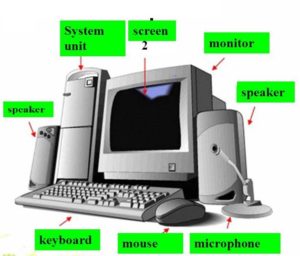
A computer is a solving machine that takes data from input devices, processes it. and gives the output.
The word computer is made up of two words.
- Compute (Solving)
- Computer (Solver)
How many parts does a computer have?
A computer has four main parts.
- System Unit
- Monitor
- Keyboard
- Mouse
What is System Unit in Computer?
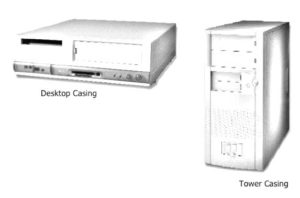
The system unit is the main part of the computer. It is the physical box or a case.
It has two shapes
- Desktop
- Tower
It includes a motherboard, central processing unit (CPU), RAM memory, power supply and other components.
What is CPU?

The central processing unit (CPU) is the processor of a computer system. The CPU is mounted in a socket on the motherboard. It is also called the brain of the computer.
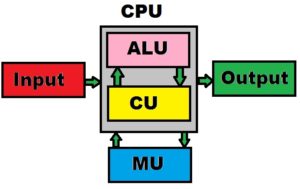
Actually, it takes input and processes it and gives output.
What is a computer keyboard?
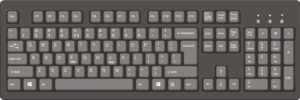
The keyboard is an input device through which we enter data into the computer.
Click here to know all about computer keys on the keyboard.
Parts of a computer keyboard?
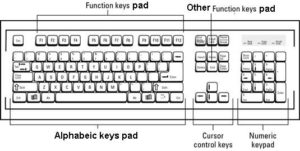
Depending on the functions we can divide the computer keyboard into five parts.
Alphabetic /Typing / Main Keys Pad
This is the main part of the keyboard where we type (a ~ z / A ~ Z) letters and (0~9) numbers.
Control Keys
The function of control keys is to perform specific actions alone or in combination with other keys.
How many keys are there in a computer keyboard?
A computer keyboard typically consists of between 80 to 110 keys depending on the type of keyboard.
Standard keyboards have around 104 keys, while multimedia keyboards can have up to 110 keys.
These keys include alphanumeric keys, function keys, navigation keys, and special keys such as the Caps Lock, Num Lock, and Scroll Lock keys.
Depending on the type of keyboard, there may also be other keys such as multimedia keys, hotkeys, and shortcut keys.
Who is the father of computers?
Alan Turing is generally considered to be the father of the computer.
Turing was an English mathematician, logician, cryptanalyst and computer scientist.
He was born in 1912 and is considered one of the most influential and important figures in the development of computer science.
Turing is credited with developing the concept of the modern computer and building the first programmable digital computer.
He also developed the Turing machine, a model of a general-purpose computer capable of solving problems.
Turing’s work in the field of computer science was instrumental in the development of modern computers and the development of the field of artificial intelligence.
This is why Turing is considered the father of computers.
What is the difference between a CPU and a system unit?
The CPU (Central Processing Unit) and the system unit are both components of a computer system. While they are both important components of a computer, they are quite different in terms of their purpose and functions.
The CPU is considered the “brain” of the computer system. It is responsible for executing instructions from programs and applications. The CPU contains the circuitry necessary to interpret and execute instructions, including an arithmetic logic unit and a control unit. It also contains registers and cache memory for storing and quickly accessing data and instructions.
The system unit, on the other hand, is the main enclosure that houses the internal components of the computer, such as the motherboard, CPU, memory, hard drive, drives, and other components. It is the physical box that houses all the components of the computer system.
In summary, the CPU is a processor that interprets and executes instructions, while the system unit is the physical enclosure that houses the internal components of the computer.
How many types of CPUs are available in computers?
There are many types of CPUs available, each with their own unique advantages and disadvantages. The most popular types of CPUs are Intel, AMD, and ARM.
Intel CPUs are the most powerful, but also the most expensive. AMD CPUs are more affordable, but not as powerful as Intel. ARM CPUs are the least expensive, but also the least powerful.
Additionally, many other types of CPUs are available, such as IBM PowerPC, DEC Alpha, and others.
Each type of CPU has its own specific uses and benefits, so it’s important to determine which type of CPU is best suited for the task at hand.
Computer Questions Answers -
You have come to the right place! when you have decided to become zero to hero. It can be daunting to start from scratch when everything seems to be ruined, but with a little bit of determination and perseverance, you can become a hero.
The first step is to assess the situation and determine what can be salvaged and what needs to be discarded. This will help you to focus on the things that are important and that can help you on your journey.
Once you have done this, you should start to make a plan of action. Think about the skills you have and the things you are good at and use these to your advantage. It may take some trial and error before you find the right path, but by doing this, you can gradually build up a successful foundation.
Set yourself achievable goals and work towards them one step at a time. This will help to keep your morale up and give you a sense of achievement. At the same time, it is important to remember that you are not alone in this journey – seek support from those around you and don’t be afraid to ask for help.
Finally, stay motivated and focused on your end goal. With dedication and hard work, you can go from zero to hero and become the success that you deserve.
No need to worry at all, be happy because you are going to be zero to hero.
Guys, if you have been on this post, it means there is still hope. You still have the desire to do something.
If your mind is working, you can regain everything
If you can keep your mind focused and engaged, you can regain whatever it is you have lost. Your mental clarity, resilience, and sharpness are all within reach. All you need to do is to remain determined and focused on the goal. With such an attitude, you can achieve anything.
Start by taking some time out of each day to focus on yourself. This can include any kind of activity that helps to clear your head and put your thoughts in order. Read a book, go for a walk, or simply sit in silence. This will help to give you a sense of clarity and perspective.
You can also adopt a healthy lifestyle to help your mind stay sharp. Eat balanced meals, exercise regularly, and get enough sleep. A healthy lifestyle can help you to feel more mentally alert and energized.
Try to keep your life organized and avoid procrastination. Set achievable goals and create a daily routine to help you stay focused and productive. When you have a plan for the day, it’s easier to stay on track and accomplish your goals.
Finally, remember to take care of yourself. Spend time with friends and family, take up a hobby, or do something that brings you joy. Taking care of yourself mentally, physically, and emotionally can help you to stay focused and regain whatever it is you have lost.
Everything that happens to you is created in your mind because of the things you think.
Today I’m going to teach you guys how you guys can use your brain to get everything back and become a hero from scratch.First, take a deep breath and chant out loud (I can do this).
I can, of course I can.
I can do many things, and I know that I can accomplish whatever I set my mind to. I have faith in my abilities and I am confident that I will be successful in whatever I pursue.
I can make a difference and I can make an impact. I can strive for excellence and I can be a leader. I can be creative and I can be innovative. I can be compassionate and I can be kind. Yes, I can, and I will!
Start giving thanks
See, you guys have come to my post because you guys have nothing. But I will tell you guys that it is not like that, you have something.
You people are living, sleeping, eating and drinking. You are still getting all these things but you have them. The first thing to do is to be grateful for what you already have.
Be thankful for all that you already have.
I am so thankful to Allah for the many blessings He has given me. He has provided me with love, support, guidance and strength throughout my life.
I am grateful for the endless opportunities He has given me and the joy He has brought into my life.
I am thankful for all the lessons I have learned and for all the wonderful people He has placed in my life.
I thank Allah for everything He has done for me and I strive to be a better person each and every day.
Thanking someone is one of the simplest and most powerful ways to build relationships and get more out of life. Expressing gratitude has the power to keep us connected to others and to create positive feelings in ourselves and those around us.
When we take the time to say “thank you,” it shows that we appreciate the effort and care that someone has put into something for us.
When we make thanking a habit, it creates a ripple effect of kindness that can be felt far and wide. It can serve as a reminder to be grateful for what we have and to share that with others.
Thanking those around us can be especially powerful when we are facing difficult times. It can bring us together and help us to connect to the positive in our lives.
Thanking is a key to unlocking more of the things that we need and want in life. It can open doors to opportunities and relationships, and it can also remind us to be mindful of the little things that bring us joy.
By taking the time to show gratitude, we can cultivate a greater sense of connectedness and appreciation for our lives.
Giving thanks gives more
Giving thanks is an important part of life, and it can have a profound impact on those around us. It is a simple gesture that can make a big difference in how we view and interact with the world.
Not only does it make us feel good, but it also has the potential to bring joy to those we interact with.
When we give thanks, we are expressing our appreciation for someone or something. It can be for a kind gesture, a job well done, or just for being a part of our lives.
It is a way of showing that we recognize and appreciate the effort, time, and energy that someone has put in to make our lives a little better.
Giving thanks can also have a lasting impact on the recipient. It can encourage them to continue striving to do better, or to take on new challenges.
When we show our gratitude, it lets the other person know that we recognize and value their contributions. This can help build a stronger relationship between us, and can even bring us closer together.
Giving thanks can also be a great way to boost our own personal well-being. By recognizing the good in our lives, we are able to focus on the positive and let go of the negative.
It is a reminder to appreciate what we have, and to be thankful for it.Overall, giving thanks can be a powerful and life-changing act. It can strengthen our relationships and make us happier.
So, next time you feel the need to express gratitude, take a moment and give thanks – it can make a world of difference.
Your mind’s intervention in what you have
My mind has been a powerful tool in helping me to step back and assess my current situation.
It has empowered me to make decisions that I would not have made without its intervention.
I have learned to be more aware of my thoughts and feelings, taking the time to really consider the implications of my actions before I take them.
This has been an invaluable asset in helping me to make the best decisions for myself.
My mind has also been a source of inspiration and creativity. I have been able to come up with ideas that I never would have thought of without its help.
It has been a great ally in helping me to find solutions to problems that I would have struggled to solve without its input.
My mind has been a constant companion, helping me to make sense of the world. It has enabled me to see things in a different light and to connect the dots in ways that I wouldn’t have been able to do without its intervention.
I have gained a deeper understanding of my environment and the people around me, allowing me to make more informed decisions.
Overall, my mind’s intervention in what I have has been invaluable. It has been a resource that I rely on every day and I am grateful for its presence in my life.
Understand the power of your mind
In life, we often forget how powerful our mind truly is. Our thoughts can create our reality, and the power of our mind has tremendous potential to shape our lives in positive ways.
We can use our minds to create positive change and manifest our dreams.
Our minds are capable of so much more than we give them credit for. Our thoughts can influence our emotions and behavior, and our beliefs can shape our future.
We can use our minds to accomplish great things and reach our highest potential.
One powerful way to tap into the power of our minds is through mindfulness. When we practice mindfulness, we become aware of our thoughts and feelings, and we learn to accept them without judgment.
Mindfulness helps us become more present in our lives and gain greater control over our thoughts and emotions.
Another way to cultivate the power of our minds is through visualization. Visualizing our goals and dreams can help us stay focused and motivated to achieve them.
We can create a vivid mental picture of our future and use that to guide our actions.
Finally, we can use the power of our minds to manifest our desires. When we focus on positive thoughts and feelings, we can manifest our dreams into reality.
The power of our minds is truly remarkable. When we understand and use our minds to our advantage, we can create positive changes in our lives and achieve our goals.
Earn money without investment
Making money without investing anything is possible, but it’s not always easy. There are a few different ways to make money without investment, depending on your skills, talents, and interests.
One way to make money without investment is freelancing. Websites like Upwork and Fiverr allow you to find freelance work that you can do from the comfort of your own home.
You can find jobs in a variety of different fields, including writing, graphic design, data entry, virtual assistant, and more.
You can even offer services like pet sitting, house cleaning, or tutoring.
Another way to make money without investment is to join the gig economy. The gig economy refers to companies like Uber, Lyft, and TaskRabbit, which allow you to find gigs that you can do on your own time.
You can find gigs that range from driving people to delivering food to running errands.
You can also make money without investment by participating in online surveys. Companies like Survey Junkie and Swagbucks offer rewards for taking surveys.
You can also earn rewards for watching videos, playing games, and shopping online.
Finally, you can make money without investment by selling items online. Websites like eBay, Etsy, and Poshmark are great places to sell used or handmade items.
You can also create an online store, where you can sell items you create yourself or resell items you find at a discount.
Making money without investing anything can be a great way to supplement your income. With the right skills and hard work, you can make money without investing anything.
How to make money from YouTube channel?
Making money from a YouTube channel can be a great way to generate passive income. With the right strategies and tools, you can turn your YouTube channel into a profitable business. Here are some steps to help you get started:
1. Create a YouTube channel. You’ll need to create a YouTube channel and upload videos to begin monetizing your content. Make sure to come up with an engaging name and create a professional-looking channel that reflects the type of content you’ll be posting.
2. Create content. Once you have your channel set up, it’s time to start creating content. Think about what type of videos you want to make and what topics you’ll cover. You’ll want to make sure that you’re putting out quality content that appeals to your target audience.
3. Utilize YouTube’s monetization features. YouTube offers several monetization features that allow you to make money from your channel. You can monetize your videos with ads, join the YouTube Partner Program, or use YouTube’s Super Chat feature.
4. Promote your channel. Promoting your channel is an important step in growing your viewership and monetizing your content. You can promote your channel on social media, in ads, and through collaborations with other YouTubers.
5. Leverage other opportunities. YouTube channels can also generate money through other opportunities such as sponsored videos and affiliate links. You can also monetize your content through merchandise and other products.
By following these steps, you’ll be well on your way to making money from your YouTube channel. With the right strategies, you can create a successful business and generate passive income.
How to create YouTube channel from mobile?
Creating a YouTube channel from your mobile device is a great way to share your content with the world.
The process is simple and straightforward, so you can start broadcasting your videos in no time.
To begin, download the YouTube app for iOS or Android. Once the app is installed, open it and sign in with your Google account.
You’ll also need to verify your account with your phone number.
Once you’ve verified your account, tap the profile icon in the top right corner of the app. You’ll be taken to the “Create Channel” page.
Here, you can enter the name of your channel, upload a profile picture, and provide a short description of what your channel is about.
Once your channel is created, it’s time to start uploading videos. To do this, tap the “Upload” button at the top of the YouTube app.
Here, you can select a video from your device or record a new video. Once you’ve chosen or recorded your video, you can add a title, description, and tags before uploading it.
You can also customize your video with a thumbnail, annotations, and captions.
When your video is uploaded, it will appear in your channel. You can then share the video with your friends and family, or post it to social media.
Creating a YouTube channel from your mobile device is a great way to get your content out to the world.
With just a few taps, you’ll be able to broadcast your videos and share them with others.
How to Create YouTube Channel on Desktop Computer?
Creating a YouTube channel on a desktop computer is a relatively simple process.
First, open your web browser of choice and go to YouTube.com and click the “Sign In” button in the top right corner of the page.
If you don’t already have a Google account, click the “Create Account” link to create one. Once you have a Google account, log in with your username and password.
Once you are logged in, click your profile icon in the top right corner of the page. This will open a menu where you can click the “Create a Channel” button.
You will then be asked to enter a name for your channel. After entering the name, click “Create” and your channel will be created.
Now that your channel has been created, you have a few options for customizing it. You can upload a profile picture, add a description of your channel, and select a category for your channel.
You can also link your channel to other social media accounts and enable monetization to make money from your videos.
Once you have finished customizing your channel, you’re ready to start uploading videos.
To do this, click the “Upload” button in the top right corner of the page.
You will then be asked to select the video you want to upload. After selecting the video, click “Next”, and you will be asked to enter details about the video, such as the title, description, and tags.
Once you have entered all the details, click “Publish” and your video will be live.
Creating a YouTube channel on a desktop computer is a simple process, and it can be a great way to share content with the world.
With a bit of effort and creativity, you can create an engaging and successful channel.
How to make YouTube channel go viral?
Creating a successful YouTube channel that goes viral takes a lot of hard work and dedication.
The first step is to create content that is unique, entertaining, and engaging.
You should also take the time to research and understand the different types of videos that are popular on YouTube, so that you can create content that stands out from the rest.
You should also make sure to use high-quality production techniques and equipment.
Investing in good equipment can help make your videos look more professional, and will make them more likely to be successful.
You should also use good lighting and audio equipment to make sure that your videos look and sound great.
Another important factor in making your YouTube channel go viral is to optimize your videos for visibility.
This means using the right keywords and descriptions that will make it easier for people to find your videos.
You should also make sure to post your videos on other social media platforms, such as Twitter, Instagram, and Facebook, to reach a wider audience.
You should also make sure to engage with your audience by responding to comments, answering questions, and interacting with viewers.
This will help you build a loyal following that will be more likely to watch and share your videos.
Additionally, you should try to collaborate with other YouTubers who have a similar audience as yours.
Finally, you should be patient and consistent with your content. It may take some time before you start to see results, but if you keep creating high-quality content and building relationships with your viewers, your YouTube channel can eventually become viral.
How to get 1000 subscribers for youtube channel?
Are you looking to get 1000 subscribers for your YouTube channel? Building a successful YouTube channel takes hard work and dedication, but it is definitely worth the effort!
Here are some tips for getting those subscribers and growing your audience.
First, create compelling content. You need to give viewers a reason to watch your videos and keep coming back for more.
Think about the type of content you want to produce and what kind of videos would be relevant and interesting to your audience.
Quality is key – make sure that you’re putting out content that is informative, entertaining, and engaging.
Second, optimize your videos for search engines. Using keywords in your video titles, descriptions, and tags can help your videos show up in YouTube search results.
Make sure to include relevant keywords that viewers would use to find your videos.
Third, promote your videos on social media. Don’t be afraid to share your videos on your other social media platforms.
This will help to increase your visibility and draw more viewers to your videos.
You can also run ads on social media to help get your videos in front of more people.
Fourth, engage with your audience. Make sure to respond to comments and questions left by your viewers.
This will help to create a sense of community and make your viewers feel like they are part of your channel.
Finally, collaborate with other YouTubers. Reaching out to other creators in your niche and working together can help to draw more viewers to your channel.
You can do video collaborations or just share each other’s videos on social media.
These are just a few tips for getting 1000 subscribers for your YouTube channel.
With some strategic planning and a lot of hard work, you can grow an engaged audience of viewers. Good luck!
 Zero to Hero
-
What is the use of the a to z keys with Ctrl in a computer?
- Ctrl + A
Select All
- Ctrl + B
Bold Text
- Ctrl + C
Copy selected data to the clipboard.
- Ctrl + D
Open Font Menu (Word)
Duplicate objects
Duplicate Slide (PowerPoint)
Bookmark the current website
- Ctrl + E
Center Align (word, table text box and also used to fill value and text in Excel)
- Ctrl + F
Find text or numbers numeric or non-numeric data.
- Ctrl + G
Go to (Word and Excel)
Find on the website
- Ctrl + H
Find and Replace
- Ctrl + I
Italic Text
- Ctrl + J
Align justify paragraph in Word and the text box.
Open the Download folder of the web browser
What is the hyperlink shortcut on a computer keyboard?
- Ctrl + K
Create a hyperlink
- Ctrl + L
Create a table (Excel)
Left align (word, excel and PowerPoint text box)
Move the cursor to the address bar in the browser.
- Ctrl+ M
Indent paragraph
Undo Ctrl + Shift + M Indent paragraph
Ctrl + N
New file or document
Ctrl + Shift + N
Create a new folder
Ctrl + O
Open saved file or document
- Ctrl + P
Print current file
Get a hard copy on a paper printer
- Ctrl + Q
Exit programme (PowerPoint)
CorelDraw Convert to curve in shape tool
- Ctrl + R
Right align
repeat in Coreldraw, adobe and Illustrator
To reload the current website you are viewing in Internet Browser.
- Ctrl + S
Save
- Ctrl + T
Hanging indent word
excel create table
Font menu in PowerPoint
Open a new tab in the Internet browser.
- Ctrl + U
Underline in Word or any textbox
Ungroup in CorelDraw
- Ctrl + V
Paste from clipboard
- Ctrl + W
Close the current file document window folder from the screen.
Also used to close the current website you are viewing in the web browser.
- Ctrl + X
move selected data to the clipboard that you can paste anywhere
- Ctrl + Y
Redo the Undo / Repeat the last action
Snap to Grid in CorelDraw
- Ctrl + Z
Undo
What is the use of Ctrl with navigation keys in a computer?
In computer navigations, keys are arrow keys, Home, End, Page Up, Page Down, Delete, and Insert.
- Ctrl + → (Right Arrow)
Moving the cursor to the right word by word.
- Ctrl + ← (Left Arrow)
Moving the cursor to the left word by word.
- Ctrl + ↑ (Up Arrow)
Moving the cursor to the up paragraph by paragraph.
- Ctrl + ↓ (Down Arrow)
Moving the cursor to the down paragraph by paragraph.
- Ctrl + Delete
Delete the word to the right of the cursor.
- Ctrl + Insert
Copy selected data to the clipboard.
Adobe Photoshop cc Shortcut keys
List of shortcuts with Windows key in Windows 7
- Windows logo key + D
To display the desktop
- Windows logo key + E
To open my computer
- Windows logo key + F
To open Window’s search
- Windows logo key + L
To lock the computer.
Note:- Set the Windows password to make your computer password-protected lock.
- Windows logo key + R
To open a run dialogue box for opening any computer programme by typing in it.
- Windows logo key + T
open taskbar applications
- Windows logo key + U
Open Ease of Access Center
Click here to see how you can move the mouse pointer with the keyboard by setting it in Ease of Access Center from Control Panel.
computer shortcut keys -
In this article, you will find “Adobe Photoshop CC shortcuts”, all A to Z shortcuts that you can use in Adobe Photoshop CC.
I hope that all these shortcuts will make your work much faster and easier۔
First of all, I’m going to give you a shortcut to how we can get keyboard shortcuts in Adobe Photoshop CC.
How to Show Keyboard Shortcuts Menu?
Ctrl+Alt+Shift+K
You can use the following shortcuts to open the menus of Adobe Photoshop CC.
Basic Selection Shortcuts
Ctrl+A Select all Ctrl+D Deselect Shift+Ctrl+D Reselect Shift+Ctrl+I Inverse selection Ctrl+Alt+A Select All Layers Alt+Shift+Ctrl+F Find Layers Ctrl+Alt+R Refine Mask Shift+F6 Feather Menus Shortcuts
Alt+F File Menu Alt+E Edit Menu Alt+I Image Menu Alt+L Layer Menu Alt+S Select Menu Alt+T Filter Menu Alt + D 3D Menu Alt+ W Window Menu What are Adobe Photoshop CC file menu shortcuts?
File Menu Shortcuts
Ctrl+N New File Ctrl+O Open File Ctrl+Alt+Shift+O Open / Browse Ctrl+W Close Ctrl+Alt+W Close all Ctrl+S Save Ctrl+Alt+S Save As F12 Revert Ctrl+Alt+Shift+W Export As Ctrl+Alt+Shift+S Save for Web Ctrl+Alt+Shift+I File Info Ctrl+P Print Alt+Shift+Ctrl+P Print one Copy Ctrl+Q Quit Photoshop CC How to use Edit Menu in Shortcuts?
Edit Menu Shortcuts
Ctrl+Z Undo Ctrl+Alt+Z Multiple Undo Ctrl+Shift+Z Multiple Redo Shift+Ctrl+F Fade Shift+Ctrl+C Copy Merged Shift+Ctrl+V Paste in Place Alt+Shift+Ctrl+V Paste Into Shift+F5 Fill Alt+Shift+Ctrl+C Content-Aware Scale Ctrl+T Free Transform Shift+Ctrl+T Transform again Shift+Ctrl+K Color Settings How to use the Adobe Photoshop CC Image Menu Shortcuts?
Ctrl+L Adjust Levels Ctrl+M Adjust Curves Ctrl+U Adjust Hue / Saturation Ctrl+B Color Balance Alt+Shift+Ctrl+B Adjust to Black and White What are the shortcuts of Layer Menu in Adobe Photoshop CC?
Shift+Ctrl+N New Layers Ctrl+J Layer via Copy Shift+Ctrl+J Layer via Cut Ctrl+Alt+G Create / release Clipping Mark Ctrl+G Group Layers Shift+Ctrl+G Ungroup Layers Ctrl+, Hide Layers Ctrl+] Bring forwards Ctrl+[ Bring backwards Shift+Ctrl+] Bring to front Shift+Ctrl+[ Bring to back Ctrl+/ Lock Layers Ctrl+E Merge Layers Ctrl+Shift+E Merge Visible Filter Menu Shortcuts
Ctrl+F Last Filter Ctrl+Alt+Shift+A Adaptive Wide Angle Shift+Ctrl+A Camera Raw Filter Shift+Ctrl+R Lens Correction Shift+Ctrl+X Liquify Ctrl+Alt+V Vanishing Point 3D
Ctrl+Alt+X Show/Hide Polygons Alt+Shift+Ctrl+X Reveal all Alt+Shift+Ctrl+R Render 3D Layer Windows
Ctrl+Alt+` Design Space Preview F5 Toggle Brush Window F6 Toggle Color Window F7 Toggle Layers Window F8 Toggle Info Window F9 Toggle Actions Window H Hand tool V Move Tool M Marquee Tools L Lasso Tools W Magic Wand and Quick Selection Tool C Crop and Slice Tools I Eyedropper, Color Sampler, Ruler, Note, and Count Tool J Spot Healing Brush, Patch, and Red Eye Tool B Brush, Pencil, Color Replacement, and S Clone Stamp tool Y History Brush tool E Eraser tool G Gradient tool O Dodge tool P Pen tool T Type tool A Path Selection tool U Rectangle, Ellipse, Polygon, Line, and Custom Shape Tool K 3D Object Tools N 3D Camera Tools R Rotate View tool Z Zoom tool Views
Ctrl+Tab/Ctrl+Shift+Tab Cycle forwards/ backwards through open documents F/Shift+F Toggle Fullscreen Modes forward/ backwards Ctrl+[+]/- Zoom in/ zoom out Ctrl+0 Zoom to fit the screen Ctrl+1 Zoom to 100% Press and hold H, then Click Temporarily Zoom into an Image Ctrl+’ Show/Hide Grid Ctrl+; Show/Hide Guides Ctrl+R Show/Hide Rulers Space Temporarily Switch to Hand Tool Shift+Page Up/Page Down Scroll up/ scroll down in small increments Page Up/Page Down Scroll up/ down one screen Home/End Scroll to top upper-left/ lower-right corner Ctrl+Shift+; Toggle Snap Ctrl+Alt+; Lock Guides Ctrl+Y Proof Colors Shift+Ctrl+Y Gamut Warning Q Toggle Quick Mask Mode Ctrl+H Extras Shift+Ctrl+H Show Target Path Refine Edge Dialog Box
Ctrl+Alt+R Open Refine Edge Dialog Box F/Shift+F Cycle forwards/backwards through preview modes X Toggle between the original image and selection preview P Toggle between the original selection and the refined version J Toggle radius preview on and off Shift+E Toggle between Refine Radius and Erase Refinements tools Liquify Window
Shift+Ctrl+X Open Liquify Window W Forward Warp tool R Reconstruct tool C Twirl Clockwise tool S Pucker tool B Bloat tool O Push Left tool M Mirror tool T Turbulence tool F Freeze Mask tool D Thaw Mask tool Alt+ tool Reverse direction for Bloat, Pucker, Push Left, and Mirror tools Alt+Drag in preview Continually sample the distortion Arrow Down/Arrow Up Decrease/increase brush size by 2, or most other parameters by 1 (With Brush Size, Density, Pressure, Rate, or Turbulent Jitter slider showing) Tab/Shift+Tab Cycle forwards/backwards through controls on right from the top Alt Change Cancel to Reset Vanishing Point Tools Brush Stamp Plane Marquee . . . .
[ / ] Increase/ Decrease Brush / Stamp Size Shift+[/] Increase/ Decrease Brush Hardness Black-and-White Dialog Box
Shift+Ctrl+Alt+B Open Black-and-White Dialog Box Tab/Shift+Tab Jump to next/ jump to the previous slider Shift+Arrow Up/Arrow Down Increase/Decrease selected value by 10% Arrow Up/Arrow Down Increase/Decrease selected value by 1% Curves Dialog Box
Ctrl+M Open Curves Dialog Box Click Add a point to the Curve +/- Cycle through a point on the curve Ctrl+D Delete a point from the Curve Shift+Click Select one or multiple points on the curve Delete Delete selected points on the curve Arrow Keys Move selected points by 1 unit Shift+Arrow Keys Move selected points by 10 unit Ctrl+Click on the Image Add a Point to the composite curve Shift+Ctrl+Click on the Image Add a Point to the channel curve Transform Selections, Borders, and Paths
Alt Transform from the centre or reflect Shift Constrain Ctrl Distort Enter Apply Esc Cancel Ctrl+Alt+T Free transform with duplicate data Ctrl+Alt+Shift+T Transform again with duplicate data Painting Tools
Any Painting Tool +Shift+Alt+ Right-click and drag Select foreground colour from the colour picker Any painting/shape tool +Alt Select foreground colour from the image with the Eyedropper tool Eyedropper tool +Alt+Click Select background-colour Eyedropper tool +Shift Colour sampler tool Colour sampler tool +Alt+Click Deletes colour sampler Any Painting / Editing Tool + 0..9 Sets opacity, tolerance, strength, or exposure for Painting Mode to 10%, 20% etc. use 0 for 100% and use 2 numbers in quick succession for a specific percentage. Any Painting / Editing Tool +Shift+0..9 Sets flow for Painting Mode Alt+Shift+ 1…9 Mixer Brush changes Mix setting 1…9 Mixer Brush changes Wet setting 0 (zero) Mixer Brush changes Wet and Mix to zero Shift+[+]/- Cycle through blending modes Backspace Open Fill dialogue box on background or standard layer Alt+Backspace Fill with foreground or background-colour Ctrl+Alt+Backspace Fill from history Shift+Backspace Displays Fill dialogue box / Lock transparent pixels on/ off Any Painting Tool +Shift+Click Connects points with a straight line Blending Modes
Shift+[+]/- Cycle through blending modes Shift+Alt+N Normal Shift+Alt+I Dissolve Shift+Alt+Q Behind (Brush tool only) Shift+Alt+R Clear (Brush tool only) Shift+Alt+K Darken Shift+Alt+M Multiply Shift+Alt+B Colour Burn Shift+Alt+A Linear Burn Shift+Alt+G Lighten Shift+Alt+S Screen Shift+Alt+D Color Dodge Shift+Alt+W Linear Dodge Shift+Alt+O Overlay Shift+Alt+F Soft Light Shift+Alt+H Hard Light Shift+Alt+V Vivid Light Shift+Alt+J Linear Light Shift+Alt+Z Pin Light Shift+Alt+L Hard Mix Shift+Alt+E Difference Shift+Alt+X Exclusion Shift+Alt+U Hue Shift+Alt+T Saturation Shift+Alt+C Colour Shift+Alt+Y Luminosity Sponge tool +Shift+Alt+D Desaturate Sponge tool +Shift+Alt+S Saturate Dodge tool/Burn tool +Shift+Alt+S Dodge/burn shadows Dodge tool/Burn tool +Shift+Alt+M Dodge/burn mid-tones Dodge tool/Burn tool +Shift+Alt+H Dodge/burn highlights Shift+Alt+N Set blending mode Normal (or to Threshold for bitmap images) Select and Edit Text
Ctrl+Drag type when Type layer is selected Move type in the image Shift+Arrow Keys Extend selection by 1 character Shift+Click Select characters from the insertion point to the mouse click point Shift+Click Create a new text layer, when a text layer is selected in the Layers panel Click 2x, 3x, 4x, / 5x in fast succession Select a Word, Line, Paragraph, or Story Ctrl+H Hide/Show selection on selected type Ctrl Display the Bounding Box for transforming text (or activate Move Tool when inside the Bounding Box) Ctrl+Drag a Bounding Box handle Scale text within Bounding Box when resizing the bounding box Space+Drag Move text box while creating a text box Format Text Type
Ctrl+Shift+ L,C, /R Align left, center, or right (Horizontal Type) or top, center, or bottom (Vertical Type) Ctrl+Shift+X Choose 100% horizontal scale Ctrl+Alt+Shift+X Choose 100% vertical scale Ctrl+Alt+Shift+A Choose Auto leading Ctrl+Shift+Q Choose 0 for tracking Ctrl+Shift+J Justify paragraph, left aligns last line Ctrl+Shift+F Justify paragraph, justifies all Ctrl+Alt+Shift+H Toggle paragraph hyphenation Ctrl+Alt+Shift+T Toggle single/every-line composer Ctrl+Shift+</> Decrease/ increase Type Size by 2 points or pixels Alt+Arrow Down/Arrow Up Decrease/ increase leading 2 points or pixels Shift+Alt+Arrow Down/Arrow Up Decrease/ increase Baseline Shift 2 points or pixels Alt+Arrow Left/Arrow Right Decrease or increase kerning/tracking 20/1000 ems Slicing and Optimizing
Ctrl Toggle between the Slice tool and Slice Selection tool Shift+Drag Draw square slice Alt+Drag Draw from center outward Shift+Alt+Drag Draw a square slice from center outward Space+Drag Reposition the slice while creating a slice Right-click slice Open context-sensitive menu Manage Panels Shortcuts
Alt+Click New button Set options for new items (not for all Panels) Alt+Click Delete button Delete without confirmation (for all except for the Brush panel) Shift+Enter Apply value and keep the text box active Tab Show/Hide all panels Shift+Tab Show/Hide all panels except the toolbox and options bar Select tool and press Enter Highlight options bar Shift+Arrow Up/Arrow Down Increase/decrease selected values by 10 Actions Panel
Alt+Click the checkmark next to a command Turn to command on and all others off Alt+Click Turn the current modal control on and toggle all other modal controls Alt+Double-click action Change action or action set options Double-click recorded command Display Options dialogue box for recorded command Ctrl+Double-click action Play entire action Alt+Click the triangle Collapse/ expand all components of an action Ctrl+Click the Play button Play a command Alt+Click the New Action button Create a new action and begin recording without confirmation Shift+Click the action/Command Select contiguous items of the same kind Ctrl+Click the action/Command Select discontiguous items of the same kind Adjustment Panels
Alt+3/4/5 Choose a specific channel (Red/Green/Blue) for adjustment Alt+2 Choose a composite channel for adjustment Delete/Backspace Delete adjustment layer Alt+Click Auto button Define Auto options for Levels or Curves Animation Panel in Fames Mode
Shift+Click second frame Select/deselect multiple contiguous frames Ctrl+Click multiple frames Select/deselect multiple discontiguous frames Alt+ Paste Frames command from the Panel popup menu Paste using previous settings without displaying the dialogue box Brush Panel
Alt+Click brush Delete brush Double-click brush Rename brush Alt+ Right-click + drag left / right Change brush size Alt+ Right-click + drag up / down Decrease/ increase brush softness/ hardness ,/. Select previous/ next brush size Shift+,/. Select first/last brush Caps Lock Display precise crosshair for brushes Shift+Alt+P Toggle airbrush option Channels Panel
Ctrl+3/4/5 Select individual channels (Red/Green/Blue) Ctrl+2 Select composite channel Ctrl+Click channel thumbnail, or Alt+3/4/5 Load channel as selection (Red/Green/Blue) Ctrl+Shift+Click channel thumbnail Add to current selection Ctrl+Alt+Click channel thumbnail Subtract from the current selection Ctrl+Alt+Shift+Click channel thumbnail Intersect with the current selection Alt+Click Save Selection As Channel button Set options for Save Selection As Channel button Ctrl+Click Create New Channel button Create a new spot channel Shift+Click colour channel Select/deselect multiple color-channel selection Shift+Click alpha channel Select/deselect alpha channel and show/hide as a rubylith overlay Double-click alpha/spot channel thumbnail Display channel options ~ Toggle composite and grayscale mask in Quick Mask mode Clone Source Panel
Alt+Shift Show Clone Source (overlays image) Alt+Shift+Arrow Keys Nudge Clone Source Alt+Shift+</> Rotate Clone Source Alt+Shift+[/] Scale (increase or reduce size) Clone Source Color Panel
Alt+Click colour in the colour bar Select background-colour Right-click colour bar Display Color Bar menu Shift+Click colour bar Cycle through colour choices History Panel
Alt+ New Snapshot Create a new snapshot Double-click snapshot name Rename snapshot Ctrl+Shift+Z Step forward through the image states Ctrl+Alt+Z Step backwards through image states Alt+Click the image state Duplicate any image state, except the current state Alt+ Clear History (in History panel popup menu) Permanently clear history (no Undo) Layers Panel
Ctrl+Click layer thumbnail Load layer transparency as a selection Ctrl+Shift+Click layer thumbnail Add to current selection Ctrl+Alt+Click layer thumbnail Subtract from the current selection Ctrl+Alt+Shift+Click layer thumbnail Intersect with the current selection Ctrl+Click filter mask thumbnail A load filter mask as a selection Ctrl+G Group layers Ctrl+Shift+G Ungroup layers Ctrl+Alt+G Create/release clipping mask Ctrl+Alt+A Select all layers Ctrl+Shift+E Merge visible layers Alt+Click New Layer button Create a new empty layer with a dialogue box Ctrl+Click New Layer button Create a new layer below the target layer Alt+. Select top layer Alt+, Select bottom layer Shift+Alt+[/] Add to layer selection in the Layers panel Alt+[/] Select next layer down/up Ctrl+[/] Move target layer down/up Ctrl+Alt+Shift+E Merge a copy of all visible layers into the target layer Ctrl+E Merge layers Ctrl+Shift+[/] Move the layer to the bottom or top Alt+ Merge Down command from the Panel popup menu Copy current layer to layer below Alt+ Merge Visible command from the Panel popup menu Merge all visible layers to a new layer above the currently selected layer Right-click the eye icon Show/hide this layer/layer group only or all layers/layer groups Alt+Click the eye icon Show/hide all other currently visible layers / Toggle lock transparency for target layer or last applied lock Double-click layer effect/style Edit layer effect/style, options Alt-Double-click layer effect/style Hide layer effect/style Double-click layer Edit layer style Shift+Click vector mask thumbnail Disable/enable vector mask Double-click layer mask thumbnail Open Layer Mask Display Options dialogue box Shift+Click layer mask thumbnail Toggle layer mask on/off Shift+Click filter mask thumbnail Toggle filter mask on/off Alt+Click layer mask thumbnail Toggle between layer mask/composite image Alt+Click filter mask thumbnail Toggle between filter mask/composite image \ Toggle rubylith mode for layer mask on/off Double-click type layer thumbnail Select all types; temporarily select the Type tool Alt+Click the line dividing two layers Create a clipping mask Double-click the layer name Rename layer Double-click the filter effect Edit filter settings Double-click the Filter Blending icon Edit the Filter Blending options Ctrl+Click New Group button Create a new layer group below the current layer Alt+Click New Group button Create a new layer group with dialogue box Alt+Click Add Layer Mask button Create a layer mask that hides all (or selection) Ctrl+Click Add Layer Mask button Create a vector mask that reveals all (or path area) Ctrl+Alt+Click Add Layer Mask button Create a vector mask that hides all or displays path area Right-click layer group and choose Group Properties, / Double-click group Display layer group properties Shift+Click Select/ deselect multiple contiguous layers Ctrl+Click Select/ deselect multiple discontiguous layers Layer Comps Panel
Alt+Click Create New Layer Comp button Create new layer comp without the New Layer Comp box Double-click layer comp Open Layer Comp Options dialogue box Double-click layer comp name Rename in-line Shift+Click Select/ deselect multiple contiguous layer comps Ctrl+Click Select/ deselect multiple discontiguous layer comps Paths Panel
Ctrl+Click pathname Load path as a selection Ctrl+Shift+Click pathname Add path to selection Ctrl+Alt+Click pathname Subtract path from selection Ctrl+Alt+Shift+Click pathname Retain the intersection of a path as a selection Ctrl+Shift+H Hide path Alt+Click button Set options for Fill Path with Foreground Color button, Stroke Path with Brush button, Load Path as a Selection button, Make Work Path from Selection button and Create New Path button  Adobe Photoshop CC Shortcuts
-
What is the Internet?
The Internet is a global network. Where people from all over the world can share and access information through computers, tabs and mobile phones.
First, connect to the Internet and then open Internet browsers/explorers to open websites.
The Internet is a global system of interconnected computer networks used to share information and resources.
It is composed of millions of private, public, academic, business, and government networks, which together carry various forms of data including audio, video, text, and other digital information.
The Internet is an international network of networks, linking computers around the world.
It was developed in the late 1960s and early 1970s and has since evolved into a vast interconnection of networks that allow people to send and receive data from any location. The Internet is used for a variety of purposes, including communication, research, entertainment, and commerce. It is also an essential part of modern life, providing access to education, health care, banking, and other essential services.
The Internet has revolutionized the way people communicate and interact in the digital world.
You can also share one internet connection to multiple computers, tabs and mobiles with networking and Wifi signals.
There are many Internet browsers that you can use to open websites.
Mostly using internet browsers are Google Chrome, Firefox, Microsoft Edge and Apple’s Safari.
If you do not know the name of the website you are trying to open then I would suggest you just open the Google website and find your desired website in it.
Open any browser you have on your computer and type the website address that you want to visit.
There are some abbreviations that we see in the address bar of the browser along with the name of our website.
What is HTTP?
HTTP is the abbreviation of (Hypertext Transfer Protocol) and it connects to the server and sends HTML pages back to the browser that you are using.
HTTP is a communication protocol used to connect web servers to local networks and the Internet.What is HTTPS?
(Hypertext Transfer Protocol Secure) is an Internet communication protocol that protects the privacy of data between the device the user is browsing and the website. HTTPS allows users to access websites securely and privately.
What is WWW?
(World Wide Web). WWW is a collection of data where you can get whatever you want such as photo videos and text data.
What is URL?
Uniform Resource Locator. The website address is URL.
What is the example of the URL?
URL: https://www.lunarcomputercollege.com/
What is a client?
An Internet client is a web browser that you use to send requests for any information.
What is a server?
An Internet server is a storage that stores all the data you request from a browser. Such as photos, videos and text information.
How to check Internet connection Speed?
Click here to check the internet connection speed. On the other tab, a website will open where you will click on GO to check the speed.
We can use the Internet for many purposes, such as searching for anything.
I recommend using Google for searching.
by using the internet you can connect to social media to share your information.
You can send and receive emails.
Google is the best platform on the Internet to help you with everything.
 Internet
-
How to Create a Blog for free and make money?
To create a blog sign in to Google Blogger Account.
Click on Sign In or Create your blog to start creating your blog.
If you have already a blog then the computer will sign in to your blog where you can start posting.
On the next page click on Create blog
then the following window will appear:
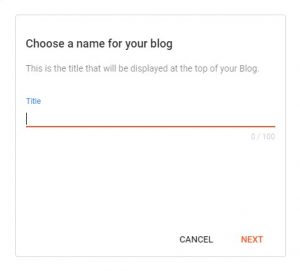
Type your blog Title and Click on NEXT.
on the next windows type your blog URL address as shown in the image below and click on the SAVE
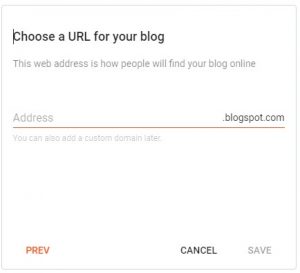
type the name and check the availability then click on the SAVE to save it.
Now your blog is ready to start posting.
Now under your blog title, you will see the

by clicking on + NEW POST computer will display the following window
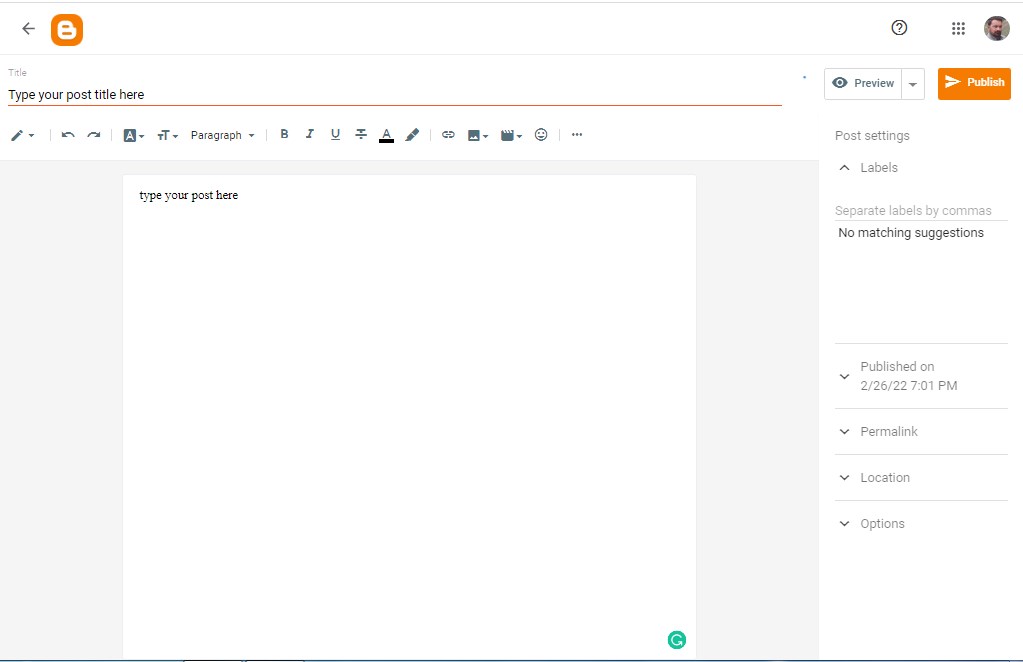
type the post according to the SEO and then click on Publish.
blogger -
There are a lot of ways to make money online. While sitting home we can make money easily.
There are few ways to make money from home which are as following :
What is Meesho and how it works?
What is Reselling with Meesho?
How will I get my first order?
What is Fiverr and how does it work?
How do you make money on Fiverr?
Which Swagbucks Features Let You Earn Rewards Online?
What is the job of a translator?
What types of translation are there?
What do virtual assistants actually do?
Are virtual assistants in high demand?
What is the purpose of a podcast?
What is the main purpose of YouTube?
How do you make money from YouTube?
Will I Need Special Skills to be a Proofreader?
How Do You Find Proofreading Jobs?
How do you know if proofreading is right for you?
How Much Can You Make with Online Games?
What’s the Best Type of Games that Pay Real Money?
What skills are required for SEO?
How to Make Money Online with SEO?
1: Freelancer writer:

Still, if you are reading this, you may be curious to know how to make a freelance pen.
You may get tired of getting vague advice instead of a factual approach that actually helps you get started.
Well, I have good news. Getting a freelance pen should not be a long or complicated process.
In this composition, I will cover all the terms you need to know in practice so that you can start your freelance juggling career.
Anyone can go and get a freelance pen. You do not need a degree or a valuable tool under the first belt.
Of course, having strong juggling chips helps get started, but you can (and should) continue to improve as you move forward.
In fact, if you have a keyboard and internet connection, you are already eligible to start as a freelance pen anywhere in the world.
What is freelancer??
That way, as a freelance writer, you will usually work with individual guests, agencies, companies, or publications, contracting out your pairing services with them.
Freelance juggling is a flexible and potentially economical way to make plutocrats online, whether it’s a one-sided move, a full-time career, or whatever.
That is, freelance writers can take full control of their careers by choosing their schedules, who they work with, what projects they work on, where they work, and so on.
Great, huh?
Needless to say, there are many different types of freelance juggling that you can pursue, offering a wide range of chips and design openings at any time.
Let’s take a look at the most common types of freelance jute you want to know.
A freelance content pen creates online content that informs, educates, or entertains.
Stylish content pens need to be suitable for writing in different tones and styles and generally require a solid understanding of Hunt Machine Optimization (SEO).
Some of the content they produce is blog papers, web runners, videotape scripts, white papers and much more.
Although there are some drawbacks, copywriting is different from writing content that is about convincing everyone.
Copywriters use written data-driven strategies to convert people into buying a product or service.
Freelance copywriters hunt machines and write effects like social media ads, taglines and taglines, website wharf and product runners, dispatch marketing juggernauts, etc.
A freelance columnist works regularly with a specific publication, presenting journalistic papers through the lens of his own opinion and worldview.
Whether it’s a review, a magazine or a website, columnists usually contribute to specific areas such as food, sports or politics.
Freelance ghostwriters create and credit jotting work by another person or company.
Ghostwriters often work with the people for whom they are writing, following their voice, style and other descriptions for television.
Freelance ghost pens can work on a variety of systems, including fabricated and non-fiction calligraphy, online papers, primers, or speeches.
As the name suggests, freelance academic authors write scholarly material based on facts.
Because of this, academic authors understand the unusual alphabet and exploration chips, as well as references to APA, MLA, and Chicago.
Some of the most common types of content produced by freelance academic authors are papers, scholarly journals, and class accretions.
2. Blog Writing:
Do you know what a blog is?
Still, you’re in the right place at the right time, if you don’t. When Blogs was launched in 1994, Blog was a special magazine in which people participated online.
In this online journal, you can talk about your daily life or participate in what you were doing.
Since then, people have seen the opportunity to provide information online in a new way. So began the beautiful world of blogging
How Blogging Works?
Blogging is as easy as getting a website and having real content on it.
Tech smart bloggers can buy circle names and build their own websites.
People who have knowledge of HTML can create an account with places like WordPress and create webinars and webinars.
Blogs are usually simple websites.
Older pieces can be stored in separate sections of the point, and perhaps a separate runner with contact information or memory, but the blog itself is usually just a runner that can be scrolled.
Newsfeed’s social media Places like Facebook. Like the eBook News Feed, a blog displays content at the top of Runner.
Another unique aspect of blogging is the interplay. This happens when a blogger links to another person’s blog in his blog post.
For example, if a music school teacher maintains a blog, and writes a blog post about how to create air, he can link to the musician’s blog so that an example can be put into practice.
Coins can be linked by a political blogger to another political blog and can also be linked to the Concern section with a post on that blog, which promotes a sense of community and makes the blog unique.
How to Write a Blog Post?
- Choose a blog name. Choose a descriptive name for your blog.
- Get your blog online. Register your blog and get hosting.
- Customize your blog. Choose a free blog design template and customize it.
- Write and publish your first post. Be part of your education with the world. Fun part!
- Promote your blog. Get more people to read your blog with proper marketing.
- Create Plutocratic Blogging Choose from several options to monetize your blog.
3: Graphics Designing:

Graphic design is a skill where professionals create visual content to send.
Implementing visual bracket and runner layout methods, using typography and images to meet the specific needs of contrast drugs and focusing on a sense of early exposure in interactive designs to enhance Stoner’s experience.
Although working in the digital age means you have to design with interactive software, a graphic design still revolves around the old principles.
It is important that you create a passion with your customers at first sight.
Therefore graphic design is compatible with the emotional design.
However, you should know that there are several ways to make money online, whether you are a graphic developer or want to come up with one.
In this composition, I will give you some tips on how to make money with the effects of your choice. Believe it or not, it’s easy to get started with them.
Offer a service:
Let’s find out the most obvious way. Yes, freelancing is the best way to make money online or offline as a graphic designer.
But, taking online courses and watching a few YouTube tutorials does not make you a professional designer.
You have to work hard to improve your skills, practice and make a name for yourself.
More importantly, there is a secret to success in the design industry.
Even better, find a micro-niche in graphic design and focus all your energy on learning what you can do about the place.
For example, instead of calling yourself a graphic designer who does all kinds of design work, focus on a place like Twitch emote design.
Create a service for gamers to design Twitch Emotions. That way you will have a target audience with a specific need.
Promoting your service and land customers will be easy.
4: Social media evaluator:

Social media reviewer is a response that provides feedback on news feeds, advertisements and searches results for social media websites like Facebook and Instagram.
This is a remote, home-based job that is great for beginners as it does not require any prior experience.
There is a wide range of tasks that social media reviewers can perform. For example
1: Rate the quality and relevance of the ads.
2: Assign posts in the default category of titles.
3: Answer questions about the intent behind the search on social media platforms.
4: Evaluate claims made in content pieces such as photos and videos.
5: Guess the facts and see if they are fake.
Etc.
Then, Simply put the work of Social Media Evaluator helps social media companies improve the services they provide to their customers.
However, now is the time to spend your time on social media platforms!
If you love social media and are an active user, with Appen, Social Media Evaluator will review the quality and relevance of the information in your local area or country of residence, such as news feeds, ads and search results.
Tech companies around the world need the knowledge and experience of people who use their services.
Social media reviewers have a direct impact on the effectiveness and relevance of the service provided by these companies.
Social Media Evaluator is an opportunity to work from home where all you need is a computer or smartphone and the desire to make a positive impact while working on social media platforms that you enjoy.
These are entry-level positions and Social Media Evaluators can learn new technologies and earn money only by gaining experience in participating in social media.
Companies are looking for a social media evaluator that can actively monitor their interactions on popular social media sites such as Facebook, Twitter, Instagram, and LinkedIn.
They are paid to view and analyze the interaction of these businesses on social media, as well as to keep track of the reception they receive from their audience.
5: Website survey:

A website survey is a collection of questions that allows you to get quantitative and qualitative feedback on your site.
It can appear in a variety of formats, from popups to full-page overlays.
And you can share it in different places on your site, depending on the pages you want to improve.
Wondering how and why to use a website survey? When you want to understand how visitors view your website, you should take advantage of it.
More specifically, website surveys give you an opportunity to find out why visitors come to your site, what they expect to find, and whether you provide the experience they expect.
Our expertly verified website feedback template is a springboard for understanding the needs of your website visitors and assessing the overall impact of your online presence.
Ask users what brought them to your site, how likely they are to return, and how they enjoyed the experience.
Was it a positive user experience? How will they rate the satisfaction of their user interface?
Whether you’re concerned with content, intuitive design, performance, memory, usability, heuristics, or just your overall business model, our survey template will help your website get the feedback it needs.
If you have more specific questions about your web presence, you can customize the questions or add new ones.
Different types of website surveys:
Website surveys can be conducted to achieve a variety of goals such as user research, UX optimization, understanding visitor behaviour, product feedback, and more.
The type of website research you choose depends on the goal you want to achieve.
Broadly speaking, in the online world where businesses run on websites instead of brick and mortar shops, there are 3 types of website surveys:
Pop-up survey:
Popup Website Surveys, As soon as an event triggers an event, it literally pops up on viewers’ browsers.
This type of survey can be configured to appear anywhere in the visitor’s entire journey.
Widget survey
Widgets appear as a small widget in the corner of the survey web page that opens as a form when clicked.
They are unwavering and give website visitors the freedom to initiate surveys on their own, whenever they deem appropriate based on the type of experience your website has delivered to them.
Collapsible Popup Survey
Collapsible Popup Surveys are a mix of Popup Surveys and Widget Surveys.
When an event is triggered like a popup survey, it appears on the viewer’s screen.
But unlike pop-up surveys, when visitors turn it off, instead of disappearing altogether, they appear as a small widget in the corner of the web page.
It allows website visitors to select with the agency and participate in the campaign just by clicking on the widget and then filling in their answers.
- Data Entry:

Data entry is the process by which an employee enters data or other non-electronic data into a computer.
Today, many of the online data entry jobs available require employees to enter their data into an online database.
Data entry may seem like an unusual and easy task, but it does require some special skills.
Some key data entry skills include fast typing, good communication skills, basic knowledge of software such as word processors, spreadsheets and database software, great focus on detail, and some basic research and data collection skills.
Types of data entry jobs
Remote :
- As a remote worker in the data entry industry, you can choose where you fulfil your job responsibilities.
- You can usually choose your own times.
- Remote workers are not likely to be paid one hour’s wages and will be paid per project or per stroke over a specified period.
- Employers prefer distant workers to trust and be able to complete tasks, so your performance may be more important than your work history.
- Working in data entry as a remote worker can give you the opportunity to earn some extra money while you are working full time in a different industry or you have an academic degree.
In house:
- If you do in-house data entry, chances are you’ll be paid per hour.
- Unlike remote workers, you can expect benefits such as merit bonuses and occasional health benefits and payment time.
- Performance-related job benefits will be based on the speed, accuracy and reliability of your data entry.
- Create a website :

Creating a website is one of the best ways to earn money.
Most consumers will expect to be able to find your business on the Internet.
Whether you are selling your products online, or just want to provide some information about your business and your contact details, having a website is almost essential.
Before you start building your website it is good to think about what you expect from your website.
Researching competitors’ websites can help you get a clear idea of what might work best for you.
To create a website, you need to follow basic steps.
Register your domain name:
Your domain name reflects your product or service so that your customers can easily find your business through search engines.
Your customers can also expect your domain name to be similar to your business name.
Your domain name will also be used for your email address.
While you can use free email addresses like Hotmail, sending emails from a business address seems more professional.
To register your domain name, you will need to find a recognized registrar and pay a fee.
Accredited registrars are organizations authorized by AUDA, the Australian domain name administrator to provide services to those who wish to register a new domain name, renew their existing domain name, or rename their domain name.
Want to record I want to make changes.
Find a web hosting company
To get your domain name on the Internet, you need to find a web hosting company.
Most major internet service providers offer web hosting services. They can also give you multiple email addresses.
The monthly web hosting fee depends on how big your website is and how many visits you get.
Prepare your content
Think about what you want your customers to be able to do through your website.
This will help you decide which sections or pages you want to include.
Consider what information or transactions your customers will like, and make sure the site structure is easy for them to find and do what they want.
Just as you can hire a professional to design your site, you can also hire a professional to write and create your own content.
A well-designed website that is easy for users to use will help make your business stand out.
Having relevant and relevant content and images will help consumers understand your products and services and make them more comfortable shopping with your business.
Build your website
You can build your own website or get it from a professional web developer.
Websites need to be kept up to date, so make sure you have a maintenance plan in place.
You can use the website publishing package to build your website.
They are similar to word processors, but also have built-in features for converting your text and images into web content and sending it to your website.
If you are new to online business, it is a good idea to have someone else create a website for you.
A professional web developer can build your site faster and provide guidance on successful web design.
Hiring a professional can be especially helpful if you are running an online shop or offering other services through your website.
You need to design your website so that it can be easily used on smartphones and other mobile devices.
Improving your website for mobile use means that an increasing number of people using phones and tablets to access the Internet can use your site while they are out.
Useful tips for creating a website
- Think about what your customers want to know, not just what you want them to know.
- Use professionals to help you. An unprofessional website could potentially block users.
- Update your website regularly, especially if you include information about your pricing.
- Make sure your contact details are accurate and easy to find your customers.
- Promote your website in your marketing content and include it in your business cards.
- Find out how you can make your website easier to find for search engines, such as Google. This is called search engine optimization (SEO). A web developer can help you with SEO for your website.
- Online trading:

Online trading is the process of buying and selling financial products on the Internet.
The trader buys and sells using an online trading platform.
Online trading can include trading of bonds, stocks, futures, international currencies and other financial instruments.
Online trading is the process of buying and selling financial products on the Internet.
The trader buys and sells using an online trading platform. Online trading can include trading of bonds, stocks, futures, international currencies and other financial instruments.
Most people trade online through online brokers. An online broker is a brokerage firm that offers its services on the Internet.
Unlike traditional brokers, investors do not meet with the broker in person or over the telephone. Everything happens on the web.
In this article, ‘online’ means ‘on the Internet.’
Brokerage firms make online trading platforms available to anyone who wants to trade in financial securities.
According to iForex.com
“Online trading is basically the process of buying and selling financial products through an online trading platform.”
Online trading is part of e-commerce, which means electronic commerce.
Benefits:
This eliminates the middle man:
You can buy and sell without talking to your broker. This makes online trading attractive to anyone who does not have the financial resources to work with full services brokers.
It’s cheaper and faster: when a broker trades you, it costs you more money. On the other hand, when you trade online, a brokerage charge is levied but it is always lower than what a traditional broker has to trade physically, he will charge you. Online trading is almost instantaneous.
It gives investors more control: One of the most important benefits of online trading is that it gives you more control over your investment. You can trade online whenever you want during trading hours and you can make your own decision without the intervention of the broker.
You can monitor your investment in real time: Your online trading platform has many advanced tools and interfaces for monitoring your investment performance and self-research. Whenever you log in with your phone or computer, you can see the pros and cons in real-time.
Experts also say that online trading is as secure as the financial transactions of offline trading are always kept safe. There are many hackers who can steal your personal and financial information if proper security measures are not implemented.
How do you trade online?
- Research and stock selection: You should understand value research, technical analysis, pattern identification, short sales, etc.
- Choosing a Brokerage Partner: You can read this article to know how to choose the best broker.
- Learning to trade stocks: You can easily learn to trade with a trading account and a demat account.
- Making Smart Investment Decisions: Try to decide which stocks you can afford to trade, diversify your portfolio, do research before investing and buy good stocks at low prices.
- Amazon:

Amazon (Amazon.com) is the world’s largest online retailer and a leading pall services provider.
Amazon is one of the best way to earn money online.
The company was firstly a book dealer but was suitable to vend a wide range of consumer goods and digital media, as well as its own electronic bias, similar as the Kundale-book anthology, Kundal Fire Tablet, and Fire TV, a streaming media appendage.was have been extended.
Amazon Web Services (AWS) is a comprehensive, arising pall calculating platform.
The first AWS immolations were launched in 2006 to give online services for websites and customer-side operations.
Amazon’s Elastic Compute Cloud (EC2) and Simple Storage Service (S3) are the backbones of the company’s large and growing collection of web services.
Jeff Bezos linked the company to Cadabra in 1994 but changed the name to Amazon in 1995 to launch the website.
He chose the name Amazon because it was” fantastic and different” and refers to the Amazon River as one of his plans for the size of the company, which is one of the largest gutters in the world.
Amazon is headquartered in Seattle, Washington. The company has individual websites, software development centers, client service centers, and reciprocal centers in numerous locales around the world.
How to Make Money on Amazon?
There are lot of ways to make money through Amazon.
Affiliate Marketing
One of the easiest ways to make money without selling anything on Amazon is to be affiliated with Amazon.
Amazon’s affiliate program is truly one of the largest monetary companies in the world.
If you’ve arrived online, whether through a website, blog, or just because you’re a community moderator, you have the potential to make money as an affiliate with Amazon.
All you need to do is suggest products that your audience likes in the product category on Amazon.
If your audience follows the affiliate link and makes a purchase, you will receive a commission.
It’s incredibly easy to be part of the Amazon affiliate program, and it can be extremely lucrative.
Amazon Handmade:
If you think Etsy is the only place to sell standard handmade items, think again.
On Amazon Handmade, you can sell clothes, jewellery, accessories, art, and other artisan goods.
Amazon Handmade will give you a custom URL, making it easy for all your customers to find your store.
Amazon makes things easier and cheaper for handmade sellers than other selling accounts.
Amazon Merch
Do you consider yourself an artist or a designer? Amazon Merch might be right for you.
Even if you are not an expert, you may still be able to create great money-making designs on this platform, as long as you are on cultural trends and have basic design software.
You can sell T-shirts, hoodies and many more with your designs. You do not have to pay anything to sell your goods on Amazon.
Amazon is responsible for printing, shipping, packaging and customer support.
All you have to do is create your account, upload your design and price, and write your description and colour. You get royalties on every design you sell.
What you create depends on how much the product sells and how much it costs to sell it on Amazon.
Sell a Service
Selling or promoting an Amazon product is not the only way to generate revenue on Amazon.
If you have a service to offer, you can also make good money in the Amazon Store.
Whether you teach musical instruments or a school subject, Amazon can help you connect with clients.
You don’t have to pay for advertising or startup fees, and there is no monthly subscription.
All you need is general liability insurance with only a $ 1,000,000 event cap and cleared business background check.
The services provided to homeowners also require background screening.
Participation in Amazon depends on which service you provide and how much you earn.
If you don’t want to deal with ads for your services, website creation, etc., then Amazon can do something.
Make a Brand:
Choose the product of your choice, order it from the manufacturer, put your brand and logo on it, and you will become a brand seller.
Submit your product on Amazon at a price you find competitive.
As an Amazon seller of your own brand, you have complete control over your product.
You can apply for a brand registry with Amazon to protect your private label product from counterfeiters.
It’s hard to compete on Amazon, but if you have a product that is uniquely priced or you have a market lead, you can make a lot of money selling branded products on Amazon.
The prospect of becoming a professional seller on Amazon seems reasonable.
Central Seller makes it easy for you to manage your Amazon Seller account.
For anyone who owns a retail store, the difference will be a source of joy.
If you know how to effectively write product descriptions to compel buyers, take great pictures and present great products, you can quickly gain popularity on Amazon.
Trying to find products to sell on Amazon requires a lot of research.
Amazon Influencers:
Amazon Influencers is an affiliate program that is very different from Amazon Associates. Amazon Influencer promotes products on social media.
If you have strong social followers instead of blogs, websites, or forums, then an effective Amazon program might be right for you.
Approved influencers get a unique URL on their own Amazon page to show these products that you suggest to your followers.
Whenever your followers on Facebook, Instagram, YouTube, or Twitter buy one of these products, you get a commission.
The trick is to show that each member of the audience can be a potential customer for the product and market it properly.
10: Upwork:

There were notices as payments, and even more tax deductions, but this mercury leap to connect with clients and build your portfolio.
What is Upwork?
Upwork is a marketplace for freelancers in areas such as writing, graphic design and web development.
This site helps professionals find projects, communicate with clients and make payments.
If you are a new freelancer or working in a new field, you can always get valuable experience without the need for customers to cool down.
But the site is full of new workers who are willing to hire at low rates, which can affect your earning potential.
Overall, Upwork makes it easy to find jobs and make more money, but think carefully about which parties you want to apply for.
And to manage your money as a freelancer, see our guide on how to handle your new incoming income, once it starts.
How to make money on Upwork?
- Set up a robust — and honest — profile
- Choose a membership plan
- Connect with (legitimate) employers
- Set your price and start working
- Get paid
Is Upwork Worth it?
As a freelancer, working on Upwork is the first step towards your independence.
This is a great place to start as a freelancer as you explore the world of freelancing.
– You will work on projects that will make you passionate and interested.
You choose the type of projects you want to work on.
Although as a beginner you may be tempted to do whatever comes your way, over time you will realize that it is much easier and better to work on the projects you have. Enjoy
– Upwork clients are diverse and spread all over the world.
So you can find work outside of your geographical area to increase your chances of getting a job.
Working remotely with clients gives you the best opportunity to travel the world as you work if travel is your choice.
– Many clients want to hire freelancers but most are afraid to do so because they do not have the right infrastructure to manage freelancers.
Freelancing sites like Upwork take care of this by doing all the work of managing freelancers.
This gives more clients the confidence to hire and work with freelancers.
In turn, as a freelancer at Upwork, you have a better chance of finding reliable clients.
– The ultimate goal of every successful freelancer is to earn a steady income from long-term clients.
Finding a client on your own can be a daunting task when you are just starting out.
But if you start work and impress your clients, you can easily get a long-term contract as well as referrals.
– Getting paid on Upwork is straightforward and secure. One of the reasons most freelancers avoid using freelance platforms is the fear of losing their money after hard work.
However, Upwork tracks your working hours and automatically bills the client.
For jobs that charge per project instead of per hour, the client needs to raise funds in escrow.
It assures you payment after delivery of the project.
Is Upwork Safe & Legit?
The biggest problem for every freelancer is not getting paid.
Despite the deals, we’ve all heard of freelancers who have been snatched by their clients.
And, when your clients are abroad, there is sometimes very little that you can really do!
Upwork helps take care of your payments with a guarantee of security.
what is the meaning of this? For each of your hourly work, the time will be determined on a weekly basis and the client will be billed automatically.
Be sure to use an Upwork diary each week to track your work.
If you have fixed-cost jobs, clients will need to fund each project in advance before you can begin work.
Thus, there is money at the end of the project.
Always remind the client to fund before starting work on a project.
- Meesho:

Meesho is one of the best ways to earn money online. Meesho is an Indian social e-commerce company headquartered in Bangalore, Karnataka, India.
It was founded in December 2015 by IIT Delhi graduates Vidit Atre and Sanjeev Bernal.
Meesho is a social commerce platform that works for retail distribution, enabling small retailers to effectively integrate and sell their products through social media channels.
Meesho, based in Bangalore, aims to create an environment where anyone can start their own business with zero investment.
What is Meesho and how it works?
You can make money with Meesho by selling fashion and lifestyle products on WhatsApp and Facebook.
The moment you open the app, you see a huge collection of quality products from the best suppliers in the business.
Meesho will receive payment and within 10 working days, your margin will be transferred to your bank account.
Is Meesho trustworthy?
Meesho is a reliable apparatus with which you can earn some money as per your custom.
Payments are made immediately and such payments are safe and secure.
You just have to be more discriminating with the help you render toward other people.
How do I earn with Meesho?
You can make money with Meesho by selling fashion and lifestyle products on WhatsApp and Facebook.
The moment you open the app, you see a huge collection of quality products from the best suppliers in the business.
Choose a product that your network likes and share it individually with your Whatsapp contacts or on your Whatsapp groups.
You can also share the product on your Facebook wall, Facebook page or Facebook groups.
After sharing the product, you will start receiving inquiries.
You can add your margin on top of product charges and shipping charges, and share the final price with your customer.
Order on the app when your user confirms the order. You will receive all the information regarding the status of your order.
Your customer will receive the order in next 2-3 working days.
What is Reselling with Meesho?
Reselling with Meesho is one way to run your business with zero investment.
As a reseller, you share the products listed on the Meesho app with your network or on social media and make a profit from each sale.
The app has over 1 million products that you can browse. Products are supplied by suppliers, who have a nexus with Meesho.
Reselling with Meesho is an easy way to work from home and make huge profits.
How will I get my first order?
Here are 5 tips to help resellers start their own business:
Tip 1: Start with family and friends When you start something new, family and friends are always helpful.
Let them know that you have started a new business and would love to hear from them.
When you share products with them, many people will buy the product. And express your opinion.
Tip 2: Share Meesho’s Hit Catalog Start with Meesho’s “Popular and Mandatory Sharing” collection.
These are the most trending catalogues that have worked for every successful reseller. Your customers will love it!
Tip 3: Emphasize COD and Easy Return It’s hard to build trust online. You will see how people are reluctant to pay in advance online.
To build trust with your potential customers, offer them cash on delivery (COD). That way, they pay only after the product is received.
If your customer is not satisfied with the product, offer them an easy return or exchange option.
Rest assured, we offer hassle-free returns and exchanges.
Tip 4: Create quick elements like use phrases like, “I have only 2 of them left” or “I can give 50% discount till tonight”.
The goal is to make sure your customers see what they like and that creating an immediate need will help them determine their purchase.
Tip 5: The Secret Version Initially, focus on building a loyal customer base. Start with a low profit margin and gradually increase it.
He has worked for every successful reseller. Initially, you can earn through Meesho’s weekly bonus program.
- Fiverr:

Fiverr is an Israeli online marketplace for freelance services.
The company provides freelancers with a platform to serve customers around the world.
Fiverr allows online listing and application for small jobs or gigs.
The jobs listed on the platform are diverse, ranging from “Get a well-designed business card” to “HTML, JavaScript, CSS and jQuery help”.
Fiverr is a company based on a list of temporary employment positions.
Freelancers work in a variety of workplaces, from home to the office.
Fiverr serves as an e-commerce platform for freelancers and companies to sell their services.
Gigs prices depend on how much the seller earns per completed job.
What is Fiverr and how does it work?
Fiverr works by allowing buyers to pay in advance for “gigs”, a freelance service of any kind, from web design to social media marketing to copywriting.
When Fiverr was first launched, the original price of all gigs was $ 5, but now freelance sellers may decide to charge a higher price or offer a package of services.
What exactly is Fiverr?
Fiverr is a platform for freelancers (marketplace) where you can buy and sell services.
Currently, it is one of the world’s largest markets for digital services with a database of over 3 million gigs.
Fiverr has been on the market since 2010. In fact, the price of each gig is 5. Hence the name.
How do you make money on Fiverr?
There are many ways to earn money on Fiverr.
Offer social media services:
Not surprisingly, a large portion of the services offered on Fiverr consists of Twitter posts, Facebook promotions, or Google Plus promotions.
People want to get traffic to their websites and they don’t mind paying $ 5 to get traffic to their web pages.
Use marketing software to get paid:
There are all kinds of traffic generation software that you can use for a few minutes to promote client sites.
If configuring software doesn’t work much, you can make at least 5 minutes.
This leads to an overall rate of $ 300 per hour.
Create digital drawings:
If you know how to use automated drawing tools, you can create digital drawings at any time.
People are always looking for custom graphics based on their images.
Research:
Pay to use Google for a research project.
As long as you make sure that your research is fully focused, you should be able to do research in a very short time.
Make a video testimonial
If you like it and can speak professionally in front of the camera, you should offer video definitions. This type of gig is one of Fiverr’s best sellers.
Use software to find SEO keywords
The same analysis applies to SEO keywords for the above SEO assessments.
The big difference is that you are creating a keyword report. This service is in high demand.
Regardless of your level of expertise, there is something you can offer for outsourced services in the global market.
Get started today on Fiverr and start converting your free time into spare cash.
- Swagbucks:

Swagbucks is an online prize-winning program from Swagbucks.com.
There are a number of Internet-based activities that you can perform from a desktop computer or smartphone that give you Swagbucks rewards or SBs.
You can redeem SBs for gift cards or cash at selected Swagbucks-promoted shopping platforms or PayPal.
One SB on Swagbucks is equal to 0.01.
You can get gift cards from Walmart, Amazon, American Express, The Home Depot, Domino’s, Apple and many more brands.
However, you should reach a minimum SB balance for the lowest price of the gift cards mentioned above.
Swagbucks claims to have given away gift cards or $ 580,177,218 in cash to its members so far.
The Rewards Platform also offers up to 7,000 free gift cards daily through various activities and deals.
Is Swagbucks Legit?
Swagbucks ranks # 320 on all websites launched in the United States.
It is also ranked # 983 on global websites.
The website also has a Trust Score of 4.3 out of 5.0 from Trustpilot. So, this website is very popular in the USA.
According to Swagbucks and its users, the rewards platform is legitimate.
Many consumers have certainly received gift cards after completing their work online.
However, you should know that this platform is not for making money or getting rich.
The platform is cautious about the Internet’s global regulations and privacy policies.
It complies with various USA, Canadian, and international laws relating to the web worldwide.
Swagbucks has a Data Protection Officer or DPO to look after the confidentiality of GDPR and other data.
Which Swagbucks Features Let You Earn Rewards Online?
Shop Online:
When you shop online using Swagbucks or select SBs as cashback, you get better reward points from your market competitors.
Installing the Swagbucks plugin will help you stay up to date on shopping and online shopping offers from Swagbucks.
Search the Internet:
Swagbucks is a tool powered by the search engine Yahoo. You can set it as the default search engine for your web browser.
It lets you get SBs just to search the web. If you search the net regularly, you can earn up to 30 SBs.
When your search qualifies for SB Point, you must enter a displayed code to claim it.
Swagbucks Surveys:
Swagbucks Surveys You can earn 30 SBs to 1500 SBs or more depending on the deals.
At a given time, you can view at least 50 surveys. These surveys are five to thirty minutes long.
Discover Offers and Free Trials:
The most lucrative rewards activities are signing up for free trials and discovering offers from the big brands.
Some trial programs offer up to 2000 SB points and up to 1500 additional SBs if you subscribe for the full month.
Whenever you sign up for a free trial with Swagbucks using a credit or debit card, make sure you cancel the subscription before charging.
Birthday bonus
On your birthday, you will get a bonus SB point of 55. In addition, you will receive a personalized swag-up email with a gift card discount. The offer expires 30 days after your birthday.
Swagbucks Watch:
Watching movies, videos and news in Swagbucks will help you earn specific SB points. The amount of SB per video depends on the content.
Some users reported that they would get only 3 SBs to watch videos from 10 minutes to an hour.
14. Translation work:
What is translation work?
Translators translate written material from one language to another. They usually translate into their mother tongue.
Almost all translation work is done on a computer, and translators receive and submit most assignments electronically.
Translations often undergo several revisions before being finalized.
By doing this, We can earn a lot of money online easily. The translation is work is not more complicated than any other work.
What is the job of a translator?
As a translator, you will convert written material from one or more ‘source languages’ into the ‘target language’, ensuring that the translated version conveys the original meaning as clearly as possible.
The target language is usually your mother tongue.
Is the translator a good job?
Translation services are in high demand.
Jobs in the translation industry are at the top of the list of emerging careers in the United States for 2018.
Due to the large number of jobs available online and the growth of the market, working as a translator or interpreter seems to be one of them.
The best jobs for them. New graduates this year.
freelance translation jobs
- Work your craft (always try to do your best and keep learning and asking for feedback)
- Offline networking
- Professional association directories
- Social media marketing
- Content marketing
- ProZ Blueboard
- Cold email prospecting
What types of translation are there?
There are four types of translation;
- Literary translation.
- Professional translation.
- Technical Translation.
- Administrative translation.
Literary translation
As the name implies, literary translation is about translating literary works, such as stories, poems, plays, etc. (see Kindlepreneur for example).
This type of translation is often considered the most difficult or the most comprehensive because the translator needs to know not only the true meaning of the words but also the context, sound and feeling behind the words.
Through this, we are also talking about getting to know the culture of both languages better so that any humour, emotion and similar elements of any kind of work can be translated.
As you can imagine, this requires extensive knowledge and experience.
Also, it can be difficult, as in some cases, there is no proper translation.
In poetry, for example, when words or pins of poems are used for additional words, it often does not work in the target language.
Professional translation
The next type of translation is professional translation. Any type of translation that is used for professional purposes, we usually fit into this category.
Some common examples would be medical translation or legal translation.
Here, the main goal is to translate all the information as accurately as possible.
Unlike literary translations, documents do not have a word game, such as puns or rhymes, which makes it easier for the translator.
However, accuracy is very important for any kind of professional translation, especially for industries where the consequences of errors can be very high, such as law and legal translation with medical or medical translation.
As the name suggests, even in the most complex industries, expertise is often needed to ensure accuracy.
Of course, this depends on the subject, but the more complex the language of the source, the more literate the translator must be.
This is especially true when too much business term is used or certified translation is required.
Technical translation
Technical translations are also technical, as the name implies. Here, we are generally talking about translating technical content for business such as:
- Engineering documents
- leader
- User Guide
- Technical training
This type of documentation usually requires technical translation services because the translator has to understand the subject well to make sure they can tell the user exactly what to do.
Not only that, but they also have to understand the formatting requirements and sometimes have to change the images so that they can be understood in the target language.
If you need a technical translation, it is also important that you choose a company or transcriptionist who is comfortable and experienced with your specific industry.
Technical translation content is usually quite complex, so if your business ever needs some documentation like the one translated above, this is the translation you are looking for.
Administrative translation
The administrative translation is a type of translation used for documents and administrative texts of organizations such as corporate or regional businesses.
Administrative translation can be considered as a type of sub-translation of professional translation.
However, not all professional translations are administrative, so it doesn’t work at all, on the contrary.
There are a lot of ways to earn money online ..Translation is one of the best ways to earn money online ….
- Virtual Assistant:

A virtual assistant is generally self-employed and provides professional administrative, technical, or creative assistance to clients remotely from a home office.
What Is A Virtual Assistant?
A virtual assistant is a person who usually works from home who can handle administrative tasks such as making scheduled appointments, making phone calls, handling mail and bills, and even planning travel arrangements. ۔ ۔
Think of a virtual assistant as a secretary or administrative assistant who works off-site.
Although virtual assistants specialize in a wide range of tasks, some depend on the industry in which they operate.
For example, an accountant may hire a virtual assistant to handle bookkeeping and customer financial data.
Most virtual assistants can be contract employees, which means they are not covered by company insurance if they are available, and they are paid a flat rate.
What do virtual assistants actually do?
A virtual assistant is a person who usually works from home who can handle administrative tasks such as making scheduled appointments, making phone calls, handling mail and bills, and even planning travel arrangements.
Think of a virtual assistant as a secretary or administrative assistant who works off-site.
Duties of a Virtual Assistant
As mentioned above, think of a virtual assistant as a secretary who works from home or off-site.
The main duties of this person are:
- Manage appointments.
- Take care of phone calls, emails and messages
- Data entry
- Organize your calendar and to-do list.
- Book travel arrangements
- Keep social media platforms up to date
Remember, you can also hire a virtual assistant to help with personal matters, such as booking vacations, buying clothes or gifts, and scheduling appointments.
Planning & Strategizing
Being a helpful virtual assistant is not just about taking orders. It is also active.
Look ahead and prepare for the challenges ahead, so be prepared when you are called.
Informing employers about upcoming events that might interest them or the conflicts that arise make the Virtual Assistant more valuable.
And, if you are hiring a virtual assistant, look for someone who has a good track record of looking ahead and planning.
Creating content
Now, more than ever, businesses need to create content, even if you’re a one-man show.
Blogs and other social media platforms are about how many people stay connected to a particular industry and how new people discover your business.
Creating all this content on your own goes far beyond the actual work that pays the bill, there is a lot of research on blog posts, and social media platforms like Facebook and Instagram are always hungry for photos and content.
So having a virtual assistant to help with these tasks saves time, helps grow the business, and keeps your customers engaged.
Finance management
Now, we are not saying that your virtual assistant can manage and handle your taxes, although it is better that you let someone do it.
However, when it comes to your taxpayer tax time, having an assistant to manage your finances such as your purchases, your expenses and budget is a long journey.
Are virtual assistants in high demand?
Virtual assistants are in demand.
According to recent statistics, the average salary of a virtual assistant in the United States is 000 4,000.
This will increase with the growing demand for more skilled VAs as businesses move online around the world.
Types of virtual assistant
Virtual assistants consist of individuals as well as companies that act as independent professionals from afar, providing a wide range of products and services to both businesses as well as consumers.
Virtual assistants play many different roles, including the job of general secretary, website editing, social media marketing, customer service, data entry, accounts (MYOB, Quick books) and many other remote tasks.
The virtual industry has changed a lot as it attracts new people to the sector.
Virtual assistants came from a variety of business backgrounds, but most have years of experience in the “real” (non-virtual) business world, or many years working online or remotely.
- Podcast:

Podcasts are an instalment-wise series of spoken digital audio files that users can easily download to a personal device for listening.
Streaming applications and podcasting services provide an easy and integrated way to manage personal use queues across many podcast sources and playback devices.
A podcast series usually consists of one or more recurring hosts who are engaged in a discussion on a particular topic or current event.
Discussions and content in podcasts can range from carefully scripted to completely improvised.
Podcasts combine broad and artistic sound production with thematic concerns from scientific research to life journalism.
Many podcast series provides an affiliate website with links and a community forum dedicated to showing show notes, guest biographies, transcripts, additional resources, commentary.
What is the purpose of a podcast?
Simply put, a podcast is another way of entertaining, humorous and educational.
They are all fine, it doesn’t matter what people look like or what kind of clothes they look like in a TV show or movie.
Most podcasts come in the form of a series, such as a television show, and then split into instalments.
Why Are Podcasts So Popular?
They are easy to access.
If you have a smartphone, tablet or computer, you can access the podcast without any effort.
Your phone and tablet may have a local podcasting app, if not these are just a few quick swipes and you have them.
With a computer, you can type “podcast” into Google and the first few things you see will give you access to the podcast.
Not only are they easy to access, but in 99% of cases (* not the actual reported number) podcasts are free.
Definitely, you can access a premium listening app like Spotify. But most podcasts are available in any app or browser at no cost.
This makes easy, free-access podcasting a popular option for entertainment or knowledge.
You can listen to whatever you want.
There are over 45 million * podcast episodes available for listeners (* an actual reported number).
Whether you want an in-depth discussion of a particular true crime, want to know the latest political news, want to escape a fictional story, or expand your business game with some new tips and tricks. There is a podcast for .
We live in a content-driven world and people want content on topics of their choice.
The popularity of podcasts, at least in part, can be attributed to the fact that it is a favourite of listeners.
You can choose exactly what you want.
They are multi-task friendly.
I don’t know anyone who listens to just one podcast episode.
I listen to datelines at work, real crime obsessions while blogging, and 48 hours of forensic files while researching – but I never sit in a chair with a glass of wine and just listen to a podcast.
And I don’t really know anyone who does.
Our podcasters would like to think that our audience is focused only on us when we are displaying our skills and high comedy skills.
But when you do something else, podcasts are almost worth listening to.
And it’s the ability to use it as an entertainment (or informational) background noise that answers the question of why podcasts are so popular.
They are the perfect choice for many situations – driving, cleaning, cooking and working!
They build Intimacy.
When I say that podcasts create intimacy, I’m not talking about connecting you to a loved one – even if you enjoy podcasts as much as you enjoy television.
Instead, I’m talking to the hosts about intimacy.
When you see Avengers and Chris Avon’s Captain America on screen, you feel the connection between the character and possibly the actor.
But you know this is not a real person.
But when it comes to podcasting, especially those in a non-fiction space, you connect with a real host (or several).
They are more accessible through social channels or email than your average media personality.
Listening to a podcast is like hanging out with friends and enjoying a conversation on a topic that interests you.
The relationship that is formed helps the audience to come back.
Provide immediate community.
Podcasters create communities to engage and grow their audience.
But it does more than just increase the number of downloads and engage sponsors, it attracts an audience that seeks out the community.
The communities around the podcast are one of the assets that set it apart from the unique and entertaining. Communities are closer than you might feel with a blog compared to a movie or television show – private spaces to chat with hosts, a look at the world behind the scenes and other community members. Excessive interaction with.
The Popularity of Podcasts Is Only Increasing
Podcasts are only growing in popularity.With more time at home and less television (or laptop screen) and more distractions, podcasts are growing in popularity.
Users (listeners in the case of podcasts) are looking for more contacts and choices.
We’ve seen an increase in podcast consumption, but there’s a way to get there before it’s too late.
There has never been a better time to be a podcaster than today.
If you want to start your own show, be sure to check out our Launch Essentials course, which tells you everything you need to know – by reaching out to who you are.
Want (and why), how to record, publish, and take it to the world!
How Do Podcasts Make Money?
Advertising is one of the most effective ways to generate podcast revenue, although it can take time to build an audience that attracts potential advertisers.
Advertising is usually done directly between the brand and the podcast or using an agency as a broker or marketplace.
Commissions from affiliate products or programs are another common source of income for podcasters.
Hosts can mention the product in their show and give the audience a special discounted link.
The podcast then receives a percentage of each sale made with its unique URL.
Instead of including ads, some podcasts prefer to sell their show subscriptions by placing some or all of the content behind the paywall.
Crowdfunding platforms like Pattern allow subscribers to choose donation status for various benefits, such as quick access to special content or instalments.
Most of the above methods are more financially beneficial with a larger audience.
While this is definitely helpful, a big follow-up is not necessary to make money through podcasting.
Later, we will discuss opportunities to monetize podcasts that are not directly related to audience size.
Expand Your Audience to Attract Advertisers
Podcasts are increasingly being sought after advertising tools for brands.
Podcast advertising revenue in the United States is expected to grow 14.7% in 2020, according to Pod C’s IAB’s US Podcast Advertising Revenue Study.
The study reported $ 708.1 million in podcast ad revenue in 2019, up 48% from 2018.
Target for individuals
Identify your target audience, and keep them in mind throughout the process.
Whenever you release an episode, make a plan for how you will market it – who are you trying to connect with, and how will you reach them?
User experience
Always keep the user experience in mind. You want to make it as easy as possible to find and listen to your podcast.
Marketing tips from Apple Podcasts suggest improving your show for mobile platforms.
Make sure your logo looks like a small thumbnail, and that your website is mobile-friendly, for example.
Visual appeal
The visual and written aspects of your podcast should express the same theme and tone as in the show.
Your platform should have an integrated look – things like cover art, website design, and social media activity, all of which should reflect the identity of the podcast equally.
Collaborating
Collaborating with other podcasts can be one way to increase your audience – show guests on other shows, and cross-promote with other podcasters. Bringing big-name guests to your show, or mentioning inspiring people, can also increase your following.
- Youtube

YouTube is an American online video sharing and social media platform owned by Google.
It was launched in February 2005 by Steve Chen, Chad Hurley, and Javed Karim.
It is the second most visited website, with over one billion monthly users who collectively watch over one billion hours of video daily.
What is the YouTube?
YouTube is a video sharing service that allows users to view videos uploaded by other users and upload their own videos.
Videos uploaded to YouTube may appear on the YouTube website and be posted on other websites, although the files are hosted on the YouTube server.
What is the main purpose of YouTube?
YouTube was originally created as a platform for anyone to post custom video content.
It was hoped that users would be able to use the site to upload, share and view content without restriction.
It has since become one of the most important video distribution sites in the world.
How do you make money from YouTube?
Here are some Forbes lists that have allocated millions of dollars to earned and acquired subscribers.
First, learn how to start a YouTube channel and how to make money.
You can monetize YouTube channels without millions of subscribers.
Your earning potential is determined not only by the number of your subscribers and views, but also by the level of engagement you generate, the space you fill, and the channels of revenue you discover.
That doesn’t mean the number of subscribers doesn’t matter – check out our tips for getting more subscribers on YouTube.
Second, this list of the top 10 earners may give you the impression that millions of dollars are made directly from YouTube – but this is not really the way to make money from YouTube.
In fact, each of these channels has its own trade line. These channels find and prepare their viewers before launching their ads.
If your marketing plan is to take advantage of YouTube’s way of making money, the first step is the same for everyone: get a clear understanding of your target audience.
Understanding your audience on YouTube
If you want to know how to make money from YouTube, you need to know who you are making money from Building your audience puts you in a better position to monetize content in a variety of ways.
But only when you understand the make-up of your audience will you be able to take full advantage of the opportunities available to you.
For many video creators looking for a way to get paid on YouTube, the better your channel, the better position you will have in working with brands that target a specific audience. More later).
You may want to pay close attention to:
The gender of your audience, to see if it leans towards a particular group.
The age range in which most of your audience falls.
Geographic location – countries or cities – where your videos are being watched.
The overall engagement of your audience, or “watch time”
With this demographic information, you will have a better understanding of your audience and you will be able to work better with brands.
All demographic insights can be gleaned from your YouTube analytics, but to compare your channel with others, try tools like Social Blade.
Beyond that, we can start talking about different ways to start a YouTube channel and make money.
How to get paid on YouTube?
Your audience can unlock the financial viability of your YouTube channel, as is often the case with influencers or bloggers on Instagram, but this is the creation of multiple revenue streams through affiliate hostels or businesses. Which helps you make money.
Fortunately, there are some creative ways to make money on this channel.
Here are some ideas on how to make money on YouTube:
- Join the YouTube Partner Program.
- Sell products or goods.
- Crowdfund your next creative project.
- Let your audience support your work through “fan funding”.
- License your content to the media.
- Work with brands as an influencer.
- Become an Affiliate Marketer.
Let’s take a closer look at how each of these can be monetized via YouTube.
Join the YouTube Partner Program.
The first source of revenue for YouTube is the ads you will likely search for.
Whether you want to make money on YouTube without making videos or as a content creator.
Joining the YouTube Partner Program and setting up monetization is an important step.
You must agree to abide by all YouTube Monetization Policies and reside in any country or region where the YouTube Partner Program is available.
You can then apply for monetization when you have completed 1,000 subscribers and 4,000 watch hours in the previous year.
Here’s how to get paid on YouTube by enabling monetization:
- Sign in to the YouTube account you want to monetize.
- Click on your account icon in the upper right corner.
- Click on YouTube Studio.
- In the left menu, select Other Features> Monetization.
- Read and agree to the terms of the YouTuber Partner Program.
- Create a new Google AdSense account, or add an existing account to your channel. (You need an AdSense account to receive payments.)
- Set your monetization preferences.
Once this is done, go back to the dashboard and click on the Analytics tab on the left.
From there, you’ll need to select Earnings from the tabs above, then scroll through the chart below to get your estimated monthly earnings estimates for your predicted YouTube earnings.
- Proofreading

Proofreading is one of the best ways to earn money.
Website proofreader finds and corrects any spelling, grammar, word or punctuation errors that may have been overlooked in the writing and editing process.
They will highlight any changes you make, so you can update your website content before publishing.
Proofreading means carefully checking for errors in a text before publishing or sharing it.
This is the final stage of the writing process, when you correct minor spelling and punctuation errors, typing errors, formatting problems and inconsistencies.
Different Types of Proofreading
If you are a writer, you know the importance of proofreading.
Even the best writers make mistakes, and even the best editors can make small mistakes that a reader will immediately notice.
Because of this, proofreading is an important step in the process of writing, editing and publishing.
Proofreading is usually the process of reviewing a text for technical accuracy.
English proofreading includes checking the document for spelling, grammar, punctuation, and even formatting to make sure it is suitable for the image.
But not all types of documents are the same, nor are all types of proofreadings.
There are many different types of proofreading and the skills required to perform them well vary.
So, what are the different types of proofreading, and when do you need to use them?
Academic proofreading
Let’s start by looking at the different types of educational proofreading.
As educators and researchers know, there are many different types of scholarly publications, and they vary depending on the style and location of the publication.
Academics can write a journal article, a research paper, a dissertation, or just a general research project paper.
So how is proofreading different for this type of publication?
Proofreading for all of these types of publications should be done by someone who has a clear understanding of the differences and nuances of reference style (e.g. MLA, APA, and Chicago).
Proofreaders of any scholarly publication will need a sticker to see if there is a comma or period after one year in the published publication and they will need to know if the sources in the section list are citations.
Or reference work. In addition to the basics of spelling and grammar, educational proofreaders need to know:
- Which style guides (MLA, APA, Chicago) order the formatting of headlines and sections?
- Should the name of the European organization be written in British English or American English for a paper written in American English?
- When referring to the law or when writing a chemical formula, place a space between the brackets.
- How to format tables and figures in different style guides
- When to use footnotes.
These are just some of the details that need to be checked in thesis proofreading, journal article proofreading, or research project proofreading.
Academic Proofreading is a very popular service offered by Proofreading Services.
This is because publication requires accurate spelling, grammar and citations, and academics should publish articles on a regular basis.
In addition, many non-native English speakers require English proofreading to present their work in international journals.
When local speakers do not have easy access to the home, non-native speakers turn to the expert reading services of subject matter experts to ensure that their work is done with such care and attention.
He should be treated as he deserves.
Translation and bilingual proof reading
Why would a translated text need a special kind of proofreading? There are different types of errors in the translated text than in the simple English text.
English proofreading of text written in English will focus on common errors in English writing, such as / they / are there or vs. many misuses.
Translation proofreading is proofreading of the translated text and is sometimes called bilingual proofreading.
In addition to reviewing any text for spelling, grammar, and punctuation, translation or bilingual proofreaders need to be checked to make sure the translated text is consistent with the original.
Therefore, they should have a deep knowledge of both languages and be aware of common translation errors or strange words that occur during translation.
They can identify and correct any errors from the misused source language on the target language, such as grammatical conventions.
In Korean, for example, it is quite common to put a title or caption in brackets [ ], whereas, in English, the title will be in bold or underlined only.
If you need to review translated work through a bilingual proofreader, there are many online translation proofreading services available.
Print Media Proofreading
Print media proofreading is probably the most widely known type of proofreading.
Proofreaders for print media work at newspapers, magazines, book publishing companies, and online proofreading services.
They generally perform checks for spelling, punctuation, and grammatical errors.
Proofreading for print media also needs to pay particular attention to formattings, such as margins, text size, spacing, and font choice.
This is because media must look perfect when it is in print as well as online.
While a misplaced double space between words may not be obvious on a computer screen, it will stand out on a printed page.
Because of this, print media proofreading is often performed by printing a test sample of the media and then carefully reviewing the printed text.
Once the proofreader has determined that the text is error-free and perfectly formatted, mass printing can proceed.
How do you do that?
It is very easy to make money by proofreading articles on Million Formula.
The process of registering and getting started is very simple and will take you only a minute. Most importantly, it’s free to do.
Million Formula will not charge you for creating an account and making money through proofreading.
To get started, if you haven’t registered yet, you’ll need to register a new Million Formula Account.
Read below to know how to create an account.
After registration, go to the Million Formula Proof Reading program and register for free.
Remember to provide us with any certificates you may have at the time of registration.
Certificate for proofreading if you have already done it or a certificate for a related job that you have already done.
These certificates can help you rank faster than other users who have none.
Similarly, if you are doing proofreading from another website and you have an online profile, send us the link.
After enrolling, you will begin to see articles that require proofreading. Go ahead and start proofreading articles.
For the first 5 articles that you proofread, we will take a look at the manual.
This is to ensure that you are following our guidelines and that your work meets the Million Formula Standards.
You can then continue proofreading articles without the need for manual review.
Keep creating your profile by completing more jobs. The more articles you successfully read, the more your profile grows.
Will I Need Special Skills to be a Proofreader?
Too much anyone can start making money as a proofreader.
You will need to learn some simple skills to get started.
Of course, knowing good grammar and keeping an eye on detail are two skills that a good proofreader should have.
But if you haven’t used your grammar skills in a while, that’s fine. You can apply good grammar rules relatively quickly.
Here is a shortlist of simple skills that will help you succeed as a proofreader:
- Personality based on detail
- Commitment to meet the deadline
- Good grammar skills
- Familiar with Google Docs and Microsoft Word.
- Good coordinator
- You must know English (or the language of your choice) well.
- The desire to find freelance proofreading jobs
You should hurry to find proofreading jobs. They don’t just come to you, especially in the beginning.
However, the better your reputation as a trusted proofreader, the more jobs there will be!
How Do You Find Proofreading Jobs?
You can use a lot of resources to find proofreading jobs. Most of them are online, so they are easily accessible from your laptop.
One big aspect is that you have the freedom to choose and choose which projects you want to take.
If a deadline doesn’t work with your schedule, you can always find one.
Of course, you may have to take some low-paying jobs first.
But as you build your reputation, you’ll be able to get bigger, higher-paying jobs later.
Here are some great resources you can find online proofreading jobs:
Google Jobs – Just Google “Proofreading Jobs”, and at the top of the search results, you’ll find a list of proofread gigs available from across the Internet.
Upwork – A great site for all types of freelancers, including proofreaders.
FlexJobs– There are usually hundreds of jobs available on FlexJobs. Just go to their homepage and find a “proofreader” – there are so many jobs available! There’s a 14.95 monthly fee to use it, but as you can see, it’s worth it!
Craigslist – On Craigslist you can find jobs locally or nationally that aren’t listed on other sites.
LinkedIn Jobs – You’ll also find plenty of lists here. Just search “Proof Reader” and see how many popups there are!
Scribendi – the world’s fastest-growing community of professional editors and proofreaders
How do you know if proofreading is right for you?
What happens if you don’t believe that starting a proofreading business is right for you?
Well, there are some things you can do to help you figure it out.
First, consider your natural abilities and tendencies:
- Do you like to read
- Are you a descriptive person?
- Are you good at grammar and spelling?
- Do you have the discipline to meet deadlines for your clients?
- Do you motivate yourself to please customers and serve them well?
- Make Money with Online Games

Playing games online can be a great way to make extra money.
It’s so much fun that some people have been caught playing online Scrabble while waiting at a stoplight.
But it can also be a way to put cash in your wallet.
Do Online Games Really Pay?
Yes, you can make money playing online games. This is not great!
The key to getting paid is choosing the right games and platforms.
With some games, you can get a lot of tokens but you have no way to turn your winnings into real cash.
The second time your winnings are paid in real money.
One of the best ways to double your earnings from online games is to play a monetized game in partnership with a platform like Swagbucks, which pays you for your online activity.
With this approach, you can earn money directly from the game you are playing, as well as from Swagbucks.
How Much Can You Make with Online Games?
The amount of money you can make from online games is based on a combination of time, luck and gaming experience.
Professional gamers earn an average of $ 60,000 per year, and the highest earners can earn up to $ 15,000 per hour.
Many online games are so fun that you will be playing even if you are not paid.
Since you are making money by fooling around, you may be less worried about maximizing your income while playing these games.
Some online games will release their numbers based on how many users they have, how much is paid and the average percentage of payments.
It can go a long way in determining how much money you can make.
Keep in mind that for opportunistic games, such as online slot machines, each spin is based on a random number generator (RNG).
The numbers are generated randomly, and the system does not know if you have just won or if you have been playing for hours.
What’s the Best Type of Games that Pay Real Money?
Video games rarely pay you directly.
However, you can win real money by playing in video game tournaments, preparing your equalized characters, or becoming a Twitch Streamer.
In one extreme case, superstar gamer Tyler Blues, better known as Ninja, made about ً 10 million from playing online video games.
He has a popular YouTube channel and is an active social media personality. He has even published a book about getting good at gaming.
In addition, eSports is a popular way for professional video game players to win big jackpots.
Last year, more than 156 million prizes were awarded in 3,500 tournaments, and the top player earned 4. 4.2 million.
Many gamers also make money by becoming video game testers.
By working directly with game producers to try the beta version, you can be paid for your skills on PC, Xbox, Playstation and Nintendo consoles.
Online slot machines are another way to make money. They are usually available on both the mobile app and the website.
In some cases, you will need to purchase to start the game, but the next time you sign up you will start with a deposit bonus.
About 8% of smartphone users are playing online casino games.
Even so, owning one is still beyond the reach of the average person.
Google restricts access to real money gaming apps for Android, and Apple’s App Store does not allow these apps to be rated.
Although online poker is subject to the rules of some state gambling agencies, it is possible to play and win in some places.
For example, a couple has been playing for only a few years, and they are earning an average of 500 3,500 a month, which is enough to cover their rent.
How Do Games Pay Out?
Each gaming site pays slightly differently, so you’ll want to check the rules before playing.
First, consider the site’s payment types. You can get gift cards, online currency, prepaid credit cards, a check or online currency.
Next, there are payment schedules to look at. Some sites will pay you whenever you apply.
Others have weekly or monthly payment schedules.
Other sites may ask you to make a certain amount of money before you can withdraw money.
Top 7 Money-Making Online Games
Swagbucks
With Swagbucks Games, you have direct access to some of the best online games.
One of the community’s favourites is the online Trivia game called Swagbucks.
Live where users can win virtual currency that can be exchanged for cash.
More than just linking you to money-making games, you can actually make cash using just the platform.
For each game, you can earn site currency, called Swagbucks, based on your activity.
Then you can cash in on Gift Cards or Visa Rewards Cards.
With Swagbucks, you can also get paid for online activities like watching videos, answering surveys or searching the web.
Its customers now have more cash in their wallets after earning over 38 383 million!
Solitaire cube
This popular card game is the latest version of the classic game Klondike Solitaire. Each round lasts a minute or two.
Instead of being a solo game, you can use the Skills platform to compete with players from around the world.
In most US states, you can win cash prizes by playing in tournaments.
Payments may vary. One user submitted $ 25 and won 120 within a week. A top player has earned more than 350,000.
21 Blitz
This online game combines back jack with solitaire. To practice, you can play for free.
When you’re ready to play real money games, you can switch to cash games.
Users have said that when playing competitively, you will be compared to other users who have the same level of skill.
This can make it harder for smart players to win big jackpots by playing less-skilled players.
Slingo
This popular online game combines bingo playing with free slots.
It’s been running since the days of AOL, but now you can play it on the desktop or mobile app.
Winning can be redeemed for cash via PayPal.
Lucktastic
This monetized online game is only available on smartphones.
More than 1 million users have won extra money by playing online scratch-off games and contests.
Playing real money games is free, and there are no purchases.
However, there is an ad that runs before every scratch-off game.
Your chances of winning will depend on the number of people playing scratch cards and the number of people entering the competition.
Slotomania
This slot game has been rated as one of the real money casino games.
Slotomania has over 100 million players. It’s free to play, but you need to keep coins in your account.
After your free initial bundle of coins, you can buy extra coins or get coins through the casino bonus.
888 Poker
International online poker games include Texas Hold ’em, Seven Card Stud, Omaha High / Low and more.
There are live poker tournaments and even a team of professional poker players.
It is only available in some US states.
Withdrawing your online win is as easy as logging in to your account and clicking “Withdraw”.
- Search Engine Optimization (SEO)

A search engine optimization (SEO) expert analyzes websites, reviews them and implements them to make them more relevant to search engines.
Simply put, in the words of SEO.com, “It is the job of the SEO expert to get his website to the top of the search engine results.
What is SEO and how it works?
SEO is the process of taking steps to help a website or piece of content rank higher on Google.
To make it a little easier, search engine optimization means taking a piece of online content and refining it so that search engines like Google show it at the top of the page when someone searches for something.
What does SEO work include?
The process of improving on-page SEO involves: researching relevant keywords that have a strong search volume.
Ensuring content on the page meets the user’s search query and intent.
Create page-to-page internal links to create strong links between content.
What does an SEO person do?
A search engine optimization or SEO expert tests analyzes and modifies a website to improve it for search engines, and then the website ranks higher in search results on major search engines such as Google and Bing.
What’s SEO writing?
SEO writing is the implementation of keywords and keywords within web content.
Copywriters and marketers use SEO to increase their site’s organic visibility and SERP rankings.
The best way to write for SEO is to combine high-quality copy with targeted search terms.
What skills are required for SEO?
Top 8 Skills Every Great SEO Professional Needs to Succeed
- Important thinking. …
- Ability to speak and write. …
- Technical and programming skills. …
- Social skills. …
- Analytical skills. …
- Data skills …
- Drive, motivate and adapt. …
- A sense of humour
What is SEO on a website?
Search engine optimization (SEO) is the art and science of ranking pages in search engines like Google.
Because search is one of the most important ways people search for online content, ranking high in search engines can lead to an increase in website traffic.
How to Make Money Online with SEO?
Here are some ways to make money from SEO almost immediately:
You can type article according to SEO and earn online
Offering Your SEO Services
Visit Internet Marketing Forums (eg: Warrior Forum) and Facebook groups and offer your search engine optimization services.
There are so many types it’s hard to say.
Freelance Sites
Another thing you can do is take your service one step further and offer it on freelance sites like Upwork, Guru etc.
In general, if the average person needs some extra income, this is a great way to make money online.
Many businesses visit these sites in search of search engine optimization services and you can often be hired very quickly.
Fiverr (and/or Konker) SEO Gigs
There are people who are completely eliminated by offering SEO services on sites like Fiverr and Konker.
These sites are also running a lot of crap stuff, so if you are able to offer a standard service that stands out from the crowd, you will get orders and now you are making money online.
This works especially well if you specialize in something that you specialize in.
For example; Blogger Outreach or Social Signals or PBNs. You will be amazed at how many people need these items and are willing to pay a vendor to take care of them.
Local Business Clients
There are probably hundreds of local businesses in your area (perhaps thousands depending on where you live) that need your services and most of them don’t even know it.
Doing local SEO is usually much easier than doing it globally, which you are currently doing (or trying to do) for yourself.
Small business owners almost never know how to do SEO or even know what it is in many cases, but almost everyone can benefit from it.
Talk to some business owners in your area and offer them your SEO services for a monthly fee.
Not all of them will hire you but will do something and you can earn good money on the front end by working on your sites for long term residual income.
This is SEO advice, and one of the best ways to build an online business these days.
Everyone needs higher rankings and more targeted traffic, so if you have search engine optimization skills you can just write about your salary.
Launch Jacking Videos
You can sell product launches to some immediate affiliates by reviewing just starting videos.
Visit a site like Muncheye, and see what Internet marketing products are currently being launched, then watch their YouTube video.
These videos rank very quickly (especially if you use your SEO skills to improve them a bit) and often last longer. If you are on time, you can make a lot of money today.
Not all of your videos will increase in ranking or sales, but some will and the overall effect over time will actually make it easier to make quick money from your vids.
This can be done anywhere and is easy even in smaller and more targeted niches.
I highly recommend using Xranker360 for this as it will make it much faster and easier for you!
And that’s a lot. Here are some great ways you can make money with your SEO skills right now.
You may not be able to get rich quick by doing any of these, but you can certainly increase your revenue over time and build your online business empire faster.
 20 best ways to make money
-
Amazon Pakistan, now Amazon has added Pakistan to its list of sellers. Now Pakistanis are also able to be a part of this global company (Amazon) and benefit from it.
Amazon is the largest B2B (Business to Business) and B2C (Business to Consumer) store for all businesses and consumers. It is working digitally and physically.
More and more people are trying their luck in this business and they are doing their part.
Welcome to the world of Amazon Pakistan! If you’re looking for a reliable and convenient way to shop online, then Amazon Pakistan is the perfect destination for you.
At Amazon Pakistan, you can find a wide range of products from various categories. From electronics, home appliances, and fashion accessories to health and beauty items, Amazon Pakistan offers a comprehensive collection of items at competitive prices. With Amazon Pakistan, you can also enjoy a convenient and hassle-free online shopping experience.
In addition to providing a wide variety of products, Amazon Pakistan also offers some of the best customer service in the industry. Their customer service team is knowledgeable and willing to help you find the perfect product for your needs. They also have a safe and secure payment system, so you can be assured that your payment information is safe and confidential.
Amazon Pakistan also has a great selection of books, music, movies, and more. For those who love to shop online, Amazon Pakistan is the perfect place to find great deals on a variety of items. With their attractive discounts, you can get the best deals on the latest products.
For those who are looking for a convenient and secure way to shop online, Amazon Pakistan is the perfect place to go. With their unbeatable selection of products, reliable customer service, and convenient payment methods, you can enjoy hassle-free online shopping from the comfort of your own home. So what are you waiting for? Start shopping now and find the perfect item for your needs at Amazon Pakistan!
How to earn from Amazon in Pakistan?
Before we look at the techniques to earn from Amazon, we need to know the history of Amazon. As we all know, it is spreading day by day.
amazon.com is the world’s largest online company. In 1994 Jeff Bezos founded Amazon.
Most Pakistanis ask me “How we can earn from Amazon?”. The answer is “By affiliate marketing.”
Through affiliate marketing, any Pakistani can earn a commission by selling someone else’s product.
Amazon.com is the world’s largest e-commerce platform. Where there are millions of products available that you can sell and buy from this store.
Amazon has now added Pakistan to its list. Hopefully, an Amazon office will also start working in Pakistan. Amazon FBA (Fulfillment by Amazon), Amazon Private Label Products and Amazon Retail Arbitrage.
This has been a great opportunity for the people of Pakistan to start their own business in Pakistan.
Are you curious about how to make money with Amazon in Pakistan? If so, you’ve come to the right place! In this blog post, we’ll look at the various ways you can earn money through the world’s largest online retailer.
The most straightforward way to make money with Amazon in Pakistan is to become an affiliate. Amazon offers an affiliate program that allows you to earn commissions on products purchased through your unique affiliate link. All you have to do is sign up for the program, create a unique link for each product you want to promote, and then share that link with your followers on social media or your own website. When someone clicks on the link and makes a purchase, you’ll get a commission!
Another way to make money with Amazon in Pakistan is to become a seller. If you have products to sell, you can list them on Amazon and start making money right away. Amazon makes it easy to get started and provides helpful resources for sellers. You’ll need to set up an account and create a storefront, but once you’ve done that, you’ll be ready to start selling and making money.
You can also make money with Amazon in Pakistan by becoming a virtual assistant. If you have administrative or customer service experience, you may be able to provide services to Amazon customers. This can involve helping customers troubleshoot issues, providing technical support, or answering customer inquiries. You can find virtual assistant jobs on Amazon’s job board or through an online freelancing platform.
Finally, you can make money with Amazon in Pakistan by becoming an Amazon Web Services (AWS) consultant. AWS is Amazon’s cloud computing platform, and consultants are in high demand. If you have experience with cloud computing, you can help businesses migrate their applications and data to the cloud and provide ongoing support.
As you can see, there are plenty of ways to make money with Amazon in Pakistan. Whether you want to become an affiliate, seller, virtual assistant, or AWS consultant, you can start earning today. Good luck!
Continue …….
 Amazon Pakistan
-
Microsoft word is a computer software application and it is part of Microsoft Office.
That we use to write Cv’s, Resumes, Cover Letters writing Books and composing in English and in other languages like Urdu and Hindi and etc.
You can type here in any language like English Urdu and Etc. There are many fonts you can use for English. Click here to download 500 Urdu fonts for MS Office.
Click here to learn all Winword shortcuts
After learning WinWord you will be able to work as a freelancer and you can work Fiverr.
Post writer: Rana Mehtab Alam
What is the first screen of Microsoft Word?

First, you need to type your text/data in Microsoft Word’s text editor window.
Second, you need to select the data to perform the different formats.
Now select the data and apply formats over it.
Click here for a complete list of Shortcuts using Microsoft Word.
How to make a selection in Microsoft Word WinWord?
Keyboard Selection
Hold Down the Shift key and then press the following keys to make the selection.
- Arrow Keys (to select text with shift and arrow keys)
- Shift +
- (←) Select from the cursor’s position to the left side depending on your selection requirement.
- (→) Right side selection.
- (↑) Upside selection.
- (↓) Downside selection)
- Home (Selection from the cursor to start of the current line)
- End (To select from cursor’s position to the end of the current line)
- Page Up (Select from the cursor to the up of of the Page)
- Page Down (To select from the cursor to the down of the page)
- Shift +
How to select the whole document at a time?
From the Home Tab under the Editing Section click on the Select All or you can use Ctrl + A.
How to Select Using Mouse in Microsoft Word?
- Hold down the left mouse button and drag the mouse to make a selection.
- Double click to select the current word.
- Triple-click to select the current paragraph
- Place the mouse pointer at the very beginning of the line and get an arrow shape, then just click to select the current line.
How to make a selection using both mouse and keyboard?
- Multiple selections using Mouse and Keyboard
- Make 1st selection
- Hold down Ctrl Key
- While holding down the Ctrl key, make other selections.
- Selection in Range with the help of keyboard and mouse
- Click on 1st point
- Hold down the Shift key …..
- Now click on the 2nd point to make the selection in range.
- Column Selection
- 1st press and hold the Alt key then make the column selection with the mouse.
What is the Home-Tab and all its features and functions in Microsoft Word
Home Tab
Under the Home Tab, you can see different sections like
- Clipboard
- Font
- Paragraph
- Styles
- Editing.
What is Clipboard?
A temporary area where a computer stores data that you transfer through copy and cut commands, that you can paste anywhere you need.
It is the 1st section under the Home Tab.

What is the function of Paste in a computer?
To copy from clipboard to cursor’s position.
- Ctrl + V
- Shift + Insert
- Mouse Right-Click then left-click on Paste.
- Click on

What is the purpose of the Cut command on the computer?
To erase the selected data from the current location and move it to the clipboard that you can paste anywhere you need.
- Ctrl + X
- Shift + Delete
- Mouse Right-Click then left-click on Cut.
- Click on

How to get a Copy on the computer?
To copy selected data to the clipboard.
Ctrl + C
Ctrl + Insert
Mouse Right-Click then left-click on Copy.
Click on

Format Painter
Using this feature you can apply the format of the selected to another text.
- Select
- Ctrl + Shift + C
- Click on

- then click on the text you want to apply format.
Font Section
In the Home Tab, you can also see the Font Section as shown in the image below.
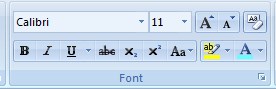
To change the font for your text 1st select it.
- Ctrl + Shift + F then press the up and down arrow keys and press enter to select the font
- Click on the Font window

Font size: To change the font size.
Ctrl + Shift + P (Then type the size under 1 ~ 1638)
Increase Font Size
 (Grow Font)
Ctrl + Shift + >
Ctrl + ]
Decrease Font size
 (Shrink Font)
Ctrl + Shift + <
Ctrl + <
Ctrl + [
Note: Click on this icon
 to select a size from 8 to 72, but you can type the font size from 1 to 1638 in the size window.
 Clear formatting: To clear all formats over the text and convert it to the default settings.
- Select the text
- Click on
 (Clear Formatting)
 - Ctrl + Space
Bold Text
Ctrl +B on and off
 Normal Text
 Bold Text
Italic Text
Ctrl + I on and off
 Normal Text
 Italic Text
Underline Text
Ctrl + U
Underline on and off
 Normal Text
 Underline Text
You can also select underline styles.
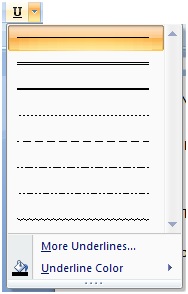
 Strikethrough: To add a line at the center of the text.
Ctrl + D then Alt + K
single strikeand alt + L for a .
. Subscript H2O (Ctrl + =)
 Superscript (2)3 =8 (Ctrl + Shift =)
 Change Case, [Shift + F3] We can use this function to change the case of the text. Like lower case to UPPER CASE and others that you can choose from the change case options as shown in the image below.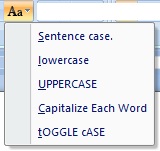
How to use Text Highlight Color?
By clicking on the Text Highlight Color icon
 you can get different colour options as shown in the image below.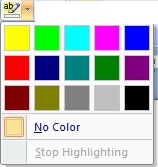
Text without using Text Highlight Color

How to change font colour in Microsoft Word?
Click on the Font Color icon

Text without colour.
1st select the text then click on
your selected text will be coloured in Red.If you want to change the colour then click on the down arrowhead and get the colour options as shown in the image below.
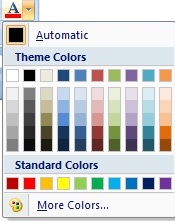
This line is in red colour.
Paragraph Section
Under the Home Tab, you can also see the Paragraph section as shown in the image below.
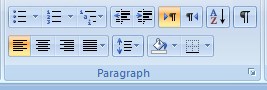
How to add bullets and numbering?
By clicking on bullets
 and numbering
  icons you can add bullets and numbers to the start of selected text.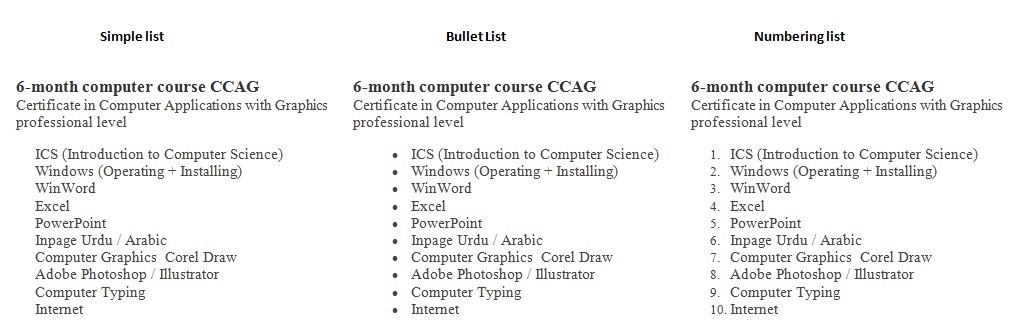
How to use Multilevel List in WinWord?
We use multilevel lit to describe the headings and subheadings in a list.
For example
I am offering CCA, CCAG and CIT computer Courses, so my main courses are CCA, CCAG and CIT While I can also describe sub courses in detail using the multilevel list.
We can use a shortcut method for multilevel lists.
Type 1. Press the Tab key type CCA then press Enter key
- CCS
Now I want to add courses details under CCS like ICS, Windows, WinWord and so on and under the Windows, I want to add (Operating and Installing).
You can use Tab and Shift-Tab for making a Multilevel list.
Example of multilevel list
- CCA
- ICS (Introduction to Computer Science)
- Windows
- (Operating + Installing)
- WinWord
- Excel
- PowerPoint
- Inpage
- (Urdu + Arabic)
- Typing
- CCAG
- (from (a) to (g) as above)
- Corel Draw
- Logo designing
- Pena flex design
- Adobe Photoshop
How to use Increase and Decrease Indent in Microsoft Word?
You can set the paragraph indenting using increasing decreasing indenting. Under the Home Tab under the Paragraph section, you can find Decrease Indent
 and Increase Indent
  .
.Example of Indenting.
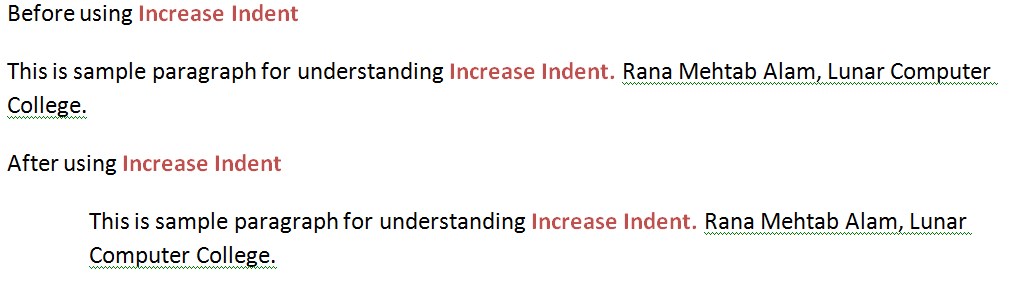
How to use the sort function in Microsoft Word?
If you want to sort the textual data in ascending and descending order then you can use this function, which you can get from Home Tab under the Paragraph section click on
 .
.Firstly, select the text then click on the
icon to sort it in ascending or descending order.What are the uses of Paragraph Marks?
If paragraph marks are on then you can see the Tabs, Enter and the Spaces which have typed in your documents in symbols.
The icon of the paragraph mark
 which you can see in the Home Tab under the paragraph section.
How to align a paragraph?
There are four main ways to align the paragraph. which you can find in the Home Tab under the paragraph section.
 Left alignment (Ctrl + L)
  Right alignment (Ctrl + R)
  Center alignment (Ctrl + E)
  Justify paragraph (Ctrl + J)
How to set line spacing?
To set the line spacing for a paragraph or selected text you can use which you can find in the Home Tab under the Paragraph section.
You can also use these shortcuts for line spacing.
- Use Ctrl + 2 for (Double line spacing)
- Pres Ctrl + 5 (One and half line spacing)
- Ctrl + 1 (Normal line space)
How to add shading to the text?
In the Home Tab under the Paragraph section, you can find the shading icon,
 which you can use to set shade for the selected text as shown in the image below.
You can use options in the shading.
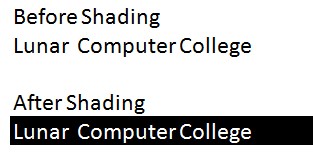
How to insert border to text or page in Microsoft Word?
To insert the border use border
 from Home Tab under the Paragraph Section.
There are different border options that you can select for your page or selected text.
How to find the text?
Under the Home Tab in the Editing Section click on
 or press Ctrl + F
computer will display the find windows as shown in the image below.
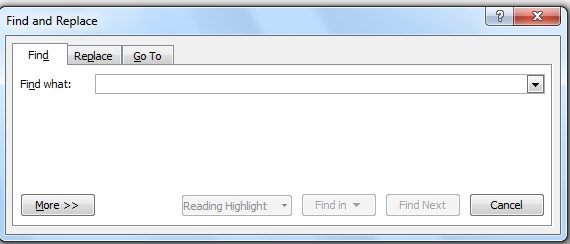
Type the text in front of Find what and press Enter to find it in the entire document.
How to replace the text with another text?
Under the Home Tab in the Editing Section click on
 or press Ctrl + H
the computer will display the “Find and replace” windows as shown in the image below.
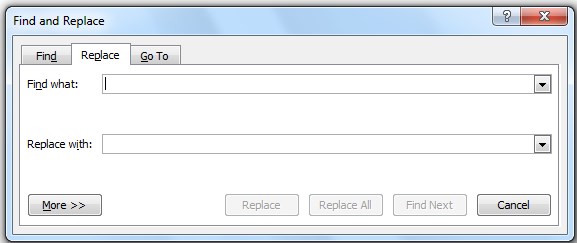
There are two text windows in the Find and Replace window
- Find what
- Replace with
type your text which you want to replace in the Find what text box and type the text which you want to replace with that text in the Replace with the text box.
How to use the Goto command in WinWord?
With the find and replace you can also see another option Goto there which you can use to go to a specific area of document selecting in the goto options.
Ctrl + G or F5 for goto
How to select the object with the text in WinWord?
If the object is not selectable then you can use this option to select the object.
That you can find under the Home Tab in the Edit section.
Video Lecture Home Tab in Urdu Hindi
What is the Insert – Tab and all its features and functions in Microsoft Word?

The 2nd Tab in WinWord is Insert Tab. In the Insert tab, you can see the Pages options.
There are three options in the Pages
- Cover Page
- Blank Page
- Page Break
Cover Page
(Insert a fully – formatted cover page)
You can insert the cover page from the cover page list as shown in the following image.
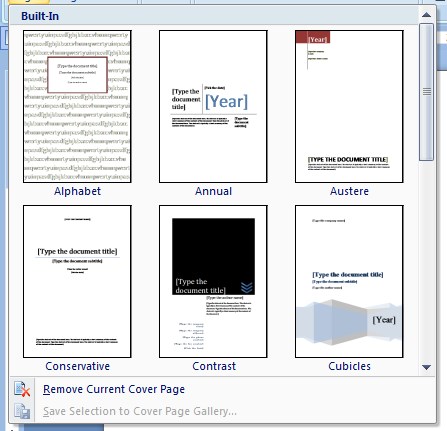
just click on the cover page sample to apply that sample to the page.
How to Remove Current Cover Page?
If you want to remove the current cover page then just click on
 to remove the current page cover from the current page.
Blank Page
(Insert a new blank page at the cursor position)
As you will click on
 then the computer will move the cursor to the next blank page while it will move the text from the 3rd page.
Page Break
(Start the next page at the current position)
By using this
 option you can move your text to the next page from the current cursor’s poison. You can also use Ctrl + Enter for Page Break.
How to Insert Table inWinWord?
You can insert the table in Winword by clicking on
 .
.As you will click on the Table from the Insert tab you can see the following options as shown in the image below.
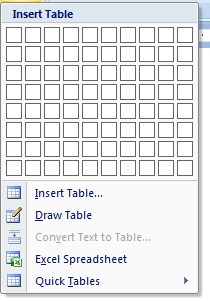
You can insert the table using the upper Insert Table options.
I recommended using Insert Table, but you can use any option as per your requirement and need.
Insert Table.
The computer will ask the number of columns and rows to insert the table as shown in the image below as you will click on Insert Table from the Table option of Insert Tab.
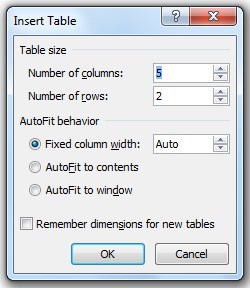
If you want to insert the table of 4 rows 4 columns, then type 4 in the Number of columns and 4 in the Number of rows and pres the Enter as shown in the image below.
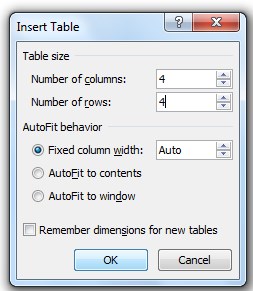
As you will press the Enter key computer will create a table with 4 columns and 4 rows as shown in the image below.
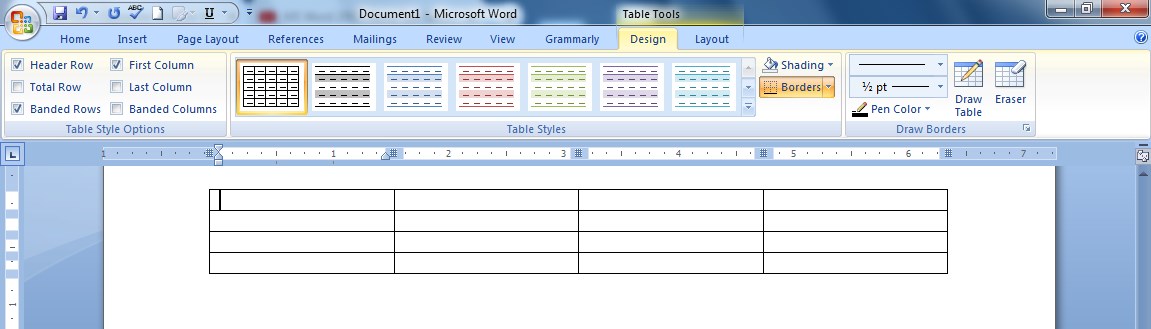
How to Draw Table in WinWord?
To draw a table click on Draw Table from Insert Tab in the Table. Then use the mouse to draw the table as shown in the image below.
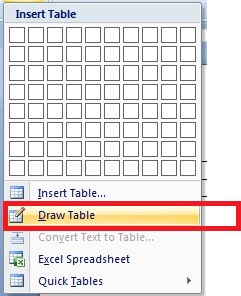
How to convert text to the table?
To convert the text into the table first select the text then click on Convert Text to Table from the Insert Tab in the Table as shown in the image below.
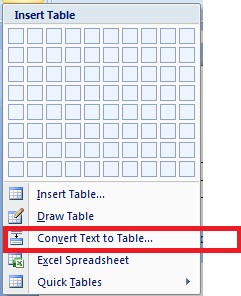
Your selected text will convert into the table.
How to Insert Excel Spreadsheet in the WinWord Document?
To Insert the Excel spreadsheet in the WinWord Document, click on Excel Spreadsheet from the Insert Tab in the Table as shown in the image below.
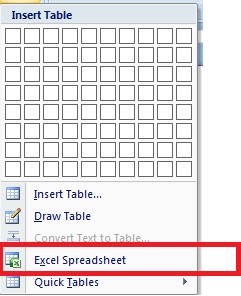
As you will click on Excel Spreadsheet computer will insert an Excel Spreadsheet as shown in the image below.
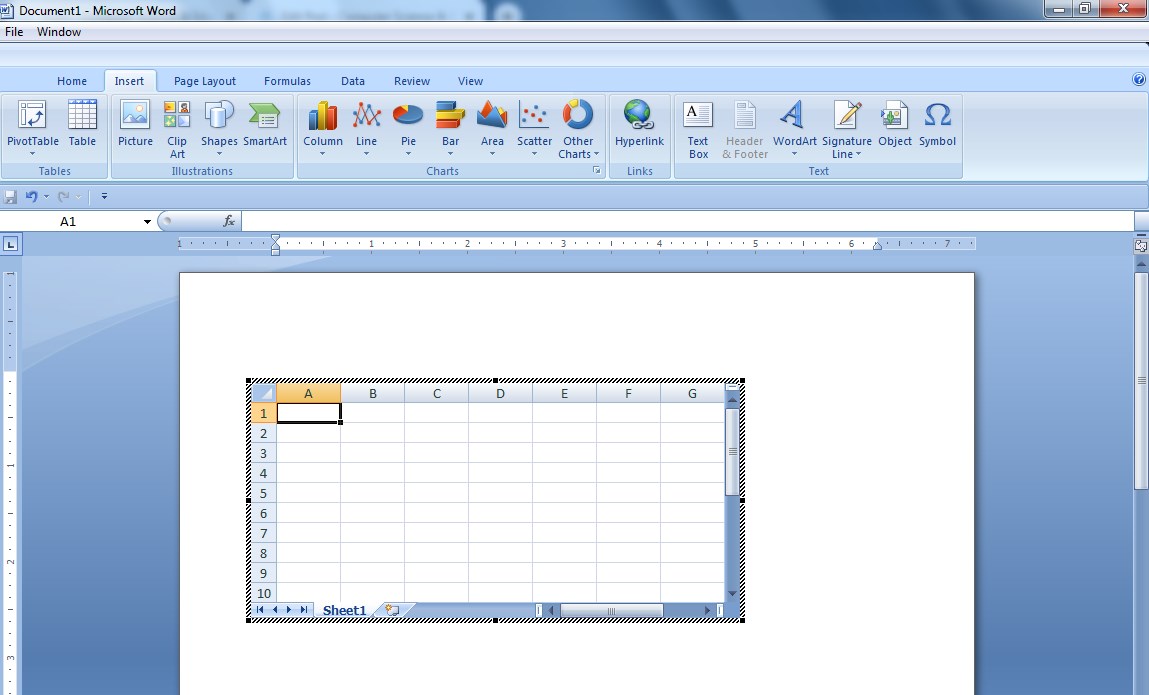
Double click on the Excel Spreadsheet to edit it and to add data to it.
How to Insert Quick Tables in Winword Document?
To Insert the Quick Tables in the WinWord Document, click on Quick Tables from the Insert Tab in the Table as shown in the image below.
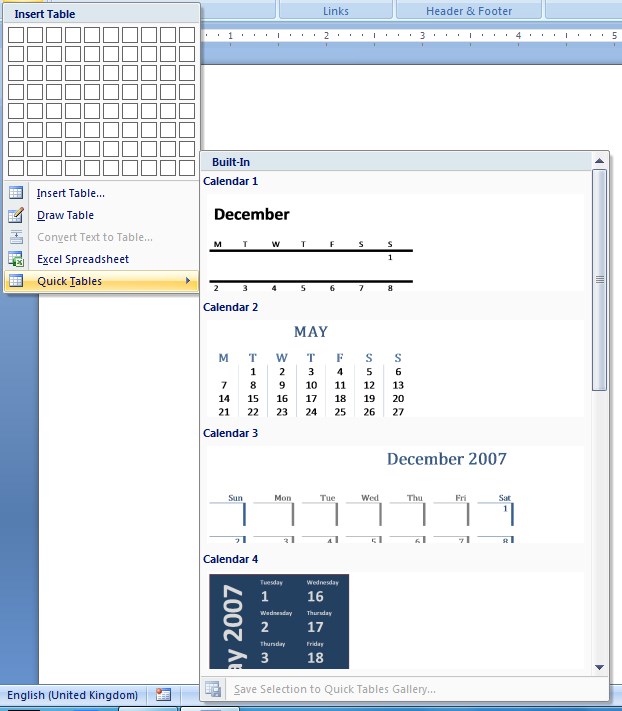
Now select any quick table to use in the word document.
What are the Illustrations in WinWord?

In the Insert Tab, you can see the Illustrations Section and there are different options that you can use.
- Picture
- Clip Art
- Shapes
- Smart Art
- Chart
Picture:- By clicking this option you can insert the picture into the document from your computer’s diskettes drives.
Clip Art:- You can insert the images from the MSOffice library, if your internet connection will be on then you can get more images online.
Shapes:- To draw any shape in WinWord you can use these shapes options.
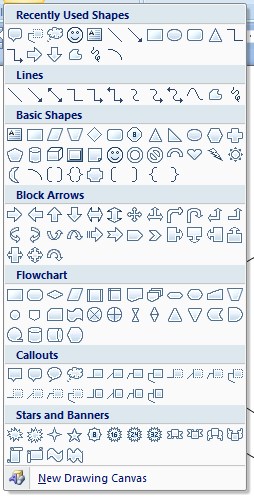
What is the use of green, blue and yellow dots in the shapes?
When you draw an image from the shape tool. Then you can see different dots on the shape after selecting it as shown in the image below.
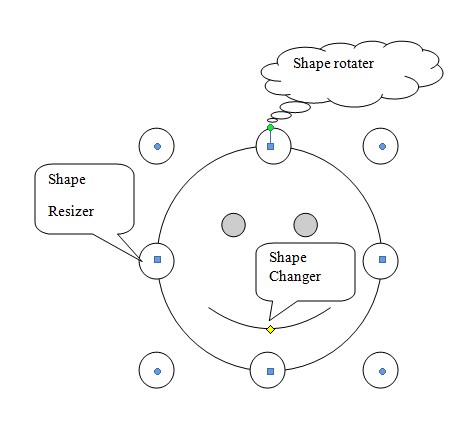
If you draw a smiling face from the shapes then you will click on the
 to draw it using a mouse.
 Now as you will draw the smiling face it will be as shown in the image below

But if you want to change its mood from happy to angry then click on the shape. You will get a yellow dot on the shape mouth line that you can use to change its shape as shown in the image below

Now you have changed the shape’s mood from happy to angry as shown in the image below.

SmartArt: You can use this option to draw smart art in your document as shown in the image below.
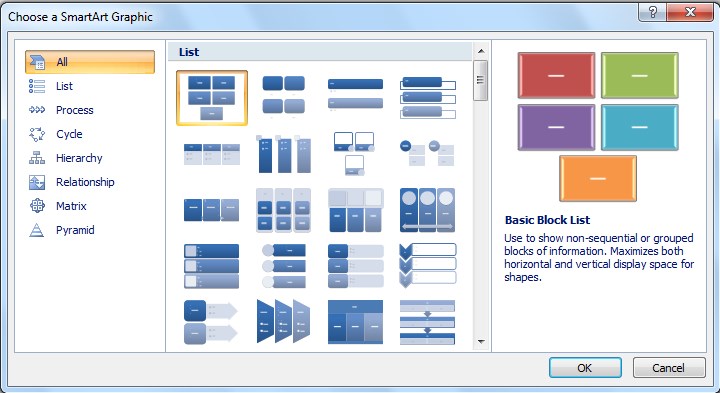
Chat: In WinWord you can use this chat option to import chat from an excel sheet.
What are the Links in WinWord?
In the Insert Tab, you can see the Links section.
There are three options in the Links Section
- Hyperlink
- Bookmark
- Cross-Reference
Hyperlink: To create a link just select text or object, then click on Hyperlink to use hyperlink shortcut (Ctrl + K) and type target address or bookmark.
Bookmark: To give the name of text location that you can access with hyperlink or Goto command.
Cross-Reference: It is the combination of bookmark and hyperlink.
you can create a table of content using this option and go to the specific topic.
1st type table of content in the page first, then make pages according to your indexing content.
make the first line as headings of all pages except the content page.
Open the Cross-Reference and select heading and link with the headings
watch the following video to understand the Cross-Reference
 Microsoft Word
- Arrow Keys (to select text with shift and arrow keys)
-
Did you know that the first thing you need to get a job is a professional CV or resume? Here you will find cv samples, cv and resume templates.
Creating and designing a CV is a very skillful job. If you visit freelancing websites, you will know how much demand there is for cv and resume writing and designing.
Click here to view a CV or resume writing request on Fiverr and see the work of top 10 executive resume writers.
Nowadays people want top rated high quality best 24 hour’s executive professional resume writing services.
You belong to any corner of the world and if you are reading this post of mine, I assure you that you can not only download amazing CV samples from here but you can also ask me to write and design your cv/resume online by contact me.
What is CV?
CV is an abbreviation of the Latin word Curriculum Vitae. It is a collection of one’s records like personal information, educational career, work experience, skills etc.
In 1482, Leonardo da Vinci created and submitted the world’s first CV to apply for jobs.
You must have heard the word resume with CV. Actually Americans call it Resume while Europeans call it CV.
On this website you will find all types of CV and resume samples. You can easily change and edit them after downloading the CV samples and resume templates.
You can write your cv resume in multiple computer applications like Word, CoreDraw, Illustrator and etc
How to design and write a cv resume?
As you know you can write and design (CV Resume) in many computer applications, but in this article/post I will guide you how to create CV Resume in Word, Corel Draw and Illustrator.
What information does a CV resume include?
Before writing and designing a CV resume you should have the following information about the person whose CV resume you are going to write and design.
- Personal Information
- Full Name
- Father’s name
- Date of birth
- Nationality
- National ID Card Number
- Passport Number if necessary
- Martial Status
- Gender
- Address
- Contacts
- Academic qualifications
- Exam
- Year of Passing
- Marks
- Divisions Grade
- School University Board name
- Note :- Always type the most recent academic qualification’s information at the top.
- Skills
- Computer
- MsOffice (Word, Excel and PowerPoint)
- Graphics
- Website develop and Design
- AutoCAD
- Note: You can add more computer skills according to requirements.
- Other Skills
- Computer
- Working Experience
- Getting a job working experience is very necessary but if your are fresher you can skip this field.
- Type your working experience one by one followed by numbers or bullets.
- Hobbies
- You can also mentions your hobbies
- Languages
- You must include language information in your CV resume because it will be good to get jobs abroad if you know at least two or more languages more than the local language.
- Reference
- End your CV Resume with reference
Open the computer application or software in which you want to design your cv resume.
Set the page size for your CV resume. The most common CV sizes are letter size 8.5 x 11 inches and A4 size 8.27 x 11.69 inches. Americans use letter size while Europeans use A4 size. You can use both sizes according to your needs.
sample of CV for job application
Preview —- Download CV Template
Your name
Address
Email
Contact NoObjective:
Required a suitable position to my qualification and working experience mentioned here in my resume with a commitment to learning new objectives for long life career skills. Willing to work in a competitive environment for the abilities in subjective fields.
Academic:
• Exam 1
• Exam 2Experience:
1. Exp 1
2. Exp 2Personal Profile:
Name : Your name
Father’s Name :
Date of Birth :
CNIC# :
Marital Status :
Religious :
Address :
Contact No :
Click
↓
You can contact me for Professional CV Designing
 cv samples
- Personal Information
-
In this post, you will find free CDR and JPG files which you can download just click on the image.
Click on the image to download the CDR file







How to draw a leaf in Corel Draw?
Step 1. Draw a round circle (Ctrl + mouse)

Step 2. Get a copy of the circle

Step 3. Select both circles at a time and click on Intersect
 and then move the intersected part.

Draw a line in the center of this intersected part of the circles.

Now select both line and oval and click on the trim icon
 .
.
After the trimming line will add in the shape as shown in the image below.

Now select the object and click on (Break a part icon
 or press Ctrl + K
Colour the objects green

Use interactive transparency tool and do as shown in the image belw

Finally, leaf is ready in Corel Draw

Download CDR leaf drawing in Corel Draw
Shadi Card in Urdu in Corel Draw
 cdr file free download
 -
Guest Posting is writing an article on any other website with your post and website link.
It is really a dream to rank your website on the 1st page of Google. But now your dream can come true if you read this article about guest posting.
You may be surprised to learn that “guest posting” increases the PA, DA and authority of your website.
This helps your website to rank on the first page of Google.
Rankings on Google do not mean that you enter the full name of your website and it will appear on the first page of Google, by doing so every website will appear on the first page of Google.
If you want to get your website on the first page in Google ranking, you have to rank your website with some keywords.
For example, go to google search and type this keyword (computer college, inpage keyboard, inpage keyboard keys, Urdu keyboard keys). Hopefully, you will find by the Grace of “Allah Subhana Wa Tala”, luanrcomputercolege.com on the first page with other websites too.
But you did not mention the website name, why google is appearing on this website on the top of the first page. Because these words now part of this website.
But to keep your website ranking on the top of google I would recommend doing the “guest posting” on the high authority websites.
Benefits of guest posting
There are many benefits of guest posting.
You can earn money through guest posting
If you have a website then you can increase the following of your website.
- Authority
- Traffic
- Backlinks
- Leads
- Ranking on Google
How to find the best guest posting websites?
To find the guest posting high authority websites you must search them according to your website niche.
There are many tools that you can use to find the websites which are offering guest posting.
I use google for this purpose. Open google search bar and type niche + keyword.
let’s suppose your website is on the “Best computer college” and you are going to find the guest posting websites.
You will type best computer college + guest posting in the google search bar.
I recommend using different keywords for guest posting like;
guest post websites
write for us
need article writer
submit a post
write an article for us
guest writer
Now make the list of the top 30 high PA, DA and authority websites and try to make a connection with the websites on which you want to submit your post with your website link.
To check the website PA, DA you can use the Moz tool.
For this, you can write a comment on these websites and can send them an email to request them to post your website link to their websites.
keep doing this one day you will see that your website traffic is increasing with PA, DA and authority.
How to make money with guest posting?
All the above procedure can help you to make money.
you can work as a middle man who will give the services to submit someone’s post to someone’s website.
Guest posting email sample
Hi there,
I love to read your posts regularly. You can see I have written comments on your websites.
Your website content is very excellent and informative.
I would really love to write a guest post for your website with viral worthy topics that everyone must love to read them.This is my post
best regard
Your name
websiteFinally, make sure to abide by all the instruction to submit a guest posting to any website.
 What is guest posting
-
Learn JavaScript, is a beginner’s course that gives you a way to code through fun and interactive tutorials, in a relaxed manner.
You will learn all the basics of using the computer and the internet as you work through many different coding challenges.
I intend to make this course user friendly so that no matter what your skill level is, it should be easy to follow and start programming right now in JavaScript!
What is JavaScript?
It is a computer programming language, we use it to modify the website content. It can calculate, validate and manipulate the data.
We write JavaScript code on the HTML page.
JavaScript is a language you must learn to use. If you already know computer programming then it will be easy to understand it.
There is a difference between Java and Javascript. they are totally different.
JavaScript helps you to change the layout, modify the content and decorate the website.
You can perform mathematics functions and solve the equations by using JavaScript on a website.
What is Internal, External and Inline JavaScript?
In Internal JavaScript we can write JavaScript codding between <script> </script> tags.
While for External JavaScript you have to create an external file with the extension of “.js” (filename.js). That we attach it with the HTML document.
We can use Inline JavaScript the same as we do in CSS. Same three methods to use JavaScript as CSS.
How to write JavaScript?
As we know JavaScript codes we type in <script> </script>
<script type = “text/javascript”>
We use document.write command in JavaScript to display output in a web browser.
How to write the first JavaScript Code Example?
Open notepad and type the following JavaScript code.
<html>
<head>
<title>
My first JavaScript Page
</title>
</head>
<body>
<script type = “text/javascript”>
document.write(“My first JavaScript Page”);
</script></body></html>Save this “filename.html” for example “myjsfile.html” you can use any file name but add “.html” after the file name.
Output
How to add Comments in JavaScript?
There are two types of comments we can add to our JavaScript codding.
Comments are not visible on the output screen. Web developer types the comments for understanding the codes types and uses.
For single-line comment
// your comment
For multi-line comment
\* Multi-line comments
This is Lunar Computer College *\
Enable Disable JavaScript in a Google Chrome and Firefox
In Google Chrome Click on
 the top right corner of Chrome under the close icon.
Then click on Settings On the next page scroll down to last and click on Advanced now under the Privacy and security click on Content settings.
Here you can find Javascript (Allowed/Blocked). You can change the setting by clicking on (Allowed or blocked)
Enable disable JavaScript in Firefox
Open firefox type about:config in the address bar of Firefox and press Enter.
on the next window type javascript in the search bar and press Enter.
now you can see javascript in the list that you can enable and disable by double click on it.
What is noscript tag in JavaScript?
Use this tag after the end of </script> in the html. The purpose of using this code is to display a warning message if javascript would be disabled or if the web browser you are using is old.
<noscript>JavaScript is disabled or your web browser needs to be updated.</noscript>
How to use variables in JavaScript?
In JavaScript, we can use variables to solve the math equations or to store the string or numeric values.
The variable contains alphabets, numbers, dollar sign ($) and underscore (_).
The variable name must be started from the alphabets.
A variable name is case sensitive (n=10 and N = 100 are the different variables in JavaScript)
$ and _ can be used at the start of a variable
Reseved words like javascript or script can not be used as the variable name.
In javascript we use var to assign the value in variable
var x = 9
x is a variable and 9 is the value.
Two words variable in javascript stName = “Rana”
How to add values in JavaScript using variables?
Open notepad and type the following codes to add the numeric values in javascript.
<!DOCTYPE html>
<html>
<head>
<title>
Adding numeric values using variables
</title>
</head>
<body>
<script type = “text/javascript”>
var x = 5
var y = 10
var z = x+y
document.write(x);
document.write(“+”);
document.write(y);
document.write(“=”);
document.write(z);
</script>
</body>
</html>
Save this with a .html extension like addme.html and open it on the web browser.
Output
How to Add Subtract Multiply Divide in Javascript?
We can add subtract multiply and divide the numeric values the same as we add the numeric values in the upper example.
10 + 5 = 15
10 – 5 = 5
10 * 5 = 50
10 / 5 = 2you need to use a document.write(“</br>”); tag to get the output in different lines otherwise your output will be like this
10 + 5 = 1510 – 5 = 510 * 5 = 5010 / 5 = 2
How to get input from user in JavaScript?
var n$ = prompt (“your message on screen for string values”);
var n = prompt (“your message on screen for numeric values”);
For Loop in JavaScript
for (var n =1;n<=10;n++)
<html>
<head>
<title>
My first 10 Natural Number with for loop in JavaScript
</title>
</head>
<body>
<script type = “text/javascript”>for (var k =1;k<=10;k++)
{
document.write(k);
document.write(“</br>”);
}
</script></body></html>
Output
How to print a table of any given number in JavaScript?
<!DOCTYPE html>
<html>
<head>
<title>
Number Table Software
</title>
<script type = “text/javascript”>
var table = prompt(“Which Table do you want to learn”,””);
document.write(“Table of ” + table);
document.write(“<div>”);
document.write(“===============”);
for(var i=1;i<=10;i++)
{
document.write(“<div>”);
document.write(table + ” x ” + i + ” = ” + i*table);
document.write(“</div>”);
}
document.write(“===============”);
</script>
</head>
</html>Save the upper codding in the table.html om notepad
OutPut
When you run this HTML file on a web browser, the following windows appear asking you which table you want to learn.
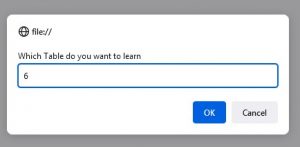
As I typed 6 in this dialogue windows.
So you can see the computer will display the table of 6 as shown in the image below.
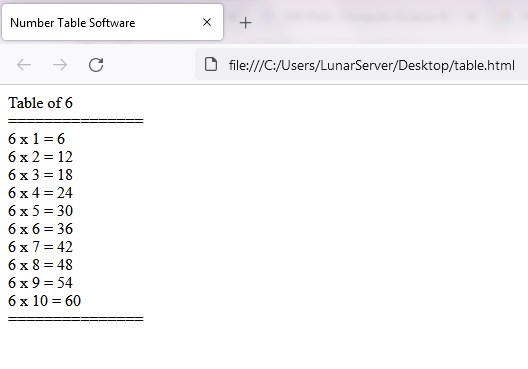
Make a number table software in javascript with start and end value given by user
<!DOCTYPE html>
<html>
<head>
<title>
Number Table Software
</title>
<script type = “text/javascript”>
var table = prompt(“Which Table do you want to learn”,””);
var stable = prompt(“Where do you want to start Table”,””);
var etable = prompt(“Where do you want to end the Table”,””);
document.write(“Table of ” + table);
document.write(“<div>”);
document.write(“===============”);
for(var i=stable;i<=etable;i++)
{
document.write(“<div>”);
document.write(table + ” x ” + i + ” = ” + i*table);
document.write(“</div>”);
}
document.write(“===============”);
</script>
</head>
 learn javascript
-
Do you want to install CCTV security cameras?
Today, CCTV security cameras are essential for security purposes. And if you are willing to install a CCTV system then, first of all, you need to know which security camera is the best.
There are several brands of security cameras available in the markets. CCTV cameras have different resolution and you can the camera according to your need.
Firstly, the economical and the most demanding CCTV camera is 2 Megapixel and secondly, Hikvision or dahua brands are the most reliable among all.
How to select a CCTV camera?
The choice and the selection of CCTV cameras depends on the area you want to protect.
And only an expert and experienced person in the field of CCTV can guide you about it.
CCTV camera installation near me
You can click here to find CCTV or security camera installation and security camera installation companies near you.
CCTV camera installation cost
The cost of installing a CCTV security camera can vary and depends on your choice.
But I would like to recommend professional companies and choosing camera brands like Hikvision / Dahua CCTV cameras and DVR or NVR.
Which Megapixel of CCTV security camera is the best?
As I have mentioned above about the choosing of CCTV cameras. And you can also choose from the following list.
- 2 Mega Pixel IP Wifi Security Camera
- 5 Mega Pixel Security Camera
- 4 Mega Pixel Security Camera
- 2 Mega Pixel Security Camera
 cctv solutions
-
In 1991, Guido van Rossum developed Python, a popular computer programming language.
Before you start reading this tutorial, you must read it.
Python first codes
print (“Welcome to Python Tutorial by”);
print (“Rana Mehtab Alam”);
print (“Lunar Computer College”);
print (123456789)
print (45+55);
print (“This is my first python programme”);The output of the programme
Welcome to Python Tutorial by
Rana Mehtab Alam
Lunar Computer College
123456789
100
This is my first python programme
>>>
Reverse Text Order in Python
#This code is written in python for converting text into reverse order
#As Rana Mehtab Alam in to ( malA batheM anaR )
#Lunar Computer College +92300 4467226
txt = input(“Type text to print in reverse order ?”)print(“You typed (“,txt,”)”)
text1 = txt[::-1]
print(“Your text in reverse order is (“,text1,”)”)
In this programme (Reverse Text Order) you can convert any input text into reverse text order as shown in the bellow.
OutPut of Programme
Type text to print in reverse order?Rana Mehtab Alam
You typed ( Rana Mehtab Alam )
Your text in reverse order is ( malA batheM anaR )
>>>
Result Card programming in Python with Total Average Grade and Remarks.
nos = input(“Enter Student name : “)
noc = input(“Enter Class name : “)
it = int(input(“Enter ICS total marks: “))
io = int(input(“Enter ICS obtained marks: “))wt = int(input(“Enter Windows total marks: “))
wo = int(input(“Enter Windows obtained marks: “))wwt = int(input(“Enter WinWord total marks: “))
wwo = int(input(“Enter Winword obtained marks: “))et = int(input(“Enter Excel total marks: “))
eo = int(input(“Enter Excel obtained marks: “))tt=(it+wt+wwt+et)
to=(io+wo+wwo+eo)
a=(to/tt*100)if (a>=90):
g=(“A+”)
elif (a>=80):
g=(“A”)
elif (a>=70):
g=(“B”)
elif (a>=60):
g=(“C”)
elif (a>=50):
g=(“D”)
elif (a>=33):
g=(“E”)
elif (a<33):g=(“Fail”)
print(“Result Card”)
print(“—————————————————-“)
print(“Student Name:”,nos)
print(“Class/Course:”,noc)
print(“—————————————————-“)
print(“ICS: Total Marks:”,it,”Obtained Marks:”,io)
print(“Windows: Total Marks:”,wt,”Obtained Marks:”,wo)
print(“WinWord: Total Marks:”,wwt,”Obtained Marks:”,wwo)
print(“Excel: Total Marks:”,et,”Obtained Marks:”,eo)
print(“—————————————————-“)
print(“Total Subjects Marks:”,tt,”Total Obtained Marks:”,to)
print(“Average:”,a)
print(“Grade:”,g)
print(“—————————————————-“)Output of Result Card in Python
Enter Student name: Rana
Enter Class name: CCA
Enter ICS total marks: 100
Enter ICS obtained marks:80
Enter Windows total marks: 100
Enter Windows obtained marks:80
Enter WinWord total marks: 75
Enter Winword obtained marks:67
Enter Excel total marks: 75
Enter Excel obtained marks:66
Result Card
—————————————————-
Student Name: Rana
Class/Course : CCA
—————————————————-
ICS: Total Marks: 100 Obtained Marks: 80
Windows: Total Marks: 100 Obtained Marks: 80
WinWord: Total Marks: 75 Obtained Marks: 67
Excel: Total Marks: 75 Obtained Marks: 66
—————————————————-
Total Subjects Marks: 350 Total Obtained Marks: 293
Average: 83.71428571428572
Grade: A
—————————————————-Prime Number Finding in Python
def is_prime(number):
if number <= 1:
return False
for i in range(2, int(number**0.5) + 1):
if number % i == 0:
return False
return True# Example usage:
user_number = int(input(“Enter a number: “))
if is_prime(user_number):
print(f”{user_number} is a prime number.”)
else:
print(f”{user_number} is not a prime number.”)Output of Prime Number Programme in Python
Enter a number ? 20
20 in not a prime number
Again Run
Enter a number ? 5
5 is a prime number
>>
Python Projects Code Download
For Loop projects download
While Loop projects download
Variable Data Type str int float
Python Operators download projects and learn All about operators used in Python
Python Array Item list sort add new remove items
How to String Format in Python
How to delete duplicates in Python
listname = [“lunar”, “computer”, “lunar”, “college”, “computer”]
listname = list(dict.fromkeys(listname))
print(listname)Output
[‘lunar’, ‘computer’, ‘college’]
Updating
Thanks for visiting
keep visiting for more projects
Python tutorial -
Introduction to Computer Science, a computer is a machine that processes data and provides us with processed data. We can see the use of computers everywhere in the world۔
Everything in which we can input data and get the result is a computer. Everywhere we can see computer technology is using. You use the remote control to control any device.
This time on which device you are reading my article is a computer, whether it is a desktop computer, laptop, tablet or mobile phone.
Whether it is a factory, office, house, school, and college we can see the use of computers everywhere. Using a computer has made our job much easier and much faster۔
Before we discuss where and how we can use computers, we need to learn more about computers.
I will start with the introduction of a computer with the word “computer”. The word computer has two words compute and computer.
And we can know completely about the computer with the help of these two words compute and computer.
Use of computer labs in schools
As we all know, computer training is very important for everyone. And schools are introducing computer courses for their students. and there are many schools that are offering computer training courses in the computer lab.
The schools that provide computer labs to students are doing a great job.
The short courses especially computer typing must be part of a computer training course. I will humbly request all the school managements to add a computer typing class of just 15 minutes on a daily basis for the students of class 8th to 10th. And they should inform their students about computer science.
By doing this the students who will pass the matriculation exam and if they already have computer typing skills can start their own work and get jobs too.
And computer typing skills will make it easier for them to take more computer courses professionally.
Now I am going to provide a detailed brief introduction to computer science for the students and teachers in this post.
I would start with computer history.
History of a computer
The father of computers, Mr Charles Babbage, came up with the idea of building the world’s first computer. And a woman named Ada Lolosis ( introduced the concept of computer programming in algorithms.
By the way, the history of computer started with the existence of human beings. Have you heard the name of the hourglass? Of course, that too is a kind of computer. In the 8th century AD, A French monk (Liutprand) invented the first clock or hourglass
Parts of a computer and what they do?
A computer is consists of the following four parts.
What is the System Unit in Computer?
The system unit is a case or a box which include the motherboard, power supply, hard disk and CD DVD room or writer.
How many types of system units are there?
There are the following two types of system units available.
- Desktop
- Tower
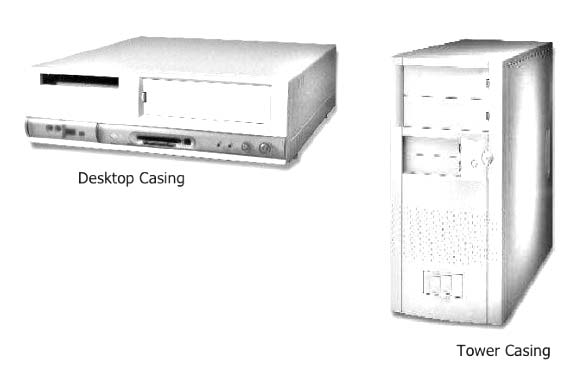
There are two major fields in computer one is operating and other is programming. I would suggest you must learn introduction to computer science and programming using python for developing a computer programme.
 Introduction to Computer Science
-
Adobe Illustrator training course for those who want to become computer graphics experts. Whenever you talk about computer graphics, you will find Adobe Illustrator at the top of the list of computer software.
There is too many other software available in the market for graphics in computers like CorelDRAW and Adobe Photoshop.
But we cannot deny the importance and uses of Adobe Illustrator. You will surely find the full Adobe Illustrator training in this article. Just read and understand each step with full attention.
I will keep updating this post and you will learn a lot from it.
Adobe Illustrator Training Introduction
Adobe Illustrator is a software application that we can use in windows or in macOS for illustration drawings. It is a vector-based drawing software where we can zoom an object up to 6400% to 64000% that’s why I love to use it.
It is very similar to Adobe Photoshop. If you know how to use adobe photoshop then you can use Adobe Illustrator easily, but don’t worry keep reading this article and you will be the expert in this.
Adobe Illustrator helps you visualize your ideas. You can express your feelings with more emotions using this technology.
Every drawing and text has a message in Graphics art. And it is possible to design such graphics in Adobe Illustrator.
How to download Adobe Illustrator?
It is very easy to get it from internet search engines. And Google is the best search engine among all. Just type download Adobe Illustrator and you will get the relevant websites. You can contact me for more information.
How to open Adobe Illustrator?
After downloading and installing Adobe Illustrator you can easily open it from your computer the same as you open any other programme or software.
The best way which I love to use is to press the Windows logo button + R and then type Illustrator in the RUN windows in front of OPEN as shown in the image below and press enter to open it.
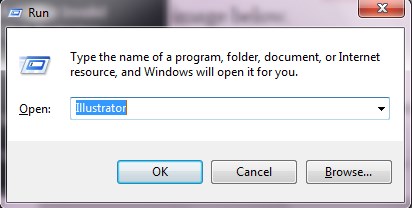
You can open other software with this method. Just to confirm this software must be in the programme file or in the main folder of the operating system like windows.
If you want to get the file name of any programme which you want to open in the RUN windows then just right click on the programme then click on the properties and then click on the open file location.
There are several methods you can use to open Adobe Illustrator. You can any which you like to use.
The following first screen you will see after opening Adobe Illustrator.
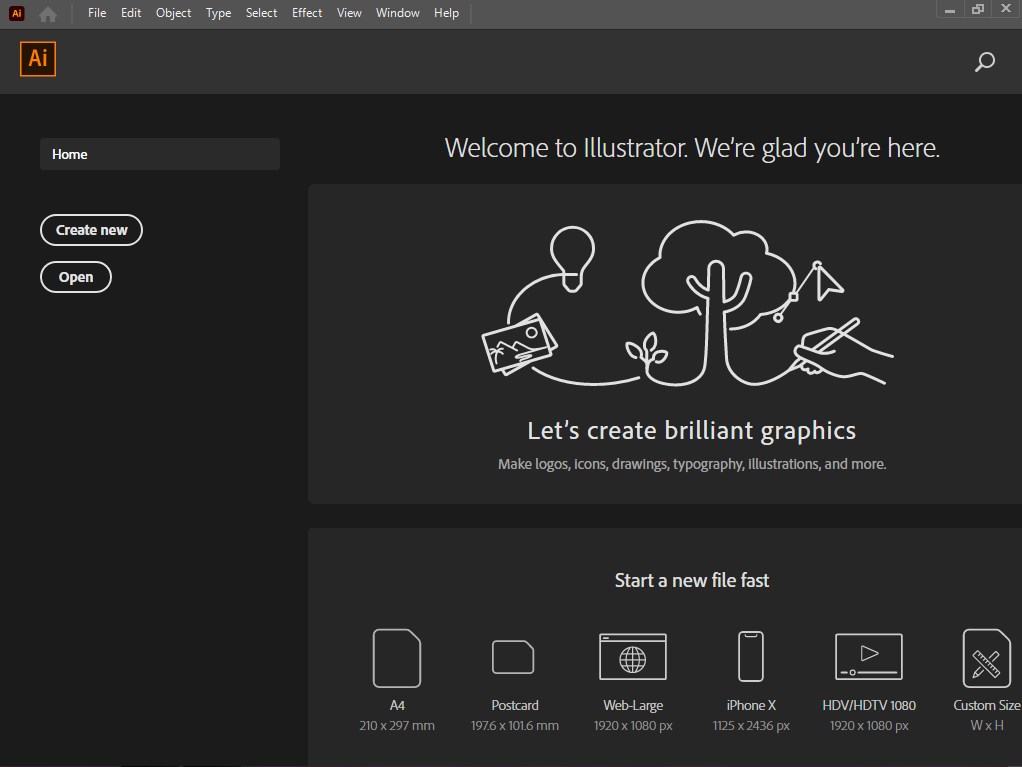
How to create a new file in Adobe Illustrator?
Now, it is time to create a new file according to your requirements and measurements. Here you can see several options for creating a new file.
At the bottom of this screen, you will see the following options.

Here you can click on the icon to create your new file. You can use a custom size to create the file according to your requirements by clicking on this icon.

Here click on the size on which you want to create your file in Illustrator.
As you will press on A4 size with default settings the following screen will appear

Each part of this screen has a name and usage. The Row in which you can see File Edit ……. is the menu bar while on the left side of this screen you can see the toolbar and on the right side is called a panel.
How to use Selection drawing zoom and hand tools in Adobe Illustrator?
In Adobe Illustrator latest versions we can see two selection tools.
- Selection
- Direct Selection
The overall selection tool will always select the current item. Use this tool when you want to connect the whole thing.
The direct selection tool will always select the points or classes that make up a frame. Use the direct selection tool to resize the path.
How to draw shapes in Illustrator?
Illustrator provides the following 5 shapes tools.
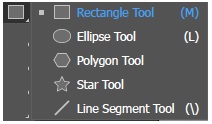
You can any shape which is available in the shape tools.
To draw the shape select the shape icon or press the shape shortcut key and hold down the left mouse button and drag the mouse to draw the shape.
Use Shit to draw a straight line and equal size shape. You can use Alt to get a copy of the object.
To copy an object 1st drag it to the location where you want to get the copy then keep pressing the Alt key and release the mouse button and Alt key too.
Zoom and Hand Tools in Illustrator

You can press (Z) for zoom and (H) for the hand tool. We use the zoom tool to zoom in and out.
If you see the (+) sign in the zoom icon then you can zoom in and hold the Alt key to get the (-) sign and then you can do the zoom out as shown in the image below.

 Adobe Illustrator Training
-
An operating system (OS) is the system software which boots the device and makes relations between hardware and the users. We use windows operating systems in a desktop computer, laptop, tablets and mobile smartphones use operating systems that enable their basic functions.
Boot means the device is now useable. An operating system includes all the information and instructions that are necessary to use and operate the device.
When you power on the device then an operating system makes it useable for you.
What are Windows Operating Systems?
Some devices use windows operating systems to run all the functions. In desktop computers and laptops we can use different versions of the Windows operating system.
Click here to install or setup instruction of all windows versions
To execute any software, programme and application we have to boot the device. In windows operating system we can use windows log key + R to run any software and you can press windows logo key to open and close the start.
You can also open the start menu in windows by clicking on the start button.
What is a folder in windows?

A folder is like a cabinet where you can put and manage the data. You can create folders into a folder to put the data in subcategories.
You can use and create the folder in all the windows operating systems.
How to create a folder?
- To create a folder click the right mouse button at the location where you want to create the folder.
- Then drag the mouse to New
- On the next window left click on the Folder
- Name of folder and press enter or left click of the mouse anywhere else.
Or
- You can use Ctrl + Shift + N as a shortcut to create a folder.
How to open a folder?
- Right Click on the folder then click on the Open
Or
- Double click on the folder. (By double-clicking the left mouse button in the same place on the folder you can open the current folder)
Or
- Left-click the folder then press the Enter key to open
How to rename a folder?
- To rename a folder you can do the followings;
- Right Click on the current Folder
- Click on the Rename
- Type the new name and press the Enter key or left mouse click anywhere else.
Or
- F2 to rename the Folder
Or
- Left mouse click on the folder to select the folder which you want to rename then after a gape again left-clicks on the text of the folder to rename it.
How to delete a folder?
To delete an unnecessary folder you can use these steps;
Step 1. Right-click on the folder
Step 2. Click on Delete
Step 3. Click on Yes or press the (y) from the keyboard to confirm the delete.
Or
Step 1. Select the folder by left click
Step 2. Press Delete / Del from the keyboard
Step 3. Same as above step 3
Or
Hold the left mouse button on the folder and drag it to Recycle bin. Put the folder into recycle bin.
What are the minimize, maximize, restore and close?
We see these icons at the top right side of any open folder/windows
Minimize we use to minimize the current folder or windows onto the taskbar. You can again open it by left click on it from the taskbar. We can use Alt + Space + m to minimize
Maximize is used to fit the size of the folder and windows fit to screen. For this, we can use Alt + Space + x
Restore we use to restore the size of the folder and the windows as it was before the maximized. Alt + Space + r
Close is used to close the current folder or windows. Alt + F4 is the shortcut for the close.
How to move a folder?
Hold the folder from title bar with the left mouse button and move it anywhere you want on the screen. You can use Alt + Space + m then use arrow keys to move the folder.
Note:- You can not move the maximized folder.
How to resize a folder?
Put mouse pointer at the left, right, top and bottom or at the top left corner, at the top right corner and at the bottom left corner, at the bottom right corner and get a double-sided arrow shape to hold the left mouse the drag to resize.
Alt + Space + s then use arrow keys to resize the current folder and windows.
Therefore, all Windows operating systems are available in the market and on the Internet, you can use and select anyone according to your computer needs. You can like my Facebook page and subscribe to my youtube channel for leaning computer courses.
 Windows Operating Systems
-
6 Months Computer Training courses with Graphics
You can see a computer is using everywhere like homes, schools, universities, academies, factories and offices. The CCAG course is the most widely used computer course.
So if you want to work on a computer anywhere, you will need computer knowledge and a certificate to get a job.
Lunar Computer College is offering regular and online computer classes where you can take several computer courses with a certificate.
6-month Certificate in Computer Applications with Graphics | CCAG
CCAG is the best 6-month computer certificate course in which you will learn the following 10 computer courses through Lunar Computer College.
- ICS (Introduction to Computer Science)
- Windows (Operating + Installing)
- WinWord
- Excel
- PowerPoint
- Inpage Urdu / Arabic
- CorelDRAW
- Adobe Photoshop
- Internet
- Typing
The above 10 computer courses package is the best for you to work anywhere like freelancer or computer-related job.
Click here to get information about online classes and the fee structure of CCAG and other computer courses.
What are the benefits of a 6-month CCAG computer course?
The CCAG has two parts CCA and G.
CCA is for office related work and G is for graphics related courses.
In the CCA part, you will learn office related computer application Winword, Excel, PowerPoint, Inpage, typing and the Internet.
In Ms Word or Microsoft Winword you can type applications, CVs, resumes, cover letters and letterheads including book composing.
Microsoft Excel helps you to solve all the mathematical equations and problems.
You can make result sheet, pay sheet, electricity bill and shops bill in Ms Excel.
In PowerPoint, you can make slide shows
Inpage course, you will how to type Urdu and Arabic
In an internet course, you will learn how to use the internet. Browsing the websites. Downloading from the internet. How to create and use an email address.
Computer typing is an essential course. In this course, you will learn professional typing.
The 2nd part is the G of CCA which includes in CorelDRAW and Adobe Photoshop
CorelDRAW is a widely used computer application software for graphics users. In this course, you will complete the CorelDRAW with practice.
Free 6-month computer course
You can learn all the computer courses which are necessary for CCAG certification totally free from this website and from my YouTube channel.
Click here to learn CCA and you can learn CorelDRAW and Adobe Photoshop
During the free computer, training contact me if you want to get my guideline and the certificate after learning.
You can like my Facebook page and subscribe to my youtube channel for learning computer courses
 ccag
ccag
-
All the educational institutions including universities, colleges and academics are offering an online education system therefore the Computer Education Online one of them.
I think firstly, online is a very good and excellent way of learning and teaching methods. Secondly, you can get your lecture live also you can get it in anytime from the website of that institution or college.
However, Lunar Computer College is offering computer training and online learning computer courses and computer course, online classes.
To get computer education online you need an internet or a device that you can use with the internet.
You can use mobile phones, tablets, laptops and desktop computers with the Internet to get computer classes online
How to get Computer Education Online?
There are several ways for you to get a computer education online.
- If you are a student of any institution, college or university then you have to get online classes from there.
- Or if you are searching the computer education online then visit this website and YouTube
- There are many other websites offering online computer education.
From what is a computer and how to use it in any field, you can learn all from the internet.
You can learn computer education online and get the following computer courses.
If you are new in the computer field then you must start from the basic computer course.
Here is the list of computer courses;
CCA
Certificate in Computer ApplicationsCCAG
Certificate in Computer Applications with GraphicsCFOE
Certificate in Free Lancing Online EarningCIT
Certificate in Information TechnologyCCT
Certificate in Computer TypingCWD
Certificate in Website DevelopingCA
Certificate in AutoCADCCTS
Certificate in Computer Trouble ShootingsCCGDC
Certificate in Computer Graphics Designing CourseCCTS
Certificate in Computer Trouble ShootingsCVEAPP
Certificate in Video Editing with Adobe Premiere ProCPC
Certificate in Computer ProgrammingPCPC
Certificate in Python Computer Programming Course
Computer Operator Education Online
If you want to become an expert computer operator then you must learn the computer from the basic.
Don’t underestimate the importance of the basics.
Before deciding which computer course you want to learn online you must know the following perfectly.
- How to use the internet
- Awareness of computer parts
- Computer Typing
- Using online classes application software
Yes, the above 4 basics are very necessary for all to take online computer classes or any other. Click here to contact me, if you want to learn these basics online.
On clicking the upper link computer will open a new browser window where you can get different options to contact me.
You are reading this article from my website. You know there are following several articles on different topics available on this site.
I am working hard to update this website for students all over the world. Almost all the topics which could be necessary for a computer student you can get on this website.
But if you did not find a topic you want, you can contact me to add it.
Computer Programming Education Online
The next step from the computer operator is the computer programmer. And then you need to learn computer programming languages to become a computer programmer.
Since basic knowledge of anything is necessary to learn it in-depth, the basics of computer programming are essential for everyone who wants to become a computer programmer.
Most programmers ignored the basics before starting to learn the computer programming language.
They could face many troubles during the learning process of computer programming instead of those who have the basic knowledge to become a computer programmer.
What are the basics to become an expert computer programmer?
- Algorithm
- Flowcharting
- GW-Basic Language
The above 3 steps are most important to learn any advanced computer programming languages.
 Computer Education Online
-
Excel Job interview questions answers
If you are searching for Microsoft Excel Job interview questions answers then keep reading this article. You can use Ctrl + F to find the answer to your specific topic.
In this article, I will try my best to include all possible questions with their answers that anyone can ask during a job interview for Excel.
If you know the computer office work then you can get a suitable job
What is Microsoft Excel?
Microsoft Excel is the family member of Microsoft Office. It is an electronic spreadsheet where you can store, manage, calculate, organize, format and print data.
Microsoft Excel saves your time with its flexibility and formulas.
Excel spreadsheet includes rows and columns. Each cell has a unique address which helps you to apply formulas
It can also import the external databases and give you calculated and formatted output.
Click here to learn Microsoft Excel complete in details
What is the electronic spreadsheet?
It is the combination of rows and columns. A cell pointer which you use to set the position for typing the data.
What is the difference between Save and Save As?
Save
If are you saving your Microsoft Excel sheet the very first time then the computer will ask you
File Name
File type
Saving location
Other Options
When you will save the file then next time this save menu cant open by saving command then you need to use Save As command for this purpose.
Save As
Save As plays an important role in the computer field. It saves lots of time. For example, you have created a result sheet for class 9 and you want to create another result sheet for class 10th.
So it would be easy to use Save As to get the duplicate file with other names and locations that you can easily modify.
How many data formats do we use in Excel?
There are 12 types of data formats we can use in Excel.
General
This format is normally activated by default. Which we use to type a simple numeric value in the cell
Number
To format the number such as decimal places
Currency
You can use this for adding currency symbols with the amount.
Accounting
You can set the decimal points and currency symbols in a column.
Date
If you apply this format in a specific range. Then as you type the
numeric value, the computer will change it into a date value.
Time
Same as the date we can use time format to calculate time in he
specific range
Percentage
By using this format you can calculate the per cent of the specific
range, where you have applied this percentage format.
Fraction
To get the values in the form of a fraction in a range.
Scientific
Use this format to type the numeric value scientifically or you can
convert already typed value too
Text
If you use this format then the computer will treat all your data as text either you type any numeric value too.
Special
To set the format for zip code, phone number etc
Custom
You can easily modify the format in your own way.
What is Ribbon in Microsoft Excel?
On top of the excel sheet, you can see the ribbons which include different commands. you can customize the ribbon and add new commands.
How many report formats are available in Microsoft Excel?
Following 3 types of report, formats are available
- Compact
- Report
- Tabular
How can we freeze a specific area in Microsoft Excel?
We can freeze the sheet from the cell pointer position. So All the sheets will scroll into that frozen area.
We use to activate this from the view tab or from the Windows menu. The command name is Freeze Panes. different versions have different options for this command.
What is the use of COUNT, COUNTA, COUNTIF and COUNTBLANK in Ms Excel?
COUNT
To count the total number of values in the specified range except for text.
COUNTA or Count All
It will count all numbers, text, logical values, etc. any type of value excluding blanks.
COUNTBLANK
You can use this to count blank cells or cells with an empty string.
COUNTIF and COUNTIFS
Both functions we can use to count the matching criteria in a specific range.
What is the use of Macro in Microsoft Excel?
Macro is a group of commands and functions that we can store in a set of keys.
There are two macro languages that we can use in Excel in Visual Basic applications which are XLM and VBA.
How can you prevent others from copying the MS Excel sheet?
From the Review tab, you can use the Protect Sheet and set the password.
How to sum all the values in a column or row with a single click?
By clicking on the Auto Sum icon you can get the sum of all values in the columns and rows.
How to insert a new row or column in Excel Sheet?
Where you want to insert the row or column right-click the mouse, then click on the Insert and click on what you want to insert.
You can also use Alt + I + C for inserting columns and Alt + I + R for the row.
The shortcut for inserting columns and rows is Ctrl + Shift + =.
What does PEMDAS stand for?
- Parentheses
- Exponent
- Multiplication
- Division
- Addition
- Subtraction
Parenthesis ( ) in Microsoft Excel we use parenthesis in our formulas like
=sum(A1+A2)
Exponent
Multiplication To get the result of multiplying of numeric value
=sum(A1*A2) or =A1*A2 =sum(2*3) =2*3
Division To get the result of dividing of numeric value
=sum(A1/A2) or =A1/A2 =sum(10/2) =10/2
Addition To getting the result of adding the numeric value
=sum(A1+A2) or =A1+A2 =sum(10+2) or =10+2
To add the value in the series from A1 to A10
=sum(A1:A10)
Subtraction To get the result of subtracting the numeric value
=sum(A1-A2) or =A1-A2 =sum(10-2) =10-2
What are the math functions in Microsoft Excel?
SUM()
We use this function to add the numeric values.
To add the value in the range
=SUM(CellAddress:CellAddress)
=SUM(A1:A10)
To add the value of different cells
=SUM(A1+C12+D9)
“You can use a comma (,) instead of plus symbols in the formula like
=SUM(A1,C12,D9)
=SUM(2,3,4)
SUMIF()
To add the numeric value in range with specific criteria.
=SUMIF(Range,Criteria,Range)
AVERAGE()
To calculate the average
=AVERAGE(Start Cell Address:End Cell Address)
=AVERAGE(A1:A10)
We can use the AVERAGEIF() and AVERAGEIFS() function the same as we used SUMIF() function to get the average of specific criteria.
COUNT()
Count the numeric value
ROUND()
To round the after decimal value with a specific digit.
=ROUND(Decimal Value, Number of digits to round)
Suppose you have 24.943 value in C10) and you want to round it in 0 digit
=ROUND(C10,0)
25
and round the value with the 1 digits
=ROUND(C10,1)
24.9
with 2 digits
=ROUND(C10,2)
24.94
INT()
This function will remove the value after decimal point like
10.9 after using =INT(10.9) it will be 10
ABS()
to get the absolute value
=ABS(5-10)
5
if you will solve this equation with SUM then the result will be
=SUM(5-10)
-5
VLOOKUP()
In Excel, VLOOKUP allows fetching the database on criteria.
=VLOOKUP(lookup value,table array,col index)
How to remove duplicates in Excel?
- Select the range
- Click on Data
- Then click on Remove Duplicates
How to protect Excel Sheet?
There are three ways to apply for protection in Ms Excel.
- Protection on Ope Excel Sheet.
Asking password before opening the sheet.
Save the file with a password. from Tool Options in the Save As. You can get this option by pressing F12 if you want to set a password on the already saved file.
- Protect Ms Excel Sheet.
Make the sheet read-only to modify you need to enter the password.
In the sheet Click on Review and then choose Protect Sheet, set your password
- Specific cells protection.
Allow specific cells for editing
- Select the cells you can use Ctrl to select multi cells
- Uncheck the Locked from the protection tab under the font menu
- Set password in Protect Sheet under the Review Tab.
How to use a Pivot Table in Microsoft Excel?
We use a pivot table to summarize the data with a specific record.
Step 1. Select the data with headers
Step 2. Click on Pivot Table under the Inset Tab
Step 3. Click on New Workbook then Click on the OK
How to use Charts in Ms Excel?
- Select the range
- Under the Insert, Tab Click on the chart option from the charts section
How to change convert numbers into words in Excel?
=SpellNumber(CellAddress) or =SpellNumber(9)
=SpellNumbers(A1)
Click here if the computer does not covert numbers into Words.
 Excel Job Interview Questions Answers
-
Web hosting is a storage area where you keep your website and visitors visit your website online.
Visitors type your website name in their browser’s address bar like this
www.lunarcomputercollege.com
as they press the Enter or click on Go
the request goes online to search for the specific web address. Actually, on the internet, web servers can’t access websites with domain names like lunarcomputercollege.com it needs an IP address to access.
So DNS servers provide these services to maintain the IP address for your website.
So the name of your website is the domain name and where your website content is stored online is web hosting.
Many offer cheap and large storage web hosting
Click here If you want to learn how to build a website step-by-step
Best web hosting providers
There are many web hosting websites available you can search from Google according to your requirements.
Everyone knows the importance of a website.
If you have any business now the website is too much necessary to boost your business.
When we get a domain name and space where will keep our website and make it live.
Free Web Hosting
You can search the free web hosting websites that provide free hosting. But 000webhost.com is the most used website which we can use for getting free hosting for your website.
Lifetime free web hosting
Well I am providing some websites that provide free lifetime hosting copy and paste them into a web browser and check them
InfinityFree
Yes, there are lots of websites which provide free as well as lifetime hosting. But in the limits. You must create your website under those limits.
I would recommend buying hosting for your website and in the start, if you want free then blogger of Google is the best.
Types of Web Hosting
1. Shared Hosting
Description:
In shared hosting, multiple websites are hosted on the same server, sharing their resources (e.g., CPU, RAM, bandwidth).Features:
- Cost: Most affordable option, suitable for small businesses and personal websites.
- Resource Sharing: Resources are shared among multiple users. If one website consumes excessive resources, it may affect others.
- Management: Easy to use, often with a control panel like cPanel or Plesk.
- Performance: Limited performance, suitable for low to moderate traffic.
Pros:
- Low cost.
- Easy to set up and manage.
- No technical expertise is required.
Cons:
- Limited resources.
- Performance may degrade due to high traffic on other websites.
- Limited customization options.
Best For:
- Beginners, small businesses, blogs, and low-traffic websites.
2. Virtual Private Server (VPS) Hosting
Description:
In VPS hosting, a single server is divided into multiple virtual servers. Each VPS acts as an independent server with its dedicated resources.Features:
- Cost: Mid-range pricing, more expensive than shared hosting but cheaper than dedicated hosting.
- Resource Allocation: Dedicated resources like CPU and RAM for each VPS user.
- Performance: Better performance and reliability compared to shared hosting.
- Customization: Greater control, allowing custom software installations.
- Scalability: Easier to scale resources as your website grows.
Pros:
- Dedicated resources for better performance.
- More control and flexibility.
- Higher reliability and security compared to shared hosting.
Cons:
- Requires some technical knowledge for management.
- More expensive than shared hosting.
- Not as powerful as dedicated hosting.
Best For:
- Medium-sized businesses, growing websites, and developers need more control.
3. Dedicated Hosting
Description:
With dedicated hosting, you rent an entire server for your exclusive use. This provides maximum performance, control, and security.Features:
- Cost: Most expensive hosting option.
- Performance: High performance with dedicated hardware and resources.
- Customization: Full control over the server environment, including software and configurations.
- Security: Higher security as no other websites share the server.
Pros:
- Full control over the server.
- High reliability and performance.
- Maximum security.
Cons:
- High cost.
- Requires technical expertise for server management.
- Overkill for low-traffic websites.
Best For:
- High-traffic websites, large businesses, e-commerce platforms, and websites require top-notch performance and security.
Key Comparison Table
Feature Shared Hosting VPS Hosting Dedicated Hosting Cost Low Moderate High Performance Basic Good Excellent Resource Sharing Shared with others Dedicated per VPS Fully dedicated Scalability Limited Moderate High Customization Low Moderate Full Technical Skills Not required Some knowledge needed High-level knowledge needed Best For Beginners, small sites Medium sites, growing sites Large businesses, high-traffic
Choosing the Right Hosting
- Shared Hosting: Perfect for beginners and small websites with low traffic.
- VPS Hosting: Ideal for websites experiencing growth and needing better performance without a massive budget.
- Dedicated Hosting: Suitable for high-traffic websites and those needing top-tier performance and control.
 web hosting
-
Laptop, in computer technology, laptops are rapidly entering the market. People are now choosing to use laptops instead of desktop computers.
What is a laptop?
let’s explain the word laptop. You will see the word laptop is the combination of two different words. Most people don’t know about laptop how to use. In this article, you will learn all about the uses of laptop.
Why is a laptop called a laptop?
Lap and Top
As you can see this girl is operating the laptop. This laptop is in the lap of the girl.

You can take it with you anywhere and use it wherever you want.
It is a portable computer that you can easily use while travelling.
As compared to a desktop computer, it consumes less space and less power.
You can not carry a desktop computer with you.
World First laptop

Toshiba released the world’s first laptop PCT 1100 in April 1985
The Best Laptops
There are a variety of laptops available in the market and developing new and advanced technology rapidly.
Lenovo Laptops
Lenovo Laptops developed on November 1, 1984, by Liu Chuanzhi, and 10 experienced engineers.

another top company for laptops in which you can trust. It is famous for being more useful.
Everything is good of this laptop you can use it as much as you want. It will not be heated.
HP – Hewlett Packard Laptops
01 January 1939

Hewlett-Packard (HP) Technology is the world’s largest group for electronic gadgets, PCs and laptops.
HP laptops are great for battery life and lightweight.
Dell Laptops
In 1989 Dell released the first notebook computer 316LT.

Dell is an American company who built laptops. Dell laptops are very good in performance.
Asus Laptops
Asus laptops developed on 2 April 1989 by Luca D.M, Ted Hsu, M.T. Liao, T.H. Tung, Wayne Tsiah
In laptops, Asus laptops are also very useful in gaming and data processing.

How do I choose a good laptop?
It depends on your pocket. Yes, how much can you spend on a laptop? Laptop prices may vary according to demand.
you can buy a new or a used laptop from the computer market of your area or you can buy it from olx or any other online laptop selling websites.
But you must check the screen size, hard disk capacity, RAM, processor and company.
Recommended RAM is 4 GB minimum for laptops and the processor speed would be better between 3.50 to 4.2 GHz till to date I am typing this article.
What is the use of a laptop?
Today you can use a laptop in online classes, playing games, browsing websites, watching videos,
You can also use this for a video conference.
In education, we are using laptops for delivering and getting online classes.
We can also search for study-related materials from the internet using laptops.
You can also use laptops to learn computer courses with certificates.
How to check a laptop performance?
Before purchasing a laptop I will recommend to use DXDIAG command.
First, boot your laptop and press Windows + R
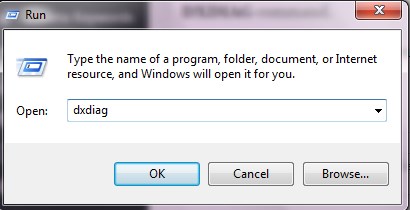
type dxdiag and press the enter key as shown in the image above.
You can also use this command to check the performance of the desktop computer.
 laptop
-
Welcome to my typing tutorial! Keep reading and follow along as I guide you step-by-step.
Learning computer typing basics can seem intimidating, but with the right guidance and practice, anyone can become proficient in typing. Here is a step-by-step guide to help you get started.
What is a computer keyboard layout?
1. Understand the keyboard layout. Before you start typing, it is important to be familiar with the keyboard layout. Familiarize yourself with the home row keys, which are the keys your fingers rest on, and the other keys that surround them.
2. Set up an ergonomic workspace. Make sure you have a comfortable chair, and ensure that the keyboard and mouse are positioned in a way that allows you to type without strain.
3. Start with a tutorial. Using a typing tutorial can help you get comfortable with the keyboard and build up your typing speed. There are many tutorials available online, and some of them are even free.
4. Practice regularly. To become proficient in typing, it is important to practice regularly. Try to spend 10-15 minutes a day typing, and focus on increasing your speed over time.
5. Take typing speed tests. Testing your typing speed can be a great way to track your progress. There are online typing speed tests you can take to see how your skills are progressing.
By following these steps and practicing regularly, you can learn the basics of computer typing. With time and dedication, you can become a fast and proficient typist.
For learning the computer keyboard to be an expert typist. You must know about the computer keyboard.
You can start your typing jobs on freelancing websites after learning typing from this typing tutorial learning guide article.
What is Computer Keyboard?
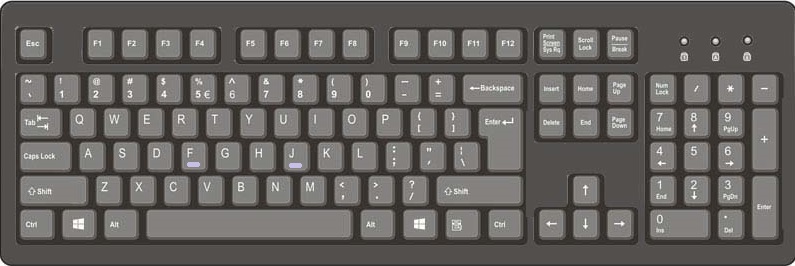
Look at your keyboard whether you are using a laptop or desktop computer.
You will notice that keys F and J on the keyboard have a little raised line.
The f and j keys on a keyboard are usually indicated by raised lines on their tops, which allow you to place the fingers of both hands on them without looking, according to the rules of typing.
This is to support touch typing so that the typist can quickly find the keys without looking at the keyboard. This is known as bumping the raised line.
The raised line was first introduced in the 1880s by typewriter manufacturers, who felt that hitting the keys would help typists orient their fingers more accurately.
The raised line on the f and j keys has become ubiquitous and is found on all modern keyboards.
The raised line helps typists quickly find the right keys when touch typing, allowing them to type quickly and accurately without constantly looking down at the keyboard.
let’s zoom in on the keyboard and see.
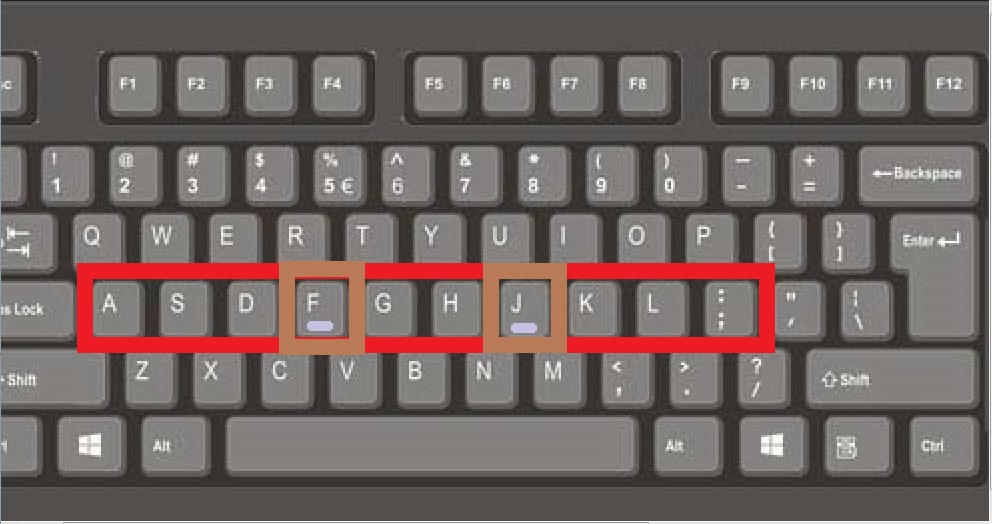
Yes, it is. Why there these keys F and J have the raising line?
As we know the home keys are ASDF JKL; and we put our hands on the keyboard like this.
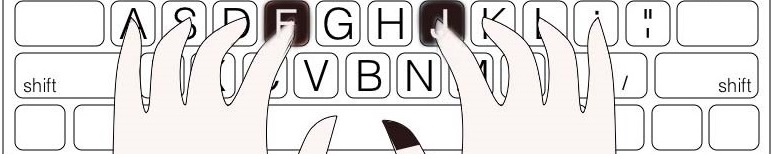
And F and J keys help us to find the correct position of the home keys to put the hand in the proper position.
Now put your fingers as shown in the upper image and type this.
What is the principle of keeping hands on a computer keyboard?
The principle of keeping hands on the computer keyboard is a simple but essential rule for successful typing. By keeping your hands on the keyboard at all times, you can reduce the amount of time spent searching for the right keys, and increase your typing speed and accuracy.
To practice this rule, start by placing your hands on the base of the keyboard, with your wrists slightly elevated and your fingers curled over the home row keys (ASDF and JKL;).
Whenever you need to type a key that is not in the home row, use your index fingers to press the desired keys. Don’t take your hands off the keyboard to type, as this will disrupt your flow and slow you down.
It is also important to make sure that your body and hands are comfortable while typing.
This can be achieved by maintaining your posture and avoiding excessive tension in your arms, shoulders, neck and back.
How to practice home keys for typing?
asdf (space) ;lkj (space)
Open any word editor like Notepad or WordPad and you can start your typing practice.
Press the Windows logo button + R then type Notepad or WordPad and press Enter.
First, hit the little (pinky) finger of your left hand on the letter (A) on the keyboard.
And type other letters (S)(D)(F) with the next fingers in sequence and hit the space bar with the right-hand thumb.
Secondly, hit the right-hand little (pinky) finger on the letter of (;) then press LKJ in the sequence like this
asdf[ space ];lkj
and keep typing this again and again

Press the Enter key with your right-hand little finger and then move the fingers to the first position again.
Do this practice and learn the home keys and repeat this lesson again and again.
Typing Home keys practice software
For practicing the home I have programmed a very simple and easy typing software for home keys practice only.
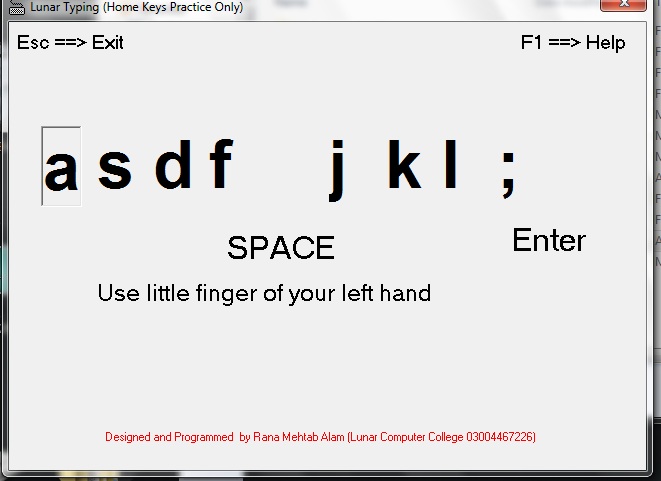
Lunar Typing [Google Drive Download Link]
Now add g which you will type with the index finger of your left hand and h which you will type with your right-hand index finger while your hand position will be on the home keys.
Type this practice line now

Practice the above line and repeat it for a minimum of 10 lines to a maximum of 50 lines daily.
little (pinky) finger practice on both hands
Put your hands on the home keys and type the following keep your eyes on the monitor screen.
type (a) from the left little (pinky) finger and (;) from the right little (pinky) and type the following in any

How to type on a keyboard with proper finger position?
To learn a complete keyboard for typing put your hands on it and keep practicing letters (keys) with the proper finger as shown in the image below.
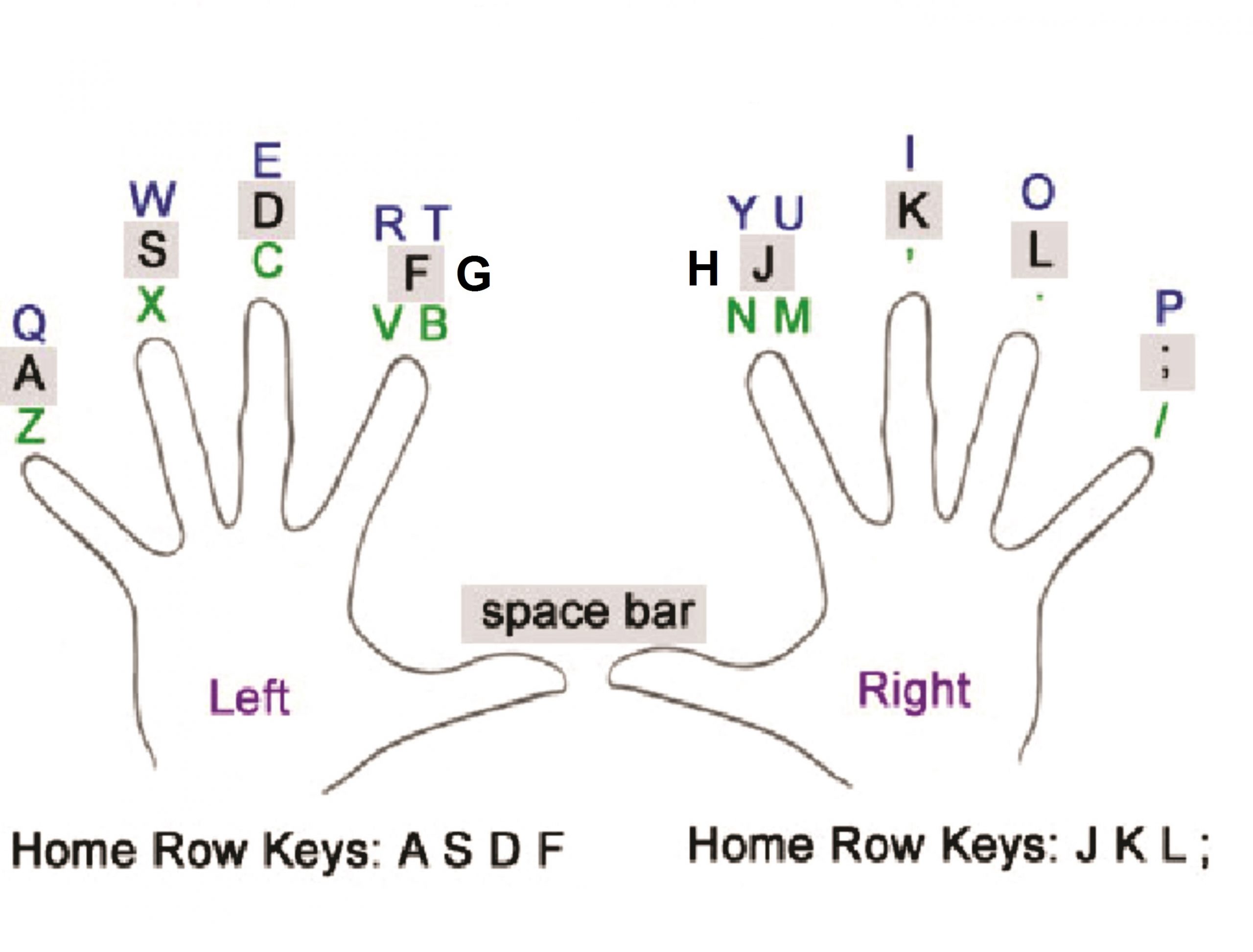
How to Increase Typing Speed?
Typing speed is a skill that many of us use daily. Whether you’re a student typing up an essay or a professional typing up a report, having a good typing speed can be a great asset. Here are some tips on how to increase your typing speed.
1. Practice makes perfect. Practice typing regularly to get used to the keyboard. Familiarize yourself with the keys and the layout of the keyboard.
2. Use the right technique. Position your fingers correctly on the keyboard and use the correct finger for each key. This will allow you to type faster and with fewer mistakes.
3. Use a typing tutor. Typing tutors are programs that help you learn and practice proper typing techniques. They provide drills and exercises to help you increase your typing speed.
4. Use voice recognition software. Voice recognition software allows you to talk to your computer and have it type what you say. This can be a great way to increase your typing speed.
5. Use online typing tests. Online typing tests are a great way to measure your typing speed and accuracy. They also provide great practice exercises to help you improve.
By following these tips, you can increase your typing speed and accuracy. With regular practice, you can become a proficient typist.
Rana Mehtab Alam
 Typing Tutorial
-
Corel Draw 2020 Full Course, in this course you will learn CorelDraw 2020 completely. Do not need to worry, if you are using any other version of Corel Draw.
Keep reading this post and learn the Coreldraw and do the practice on to your Corel version.
In this post, you will learn to complete CorelDRAW 2020 step by step.
Click here If you want to learn CorelDraw 9 Complete and you can also learn Corel Draw shortcuts.
How to Install and Use CorelDRAW 2020
Click on the ad New CorelDRAW Suite 2020 if it is displaying on this website.
Or you can get this software from its official website.
I recommend using the registered copy of Corel 2020 for getting the benefits of all the features.
After Installing and registering open the Corel Draw
Click here if you want to read about what are the uses of CorelDraw?
Corel Draw 2020 First Welcome Screen
When you will open the CorelDraw 2020 the following window opens.
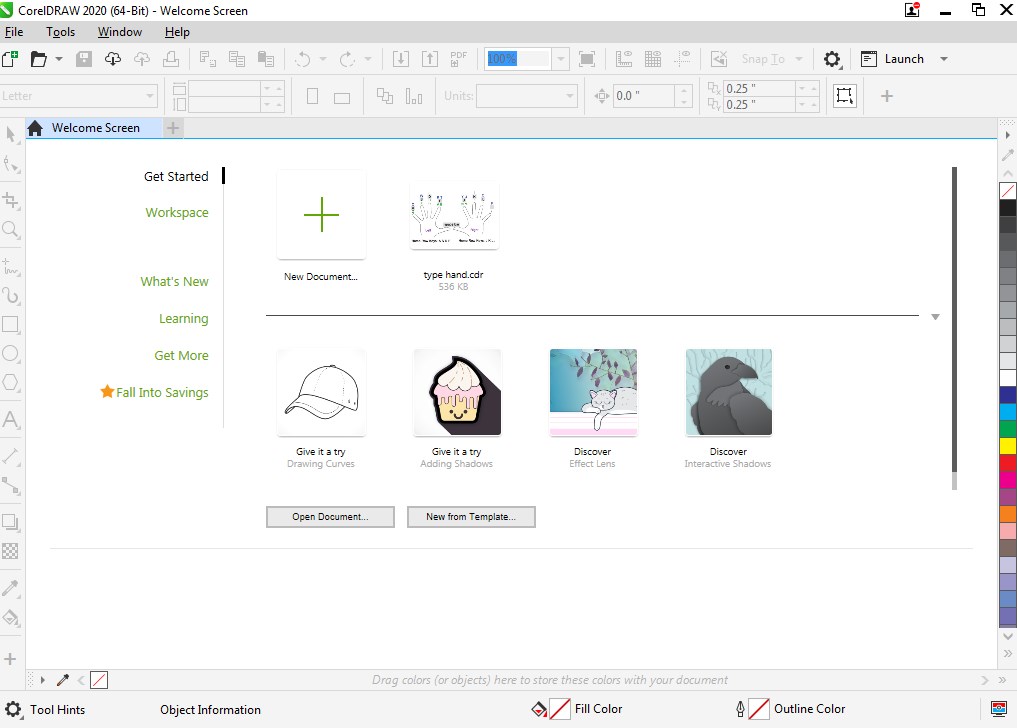
There are different options that you can use
1).
 You can use this option to get a new blank document. or Ctrl + N.
2).
 Click on this button or press Ctrl + O to open the saved file in Corel Draw.
3).
 In CorelDraw 2020 you can find this New from Template button at the welcome screen.
This is a very useful option where you can get ready-made templates and create new ones too.
You can use these templates in future anytime you need them.
How to use Toolbox CorelDraw 2020?
Pick Tool
Pick tool is a very important tool. You can select, move and transform the objects.
To select the object just click on it. Or if you want to select in range then hold the left mouse button and drag to select in range.
For multi-selection hold the Ctrl key from the keyboard and click the objects to make selections.
How to move the object with the Pick tool in Corel Draw 20202?
Firstly, click on the object with the Pick tool that you want to move. secondly, hold the object from any position by holding down the left mouse but and drag the mouse to move the object.
When you will move the mouse on the object which is already selected then the mouse pointer will change its pointer shape into this shape
 .
. Now hold the left mouse button and drag it to move the object.
There are two ways to move the object
- Move the object freely
- Move the object straight.
Move the object freely

To move the object freely just use the pick tool and select it then hold the object by holding down the left mouse button and drag the mouse to move the object.
You can move the object freely by using this method anywhere you want.
Move the object straight.

To move the object straight vertically or horizontally do the same as you do to move the object just hold the Ctrl key to move it straight.
There are more tools in the pick tool
Pick tool, freehand pick tool and free transform tool a shown in the image below.
How to use the freehand pick tool in Corel Draw 2020?
In Corel Draw 2020, you can also use the freehand pick tool (
 ) to select the specific objects among other objects.
Select the object by selecting it using the freehand pick tool in Corel Draw 2020
Sometimes it is very difficult to select an object among the objects but now it is quite easy because of the freehand pick tool.
Just select that object with the freehand pick tool.
Make sure to start your selection outside the main object as you can see in the image below where the main object is a rectangle where I am selecting a polygon with the help of a freehand pick tool.

Select the object by clicking on it using the freehand pick tool in Corel Draw 2020
you can also select the specific object with the freehand pick tool just click on its boundary line as shown in the image below.

How to use the free transform tool in Corel Draw 2020
Free transform tool (
 ) that you can get from the pick tool.
 And this free transform tool has four (4) options that you can use for different purposes.
- Free rotation tool (
 ).
). - Free angle reflection tool (
 ).
). - Free scale tool (
 ).
). - Free skew tool (
 ).
).
Free rotation tool (
).In the free transform tool, we can use the free rotation tool to freely rotate the object by the positioning of the free rotation tool then rotate it as shown in the image below.

Free angle reflection tool (
).Another option that we can see in the free transform tool is the free-angle reflection tool.
This option is used to mirror the object by positioning the reflection angle tool and then move it in a circle by the mouse holding the left button.

Free scale tool (
).you can object dimension size by using this free scale tool from the free transform tool.
just put the mouse on the object hold the left mouse button and drag it to rescale while selecting the free scale tool.

Free skew tool (
). We use this free skew tool to slant the object by positioning the skew tool and using the mouse while holding down the left mouse button to skew the object.
How to use the shape tool in Corel Draw 2020 and all its options?
As we can guess from its name (shape tool
 ) it can set any shape according to your need.
Shape tool we can get from the toolbox by clicking on its icon (
) or by pressing the F10 key from the keyboard.firstly draw any object like rectangle, circle and polygon etc then use the shape tool to change its shape.
For example, I’m using a rectangle to explain the use of the shape tool.

Shape 1
Keep a selection on the rectangle and press F10 for the shape tool. 
Shape 2
After pressing F10 you will notice that shape 1 will change into shape 2 and the mouse cursor will also change as you can see on the above table.
now the rectangle has 4 nodes as shown in the image below.

Secondly, you can use the shape tool mouse pointer (
 ) on these nodes to change the shape.
 Put the mouse pointer onto the object and hold the left mouse button drag to change the shape.
Normally, you can use the following three options with the shape tool.
- Round Corner (
 ).
). - Scalloped Corner (
 ).
). - Chamfered Corner (
 ).
).
Select the object with the Pick tool then use the Shape tool and select its option according to your need.
And then change the shape as you can see in the image below.
Object Shape Tool Result
Round Corner

Scalloped Corner

Chamfered Corner

How to change anyone side or more of a shape with the shape tool
Suppose we want to change the one corner of a rectangle into a round, scalloped or chamfered corner as shown in the bellow.
Draw a rectangle
Select the round corner option and type the radius in the text box of which corner you want to round.
Make sure the lock is unlocked otherwise all corners will round.

Result after applying the command

What is the convert to curves in Corel Draw 2020?
When using the shape tool to change the shape and if we want to add more node then we use the convert to curves option by press Ctrl + Q.
We can also open convert to curves action for the shape tool from the Object menu or by clicking on this icon (
 ) from the property bar of the shape tool.
After converting the curves now you can add more nodes by double-clicking on the object line and then you can use that node to change the shape
Before convert to curves After convert to curves 
Now you can use the shape tool to change the object shape from the node. See the image below.
Before After 
How to use all options of the shape tool in Corel Draw 2020?
After using the Ctrl + Q with the Shape Tool (convert to curves) then the property bar of the Shape Tool will change and you can see the following tools on it.
Shape Tool options after pressing Ctrl + Q in Corel Draw 2020
- Rectangular
- Freehand
- Add nodes
- Delete nodes
- Join two nodes
- Break curve
- Convert to line
- Convert to curve
- Cusp node
- Smooth node
- Symmetrical node
- Reverse direction
- Extract subpath
- Extended curve to close
- close curve
- Stretch or scale nodes
- Rotate or skew nodes
- Align nodes
- Reflect nodes horizontally
- Reflect nodes vertically
- Elastic mode
- Select All nodes
Rectangular
use to select the nodes in rectangular. Hold the left mouse button and drag to select the nodes.

Freehand
This option you can use to make a freehand selection of the nodes. let’s suppose you have three nodes in a, b and c in a line while you want to select node a and c.
Add nodes (
 )
)You can use this option to add nodes. Click on the line of the object to get the node position and then click on (
) to convert that position into the node. Double click to add the node.
Delete nodes (
 )
)Select the node that you want to delete then click on (
) or double click on the node to delete it.
Join two nodes (
 )
)To join the two broken nodes. First, select the broken nodes then click on (
) to join them together.
Break curve (
 )
)To break the object from the node. First, select the node then click on (
) to break the object from the node. Use the mouse to make them separate.
Convert to a line (
 )
)To convert the curve into the line. First, select curved nodes then click on (
) to convert them into a straight line.
Convert to the curve (
 )
)You can use this option to convert the line into the curve with the help of handles

Continue to learning Corel Draw 2020 Full Course …….
 Corel Draw 2020 Full Course
-
If you are designing a website or a blogger and you are the owner of the YouTube channel. You must need the royalty-free stock images for commercial use.
Images are very important to make your text attractive. It is a very excellent way to describe your hearty feelings.
Pictures also speak
You can express your emotions through the images. Similarly, a web designer and developer or owner of a YouTube channel needs images for their posts and videos.
YouTube Thumbnails play a very important role to make the videos viral. If the image of the thumbnail will be eye-catching, then everyone wants to click on it.
Free images no copyright
I know you are here to find the free images specially for commercial use without copyright.
To find free and no copyright images, that you can use commercially.
I would recommend editing the images using Adobe Photoshop to make it unique.
Click here to learn more computer courses.
If you are expert in editing then easily you can use any image.
Warning!!!!
I really don’t mean to use any images. You can make an idea from any images to make your own.
Free images
Why don’t you shoot your own images from your own camera? Now everywhere nature is full of beauty.
Just click the camera button to capture it.
I have thousands of images which I shot from my own camera.
You can also make your own free and quality images bank if you know how to shoot an image from the camera?
Free images and videos
As images are necessary similarly videos are necessary too.
Short videos are going very popular to describe and teach whatever you are going to describe.
As I made my Youtube channel trailer
Visit my YouTube Channel
To find the free videos for your posts and videos you can use pixabay dot com and open the video link. Don’t forget to give attributes in your posts if necessary of selected video from this website.
Free images websites list
Open Google and type “free images websites list” to search the free images.
you can type different queries according to your need.
Here I am providing the top 10 free images websites list.
- Pixabay dot com use the attribute if necessary.
- PikWizard
- Life of Pix
- Libreshot
- Rgbstock
- Good Stock Photos
- StockSnap.io
- Startup Stock Photos
- FoodiesFeed
- NegativeSpace
Written by Rana Mehtab Alam
 Royalty Free Stock Images For Commercial Use
-
🌙 Lunar Computer College – Course Catalogue
🎓 Foundation Courses (Beginners)
1. Certificate in Computer Typing (CCT)
Duration: 3 Months
What You’ll Learn:
- Keyboard Typing
- Windows Basics
- Internet Usage
💰 Admission Fee: Rs. 1,500
💰 Fee: Rs. 2,500/month
2. MS Office Professional (WEP)
Duration: 1–2 Months
What You’ll Learn:
- Microsoft Word
- Microsoft Excel
- Microsoft PowerPoint
💰 Fee: Rs. 10,000 (Complete Package)
3. Certificate in Computer Applications (CCA)
Duration: 3 Months
What You’ll Learn:
- Windows
- Computer Typing
- Microsoft Office (Word, Excel and PowerPoint)
- InPage Urdu/Arabic
- Internet
💰 Admission Fee: Rs. 1,500, Monthly Fee: Rs. 6,500
4. Certificate in Computer Applications with Graphics (CCAG)
Duration: 6 Months
What You’ll Learn:
- Windows
- Computer Typing
- Microsoft Office (Word, Excel and PowerPoint)
- InPage Urdu/Arabic
- CorelDraw, Adobe Photoshop, CANVA, AI Graphics
- Internet
💰 Admission Fee: Rs. 1,500, Monthly Fee: Rs. 5,500
💼 Professional Career Courses
⭐ 5. CIT Pro – Digital Skills & Online Earning Diploma (Most Popular)
📅 The 1-Year Course Monthly ScheduleThe course is perfectly split into 9 months of active learning followed by 3 months of 100% practical work and freelancing experience.Phase 1: Active Learning & Skill Building-
🏆 Option 1: The Standard Path (1 Year Track)Best for beginners who want a steady, relaxed pace with maximum practice time.
-
- Month 1: Computer Basics, Windows Setup & InPage Urdu
- Month 2: Microsoft Word & Microsoft PowerPoint
- Month 3: Microsoft Excel & Smart Productivity Tools
- Month 4: Graphic Design with Canva & Photoshop
- Month 5: Vector Design with CorelDRAW
- Month 6: Video Editing with Filmora & CapCut
- Month 7: WordPress Website Building
- Month 8: Computer Logic & Python Programming
- Month 9: Smart AI Tools & Workflow Automation
- Months 10–12: 3 Months of Job Training, Portfolios, Live Assignments & Freelancing
- 💰 Fee: Rs. 4,500 / month (Admission Fee: Rs. 1,500)
⚡ Option 2: The Fast-Track Path (6 Months Track — Save 10%)Best for students who can dedicate more hours daily and want to graduate sooner.-
- Month 1: Computer Basics, Windows Setup, InPage Urdu, MS Word & PowerPoint
- Month 2: Microsoft Excel, Smart Productivity Tools & Graphic Design (Canva & Photoshop)
- Month 3: Vector Design (CorelDRAW) & Video Editing (Filmora & CapCut)
- Month 4: WordPress Website Building, Computer Logic & Python Programming
- Month 5: Smart AI Tools, Workflow Automation & Practical Job Projects
- Month 6: Intensive Freelancing Practice, Portfolios & Interview Preparation
- 💰 Fee: Rs. 8,100 / month (Admission Fee: Rs. 1,500)
🚀 Option 3: The Super Fast-Track Path (3 Months Track — Save 15%)Best for quick learners or those looking to master everything in a highly intensive bootcamp setup.-
- Month 1: Office Work (Windows, Word, Excel, PowerPoint, Urdu), Productivity Tools & Canva/Photoshop
- Month 2: CorelDRAW, Video Editing (Filmora/CapCut), WordPress Web Building & Python Programming
- Month 3: Smart AI Tools, Live Client Projects, Portfolios & Full Freelancing/Marketing Setup
- 💰 Fee: Rs. 15,300 / month (Admission Fee: Rs. 1,500)
-
📢 Special Bonus IncludedThe entire course includes continuous English Language Training. This runs side-by-side with your technical classes to help you communicate confidently with international clients and clear your job interviews with ease.The Result: You can start earning money online while you are still gaining valuable professional skills.
💰 Fee Structure & Admission Details-
- Course Duration: 1 Year
- Admission Fee: Rs. 1,500
- Monthly Fee: Rs. 4,500 / month
10% Discount Complete this course in 6 Months Monthly Fee: Rs 8,100
15% Discount Complete this course in 3 Months Monthly Fee: Rs 15,300
6. Professional Graphic Designing Diploma
Duration: 6 Months
What You’ll Learn:
- Adobe Photoshop
- Adobe Illustrator
- CorelDRAW
- Canva
- Figma
- AI Design Tools
💰 Admission Fee: Rs. 1,500
💰 Monthly Fee: Rs. 6,000
7. Professional Video Editing & YouTube Content Creation
Duration: 2 Months
What You’ll Learn:
- Filmora
- AI Video Editing Tools
- YouTube SEO
- Shorts & Reels Editing
💰 Fee: Rs. 15,000
8. Website Development with WordPress & AI
Duration: 3 Months
What You’ll Learn:
- HTML & CSS Basics
- WordPress
- Website Design
- Domain & Hosting
- SEO
- AI Website Tools
💰 Fee: Rs. 15,000
9. Digital Marketing & SEO
Duration: 2 Months
What You’ll Learn:
- Facebook Marketing
- Google Ads
- WhatsApp Marketing
- Search Engine Optimization (SEO)
- Social Media Marketing
💰 Fee: Rs. 15,000
10. Freelancing & Online Earning
Duration: 2 Months
What You’ll Learn:
- Fiverr
- Upwork
- AI Freelancing
- Client Communication
- Profile Optimization
💰 Fee: Rs. 12,000
11. Computer Troubleshooting
Duration: 2 Months
What You’ll Learn:
- Windows Installation
- Driver Installation
- Hardware Maintenance
- Software Troubleshooting
💰 Fee: Rs. 6,000/month
12. AI Tools & ChatGPT Masterclass
Duration: 2 Months
What You’ll Learn:
- ChatGPT
- Google Gemini
- Claude AI
- Leonardo AI
- Prompt Engineering
- AI Productivity Tools
💰 Fee: Rs. 15,000
13. Amazon Virtual Assistant
Duration: 2 Months
What You’ll Learn:
- Amazon Seller Central
- Product Hunting
- Product Listing
- Customer Support
- Order Management
💰 Fee: Rs. 12,000/month
14. Shopify Store Development & eCommerce
Duration: 3 Months
What You’ll Learn:
- Shopify Store Setup
- Product Management
- Payment Integration
- Store Customization
- Freelancing Projects
💰 Admission Fee: Rs. 1,500
💰 Monthly Fee: Rs. 8,000
15. AutoCAD Professional
Duration: 2 Months
What You’ll Learn:
- 2D Drafting
- 3D Modeling
- Civil & Mechanical Drawing
- CNC Basics
💰 Fee: Rs. 30,000 (One-Time Payment)
16. Professional Python Programming
Premium Career Program
Duration: 4 Months
Fee: Rs. 100,000 — One-Time Payment🎯 Course Overview
A comprehensive, practical and professional Python programming course designed to take students from beginner level to advanced Python programming through structured learning, problem-solving and real-world Python projects.
📚 Course Syllabus
Module 1 — Python Fundamentals
- Introduction to Python
- Python Installation & Development Environment
- Python Syntax & Indentation
- Variables & Constants
- Data Types
- Type Conversion
- Operators
- Input & Output
- Comments & Documentation
- Conditional Statements
if,elif,else- Nested Conditions
for&whileLoopsbreak,continue,pass- Practical Programming Exercises
Module 2 — Python Data Structures
- Strings
- String Methods
- Lists
- List Methods
- Tuples
- Sets
- Dictionaries
- Dictionary Methods
- Nested Data Structures
- Indexing & Slicing
- List Comprehensions
- Dictionary Comprehensions
- Working with Complex Data
- Practical Data-Structure Exercises
Module 3 — Functions & Modular Programming
- Creating Functions
- Parameters & Arguments
- Return Values
- Default Arguments
- Keyword Arguments
*args&**kwargs- Scope & Namespaces
- Local & Global Variables
- Lambda Functions
- Recursion
- Modules
- Packages
- Import System
- Creating Your Own Python Modules
Module 4 — Object-Oriented Programming (OOP)
- OOP Concepts
- Classes & Objects
- Constructors
- Instance & Class Attributes
- Methods
- Encapsulation
- Inheritance
- Multiple Inheritance
- Polymorphism
- Method Overriding
- Abstraction
- Special / Magic Methods
- Properties
- Composition
- Building OOP-Based Applications
Module 5 — Files, Errors & Data Handling
- Reading & Writing Text Files
- CSV Files
- JSON Files
- File & Directory Management
- Working with Paths
- Exception Handling
try,except,else,finally- Creating Custom Exceptions
- Debugging Python Programs
- Logging
- Practical File-Management Projects
Module 6 — Advanced Python Programming
- Iterators
- Generators
- Decorators
- Closures
- Context Managers
- Regular Expressions
- Date & Time
- Enumerations
- Type Hints
- Dataclasses
- Advanced Functions
- Advanced OOP Concepts
- Pythonic Programming
- Writing Clean & Reusable Code
Module 7 — Python Automation
- Introduction to Python Automation
- Automating Files & Folders
- Batch File Processing
- Automated Report Generation
- Working with Excel through Python
- Email Automation
- Working with the Operating System
- System & Process Automation
- Scheduled Python Tasks
- Practical Automation Projects
Module 8 — Python Libraries, Packages & APIs
- Python Standard Library
- Installing Third-Party Packages
pip- Virtual Environments
- Package Management
- Working with HTTP Requests
- Using APIs with Python
- JSON API Data Handling
- Creating Python Utility Programs
- Understanding Python Package Structure
Module 9 — Professional Python Development
- Code Structure & Organization
- Clean Code Principles
- Debugging Techniques
- Unit Testing Basics
- Test-Driven Programming Concepts
- Assertions
- Documentation
- Code Optimization
- Performance Basics
- Security & Safe Coding Practices
- Environment Variables
- Professional Project Structure
Module 10 — Python Projects
Students will develop multiple practical Python applications, such as:
- Student Management System
- Calculator & Utility Applications
- File Management Automation Tool
- Password Generator
- Contact Management System
- Expense Tracker
- Quiz Application
- Text/Data Processing Application
- Python Automation Tool
- Final Professional Python Project
🧠 Problem Solving & Programming Logic
Special focus will be given to:
- Programming Logic
- Algorithmic Thinking
- Problem Solving
- Flowcharts & Pseudocode
- Debugging Problems
- Code Optimization
- Real-World Programming Challenges
- Daily Coding Practice
🏆 Final Project
At the end of the course, every student will develop a complete professional Python application independently.
The final project will include:
- Proper Python structure
- Functions & OOP
- File/Data Handling
- Error Handling
- Professional Code Organization
- Testing & Debugging
- Documentation
🎓 Skills After Completion
Students will be able to:
- Write Python programs independently
- Solve programming problems
- Build applications using Python
- Use OOP professionally
- Automate repetitive tasks
- Work with files and data
- Use Python libraries and packages
- Integrate APIs with Python
- Debug and test Python programs
- Build professional Python projects
- Create a Python programming portfolio
💼 Career Direction
This course prepares students for:
- Python Programmer
- Python Developer
- Python Automation Developer
- Junior Software Developer
- Python Freelancer
- Programming Instructor / Trainer
- Further specialization in Python-based technologies
💰 Course Fee
Rs. 100,000 — One-Time Payment
Duration: 4 Months
Professional • Practical • Project-Based
17. Elite Digital Business & Advertising Mastery
Duration: 3 Months
What You’ll Learn:
- Google Ads
- Facebook & Instagram Ads
- YouTube Advertising
- Shopify Marketing
- WooCommerce
- Live Campaign Management
💰 Fee: Rs. 49,500 (One-Time Payment)
18. Professional Data Analyst & Business Intelligence with AI
Duration: 3 Months
What You’ll Learn:
- Microsoft Excel
- SQL
- Python
- Power BI
- Data Visualization
- AI Analytics
- Business Intelligence
💰 Fee: Rs. 80,000 (One-Time Payment)
19. Master Pro Trading (Premium Level)
This is our flagship, highly intensive program designed to take you from a complete beginner to a strategic, confident trader with advanced insights.-
- Fee: 50,000 PKR
- Duration: 4 Weeks (16 Hours Total)
- Structure: 8 Classes total, 2 hours each
📅 Weekly Curriculum-
- Week 1: The Basics & Getting Ready – Introduction to Forex, software tools, and setting up a practice demo account.
- Week 2: Reading the Price Charts – Identifying trends, support/resistance zones, candlestick patterns, and indicators.
- Week 3: Global News & Money Safety – Fundamental analysis (world news) and capital protection through risk management.
- Week 4: Strategy & Going Live – Building your personal plan and executing trades during live market practice.
20. Trading Foundation (Standard Level)
A budget-friendly, lighter version of our trading course. This option focuses strictly on essential chart reading and basic execution rules to get you started safely in the markets.-
- Fee: 30,000 PKR
- Duration: 3 Weeks (12 Hours Total)
- Structure: 6 Classes total, 2 hours each
📅 Curriculum Overview- Phase 1: Market Essentials – Understanding how Forex works, platform setups, and how to place risk-free trades on a demo account.
- Phase 2: Core Technical Analysis – Master the basics of finding market trends, drawing support/resistance levels, and reading primary chart patterns.
- Phase 3: Basic Risk Management – Learn the golden rules of protecting your money so you never lose your account capital while practicing.
⚠️ Important Note Regarding Trading CapitalThe fees listed above strictly cover the Tuition Fee for the educational program. During the course, all practical training will be conducted using free demo accounts (virtual currency).When you choose to transition to live markets, any trading investment capital must be funded entirely by the student. The college does not provide trading funds, nor does it collect money for investment purposes.
21. Beginner Cyber Security (2 Months)
This foundational course is designed for absolute beginners. No prior coding or networking experience is required. Learn how hackers think and how to defend personal and corporate networks.-
- Duration: 2 Months (16 Classes Total)
- Schedule: 2 Classes per week (2 Hours each)
- Course Fee: 25,000 PKR
📅 Weekly Curriculum Overview-
- Weeks 1-2: Networking Basics – Understanding IP addresses, ports, protocols, routers, and basic command-line utilities.
- Weeks 3-4: Threat Landscape & Social Engineering – Recognizing phishing attacks, malware types (viruses, ransomware), and human psychological traps.
- Weeks 5-6: System & Wi-Fi Defense – Hardening Windows/Linux operating systems, configuring firewalls, and securing home/office Wi-Fi.
- Weeks 7-8: Web Safety & Digital Hygiene – Understanding SSL/HTTPS, secure browsing, password managers, and a roadmap to global certifications.
22. Advanced Cyber Security Program
Designed for IT students, professionals, or graduates of our Beginner program. This course dives deep into ethical hacking, penetration testing, and live laboratory practices.-
- Duration: 2 to 3 Months (Comprehensive)
- Schedule: 2 Classes per week (2 Hours each)
- Course Fee: 55,000 PKR
- Prerequisite: Basic networking or completion of our Beginner course.
📅 Weekly Curriculum Overview-
- Weeks 1-2: Linux for Hackers & Information Gathering – Mastering Kali Linux command line, passive/active footprinting, and network scanning using Nmap.
- Weeks 3-4: Vulnerability Analysis & Exploitation – Finding flaws in systems, using the Metasploit framework, and executing controlled system exploits.
- Weeks 5-6: Web Application Penetration Testing – Hands-on testing for OWASP Top 10 vulnerabilities (SQL Injection, Cross-Site Scripting, Broken Authentication).
- Weeks 7-8: Network Traffic Analysis & Sniffing – Wiretapping networks legally using Wireshark, identifying rogue traffic, and setting up Intrusion Detection Systems (IDS).
- Weeks 9+: Incident Response & Career Placement – How to handle live security breaches, digital forensics basics, and mock interviews for local/remote job placement.
🐍 23. Introduction to Python & Programming Logic & Coding FundamntalsAik aasan aur budget-friendly course jo absolute beginners ke liye design kiya gaya hai. Is course ka maqsad programming ka darr khatam karna aur coding ki bunyaad mazboot karna hai.-
- Duration: 2 Months (16 Classes Total)
- Schedule: 2 Classes per week (1 Hour each)
- 💰 Fee: Rs. 15,000 (Complete Package)
📅 Monthly Syllabus OverviewMonth 1: Coding Fundamentals & Syntax-
- Introduction to Coding: Program kya hota hai? Software kaise bante hain?
- Setup & Environment: Python aur VS Code PC mein install karna aur chalana.
- Python Syntax Basics: Variables, Data Types (Numbers, Text), aur Input/Output functions.
- Decision Making:
if,elif, aurelseka istemal kar ke computer ko faislay sikhana. - Repeating Tasks (Loops):
foraurwhileloops ke zariye repetitive kaam automate karna.
Month 2: Basic Logic & Simple Projects-
- Working with Data: Lists aur Strings ko manage aur manipulate karna.
- Smart Functions: Reusable code likhna aur built-in Python libraries ka istemal.
- Problem Solving: Flowcharts banana aur programming logic build karna.
- Error Debugging: Apne code mein se galtiyan (bugs) pakarna aur theek karna.
- Beginner Portfolio Projects:
-
- Smart Calculator
- Guess the Number Game
- Simple Quiz Application
- Auto Student Grade System
-
🎓 Skills After Completion-
- Programming ka basic concept aur logic bilkul clear ho jayega.
- Python mein simple tools aur scripts khud likh sakenge.
- Computer logic aur algorithmic thinking develop hogi.
🌟 Why Choose Lunar Computer College?
- ✅ Online & On-Campus Classes
- ✅ English & Urdu Medium
- ✅ Practical Project-Based Training
- ✅ AI-Integrated Curriculum
- ✅ Professional Certificates
- ✅ Career Counseling & Interview Preparation
- ✅ Freelancing & Portfolio Development
- ✅ Job-Oriented Skill Development
 Computer Courses
-
We often hear that the trend of something is on the rise especially Technology trends.
New and strange inventions are happening all the time.
It is yet 2020 but because of the technologies, you can perform the unbelievable task that you can’t think to do.
Artificial Intelligence Technology is on the move and updating according to the trends.
In past, you could send a text message but now are able to do the live video chat.
But can you determine what will be the future of the technology as its trending is increasing day by day?
I remember very well that I used a dot matrix printer to print.
But now modern and latest printer technology is available that can create an original shape of the object by using 3d printers.
With the help of this 3D printing technology, human parts are being made and installed and the trend is growing.
Now if someone has lost an ear or nose in an accident, a 3D printer can be made that part.
What is the use of Technology Trends in Healthcare?

As I discussed the 3d printer similarly there are thousands of the technologies that we are using for healthcare.
And the trend of healthcare technology is increasing more and more than any others.
You can say the trend in healthcare technology is growing faster than ever.
A doctor can operate and stitch the patient with the help of robots from thousands of miles far.
You can check your blood pressure with your mobile phone or wristwatch.
Diabetic patients can check their diabetes with healthcare technology.
All the healthcare and medical technologies products available in the markets according to the trends of those products.
How we can use Technology Trends in Business?

Technologies have introduced your business worldwide. You can start that business which trend is in high demand.
You can take a survey to get the trending for any product from a business point of view.
What is trending nowadays? What is demand? Yes, these are the surveys every product owner should take before launching the product in the markets.
The main process of launching a product in the markets is called “marketing“.
Technology Trends 2020 – 2030

Well, when I am writing this article it is 2020. And you know how the trend of technology is updating?
The technology trend in 2030 will be unbelievable.
In 2030 The word impossible will change into I m possible.
As we know robots are working in factories and at home but in the future man will be comfortable and robots will be at work.
ٰWell I can’t say comfortable or lazy ……
My late father (May Allah grant him a palace in Paradise) used to say. In future, everything will be done just by pressing the button.
I asked him an innocent question father then who will press the button????
The 3D printer is already in its infancy for medical purposes, but in the future, you will find it incredible in creating body parts.
All the technology parts will decrease in size but increase in performance.
Brain waves, you will be able to send and receive messages from brain to brain without any cell phone.
What is computer technology trends?

The trending of the computer in both personal computer and as well as industrial computers are increasing rapidly.
As the computer hardware is being updated, therefore computer application software is also updating.
The Internet is one of the biggest examples of computer technology trends
You will design a map on your plot with electronic CAD tools and build your dream home with the help of modern computer technology.
Instead of books, students will use a computer drive to store and read data.
The book will be available on websites where students can access it at any time from cell phones, tablets, laptops or desktops.
We are already using translating to translate any language into any other language.
But in future, you will be able to hear and speak any language that you don’t know about it.
Online learning now all the institutions are offering online classes and in future, you will learn all computer courses and any study online.
Use of technology in Education
Education makes us educated.
Nowadays we heard technology news about education that how the trend of educational technology graph is going high.
So the trending of the computer and other science technology is on the way.
 Technology Trends
-
Are you really anxious to know how much does computer technician make?
Well, as we know we are using a computer in our home and if you have a hardware problem you need to go to a computer hardware expert.
Therefore, the demand for computer software and hardware technicians is increasing day by day.
What is a Computer Technician?
A person who can fix the computer hardware problems and have a vast knowledge of computer hardware parts.
First of all the computer introduction is necessary.
You can’t be a good computer technician if you don’t even know computer software and the process of installing Windows.
How to be a good computer technician?

You must have heard the saying that practice makes a man perfect.
So both theory and the practical knowledge of computer software and hardware are necessary for a computer expert and technician.
I would recommend joining any computer hardware shop and learn computer hardware maintenance.
So don’t wait, and search for the computer hardware shop and apply there as a learner.
Observe deeply and be polite and work hard to keep the practice. One day you will become an expert.
Computer Toolkit
In computer hardware, there are many parts attached to the computer like system unit, monitor / LCD, keyboard, mouse and printer.
If you want to repair any part then you need a toolkit to open that part.
You must use an accurate tool to open specific hardware.
Now I will discuss the main topic that how much you can earn to repair a computer.
What is the Salary of a computer technician?
In computer science and technology, the most important and rewarding job is to become a computer hardware and software engineer۔
A computer technician can earn without having a shop. He/She can go to the customer’s location to reaper the hardware.
Well, I can not tell you the accurate salary but it is true that the handsome amount he/she can earn from this job.
Take your first step and the destination is yours.
 How much does computer technician make
-
Well, I understand that you are trying to get AdSense approval for your blog or website.
I am providing 12 Best Tips for fast AdSense Approval. Yes, I 100% guarantee that you will get AdSense approval in one attempt.
I am writing this article after getting AdSense approval on my website.
Before this, I provide the 12 Best Tips for fast AdSense Approval.
Click here to open my website in a new tab and visit it thoroughly. Check the website theme design and number of articles.
Hope you enjoy visiting my website. You can check the Alexa Ranking for my website.
My post which brought the viewers to my website was (A Greedy Dog Modern Age Story)
This post turned out to be the best for my website.
Then I typed more articles for my website. All articles are unique and according to SEO requirements.
I typed 40 articles keeping in mind the interest of the viewers before applying for AdSense approval.
Now you can see that my website is approved by AdSense and I followed the 12 tips that became the best for me to get approved quickly.
Tips 1:
Choose a proper domain name for your website
The domain name is the first that your viewers see. So as we know
The First Impression Is The Last Impression.
So it would be the first positive step in the AdSense approval process.
A domain name should match according to your website contents.
If your website contents are on the technology then tech, techno and technology word you can use in your domain name.
Try to use the short name instead of the long name. But if your brand name is already famous and it’s a large name then you can use it.
But I recommended using the short name for the domain name.
Tip 2:
Register a domain name
For AdSense approval, this is the main step that we mostly skip.
So don’t underestimate its importance and get your domain registered۔
ٰYou can choose any domain registration company and websites like GoDaddy NameCheap and others.
Tip3:
Start making your website in WordPress.
WordPress is a widely used website development platform where we can easily build our own website.
If you have already built your website into another platform then you can skip this step.
Click here if you want to learn to use WordPress and it would be good practice to know HTML while developing the website.
Tip 3:
Choose a perfect theme for your website
Your website looks should be attractive and eye-catching. If anyone by a chance visit your website then he or she should stay there.
And It could only be possible if your website will be attractive.
Choosing the perfect theme will make your website looks awesome.
Click here to get the WordPress theme according to your requirement.
I used the free version of ColorMag by ThemeGrill and modified it according to my requirements.
I experience it is the best theme but you can choose your own you like.
Tip 4:
Adding Plugins for your WordPress website.
1. Yoast Plugin
It is a very powerful plugin that helps you to write according to SEO policies.
2. Classic Editor Plugin
This plugin will help you to edit your website like a WinWord interface.
3. Smart Slider plugin
You can add this plugin to add a slider for your homepage.
4. Smush Plugin
Now google recommended uploading images in WebP format and your image size and pixels should be perfect.
So this plugin will automatically compress your images and your website loading speed will also be good.
5. AMP (Accelerated Mobile Pages)
Now, most people use mobile to view websites. So you must add this AMP plugin for mobile users.
Tip 5:
Add these pages to your websites for AdSense approval
1. About Us
Must create an about us page for your website. Type in details in an easy way about you and this website.
2. Contact Us
Viewers could easily contact you at any time. Click here to contact me
3. Privacy Policy
It is very much necessary to add this page to your website. You can visit our privacy policy page.
4. SiteMap
A siteMap is a necessary and better way to engage visitors on your website.
Tip 6:
Start typing posts for your WordPress website
Write 40 unique content articles for AdSense approval
As I have discussed above in this article, I applied for AdSense after 40 articles.
So really be patient and keep typing interesting unique articles.
Click here to get tips for writing the article.
Tip 7:
Choose proper keywords in WordPress posts
Keywords are the way between viewers and your website posts.
Let me explain it.
You create a post on
How to Earn Online?
So there are two keywords in this title
- How to
- Earn Online
If someone types how to or earn online then your website will also be available in the search result.
Keyword stuffing is an art and if you can do it you can get more traffic and revenue from your website.
Tip 8:
Check the pixel size of the page Title and Description
Open this link and paste your post Url in it and check the pixel size of your post title and description.
Tip 9:
Add your website to Google Search Console
It is a very necessary step, without this step your website will not add to the google search result.
Add your website SiteMap to Google Search Console
It is also a very important step, to add a site map to Google Search Console.
Tip 10:
Commenting on the other websites
Try to comment on the other websites and give your website URL to get the backlinks.
Tip 11:
Add your website to each post in Google Search Console
Every post you create for your website must add to the Google Search Console.
Tip 12:
Ready to Apply for Google AdSense
Congratulation now you are really ready to apply for AdSense approval.
I am 100% sure if you really took all the above steps then your website will approve in one attempt.
But if you face any problem then feel free to discuss it with me I will try to give you a guide to solve your problem.
Post Writer
 12 Best Tips for fast AdSense Approval
-
Mobile photography is extremely easy art. I am providing 5 best mobile photography tricks.
It is a skill anyone with a smartphone in their hands can acquire and master, no formal training needed.
Ever saw a great picture with hashtag phone photography and doubted if it actually was taken with a phone or a high-quality expensive gadget?
Fret no more because there are ways to capture photos of extremely great quality with just the phone in your hand.
All you need is to take care of a few things, download a few apps for postediting purposes and you are good to go.
Let’s take a step by step guide to take amazing impressive unique and creative pictures.
Things you need:
- A smartphone
- Ta da! That is all you need.
- Rules of Photography:
- 5 Best Mobile Photography Tricks
The picture should not be shaky or blurred. Keep your hand stretched out while taking a picture and keep the phone steady.
Now gently tap the capture icon.
Take Pictures with Earphone Buttons
Trick 1: Use earphones to remotely press the capture button to avoid shaking your phone while tapping the capture button.
Framing of a photo is extremely important. The subject should be placed in the frame according to the amount of attention you want to draw towards it.
Placing the subject in the centre of the frame is usually very boring.
There is a trick in mobile photography just you need to reveal it.
A photo with your subject covering one-third of the frame and not the centre portion looks creative and gives a more conclusive image and information about the subject of your photograph.
Symmetry is the key to a balanced photo. Always look for lines in your area of photography. Use them as a guide.
A good photo has numerous lines converging on the focus of your subject.
In portrait photography the eyes are the key, Always Focus on The Eyes
As quoted in the movie Scarface “The Eyes, Chico. They Never Lie.”
Thus, a good photograph must look into the eyes of the subject.
Clean Your Camera Lens
Trick 2: Always clean your camera lens before taking a photograph.
We usually have fingerprints or dust on our lens which makes a picture less clear and more blurry leading to an unpleasant and less aesthetic photo.
Composition of your photo has a major impact on its uniqueness. The creative it is the more eye-catching it will be.
Try to give it a theme. Remove irrelevant objects from the scene. Every object in the photograph must have relevance and significance.
If you are taking pictures of books, use fairy lights, coloured pens, flowers, lamps, coffee etc in the fore or background.
Use Common Props for Mobile Photography
Trick 3: Using common props from daily life can lift the spirit of a photograph, making its ambience attractive and eye-catching.
Post picture editing not only enhances your picture but also is very fun and interesting.
You can experiment with different presets and enjoy the outcome.
Many smartphones have inbuilt camera options to add filters and brighten up your picture.
Following are some of the tips to use these options to the best result.
The easiest way is to use filters which already have customised settings.
For a more customised photo editing, use the camera app editing options.
Even the most basic cameras have Exposure, Shadows, Highlights, Brilliance, Brightness, Contrast, Warmth, Tint, Sharpness, Saturation and Vibrance.
Furthermore, crop options have now improved immensely and the photo can be straightened using these tools to get a better quality of photo with straight lines and no extra objects in the background.
There is usually a slider with all of these options and moving it to and fro shows you how it will affect your photo.
Leave the slider at the setting you are most comfortable with.
If the photo is too dark increasing the exposure to an extent where it is neither too bright nor too dark can surprisingly have a great effect on your photo.
Brightness can also be used similarly. Contrast can be used to enhance different tones and tone up or down your image.
The tool that I like the best is Saturation and Vibrance. It immediately lifts up your image.
Adding some sunlight to your photo usually always lifts the spirits of the photo.
Vibrance brings colours to your photos and brings it to life.
Pulling the Slider too much for Colourful Photography
Trick 4: The trick Is not to overdo or underdo the editing.
Pulling the slider too much to the right or upwards may cause your photo to be very colourful but some of the colours will also become a shade darker than they should, especially if there are humans or pets in your photos, so try not to use too much saturation.
A controlled amount of saturation goes a long way in brightening your photo.
Add a watermark to prevent your photo from being used on net and also because it gives you a sense of satisfaction to know you own this photo and you have gone through so much effort to get it to look like it does now.
Using a watermark is often tricky but there are a lot of apps that provide these options.
You can also make your own watermark by editing text on your photo from your smartphones photo editors.
The next article will give an overview of photo editing apps and how to use them.
Edit Your Mobile Photographs with Adobe PhotoShop
Trick 5: Adobe Photoshop is the best computer software application which you can use to edit your photos.
You can learn and get Adobe Photoshop Certification from this website.
So follow the above 5 Mobile Photography Tricks for getting the best result.
 5 Best Mobile Photography Tricks
-
Computer science is the study of things related to computers such as algorithm, Flowcharting, software, hardware, programming, networking and Internet technology.
It is a very vast knowledge which covers all the computer technologies.
Deep knowledge of computer from Computer introduction to advanced you can get in computer science.
A computer science student studies to become an engineer in this technology.
Students prefer to study computer science because of the salary package.
You can choose subjects for the computer science field in 11th grade.
What is Computer Software?
In computer science, there are major three types of software.
- System Software.
- Application Software.
- Computer programming language software.
What is system software?
System software is a computer programme that makes a computer’s hardware workable. The software sends the command to the hardware to perform the tasks according to the instructions given by the computer programmer.
As a computer mouse is hardware. It performs different tasks. We can move the mouse pointer and set the cursor anywhere with the help of the mouse.

We can scroll the page up and down, we can draw anything, we can select the data and open the menus etc.
But do you know there is only the software which is controlling the mouse functions?
And that software which is doing this is system software.
The most commonly used part of a computer is the keyboard,
With system software, you will be able to use the computer keyboard.
What is Application Software?
Software that you use for your needs, such as letters and applications, you can use “Winward” for writing, you use “Excel” for accounting, math equations, and for slideshows, You use “PowerPoint“.
The applications which you use for computer graphics are
What is Computer programming language software?
In computer science, if you want to be a computer programmer then you need to learn computer programming languages.
Such as
What are Algorithm and Flowcharting?
Software designing, software development and computer programming is impossible without the use of algorithms and flow charts.
In the algorithm, we analyze all the parts and discuss and perform the functions while in the flow chart we develop the structure of the software in the flow chart symbols.
An algorithm is a set of steps that helps us complete a specific task.
We use the algorithm in daily life to complete any task.
If you just want to boot your computer, all the procedures that will come to your mind are algorithms.
It is necessary to do all these algorithm steps in the sequence.
To boot the computer what should be the 1st step?
Power on the device.
Computer Hardware
There are many types of hardware available in computer technology. Each hardware includes different hardware.
If I only talked about the system unit, I could type a thousand-page book to explain all the hardware involved in it.
A system unit is a case in which we can see the motherboard and Power supply.
The power supply also includes electronic components, which convert AC (Alternate Current) to DC (Direct current).
It also has exhaust fans that dissipate heat.
On the motherboard, there is more hardware we can see several electronic components including main components like Processor (CPU) and RAM.
Processor
Let’s try to know the function of the Processor. Every hardware contains the main functional part similarly the CPU or processor is the main functional part in the motherboard like a brain.
A CPU works just like the brain does. It takes data and processes it. And gives us the output.
Programming
Programming is the most important part of computer science in the development of computing software. And a computer programmer
A computer programme works on the set of instructor which the programmer gives it.
Everything which we are operating actually is the programs.
We drive a car in another way we operate a car. The car is programmed by the programmer and a driver just operate it.
As you know computer programming is a very popular job.
Networking
The knowledge of computer networking in computer science is also very important, you learn all about computer networking like LAN WAN MAN and Types.
Internet Technology
Internet helps you to share and receive data worldwide. It had made our lives easier. We can sell and purchase anything online worldwide using internet technology.
We can send and receive data from one side of the world to the other, including text, images, voices and videos.
Many students ask me about either computer science hard and how can we get the degree?
Nothing hard if you do it with hardworking and focusing.
Best computer science schools.
Computer training is now being provided by all schools and institutions. Lunar Computer College is also a place where you can learn computer courses according to your needs.
And now you can study computer science online from any institute from your own home. Or you can apply for computer science at your near institute and get a degree after completing the classes.
You can study relevant subjects in Computer Science at Lunar Computer College. anytime from your home.
Computer science raises your career rankings and you can get a job as a computer science specialist.
For an online computer science degree like BSc computer science or MSc computer science, you must search for an authorized institution that offering these degrees.
 Computer Science
-
WordPress website development services by Rana Mehtab Alam
Nowadays, website designing and development is playing a very important role in promoting our business۔ If there is no website then your business is incomplete.
Everything is now online. Online Tutor, Online Classes, Online Exam and Online Shopping etc.
So to provide online services you need a website.
Welcome here if you are searching WordPress website development services or you are a website developer.
Now be online and start developing your website or get the benefits from our services.
If you do not know how to create a website then you need not worry that you can contact me and you will get the web development package according to your pocket.
You don’t have an idea about how should be your website, name, layout, images and content.
I will provide all the website design and development services from the website name to your website getting online.
The name of a website should be uniquely attractive. I’ll give you an idea to name your website according to your needs.
If you want to develop your own website and you don’t have skills or you don’t know how to do it. Click here to learn Website Developing.
Website Registration
There are many much more website registration companies you can find on the internet your website registration.
You can select one and register your website with them.
Website background images
Click here to get free Website background images or you can set your own background according to your willing.
Now according to google, the new web image format is WebP and Google updating its policies about the website. Click here to read them
Google Website Speed Test
If you have developed the website and it is now online first click here to check your website speed test.
If you find the slow speed of your website then you should change your website image format that you can easily change with these WordPress images format and compress plugins
Design your website icon or logo in png format so it can easily adjust with any background.
Website Builder Software
There are different website builder software available I experienced WordPress is one of the best for developing websites.
If you are an expert web developer you can contact me I will share your experience in my website for exploring your skills around the world.
Website Development Company
Be the part of Lunar website developing company and get your customers from all over the world.
I will type down your details
List of Website Developers
- Rana Mehtab Alam
- Waiting …….
Website Maintenance
If you own a website and you want to update it. Or if you have purchased a website and now want to convert it into your own format and articles.
SEO your website, if you don’t know how to perform the website SEO check?
After SEO you can check the Alexa website ranking and you will see the performance chart growing.
 wordpress website development services
-
Google Keywords Planner by Rana Mehtab Alam
If you’ve developed a website or created a YouTube channel, but you’re disappointed that views and especially organic viewers aren’t coming.
Or if you are planning to developed a website or created a YouTube channel then keep reading this article.
You do your best to make a YouTube video, blogger or website post. And you don’t see that people are searching this too or not.
Let’s suppose you launched a product which has no public demand then this product will remain in the factory.
So, see the public demand first then start your work on it.
What are keywords?
Keyword actually a demanding query words which viewer type in search bar to search the result.
The real assets of your website or channel are your organic viewers.
Everything which we type on Google or any search bar are the keywords and have different results.
if you use the following keyword in your post or video title
how to use Google keywords planner?
But there are other keywords are how to, how to use, how to use google, use goo-g-e keywords planner, goo–e, keywords, keyword and planner.
or you have a food channel or website you have made a post or the video on how to cook biryani?
But you did not check how much people are searching about this. Well if you find about 10 thousand to 1 lac per months people are searching.
And your video or post is not still ranking. You what is the cause now while search result is good too.
Because the topic you are using its competition would be high.
Google Keywords Planner
Now you must understand two things if you have a new website or channel and three if you have monetized website or channel.
- How many people are searching?
- What is the competition?
- What is CPC (Cost Per Click)
for all the above you need to use a keywords planner tool. And there are several tools that are available.
But I would recommend using Google Keywords Planner.
to use it open upper link and do the following.
Step 1. Login to your Google Account
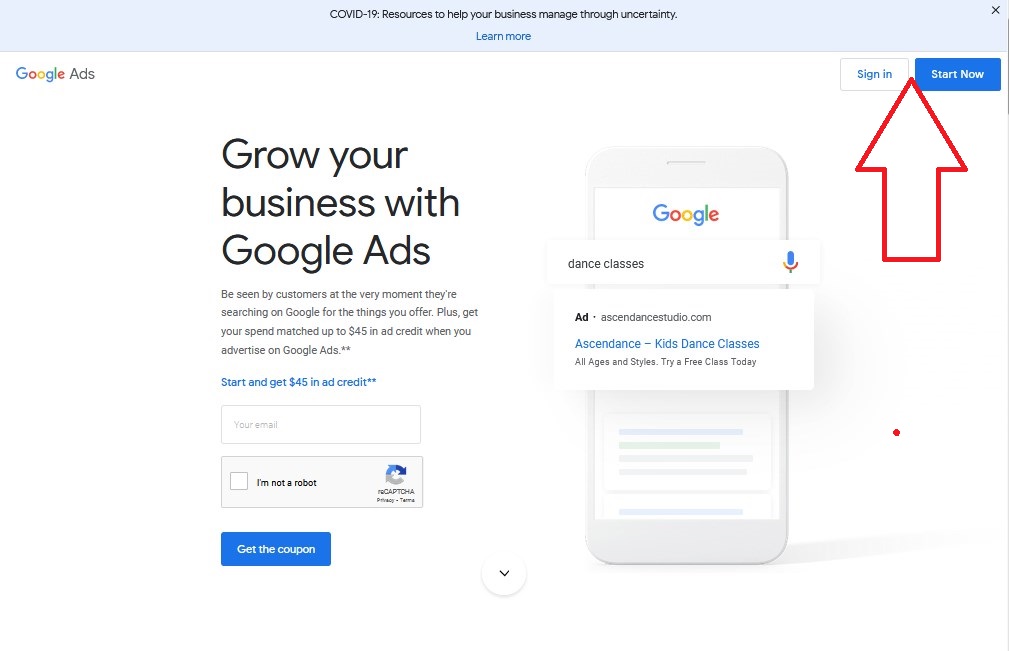
Next, type your email and click on Next
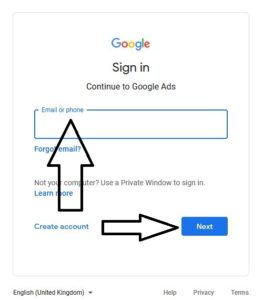
First, click on Tools and Setting then click on the PLANNINGS
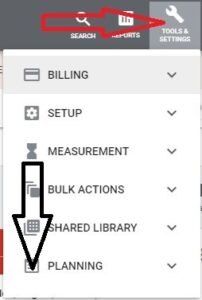
on the next window click on the Keyword Planner
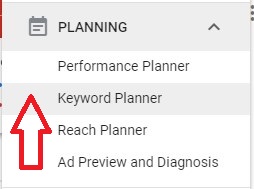
Type keyword and click on the GET RESULT
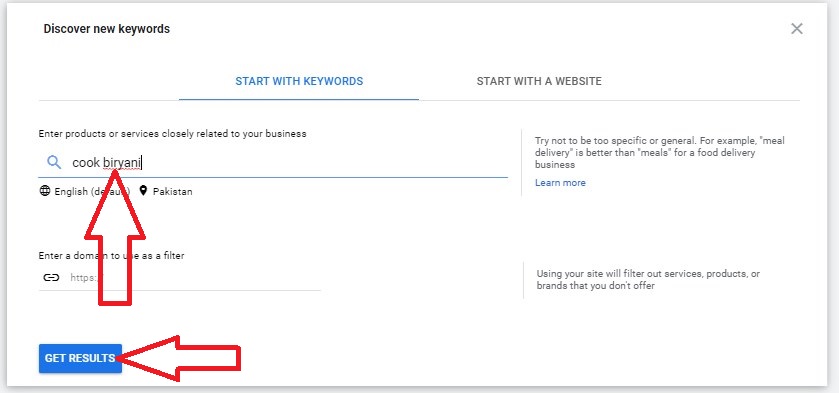
The computer will display you the result of your keyword with all its details.
find the high volume, low competition and high CPC with low difficulty.
if you are facing any problem login in.
Or you want me to search for your desire keyword and send you details just contact me
 Google Keywords Planner
-
Computer Introduction by Rana Mehtab Alam. If you are a computer user then you should know the complete introduction about it.
By getting the introduction of the computer it would be very easy for you to understand all the functions and using.
What is a computer?
The computer is a calculating and solving machine. It really does not mean that to solve only math equations.
You can use a computer for solving any kind of problems. Any query and question you can ask and get the result from the computer.
A computer takes the data from input devices and process it and give us the processed and informative result onto the output devices.
Click here to see Computer stands for.
Computer Parts
A computer is a combination of different parts
Main parts of the computer are following;
See Also Computer hardware parts
The four parts I typed above make a computer that works according to our needs.
The computer uses is growing daily. In the days to come, new users are joining computer fields for different purposes.
Computer Table

You can do a lot of work sitting at a computer table. And the computer table design should be perfect.
The computer table is a very important part of the computer that we mostly overlooked.
When buying a computer, don’t neglect to purchase a computer table with a chair if needed.
You will really perform excellent work when you will sit on the comfortable computer table and doing your computer work easily.
Your computer table should be as wide as you can fit all computer input devices and computer output devices.
How to Purchase a Computer?
This will depend on your use and pocket. Mean for what purpose you want to purchase and how much money you have.
Mian part is the system unit while purchasing the desktop computer.
And In the system unit, you need to decide to put the motherboard, CPU and RAM according to your requirements.
Click here If you want to purchase a computer from Pakistan and you want to know the latest computer price in Pakistan.
If you buy more than one computer for home then you can use one internet connection and printer with all the computers using networking.
Now you have your own computer and computer table, you are ready to work on the computer from home.
Windows Installation
Now the 1st task should know how to install windows into your computer.
You should learn about computer office work to operate the computer and doing all computer related jobs.
Click here to get a computer operator certificate course from your own home.
To become a computer programmer you need to learn computer languages.
There are several computer programming languages that are available but it would be better if you start from GW-Basic language.
GW-Basic is a fundamental computer language which helps you to understand computer programming concept in a very easy way.
After that, you can learn other computer languages like Visual Basic, C++ and Python etc.
Learn computer architecture AutoCAD and design the house maps.
Online computer certification courses like CorelDraw Certification, Website Developer Certification and Adobe Photoshop Certification.
English is the communication source between all you can learn English daily use words.
Finally, computer use in education yes you can use your personal computer in your study for all subjects.
 Computer Introduction
-
How to get a backlink by Rana Mehtab Alam.
Backlinks are very important in increasing the ranking of your website. But getting backlinks is really hard work. After many years of research, I am writing this article for you.
I’ll give you all the possible ways to get backlinks. But it is very important that you understand and read my article.
What is a backlink?
The process of linking one website to another through a hyperlink.
Put a link to another website on your website or put a link to your website on someone else’s website.
There are different names of the backlink like incoming link and inbound link.
When your website gets links from other high-quality famous websites then it comes up in ranking.
If you really want to get rank your website on top so the back-link is a very important factor for it.
Google search prefers to show those websites in the search result, which have high quality dofollow backlinks from other websites.
The more backlinks your website has, the higher its ranking will be.
Backlink plays a very important role in SEO for your website.
If you get a link from any trusted famous website, obviously viewers would trust to click on your website link too.
Backlinks work like a reference when you add someone’s website link into your website it’s mean you refer this website.
And Google attaches great importance to such a website.
What are the dofollow and nofollow backlinks?
Dofollow links are those links which users and search engine both follow, while nofollow links just follow by the users.
If you are linking some high quality website with your website then give it dofollow backlink, otherwise, give it nofollow backlink.
How to get a backlink?
There are many ways to get backlinks but there are easy and accessible ways.
- Commenting on other’s website
- Guest Posting
- Directory Submission
Commenting on other’s website
With this process you normally you get the nofollow backlinks but sometimes you can get dofollow too.
Guest Posting
there are several websites which provide guest posting facility, where you can type your own content with your website link.
Click here to see the latest updated list of the guest posting websites.
Directory Submission
There are thousands of websites available which provide directory submission where you can submit your website link and get dofollow backlink.
Click here to see the list of directory submission websites
But in my experience, keep publishing unique and rich content on your website according to SEO and viewers requirements.
Then the viewers will start coming on your website with their search query and keywords and your website traffic as well as PA and DA start increasing.
 How to get a backlink
-
How to upload a video to YouTube 2020, this article is especially for people who often ask me what is the right way to put titles, descriptions, tags and thumbnails on YouTube.
And how can their videos get amazing results on YouTube?
We’re starting with the fact that you’ve created a video and you’re ready to upload it.
But if you don’t know the procedure about making youtube channel and all its settings according to the SEO then you can read this article.
How to edit, mix video is another process. You can watch this video tutorial.
Now we are discussing how to upload video after it is ready.
What are the necessary steps you shall take before uploading a video on youtube?
Start uploading your video
Click on Upload
And your video will start uploading.
Remember this! do not upload the video publicly, upload it unlisted.
Always upload your video unlisted.
Now when your video is uploading then type Title, Description, Tags do other setting and upload Thumbnail.
How to type an attractive title for a youtube video?
First of all, we will discuss how to type an attractive title for a youtube video?
You will target the keywords in the title of the youtube video.
Get keywords according to your video topic and use it at the start of your video title.
Keywords help viewers find videos or information by typing in the search bar.
Viewers come to your video using keywords from YouTube or Google or any search bar.
So use relevant keywords according to your video topic.
If you are making a video, earning from youtube. Then the keywords you can use Earning Online and How to make money.
These are the most searchable keywords for making videos on the earning topic.
So must use keyword in your title.
the keyword may be Earning online with youtube.
How to make money online with youtube at home. In home from home .…
So you can make the title of your youtube videos with keywords.
Today I am giving a tip, Use English Subtitles in your Title too.
I will recommend you to start working from today on this tip.
Use English Subtitles in your video title.
See the title of my this video how I type this title?
What are English Sub Titles?
If you speak a language other than English in the video. Only people who know your language can understand your video.
But if you use English Sub Titles then your video can be understandable for everyone in the world.
English Sub Titles is the youtube feature that you can use anytime.
You can now add English subtitles to your already uploaded videos at any time.
If you use English subtitles you will see that your video ranking results are going to improve.
Video watch time will also increase and you will earn more money as before
Because your video will start to be viewed on all platforms due to English subtitles.
So if you use this tip you will see the result. The result did not come out immediately but you will get the result.
Use your channel name in the title too.
Use pipe sign | (Shift + forward Slash \| ) in your title you can use (-) too but I will recommend using pipe sign.
How to type the description for a youtube video?
Now it is time to discuss the description of your youtube video.
Remember description is very necessary for youtube videos.
Sometimes you don’t see the detailed description or you think it’s not necessary to type it.
But I will recommend you type a powerful detailed description for your video.
Video Description will also help you in ranking for your videos or channel.
Video Description will also help others to understand your video content.
Because the description of your video should be in English, it increases the viewers and even the viewing time.
Viewers only come to YouTube when someone needs any information.
Subscribers are necessary to monetize your channel, but your videos are the actual assets where subscribers and non-subscribers can get information anytime they need from the search bar.
You can see in the channel analytic report of your channel, that how many subscribers are watching your videos.
When you upload the video all subscribers get a notification but a few only click.
Only your video will be played by the users who need it. And they will come to your video by typing keywords in the search bar.
Don’t worry about your first video, make your assets. then slowly you will get views day by day and increases…
Use all the tips which I am telling you in this article.
Type words about your video and Type channel link in the description of your video.
You can also read the description of my video on this topic.
also, provide your good videos link in the description.
Also, use a timestamp in the description.
What is a timestamp?
I am focusing on the title description thumbnail and tags of youtube videos. Viewers may goto to a specific topic by using the timestamp in my video instead of watching the full video.
I have provided a timestamp in the description for this video for the viewers to goto to a specific part of my video.
You will get benefit from using the timestamp in the description of your youtube video. Use it in your video.
What is HashTag?
Use HashTag in the Description with #. Promote your channel name with the hashtag in the description.
Don’t use spaces between the words using HashTag. Type in this way with the hashtag.
#LunarComputerCollege
You can see these hashtags near your video title.
Anyone who will watch your videos can explore your channel by clicking on the hashtag link
We have learnt about titles and Descriptions now we will learn about tags.
How to type tags for a youtube video?
Tags are actually the keywords you add to your video for the viewers.
When a viewer types a keyword in the search bar then the computer matches this keyword with the keyword of the video and give you the list of matching videos relevant to your keyword.
Which keywords you in the Title of the video, use them in the description and in the tags too.
Type your title same in the Description too.
Use the title in the tag too
Use relevant tags according to your video title keyword.
For example, how to make money, make money online.
So in this way, you can add tags in your video according to your video topic.
How you can search for good tags and how you will get them?
As I told you make tags by typing keywords in tags.
Open the new browser, open youtube and type the keyword which you want to search in the title in the youtube search bar
Note down the result and use it in the tags. If you want a few changes you can do.
Same as goto google, type title keyword in the search bar and press enter.
then scroll down to the last of sech results copy all to notepad and you can use them in your tags.
So these are the most used tags viewers use to search. Now your video gets a chance to rank up.
If you compare to any ranked video with your video, it will take time don’t worry it will rank you will see.
Just use all my tips you will find the result.
not immediately you will get the result but you will get it. And it will be long-lasting.
Now add the thumbnail.
How to add the thumbnail for a youtube video?
YouTube thumbnails are like lighting boards that advertise your channel and entice viewers to click on the thumbnails.
The standard YouTube thumbnail size is 1280×720 pixels.
Thumbnails must be attractive because viewers watch the videos on youtube because of the attractive thumbnail.
If someone watches your video on YouTube, it is because of the thumbnail and the video title.
So make your thumbnail attractive.
You can use the following websites to design the thumbnail for your Youtube videos
Adobe Spark
Canva
Fotor
PicMonkey
PixelLabs
Pixlr
Placeit
SnappaClick here to get the ideas for making videos on YouTube.
you can also design your thumbnail in CorelDRAW and in the Adobe PhotoShop
Home English Courses Computer Free Children Stories
 How to upload a video to YouTube 2020
-
How to make a bootable USB? as we know, nowadays USB is being used more and more.
You can now quickly install windows from the USB drive on your computer instead of Cd or DVD.
At the start, we installed the windows from Floppy diskettes. Some of you may be shocked to know the name of the Floppy diskettes.
Now we install the windows from CDs / DVDs or USB
Now computers and Laptops are also being manufactured without the facility of the CD or DVD drives.
That’s why USB is being used more and more. Now you have to install the Windows from USB in your computer.
Requirements for making bootable USB for installing Windows
- USB
- Windows ISO files source
To make a bootable USB you need a USB and the Windows ISO files source.
ISO files will depend on which windows you are installing.
What is the recommended USB size for making bootable?

Recommended USB data storage capacity and size is 8GB or more.
Do the following step by step to make a bootable USB.
Step 1
- Format the USB by right-clicking on it.
- Source ISO files for windows you want to install
The source files you can copy from CDs or DVD to your computer or you can download All Windows ISO files from Microsoft official website.
Set the options according to your requirements. You can also click here to watch my instructions video for downloading the ISO Files.
Step 2.
Click here to Download the PowerISO software.
Now you have formatted the USB, Downloaded the ISO files and PowerISO software.
Step 3.
Insert USB in the USB drive
Run the PowerISO software (run as administrator). Right-click then select run as administrator.
If you don’t select this option then you have to select it again in the programme.
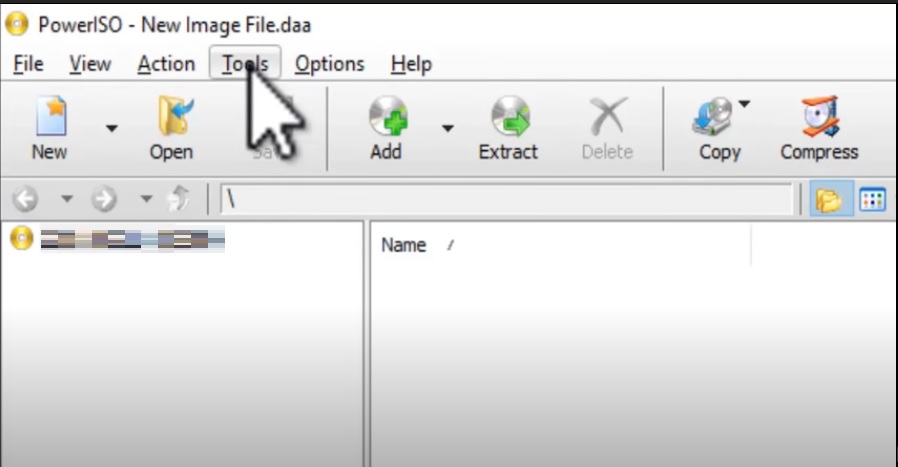
Click on the Tools
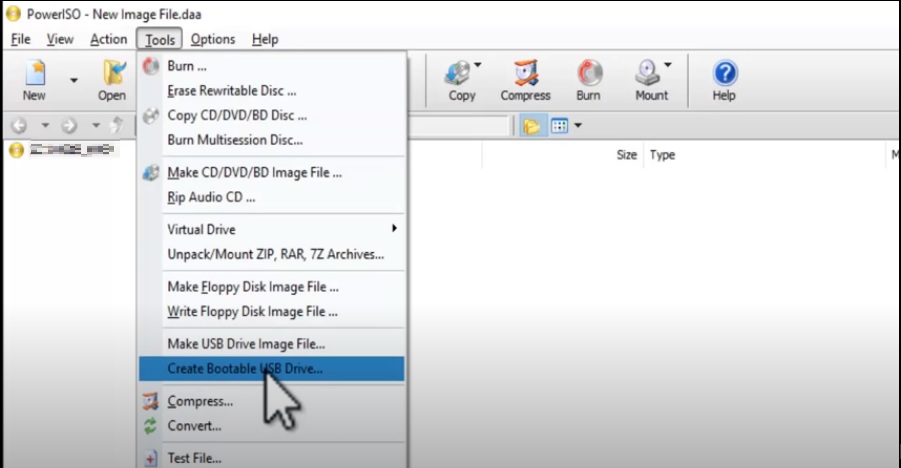
Click on the (Create Bootable USB Drive.)
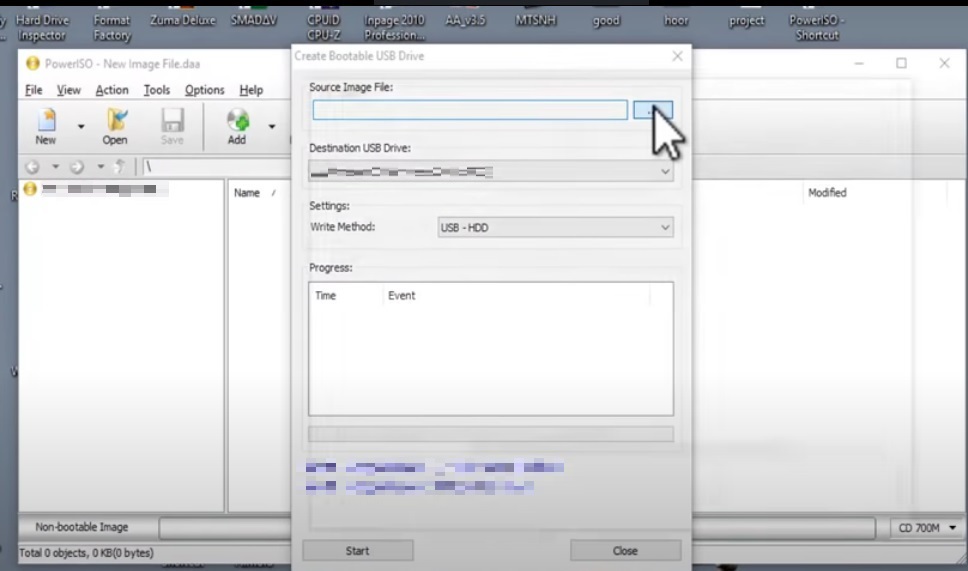
Now click as shown in the image above to attach the source image file with the software.
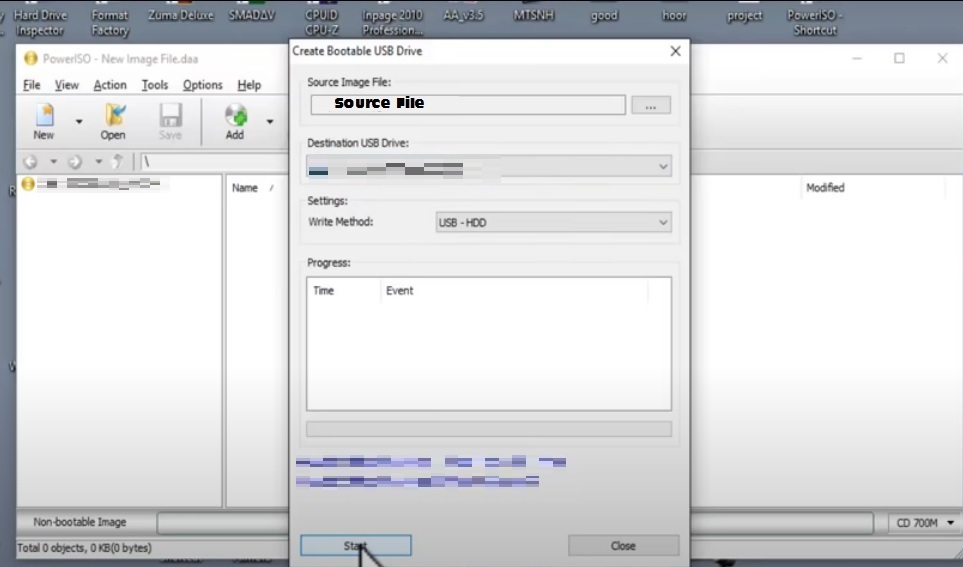
Now click on the start.
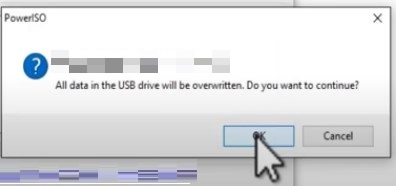
Just click on OK
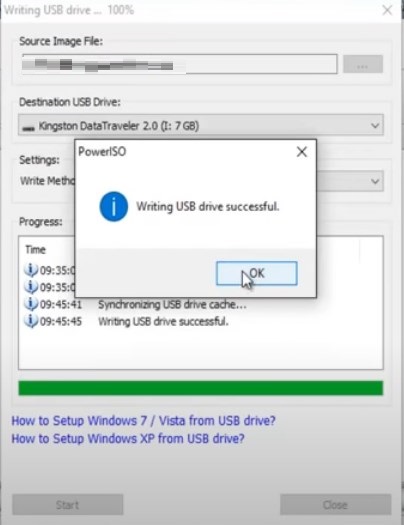
After some minutes depends on your computer speed the process of making bootable USB will complete.
And now you can install windows.
You can learn how to install Windows XP, Windows 7, Windows 8 and Windows 10
Home English Courses Computer Free Children Stories
 How to make a bootable USB
-
Top free temp mail id, temporary email maker, temp email address generator websites.
Temp Mail – Disposable Temporary Email
To open this type of temp-mail.org in the internet browser press Enter.
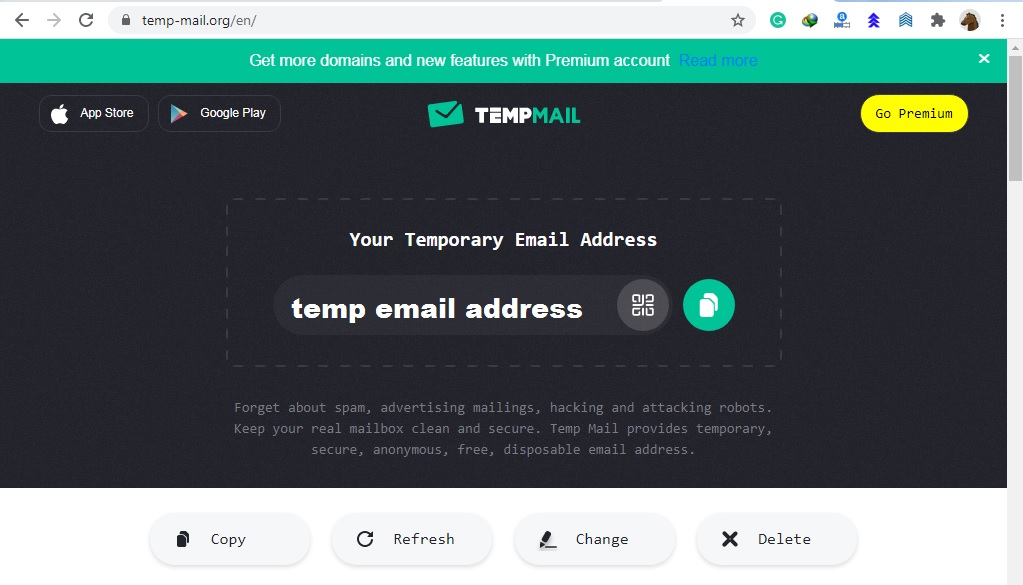
It is the very best temporary email address generator website. It provides a temporary email address in just a second.
You can Copy, Refresh, Change and Delete the address on this temp-mail.org website. It is a reliable and trusted website.
Email Generator – temp mail, fake email
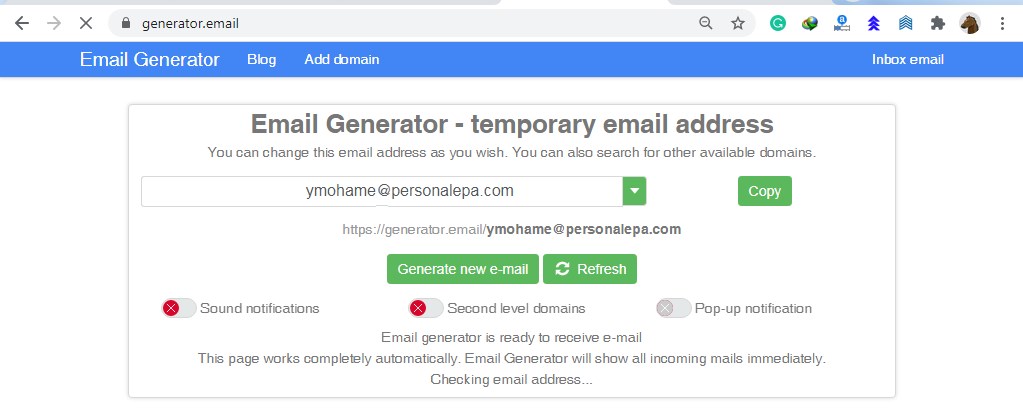
generator.email is another best way to generate a temporary fake email address.
You use this fake email address as long as this website is in working you can also generate a fake email with your name.
EmailOnDeck.com: Free Temporary Email
Just create your disposable temporary fake email address in two steps.
- Solve the captcha
- Get Email
as shown in the image below
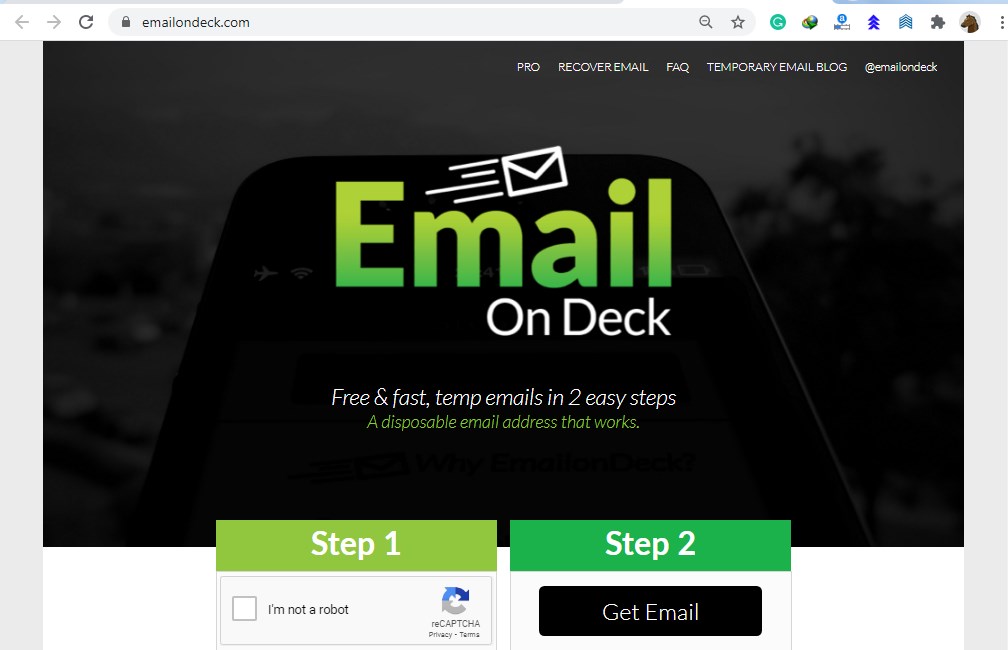
emailondeck.com is also an excellent website for generating temp email address
Fake Email Generator – temp mail address
This is one of the best fake and temporary email address generator websites. You can use this email address for the whole of the year.
You can also use your name while creating the temp email address in this emailfake.com
Temp Mail | Lifetime temp email temporary email generator 2020
The lifetime temporary fake email address generator website is tempmailgen.com
Disposable Temp Mail: FakeMail
You can use this fake email for 10 min, 1 day, 3 days, 5 days, 1 week, 2 weeks from this website fakemail.net
Fake Mail Generator – Free temporary email addresses
Temp Mail – Temporary Email
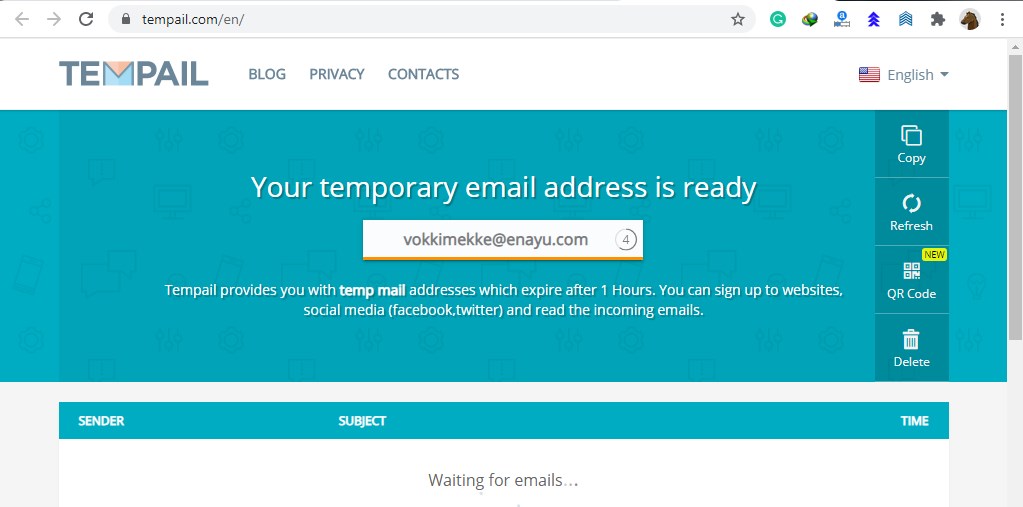
You can use the email for one hour from this website tempail.com
Guerrilla Mail – Disposable Temporary E-Mail Address
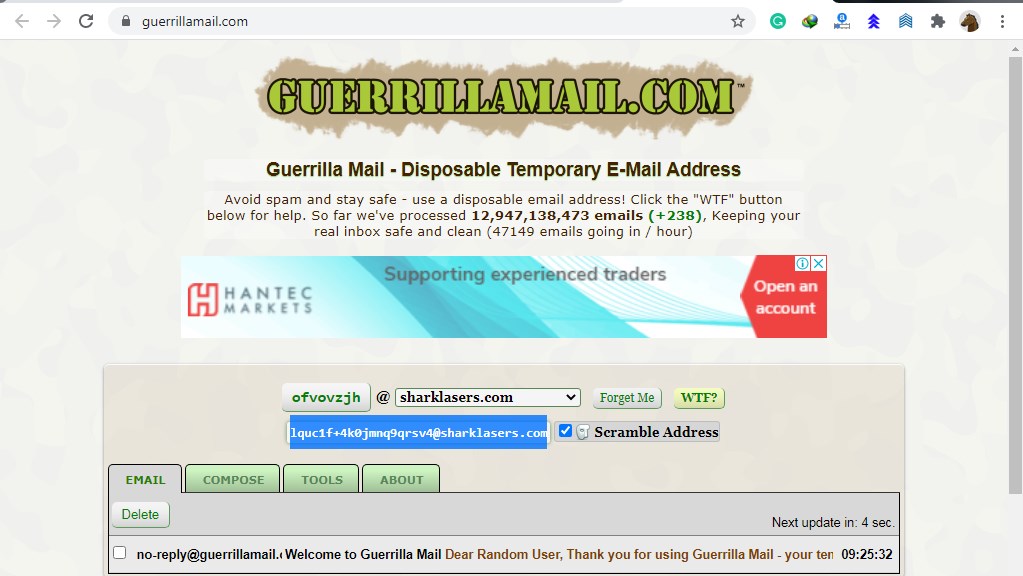
Many websites provide temporary and fake email IDs. Above all, you will find the most reliable among all.
In conclusion, you must use a temporary fake email id but in a legal way where you need to use it.
Read More about Our Courses Click Here
Home English Courses Computer Free Children Stories
 Temporary email maker
-
Adsense best alternative, many advertising websites offer advertising services that you can use on your website instead of Adsense written by Rana Mehtab Alam
If you have failed to get AdSense approval after developing a website.
In which you typed unique articles and did the SEO according to the AdSense policies.
About 20 to 25 unique articles on your website or blogger you request the Adsense to check my website for approval.
But unfortunately, after couples of weeks, you get an email of saying sorry from Adsense.
Your website is not ready for Adsense.

I can understand what will be happened to you at that time.
But there is not only one way to monetize your website or blogger
Today I’m introducing Adsense Best Alternative.
You can search adsterra from google search and open the website.
Sign Up as a publisher and fill the form follow the instruction as shown below.
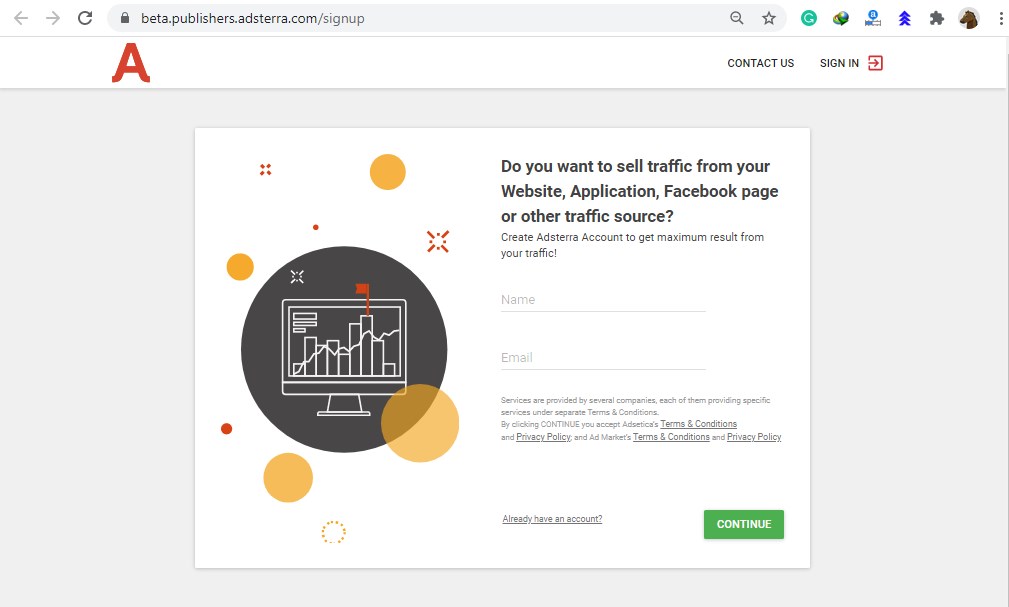
Type your name and email and click continue.
Sample
Note: your name and email must be real. Use only working email, where you can receive and send emails.
On the next page after clicking CONTINUE you will find another form, where you have to fill some pieces of information as shown in the image below.
How to fill in the information in adsterra form?
In the upper form you foram you have to fill seven fields.
- Login
- Password
- Messenger
- Messenger Account
- Preferred Paysystem
- Payment account name, ID or email
- List of your websites
Login
In the login type a name without spacing like your nickname. For example (yourfullname).
You can also use numbers with your login name like (yourname1234)
Password
Next, you have to type a password for your adsterra account. Always type a strong password with the combinations of UPPER and lower case alphabets with numbers and symbols
Example of the strong password (Stp@s654!)
Messenger
The next field is the messenger where you have to select your using messenger name form the following list
- Skype
- ICQ
- Jabber
- Telegram
Messenger Account
When you will select the messenger name, then on the next filed (Messenger Account) you have to type your messenger account ID.
Preferred Paysystem
The next filed which you need to fill in the withdraw payment system.
Select your payment system from the given list.
- Paypal
- WireTranfer
- Paxum
- Webmoney
- Bitcoin
Payment account name, ID or email
After selecting the payment system you have to type the account id, name and email in front of the payment system.
List of your website
Type your websites press the enter key after each website address.
Example website

After filling all the information click on the Complete Registration button.
You will receive the confirmation email in your email account which you have type while creating the adsterra account.
Open the email and click on the confirmation link.
Congratulation!!!! you adsterra account is now verified.
Sign In to your account ( As a Publisher) with your login name and password
How to add a website in adsterra for monetizing?
Click on the Add New Website after completing all upper information.
The following next window will appear
Here you have to type your website name and category. You will also set the ad units. Finally, click on the ADD button to complete it.
Now your website will be on the list with pending status. Refresh the page after 5 minutes.
Surely your website address will be approved now.
Now click on the All Codes to get the code of the ad unit which you will add in your website.
You can click on the Add Code to create a new ad unit code for your website.
After clicking on the All Codes click on the Get Code on your selected ad unit.
Then click in the code window and the code will automatically copy in the clipboard.
How to add the adsterra ad unit code in WordPress website?
Login to your WordPress admin panel.
Go to Plugins and Add a new Plugin name Ad Inserter and activate it.
Click on the settings under the Ad Inserter
The following window will appear
Click on 1 and paste the code by pressing Ctrl + V, or right click then paste in the black area.
Check the fields where you want to put the adds and click on the Save settings 1-16.
Check your website the add will be now live.
Enjoy the Adsense Best Alternative now.
Watch the following video for step by step guide to make the account and start your earning.
Home English Courses Computer Free Children Stories
 Adsense Best Alternative
-
Well Done!, you have created a website. And now you must be worried about getting hits on your website.
Actually, it not challenging to get traffic on your website. But it is very more challenging to make your website content clickable.
When the content of your website is viewer-friendly, then they will like to read it.
Remember don’t try to use fake methods to get traffic for your website.
In the beginning, don’t worry about the traffic. Keep all your focus to write wonderfully unique SEO friendly contents for your website.
How to get traffic to your website?
Try to fill your website with the articles according to the viewer’s interest instead of using any free website traffic generator.
Keep writing and writing.
The contents of your website should be most powerful so that the viewer’s love to read and share it.
It takes months for a new website to start functioning. This is the time when the website administrator should be patient.
The website is your asset with or without any advertising services you can earn from your website.
You can gain views from some auto views generator websites, but there are more only disadvantages than the advantages.
In google analytics or Google search console, only those days more views will show when you use these views generating websites.
And the other days your website performance would be zero. And the bounce rate will increase that is not good for your website.
Due to the auto view generation, the session duration will be very short and there are many websites you can find who are claiming to provide the methods to increase website traffic organically.
Original traffic is organic traffic that you can get only from keywords and SEO friendly articles.
If you follow my steps you will see results on your website and you will be able to drive massive traffic to your website.
What is the importance of the SEO title and Meta Description?
SEO titles, yes when you type a query you always see SEO title just under the website name in Google Search results.
The SEO title has a very important role in getting organic traffic and to develop the interest for the viewers to click on your title.
The first source of getting hits for the website is the SEO title.
You must type the title under and equal to 580 pixels
Page titles should be about 580 pixels in length.

The second source of getting hits for the website is the meta description.
You must type the description under and equal to 920 pixels
Meta descriptions should be about 920 pixels in length.

after reading SEO tile, the viewer must read the description of the title. Sometimes viewers only read the description or sometimes the title.
So you can now understand the importance of the SEO title and the meta description.
Click here to check the length of the pixel of the page title and description
What is the role of the tags for organic traffic and hits for the website?
When you type article you must give the tags according to your article.
As you are reading this article at the top of this article you will get the list of tags which I have typed for this article.
And you are reading this article because of these tags.
Tags make your website for viewers to reach your website with their queries.
Tags are keywords too, keywords could be one word long or it could be a log keyword.
You should type all possible tags according to your article for viewers.
How to type the articles for coming events to get organic traffic and hits for your website?
Remember the organic traffics which come to your website with keywords is the real assets for you.
Give your comment and ask your questions in the comment section I will update this article according to your questions.
You can get millions of traffic to your website by writing the articles according to the viewer’s interest and keywords.
Written by Rana Mehtab Alam
Home English Courses Computer Free Children Stories
 How do I get more hits on my website?
-
CorelDraw is a versatile vector base computer graphics software. We can see the uses of CorelDraw everywhere like graphics designing.
Where you can perform multi-tasks such as designing logos, flexes, business card, invitation cards, resume, brochures and Posters etc then you need to know the features of CorelDraw
CorelDraw has a very useful variety of tools for performing different tasks like picking the object, resizing, rotating, curve, trim and weld etc.
We can also draw shapes in CorelDraw like line, rectangle, circle, star, polygon and we can make other unlimited shapes with the combinations of all these shapes and tools.
You should learn the functions of Coral Draw Tools professionally.
How to design a logo with the use of CorelDraw?
Logo designing is the most popular work in the internet market. You can design logos for all freelancing websites.
If you are an expert logo designer, you can earn a huge amount of dollars every month.
Actually, log designing is not as difficult as we think. It is an art. Which you can learn with practice. A logo designer knows how to draw a shape and convert this shape into different shapes as shown in the image below.

How to design a logo for any company?
If you are going to design a custom logo for any company or anyone. Then first you must know the following.
- Name of the organization
- Slogan
- Size and dimensions
- Get ideas from customer needs.
- Draw a draft sketch for the logo.
- Discuss the sketch with the customer in details
- Desing logo in the CorelDraw
How to design a business card in CorelDraw?
Another use of CorelDraw is to design a business card. The standard size of a ready business card is 3.5 x 2 inches. The shape could be vertical or horizontal.
♦ Visiting card size in CorelDRAW
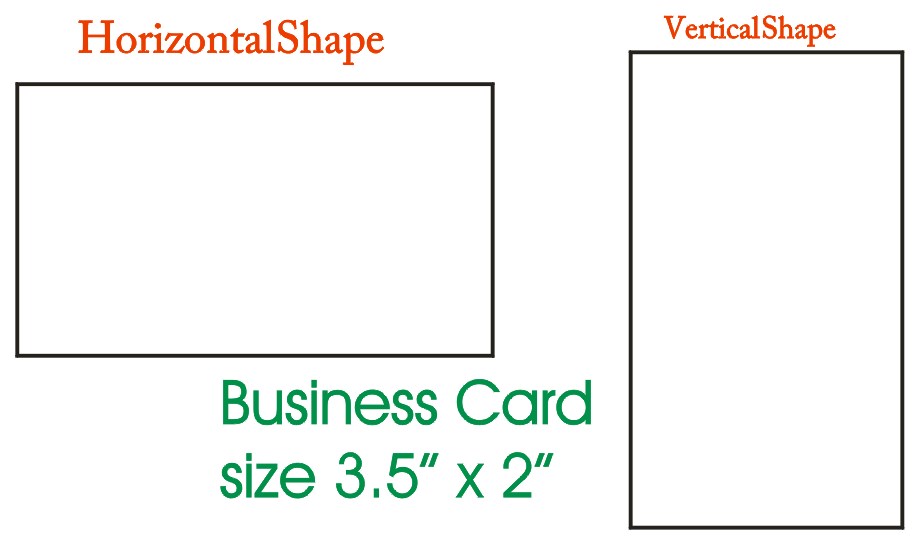
First, draw a rectangle measuring 3.5 x 2 inches by pressing F6.
Step 1. Press F6
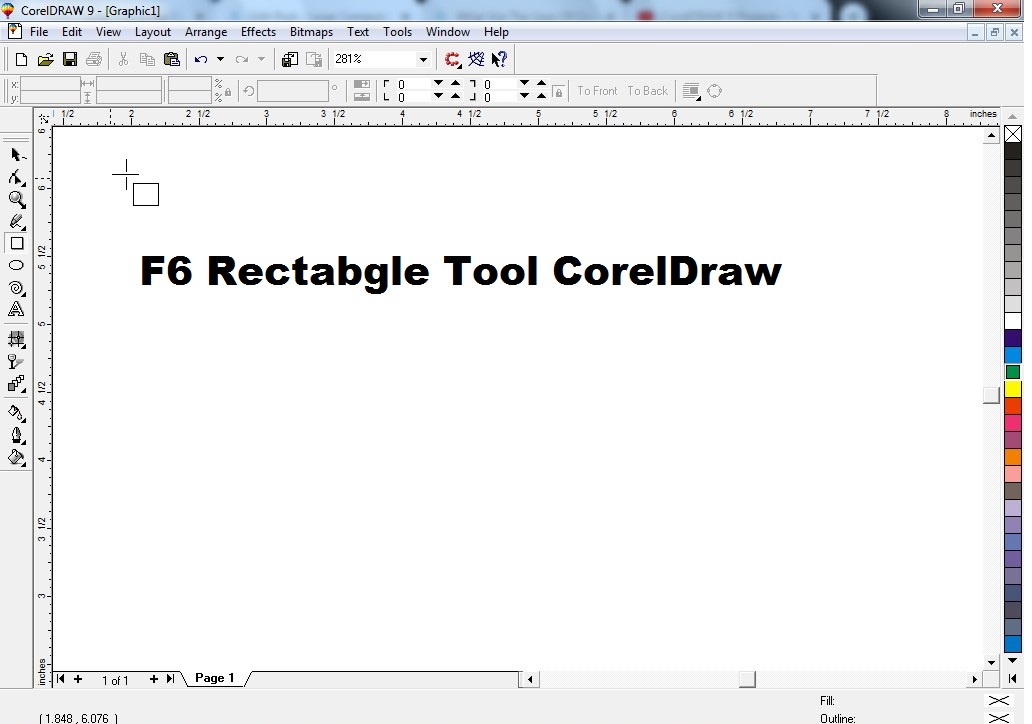
Hold the left mouse button and drag it to the mouse to draw the rectangle.

How to draw a rectangle with the proper size
First, draw a rectangle as shown in the above images.
Select the rectangle with Pick Tool
Type the size as shown in the image below (Make sure the lock icon is unlocked)

Now you have set the size of the business card.
It is time to fill the colour in your card
Select your card and left-click on the specific colour from the colour bar as shown in the image below.

How to set colour transparency in CorelDraw?
Select the object and click on the interactive transparency Tool and adjust the colour as shown in the image below.

You can set the transparency level and options according to your requirements.
You can also fill the shape with a fountain fill dialogue by pressing F11. And the colour into your shape.
How to type text in the business card in CorelDraw?
Press the F8 key.
Type text for the business card
set the font and the size and colour of the text as shown in the image below.

Insert the logo by pressing Ctrl + I.
If you have the logo you can insert it into your business card.
Adjust all text and logo with eye-catching styles then your business card is ready.
How to design in Pencil in CorelDraw step by step?
Step 1. Open CorelDraw
Step 2. Draw a rectangle 0.5″ x 6″ of size

Step 3. Click on the Pick Tool then click on the rectangle

Step 4. Hold the left mouse button at the top midpoint and drag to down from the rectangle and right-click to get a new rectangle.

Step 5. Shift + F2 to Zoom In the new selected Rectangle.

Step 6. Click on Shape Tool or press F10 and Press Ctrl + Q
Click on the bottom left corner of the rectangle and drag to the midpoint. Do it the same for the right corner too.

Step 7. Click on the triangle shape with a pick tool and hold shift and hold left mouse drag to down, right-click to get a copy.

Step 8. Adjust the new triangle as shown in the image below.

Step 9. Left-click, Right-click on the colour to give colour to the pencil.

Step 10. Colour the upper triangle too.

Step 10. Click on the Polygon Tool draw the following shape.
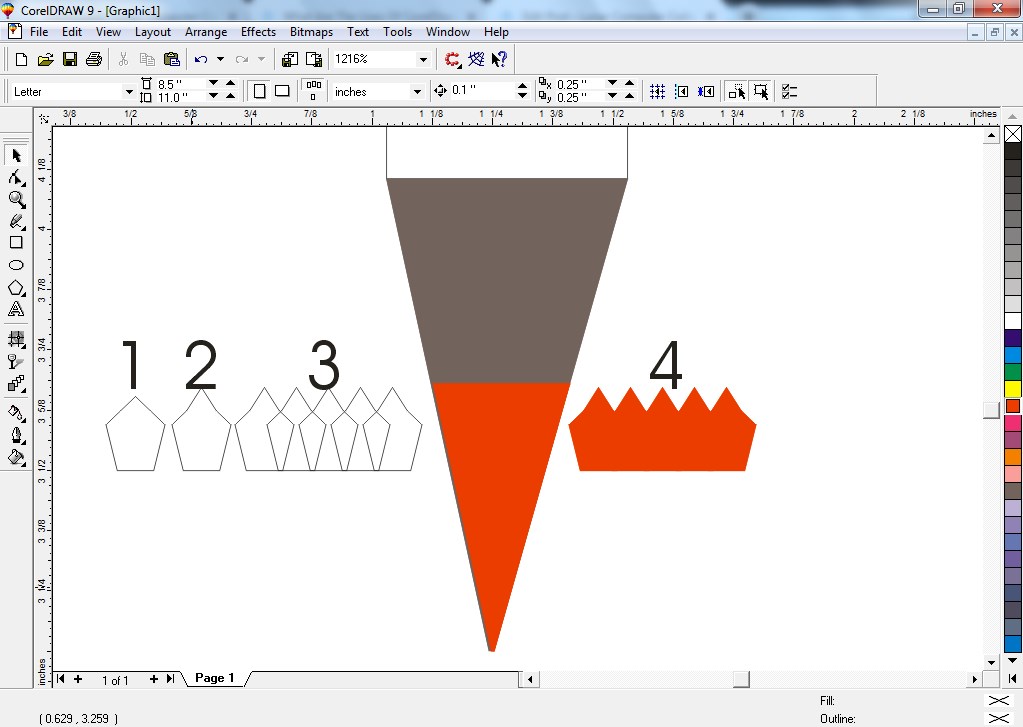
Step 11. Put the upper shape # 4 in the pencil by using power clip from the effect menu as shown in the image below.

Step 12. Zoom out by pressing F3 and colour the top rectangle of the pencil.

Pencil drawing is ready.
Final Pencil drawing

You can design anything in the CorelDraw very easily after having complete knowledge of the user of the tools and CorelDraw Shortcuts.
You can also visit my CorelDraw Project Videos
Home English Courses Computer Free Children Stories
 What Are The Uses Of CorelDraw?
-
Data Entry Work And Typing Jobs Online Earning is the most searchable topic. In this article, I will explain this topic in detail and with proof.
As we know, unemployment is common nowadays. And people don’t even have jobs. So the internet is the only place where you can do your job from home.
And people prefer to do data entry work and typing jobs for online earning. When you search for data entry work on the Internet, you will find millions of related articles and videos.
But most of them are fake. You look for these websites to make money but these websites make money from you and leave. And such websites make money through fraud.
And such websites take unfair advantage through fraud. You need to be aware of these scammers.
In this article, I am not going to tell you which websites are not good or good. But I’ll tell you which websites are reliable for doing data entry work and typing jobs from home.
I am very thankful to Grant, to send me a comprehensive article on “Homeworking & Homeschooling in COVID-19“.
What is Data?
The collection of records is called Data.
E.g if you are collecting records about someone.
Name
Father Name
Date of Birth
etc.
it’s mean you are collecting data about some one.
Anything you enter in the computer is data.
What skills are required for data entry jobs?
First, tell me are you eligible for doing a data entry job and you are an expert in typing. If your answer is Yes then Ok otherwise you need to learn typing and data entry courses.
For data entry working and typing Jobs you need to do the following;
- Computer software and hardware knowledge
- Computer Typing
- MS WinWord
- MS Excel
- File Saving and retrieving (Opening)
- Printing
Well, you can see just having some computer skills and expertise in typing can give you data entry work.
How To Get Data Entry Work And Typing Jobs At Home?
The main challenge is to search for a real job for data entry work. On the internet there are millions of websites are claiming to offer data entry and typing jobs.
Do not waste your time on fake websites. work with trusted websites.
And you will go to the trusted websites only when you have the skills to do the work on those websites.
People are earning from the internet but with their skills. If you will ignore this step then you cant earn from it as you can.
Top 5 Freelancing Websites Which Offer Data Entry Work And Typing Jobs.
- Fiverr
- Upwork
- PeoplePerHour
- Freelancer
- Truelancer
Above are the trust able websites you can start working on these websites as a data entry worker and typing expert.
You can also get several jobs here according to your skills like logo design, business card design, website design and development, article writing and many more.
Captcha Entering Websites
You can also work on the captcha entering websites as data entry works.
You can work here free and as a paid member. But I recommended working as a freelancer after learning recommended computer courses which I have mentioned upper in this article.
You can visit my website for learning computer courses with certificates. Feel free to contact me.
Home English Courses Computer Free Children Stories
 Data Entry Work And Typing Jobs Online Earning
-
How to increase your money? Passive Income Ideas. Yes, this is a very frequently asked question. It is also widely searched on the Internet.
My article will help you to increase your money. We look at the title and understand what we’re going to do with it.
We are going to understand how we can increase our money. In other words, how can we make more money than we are making?
In simple words, how can we earn passive income?
An income is coming to those of us who get less from our jobs than from our business.
An income you get from your job and your business. It is an active income.
Now you want to increase your income. They cannot increase your salary where you are working.
Now you have to think of something else and do something new.
Well, you have no idea what to do right now. Don’t worry!!! You are reading this article for the same purpose.
How to increase your money without investment?

Are you guys thinking about what I typed in the title? You may be thinking that there is a way for us to earn without any investment.
Yes, there is a way you can increase your income without spending any money.
And that’s the way to thank and share.
You don’t understand that, well let me explain.
Sharing always leads to growth.
Now start Thanksgiving and sharing from income.
First, start sharing 10% of your income with the needy. suppose you are earning 500$.
The 10% for 500$ = 50$
It means you have to share 50$. Shocked!!!! You were finding here to increase but your money is going to decrease.
Wait!!!! Don’t hit the close button. If you are still reading this article. That means you are trusting me. I assure you that I will not break your trust.
let me calculate Your income was 500$ and you spent 50$ on the needy and now you have 450$.
OK forget that 50$, and use your 450$. And do it in the routine.
Now, what will happen to that 50$ which you are sharing?
You will get back 50$ * 10$ = 500$. Amazing !!! But it is true. 100% true.
Trial is a condition.
But it is important to be thankful and have faith. I can’t tell you how and who will give you that 500$, but you will get it.
Similarly, you can also increase 10 times more everything you share.
This website gives you the payment in the Payeer account. If you don’t have this account then you can click here to create Payeer Account.
How To Earn The Passive Income?
Let’s move on and see how we can make a passive income. Before I tell you the real passive income methods first try this.
How to earn money from timebucks website?
Just click on the following link to start earning.

Click on the upper link and join this website by filling the form.
This is website is 100% real you can join it and start your earning.
If you work in the office, school, college, university …. you must have the duty timings.
Now you have to spare the time for another business.
Invest some of your active income into your new business.
You will definitely earn money from your new business. And don’t forget to increase your revenue 10 times more by sharing.
If you have a computer with internet technology, there are unlimited ways to earn passive income.
Earn Money From YouTube Videos.
Yes, you can earn the passive income by uploading the videos on to your YouTube channel.
If you don’t know how to start making and uploading videos and making money from YouTube, you can read my article.
Earn Money From Writing Articles.
I think it is one of the large demanding business. Everyone need articles for their websites and blogs. And the unique articles.
If you think you are smart to write an attractive article. It’s mean then you are a machine of earning money.
Article writing is also an art that you need to learn if you want to get into this field. You can get online jobs for writing articles on Fiverr.
If you are new to Fiverr and don’t have a Fiverr account yet then click here to signup and start your earning from Fiverr.
You can also earn by uploading the photographs for your own camera
Home English Courses Computer Free Children Stories
 How To Increase Your Money
-
How To Work With Fiverr? In this article, I will explain Fiverr in detail.
After reading this article you will be able to use Fiverr professionally.
What is Fiverr?
In the freelancing platforms Fiverr is the most using platform, where freelancers from all over the world sell their services. It’s a great way to make money online.
As we know, every business is now online.
Thanks to the internet and websites that provide platforms where freelancers can sell their services.
Fiverr is one of them. You can work with the Fiverr making Gigs. Gigs are the services which you provide in the Fiverr.
Working with Fiverr
If you want to provide the service for website development and designing, then you will create a Gig for this service.
When buyers visit the Fiverr market to purchase services according to their needs. They check the gigs.
And if you want to work on Fiverr and start earning, you need to have some skills.
Like computer courses especially CorelDraw, Adobe Photoshop, WordPress, AutoCAD, MsWord, Excel, PowerPoint and More
How To Create A New Account On Fiverr?
2: You will see four options to join Fiverr.
- Continue with Facebook
- Con… with google
- Cont… with Apple
- Or Enter Your Email.
I recommend joining Fiverr with Google or with your email address, So type your complete email address including @ like someone@????.com and Press Continue as shown in the image below.
3: Type username
Type a unique username that no one has used yet. Don’t worry, Fiverr will help you get a username.
4: Type the Password.
Password must be a minimum of 8 characters long and use a combination of upper case, lower case, numbers and symbols.
Click on the join as shown in the image below.
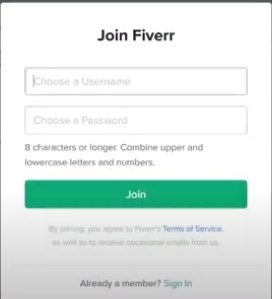
How to Activate the Fiverr Account?
After completing all the above four steps, you will receive an email. Go to your email inbox and click on the link to verify your Fiverr account.
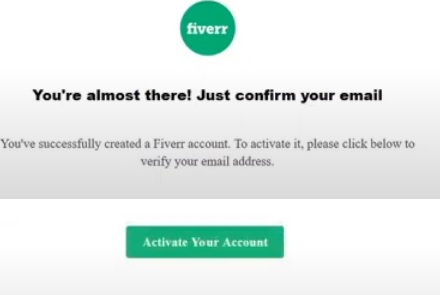
Now your Fiverr account has been activated and you are ready to start working with Fiverr.
How to Change Fiverr Profile Picture?
Click on the right top profile icon, then click on profile, upload your picture, click on the I am a freelancer and finally click on the save changes as shown in the image below.
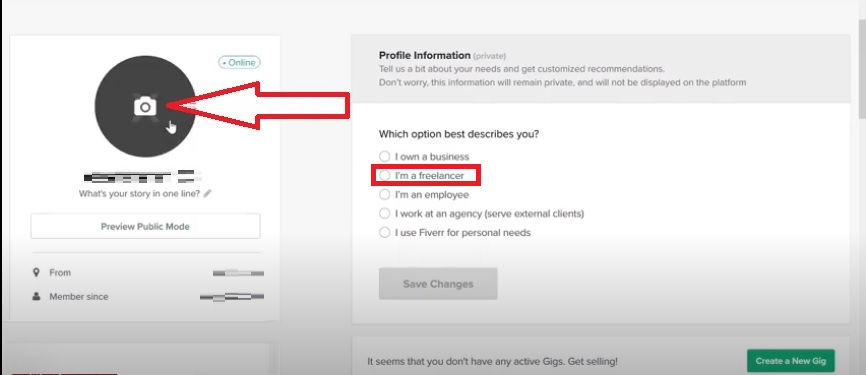
How to Create A Gig on Fiverr?
Gigs are like an online store where you can store your services for customers around the world.
Decide which service you want to sell on Fiverr.
Open another Fiverr on to another browser and find that service and check how many freelancers are already offering this service
For example, if you want to sell your services as a website designer and developer then type a website in the search box.
And click on the service and check how many Gigs are available for this service.
here you can make an estimate about the popularity of that Gig.
I am creating a Gig for “website design WordPress”.
Type your Gig title I will (design a professional and attractive WordPress Website)
Select the category. I am selecting Programming & Tech > WordPress
Service type In my case I am selecting “FULL WEBSITE CREATION”
you can find the service by opening other’s Gigs relevant to your Gig topic.
Now type the tags in search tags according to your title.
Save this
The next option is to set the pricing plan.
Set three plans Basic, Advanced and Premium.
check other’s Gigs and put amount.
Type a description for your Gig. Which will appear under your Gig Title۔
Upload image for your Gig 550 (width) X 370 (height) pixels, while the file size maximum 5MB.
and Make your Gig live.
Share your Gig on social media.
Start working start earning
Thanks for reading this article
Rana Mehtab Alam.
Home English Courses Computer Free Children Stories
 How To Work With Fiverr?
-
Providing a list of keyboard Shortcuts For Google Chrome that will make your work easy and fast.
How to automatically add dot com to the website address?
Ctrl + Enter
Add dot com
just type website name without www and .com
like lunarcomputercollege and press Ctrl + Enter
www and .com will automatically add with the site name.
Note: This shortcut will add only www and .com
How to full-screen mode on off in the Google Chrome?
F11
Full-Screen mode on / off
Press F11 to browse your website in full screen. If you want to close the full-screen mode, then again press the F11.
How to Zoom In and out in the Google Chrome?
Ctrl +
Zoom In the browser’s screen up to 500.
Ctrl –
Zoom Out the browser’s screen up to 25%
Ctrl + 0 (Zero)
Reset browser zoom to 100%
How to reopen the accidentally closed websites in Google Chrome?
Ctrl + Shift + T
To reopen the accidentally closed websites
If you have closed the current website by mistaken. Or you want to reopen recently closed websites then you can use this shortcut.
How to open a link into a new browser tab?
Ctrl + Click
To open the link into a new browser tab.
If you are reading an article or browsing the website. And you wan to open any link from that website or article into a new browser tab, then you can use this shortcut.
How to open a link into a new sperate browser?
Shift+ Click
To open the link into a new browser.
If you are browsing the website or reading an article you need to open any link from that website or article into a new browser, then you can use this shortcut.
How to browse all opened websites one by one?
Ctrl + Tab
To browse all opened websites one by one.
If you have opened several websites and you want to browse these open websites one by one you can use this shortcut.
How to open a new blank tab in the browser?
Ctrl + T
To open a new blank tab along with the active browser.
If you want to open a new blank tab while browsing the website. Then you can press Ctrl + T for this purpose.
How To open a new blank browser?
Ctrl + N
To open a new blank browser along with the active browser.
If you want to open a new blank browser along with the active website. Then you can press Ctrl + T for this purpose.
How to find the text on the website?
Ctrl + F
Find text from the current web page.
How to find and delete the website history?
Ctrl + H
To open the browser history
Remember all website’s activities automatically be stored in the browser’s history. Which can be easily recalled by pressing Ctrl + H.
Ctrl + Shift + Delete
To delete the browser’s history
Abobe all shortcuts for google chrome will make your browsing experience fast and easy.
Home English Courses Computer Free Children Stories
 Shortcuts For Google Chrome
-
Topics for writing an article is the main challenge to find. And you are reading my article for the same purpose.
First of all, sit back and relax. Calm down. Be prepared to go down this page slowly. Read this article very carefully and understand everything.
I assure you after reading this article you will find out the secret to search for topics for writing an article.
Did you know that words also have magic?
Finding a topic to write an article is nothing short of magical.
Writing an article is art. such beautiful writing that everyone wants to read.
Your writing needs to be so wonderful that everyone will be interested in reading it.
Write to improve, not to earn. Write in a way that gives hope to others.
Reading is the only way to write. If you want to write, start reading today. The more you read, the more articles you will get to write.
You know how the article writers can easily write an article on any topic.
Only because of having large information about the topic.
And the question is this how did they get this information. Obviously by reading.
Write to your viewers, not to increase your views.
We are used to shortcuts. I wonder why people also find out how to write articles.
Many people contact me to tell them how to write an article and especially for the topics for writing an article.
I inform them one thing, read, writing will come by itself.
It would not be wrong to say that the secret of writing lies in reading۔
So don’t ignore the power of reading.
How to find the topics for writing an article?
Hope you have read the above part of this article, if not read it first. It is very essential to understand all the above.
Do you want to write an article, well, on which topic?
Before searching for a title or topic, you need to know where you want to write this article.
I mean if you want to write an article on technology forum.
Then your articles should be related to technology.
The Main mistake which mostly article writers do
is to write the article on the totally different topics from their blogger or website name.
I know they do it for getting views on any trending or demanding topic. And they are somewhat successful in doing so.
But they do not know that it is temporary.
Maybe at that time, you will also find viewers of your writing because everyone is looking for the same thing.
But later that writing will be buried in your website or blogger. Because a lot of people come to bury someone and after that, no one comes there.
Write something creative, interesting, motivating and long-lasting. The purpose of your writing should be to improve people.
Write every word with love and care to fill the hopes in life for your readers.
Choose the words in your writing very carefully. Everything we write has an effect on the reader.
And the reader tries to act on what you have written.
Don’t try to mislead them for boosting your ranking.
It is very important for writers to keep their home environment pleasant.
Only a hopeful person can bring hope to others.
If you want what you are writing to have an impact on people, Find it in yourself first.
If you want to write about the fact that it is a good habit, to tell the truth.
I would say that before you write about it, make sure you are telling the truth yourself.
Then look at what you have written will definitely have an effect. And your article will rank from bottom to top.
Now I am providing the list of top searching topics of writing an article.
Top Searching Topics for Writing An Article.
Now I am sharing my best topics for writing articles like technology, creativity, inventions, health, happiness, reviews, hope and more.
Let’s read the above paragraph again. Now you can see some bold words easily.
These all words are the one-word keywords.
And you can create unlimited long tail keywords by using these words.
Technology:
What is technology?
You can add some words like role, age, benefits, advantages . . . . . .
What is the role of technology in our lives?
Just replace the word role and you have a new topic.
What are examples of technology?
Just add a (modern) word in the upper sentence. It will change into a new sentence.
What are examples of modern technology?
so I can make thousands of long-tail keywords only with playing with the words.
I would suggest you use the low volume long-tail keywords.
You would also love to read my article writing post and How to Write SEO Friendly Article.
Don’t miss to read my viral story and comment to me why do the people are loving to read it.
Written by Rana Mehtab Alam
Home Free Computer Courses Free Children Stories
 Topics For Writing An Article
-
What is Computer software engineering? It is a computer-related degree.
Which a student can get it after completing computer software engineering courses and studies.
If are you tired to make a decision about your carrier, therefore, this article is definitely for you.
Computer software engineering is the field of engineering, where an engineer can create computer software and instruct the computer as well as any electronic devices.
Wheather, someone is the engineer in any field it’s mean he/she is the expert in this field and knows almost everything about that field.
Similarly when anyone wants to become a computer software engineer, then he/she has to pass and complete all the computer classes and course which are necessary for this field.
Firstly a software engineer or programmer can easily write code for software and secondly, he can easily modify any software.
Types of Computer Software in Software Engineering?
We can divide computer software which will use in software engineering into two types.
- System Software
- Application Software.
In system software, the computer software engineer instructs the computer hardware and electronics devices with writing code.
In the application software, the computer software engineer creates a computer software and customized software with writing code
Jobs for Computer Software Engineers
- Software Developer
- Website Developer & Designer
- Mobile App Developer
- Desktop App Developer
- Systems Administrator
- Graphics Designer
- Graphics Programming
- Database Administrator
Software Developer
A software engineer can easily develop any software according to the requirements. It is a very high payable job.
A Software Developer is also called computer programmer.
Website Developer & Designer
As you know it is the age of the internet and everyone is transferring the business online. For this purpose, they need a website to start their business online.
Then they contact the web developer.
Mobile App Developer
As the website is playing a very important role in our lives, similarly we can’t ignore the role of mobile applications.
The mobile device is the world biggest way to do your business online. And mobile app developers perform this task easily.
Desktop App Developer
Because we use apps in mobile devices, we can also use apps for desktop computers and laptops.
A software engineer can run an app on desktop computers as well as mobile devices.
Systems Administrator
The system administrator is responsible for all computer-related issues such as security, data recovery, networking, website, software and hardware issues.
Graphics Designer
A designer who designs graphics for your needs is a graphics designer. We can see a design on any little thing in the world.
A cup of tea, Yes, you can ask designers to design a cup of tea.
Graphics Programming
There are many graphics software and applications available that designers use to design graphics.
In graphics programming, a programmer develops software and apps for graphics designers.
Database Administrator
Data is very important for any organization. Any computer software or website contains data.
A Database Administrator has a very important role and responsible for managing the data.
Roles of Computer software Engineer
- Security Engineer
- Full Stack Engineer
- DevOps Engineer
- Front End Engineer
- Back End Engineer
- System Quality Assurance
Security Engineer
The security engineer ensures the security of data hacking. This protects the networking to prevent unauthorized access.
Full Stack Engineer
As its name, a full-stack engineer is an expert professional computer programmer who works for front end and back end programming.
The main role of the full-stack engineer is to control and manage the database, and data server.
DevOps Engineer
A DevOps engineer will work with IT designers to encourage better coordination between work growth, development, and testing capabilities.
A DevOps Engineer creates and implements system software for improving and analyzing the data.
It is a strong link between IT operations and business.
Front End Engineer
Front end developers are responsible for bringing visual components into the reality that make the client see and collaborate within a web application.
When all is said and done, they are powered by back-end web designers, who are responsible for helping the server-side application rational and front-end engineers work.
Back End Engineer
Back end engineers are typically responsible for writing presentations and APIs on the Internet used by front end developers and mobile software builders.
The back end net developer is responsible for the logic of the Internet application related to the server as well as the integration of the front end part.
System Quality Assurance
SQA Engineer: Job Description, Duties and Requirements. Software Minority Guarantee Engineers are working with software builders to enhance the paintings software product for the development period.
They run checks on software programs or packages and check for bugs that help you enhance the product.
How To Become A Computer Software Engineer?
Well, that’s great! you are here and reading this article because you really want to become a computer software engineer.
I hope you have read all of the above carefully and understand it.
Now be happy and feel like a compute software engineer. Think about your personality and fame. You will really feel very good.
You will be really satisfied with your decision to become a computer software engineer.
There are many big names related to the computer software engineering field coming to your mind, and you must be thinking to be like them.
We cannot ignore the importance of software. Now software is controlling any machine.
Have you ever seen a plane fly without a pilot? If yes then who is actually flying that plane. Of course, that’s the software that’s flying the plane.
Be ready to instruct a car to run without a drive, to fly an aeroplane without pilot and the run machine without operators after becoming a software engineer.
There are two methods to become a software engineer.
- To become a software engineer with getting a software degree through software and hardware teaching universities.
- To become a private software engineer with getting software certificates through software and hardware teaching institutes.
In both cases, you are a software engineer. But if you decide to get a software engineering degree then you must start your carrier in this field from schooling.
Then your interest and hard work in the field of software engineering can be used to determine how successful you will be in the future.
To become a private software engineer, I prefer to learn C++ and Python computer languages instead of learning all. You can also include WordPress for website developing and designing.
In conclusion, above all the article will help you to understand actually what is a computer software engineering and similarly, you can get suitable jobs.
Thanks
You will also love to read my other articles on computer and free children stories.
 What Is Computer Software Engineering?
-
CorelDraw Shortcuts is my article where I am providing complete list of CorelDraw Shortcuts. Use these shortcuts to work faster.
What is the benefits of shortcuts in CorelDraw?
Shortcuts can make your work faster than using commands. In addition, it can boost your performance. You can complete your task in time.
B
Aligns selected objects to the bottom.
P
Aligns the centers of the selected objects to the page.
E
Horizontally aligns the centers of the selected objects.
L
Aligns selected objects to the left.
R
Aligns selected objects to the right.
T
Aligns selected objects to the top.
C
Vertically aligns the centers of the selected objects.
F9
Displays a full-screen preview.
Ctrl + W
Redraws the drawing.
Shift + F9
Toggles between the last two used view qualities
Alt + F2
Contains functions for assigning attributes to linear dimension lines.
Ctrl + C
Copies selected into the Clipboard.
Ctrl + Insert
Same as Ctrl + C
Ctrl + Shift + A
Copies specified properties to the selected object(s) from another object.
Ctrl + X
Move to the Clipboard.
Shift + Delete
Same as Ctrl + X
Delete
Deletes the selected object(s).
Ctrl + D
Duplicates the selected object(s)
Ctrl + V
Copy from the Clipboard to the drawing area.
Shift + Insert
Same as Ctrl + V
Ctrl + Shift + Z
Redo the Undo action.
Ctrl + R
Repeats the last action.
Ctrl + Z
Undo the last action.
Alt + Backspace
Same as Ctrl + Z
Alt + F3
Opens the Lens Docker Window.
Ctrl + E
Exports text or objects to another format.
Ctrl + I
Imports objects or the text.
Ctrl + N
Creates a new drawing.
Ctrl + O
Opens an existing drawing.
Ctrl + P
Prints the active drawing.
Ctrl + S
Saves the active drawing.
F11
Applies fountain fills to objects.
Shft + F11
Applies uniform colour fills to objects.
Alt + F3
Finds the specified text in the drawing.
Ctrl + B
Changes the style of text to bold.
Ctrl + Shift + F
Shows a list of all the available/active fonts.
Ctrl + Shift + W
Shows a list of all the available/active font weights.
Ctrl + I
Changes the style of the selected highlighted text to italic.
Ctrl + Shft + K
Changes all text characters to small capital letters.
Ctrl + U
Changes the style of text to underline.
Ctrl + NUMPAD2
Decreases font size to previous point size.
Ctrl + NUMPAD2
Decreases font size to previous point size.
Ctrl + Shift + P
Shows a list of all the available/active font sizes.
Ctrl + Shift + H
Shows a list of all the available/active HTML font sizes.
Ctrl + NUMPAD8
Increases font size to next point size.
Ctrl + NUMPAD6
Increase the font size to the next setting in the Font Size List.
Ctrl + NUMPAD4
Decrease font size to the previous setting available in the Font Size List.
Ctrl + Y
Snaps object to the grid (toggle).
Ctrl + K
Breaks apart the selected object.
Ctrl + L
Combines the selected objects.
Ctrl + Shift + Q
Converts an outline to an object.
Ctrl + Q
Converts the selected object to a curve; converting to curves can provide for more flexible editing.
Ctrl + G
Groups the selected objects.
Ctrl + U
Ungroups the selected objects or group of objects.
Shift + F1
What’s This? help.
Ctrl + F11
Opens the Symbols Window.
F10
Open Shape Tool
Down Arrow
Move the object downward.
Left Arrow
Move the object to the left.
Right Arrow
Move the object to the right.
Up Arrow
Move the object upward.
Shift + Down Arrow
Move the object downward by the Super Nudge factor.
Shift + Left Arrow
Move the object to the left by the Super Nudge factor.
Shift + Right Arrow
Move the object to the right by the Super Nudge factor.
Shift + Up Arrow
Move the object upward by the Super Nudge factor.
Ctrl + F10
Opens the Options dialogue with the Text options page selected.
Ctrl + J
Opens the dialogue for setting CorelDRAW options.
Ctrl + PgDn
Places the selected object(s) back in one position in the object stacking order.
Ctrl + PgUp
Places the selected object(s) forward one position in the object stacking order.
Shift + PgDn
Places the selected object(s) to the back.
Shift + PgUp
Places the selected object(s) to the front.
Shift + F12
Opens the Outline Color dialogue box.
F12
Opens the Outline Pen dialogue box.
PgDn
Goes to the next page.
PgUp
Goes to the previous page.
Alt + Enter
Displays object or tool properties depending on the current selection or tool.
Ctrl + A
Select All
Ctrl + F5
Opens the Graphic and Text Styles Docker Window.
Ctrl + Shift + S
Shows a list of all the styles in the drawing.
Ctrl + M
Adds/removes bullets for the text object (toggle).
Ctrl + E
Changes the alignment of text to center alignment.
Ctrl + F8
Converts artistic text to paragraph text or vice versa.
Ctrl + Shift + D
Adds/removes a Drop Cap for the text object (toggle).
Ctrl + Shift + T
Opens the Edit Text dialogue box.
Ctrl + H
Changes the alignment of text to force the last line full alignment.
Ctrl + T
Formats the properties of text.
Ctrl + J
Changes the alignment of text to full alignment.
Ctrl + ,
Changes the text to the horizontal direction.
Ctrl + L
Changes the alignment of text to left alignment.
Ctrl + N
Changes the alignment of text to have no alignment.
Ctrl + R
Changes the alignment of text to the right alignment.
Ctrl + .
Changes the text to vertical (toggle).
Delete
Deletes the selected character(s) or object(s)
Ctrl + Delete
Deletes the word to the right of the cursor.
PgDn
Moves the cursor down to 1 frame
Down Arrow
Moves the text down to 1 line.
Ctrl + Down Arrow
Moves the text down to 1 paragraph.
Left Arrow
Moves the text left 1 character.
Ctrl + Left Arrow
Moves the text left 1 word.
Right Arrow
Moves the text right 1 character.
Ctrl + Right Arrow
Moves the text right 1 word.
PgUp
Moves the text up 1 frame.
Up Arrow
Moves the text up 1 line.
Ctrl + Up Arrow
Moves the text 1 paragraph.
Ctrl + Home
Moves the text to the beginning of the frame.
Home
Moves the text to the beginning of the line.
Ctrl + PgUp
Moves the text to the beginning of the text.
Ctrl + End
Moves the text to the end of the frame.
End
Moves the text caret to the end of the line.
Ctrl + PgDn
Moves the text caret to the end of the text.
Shift + Left Arrow
Selects the character to the left of the cursor.
Shift + RightArrow
Selects the character to the right of the cursor.
Shift + PgDn
Selects text downwards by 1 frame.
Shift + Down Arrow
Selects text downwards by 1 line.
Ctrl + Shift + Down Arrow
Selects text downwards by 1 paragraph.
Shift + PgUp
Selects text upwards by 1 frame.
Shift + UpArrow
Selects text upwards by 1 line.
Ctrl + Shft + Up Arrow
Selects text upwards by 1 paragraph.
Ctrl + Shift + Left Arrow
Selects the word to the left of the cursor.
Ctrl + Shift + Right Arrow
Selects the word to the right of the cursor.
Ctrl + Shift + Home
Selects text to the beginning of the frame.
Shift + Home
Selects text to the beginning of the line
Ctrl + Shift + PgUp
Selects text to the beginning from the cursor
Ctrl + Shift + End
Selects text to the end from the cursor.
Shift + End
Selects text to the end of the line.
Ctrl + Shift + PgDn
Selects text to the end from the cursor.
Alt + F12
Aligns text to the baseline.
Shift + F3
Changes the case of selected text.
Ctrl + Shift + C
Shows non-printing characters.
I
Draws curves and applies Preset, Brush, Spray, Calligraphic or Pressure Sensitive effects to the strokes.
F7
Ellipse tool for drawing circle, arc and ellipse.
X
Erases part of a graphic or splits an object into two closed paths.
D
Draws a group of rectangles; double-clicking opens the Toolbox tab of the Options dialogue.
G
Adds a fill to object(s); clicking and dragging on the object(s) applies a fountain fill.
M
Converts an object to a Mesh Fill object.
F5
Selects the last used Curve tool.
Y
Draws symmetrical polygons; double-clicking opens the Toolbox tab of the Options dialogue.
F6
Draws rectangles; double-clicking the tool creates a page frame.
A
Draws spirals; double-clicking opens the Toolbox tab of the Options dialogue.
F8
Adds text; click on the page to add Artistic Text; click and drag to add Paragraph Text.
Ctrl + Space
Toggles between the current tool and the Pick tool.
Alt + F7
Opens the Position Docker Window.
Alt + F8
Opens the Rotate Docker Window.
Alt + F9
Opens the Scale and Mirror Docker Window.
Alt + F10
Opens the Size Docker Window.
Alt + F11
Opens the Visual Basic for Applications Editor.
Ctrl + Enter
Brings up the Property Bar and gives focus to the first visible item that can be tabbed to.
Ctrl + F12
Opens the Spell Checker; checks the spelling of the selected text.
Alt + Down Arrow
Pans the drawing downward.
Alt + Left Arrow
Pans the drawing to the left.
Alt + Right Arrow
Pans the drawing to the right.
H
Pans around the drawing by clicking and dragging using this tool.
Alt + Up Arrow
Pans the drawing upward.
Ctrl + F2
Opens the View Manager Docker Window.
F2
Select the drawing area to zoom.
F3
Zooms out on the drawing.
F4
Zooms in on all objects in the drawing.
Shift + F4
Displays the entire printable page.
Shift + F2
Zooms in on selected objects only.
It was the CorelDraw shortcuts. You can lean complete CorelDraw Click Here
You can also read my about Computer and Free Children Stories Videos
 Shortcuts For CorelDraw
-
Which computer course is the best for jobs, yes this the question which, mostly students ask their computer instructors.
As we know nowadays we are using the computer in every field of life such as shops, schools, universities, offices, air, train and bus ticketing, hospitals and hotels etc.
Well as a computer teacher if you ask this question that which computer course is the best for jobs.
Then I will ask you, what is your target job location. Mean in which department you want to get a job.
If you want to work in a department, you have to learn the computer accordingly
Sometimes students asked about the best computer courses for the jobs and also asked which computer course is best for a high salary too?
I always ask the students to tell me your interest. What do you do? What do you specialize in?
Before I tell you about the computer courses according to your interest or target department.
The first computer course that everyone must do

No matter which department you want to get a computer-related job. You must learn about the computer, monitor / LCD, printer, keyboard and mouse
And the most important learning computer typing is essential to everyone for every field.
It would not be wrong to say that typing course is the most important of all the computer courses.
What is a good typing speed for a job?
The best typing speed for the job is 40 WPM. It’s mean to type forty words per minutes.
So if you are deciding to join any computer college or online computer courses, first start learning typing.
How to learn typing at home?
You can easily make your own first typing lesson in notepad. Just open notepad. Press Windows + R, then type notepad and press the Enter key.
now type the following home keys for practising typing.
asdf ;lkj
type above words and put your both hands fingers as shown in the image below.
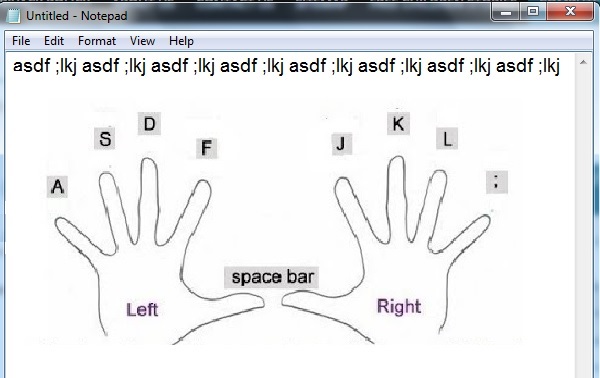
After practising home keys of computer keyboard you can use, typing tutor to learn complete computer typing.
After completing the computer typing course. I would recommend you to learn about windows uses. You must aware of how to install windows and use.
Learning MS Office is necessary for all to get computer jobs.
As computer typing, windows operating and installing are necessary to learn for anyone who wants to get a job on the computer field.
Similarly learning MS Office, especially WinWord, Excel and PowerPoint are also necessary to all.
These three computer application software WinWord, Excel and PowerPoint are the members of the MS Office family.
Each organization prefer to give computer jobs to the people who are also proficient in WinWord, Excel and PowerPoint.
You must be professional in MS Office, and the only keep practising will make you professional.
Practice Makes the Man Perfect
WinWord: is a computer application software, which we used to type applications, letters, resumes and books etc.
Excel: is a computer application software, which we used to create student result sheet, shop billing software, banking sheets, paysheet and electricity bill sheet etc.
PowerPoint: is a computer application software, which we used to create and design slide shows.
Now you have learnt computer courses for computer office work and you can get a job as a computer operator easily in any department.
Select a computer course according to your interest or job requirement.
As we are discussing which computer course is the best for jobs. I hope I have discussed all the important aspects of this above.
And you have known which computer courses you need to learn about getting a computer operator job.
Now the variety of computer courses are available for getting jobs. So which computer course is best for jobs.
It is up to the requirements on the booth who wants to get a job and who needs an employee.
Now I would give you a list of very important computer courses which will be best to get jobs.
- Computer Graphics Course
What is a computer graphics course?

Which software is used for computer graphics?
If you learn CorelDraw and Adobe Photoshop then you can easily get a job as a computer graphics designer.
Most companies hire employees for designing logos and graphic design for their products.
For 2d and 3d computer graphics designers jobs, AutoCAD and 3d Max / Maya are the best computer courses.
- Website Developing and Designing
What is Website Developing and Designing?
It is a very powerful computer course which is very best for getting jobs in any organisation
A professional web developer and designer can handle the following easily.
- Developing Website
- Designing Website
- Mobile Applications
- SEO
- Off Page SEO
- On Page SEO
- Affiliate Marketing
- Digital Marketing
- Web Hosting
- Graphics
How to become an Expert Web Developer?
Well, WordPress is the powerful web developing and designing course but, don’t underestimate the power of HTML in web development.
You can also contact me, for developing and designing your website.
You can also read my article on, how to become an Expert Web Developer?
- Computer Programmer
What is a Computer Programmer?
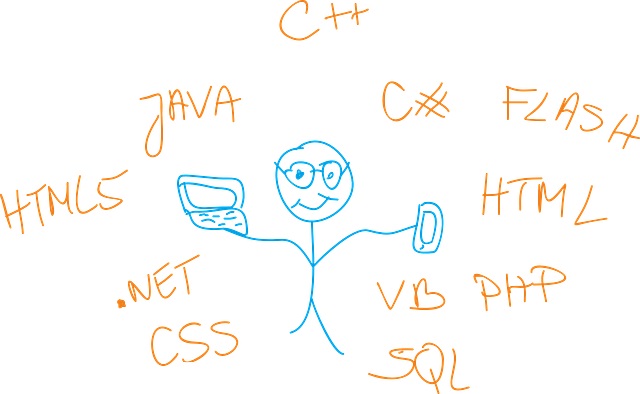
A Computer programmer is an all-rounder, who expert in the computer field with lots of computer courses.
A computer programmer not only operates the computer but can create a computer programme and website.
Now I hope you would like to become an expert computer programmer and certainly you must be thinking, how to Become an Expert Computer Programmer?
[CCA (Three Months Certificate)]
CCA (Certificate in Computer Applications
Syllabus:
- ICS (Introduction to Computer Science
- Windows (Operating + Installing)
- WinWord
- Excel
- PowerPoint
- Inpage Urdu / Arabic
- Internet
- Typing Track
For registration and details contact me
[CCAG (Six Months Certificate)]
CCAG (Certificate in Computer Applications with Graphics
Syllabus:
1 to 8 from CCA
9. CorelDraw
10. Adobe PhotoShop
(Typing Complete)For registration and details contact me
[CIT (One Year Certificate)]
CIT (Certificate in Information Technology)
Syllabus:
1 to 10 from CCAG
11. HTML
12. WordPressFor registration and details contact me
Now everywhere you can see the computer. An operator is operating the computer software, which a computer programmer programmed.
So there are several posts in the computer field like operator and programmer/developer/designer.
In short, you can start your computer carrier from learning basic computer courses like WinWord, Excel and PowerPoint.
And now you can become an expert in the computer field after reading all above in this article.
If you have any query or question you can ask it in the comment section.
I tried my best to cover up all the queries that could arise in the mind of any student about, which computer course is the best for jobs.
For learning free online computer course you can visit my website and YouTube Channel
Home Courses Computer Free Children Stories
 Which Computer Course Is The Best For Jobs?
-
To Become an Expert Computer Programmer you need to follow all the following steps.
A Computer Programmer is a person who can create software according to the requirements.
Computer programmers write the programme in computer languages.
If you are a computer programmer then you can get a part-time or full-time job very easily.
To become a computer programmer you need to learn some software programs like GW-basic, Visual Basic, C++ and Python etc.
The fundamental for being an expert computer programmer is flowcharting. And before flowcharting, an algorithm is necessary.
What is an algorithm?
An algorithm is a step by step verbal procedure for completing any task. Suppose you want to prepare tea.
Recipe of Tea. First, you need to know how to make tea.
What is the recipe of the tea? What are Ingredients we use to make tea?
In the algorithm, we set all these pieces of information in our mind in a sequence to get a proper result.
A computer programmer works over all the information collecting from the client.
You can also read more about the algorithm here.
Now after completing the process of the algorithm, the 2nd step is flowcharting.
What is Flowcharting?
Before writing lines of code for a computer programme you check your programme’s result in the flowchart.
Check out flowcharting symbols.
A computer program designs in a computer programming language. There are several computer programming languages available in the market.
But Python is now one of the best languages which are used for making any type of computer programming.
Web developers now use python and WordPress for developing websites and apps.
A programmer should know deep knowledge of computer hardware. Who knows about software and hardware, they called software developers and engineers.
Tips to Become an Expert Computer Programmer
Complete hold on the basics and fundamentals steps for developing the computer programme.
Make a demo computer programme.
Get detailed information from the client for whom you are going to create a computer programme.
Analyse the collected information from all sides and discuss all the possible parts with the client.
Now pass this information through algorithm and flowcharting process.
Finally, open the software programme, and write the coding according to flowcharting steps.
Check the programme output from all side by giving dummy data.
You can also read my article about, which computer course is the best for jobs?
Home Course Videos Computer Free Children Stories
 How to Become an Expert Computer Programmer?
-
To write an SEO friendly article, this article will help you in this regard.
The backlinks are very much important in the ranking of your article with the target keyword.
I will share some unique techniques that will help you to go on top.
Write for your valuable audience
Keep in mind why you are writing the article, obviously for your valuable audience.
So It is very important why they are reading your article.
Off course yes, they are here to get information about their queries, keywords and products.
If the information regarding the focus product, keywords and title you will provide accurate with detailed features and links.
Let’s suppose, someone wants to purchase a laptop (a best laptop). Now he can type different keywords like How to find the laptop? How to find the best laptop? ……
If you have an article about the laptop then this article must be so informative, that viewer not only read your article but also make a purchase from your post by clicking on the links.
Read Carefully
Now read this article carefully, word by word line by line and para by para.
And follow the instructions to make your article perfectly according to the requirements of the audience (viewers) as well as for SEO requirements.
Type Article in Parts
- Introduction
- Explanations
- Ending
Low Completion Keywords
For writing an article first of all you need to search the low competition keywords.
Yes, do not add heigh competition keywords in the starting. I suggest you write 20 to 25 article with low competition keywords.
You can also read my article about low competition keywords
As we know the SEO have the two ways
- On-Page SEO
- Off-Page SEO
If you know the art of On-Page SEO then you can also rank your article on the top without any backlinks too.
In this article, I am describing how you can write an SEO friendly article? But if want to learn about SEO in details you can read this.
There are so many websites and browser’s extensions available for finding the keyword status.
First target your keyword on which you are going to write an article
For Example, you are writing the article on;
How to find the best Laptop?
Find this title in the Google and note down all the subtitles you get in the search result.
Then find it in the keyword research tools. It is important to find low completion keyword.
How to find the best Laptop for me?
First thing is to choose the keyword on which your article will rank. In this case, we need to type the focus on the primary keyword in the title.
Keywords for finding the best laptop
There would be different keywords to type your article title like
How To Find The Best Laptop for —-
me
college students
deals
you
Open WordPress Post editor, type your Post Title as I am typing
How to find the best Laptop for me?
this is your primary keyword and title
Activate the Yoast SEO Plugin and give the metadata and SEO Title
SEO Title is the title which shows in the Google search result.
type SEO Title and correct it till it result bar converts to green.
SEO Title: Top 10 ways to find the best Laptop in …..
You will also find Slug there in the Yoast SEO, by default it should take your slug keyword from the URL of your post title.
But id you are typing it by yourself then just type the URL of the post in the Slug
Slug: How to find the best Laptop for me
Next and the very important thing for writing the best SEO Friendly Article is to write Meta Description.
This Meta Description display in the Google search result with your post and post image.
So it is important to understand to type attractable title and meta description.
How to type Meta Tile in the Post according to SEO?
Type your meta title till the SEO result bar goes green.
Your keyword must be in the top primary title of your article and in the SEO title and in the Slug as well as in the meta description.
It is very much important to check other’s article. In another way to check your competitor’s articles.
And analyze the top ten competitors articles on how and what they wrote. Why their articles in the top positions.
Follow their ways don’t make your own way while ranking yourself in the world of internet.
Article Must be Unique
It is really excellent to type a unique article in your own words without copying and rewriting other’s articles.
But it is also most important to do the proper research on your target keyword.
And you have to write the article better than your competitor.
principles of writing A Good Article
Now to type the body text of your article you must follow these SEO principles.
- Your article must have a heading and subheadings.
- targeting the primary keyword must be in the intro first paragraph.
- Add indexing of your heading
- Write a high-quality content article.
- The paragraph must be of one or two lines long.
- Images in your article to attract your viewer.
- Add your website internal links
- YouTube video embed link about your article explanation.
- Promote your important text with numbers or bullets.
- compress your images and then upload in the post of your website.
- Add Alt text with the image
- Your article must cover all the information which viewer may need to know about.
- Use tools of your website design software to make your website attractive.
- Check the spelling and grammatical mistakes before posting your article online for the public. For this purpose use Grammarly
I prefer to use WordPress for making your website and posts because it has verity of features and built-in plugins.
Which help you to create SEO friendly posts.
Add tags in your posts
actually, tags represent the post and able to the viewers and audience to visit your post. There could be several tags in a single post.
Tags are the keywords that give the explanation about the part of your post or all the post.
You must type in the relevant tags for the post, which must cover all possible questions from the audience.
How to Create and Find the tags in WordPress?
Open WordPress admin panel click on the tags under the Post category
here you will find three fields to add a new tag
- Name
- Slug
- Description
You can add tags one by one according to the post or your website keywords. Tags must be in the lower case like (best).
Tag name and slug must be the same and in the lower case. And the description for you to define your tag in detail.
You can also add tags while typing your article in the post editing area.
Keep monitoring your post ranking and make possible changes if needed.
I typed the article in simple words so anyone can understand it easily.
I may use the difficult words but I always keep in mind to give easy and full informative information to the audience.
You can also ask your questions in the comment section and you can also request me to write an article for you.
You can also read my post about Article Writing.
 How to Write SEO Friendly Article?
-
It is necessary to Learn about Brain Power, to control everything with your mind controlling system.
What do you want to be? What kind of house do you want to live in? Do you want to be rich?
- Are you worried about your current situation?.
- Forget it, forget it, this is your current situation.
- Take a deep breath, and be happy.
How to change your bad situation into good?
Now your situation is changing as you are reading this article, of course, this article will change your life.
Today I will prove to you that you can achieve anything, you can become anything by learning brainpower.
All you have to do is learn to use your brain. If you can use your brain, you can achieve everything.
If you follow my points, success will follow in your footsteps.
Start giving thanks. Thanks, the key is to get more. If you thank someone, it works for you.
Learn to be thankful first.

- Give thanks to anyone who is doing anything for you.
- Give thanks for the little things. Children, elders, thank everyone. Give thanks to your life partners.
- Give thanks to your parents, brothers and sisters.
- Thank someone for giving you water.
Thanksgiving is upon us, which means the holiday season is in full swing.
Above all, give thanks to your Creator (Allah Subahana Wa Tala), Tell your Creator that you are happy with what He has given you. Give thanks for the blessings of your Creator.
Make a list of all the things you are grateful for. I definitely think this list is too long.
A little hope keeps us alive, It is the hope that changes our circumstances. If your hope is positive then the situation will be positive otherwise negative.
It’s all in your hands, you get what you think. Let people know that everything is fine, of course, nothing is right yet. You will see that your positive thinking will change everything.

- How much money do you want to make?
- What kind of house do you want to live in?
- What kind of car do you want to drive?
Of course, you can get all these things. You may find this funny. But the fact is that your thinking is everything you are.

Whether you are rich or poor has something to do with your thinking. Let me tell you, you can cure the biggest disease, from your brain. And your brain can make even the smallest disease bigger.
What we think now is the result depends on our thinking.
- Think about how much money you want to make
- The house you want to live in.
- The car you want to drive.
How you can get anything you wish to have?
Now change that thinking a little bit and think like this.
- Think that you have already got it all whatever you want to achieve it yet.
- It is important to be happy in the whole process.
- Don’t doubt.
Share with people what you want, don’t share what you don’t want. Make a list of your wishes, and feel like you’ve got them. Start sharing what you have.
Try to spend a little bit of money on the needy person, and you will reward back 10 times more. So what you will spend you will get back 10 times.
It’s up to you what you wanna get 10 times back!
You can do it, Just say it loudly I can do it.
Written by: Rana Mehtab Alam
Thank you, you can also learn free computer courses and watch videos.
 Learn How to Use Brain Power?
-
Website Development Tips, Google has started rolling out its mobile indicator, that’s a change to the shifts in user behaviour.
As over the last few years, research and surveys have shown that devices account for roughly seven percent of traffic the change is not surprising.
This movement by Google implies that friendly web sites will receive preference over desktop ranking web sites with regards.
The version of web sites will become the key edition after the index switches over.
To be able to benefit from this growth, search marketers must be to make sure their sites are optimized for cellular.
Search Engine Optimisation Experts
Given below are useful tips for search engine optimisation experts that can assist them in gaining from the age.
You will receive a notification from Google your website has changed into the indicator that is mobile. You need to collect more in-depth insight.
If you monitor data files, you’ll be able to learn how your site is being accessed by search engine bots.
Making Your Website
In case you find there’s an action from devices than their counterpart, then lose end users or you’ll have to work on making your website.
Since Google performs many tests and the information you get could be inconclusive.
You may hire internet search engine optimization solutions and ask exactly the experts to keep a close watch on exactly the activities of your site.
You can also learn website developing and designing course totally free.
Businesses With Responsive Websites
Businesses with responsive websites need very little to do in preparation for exactly the cellular-first indicator.
But only if their content panders to a mobile audience.
If you have got the same content across different devices, there’s no guarantee that your site rankings will probably stay just like a matter of fact.
What Customers Expect
As a matter of fact, studies suggest that customers expect different content on different devices on desktops and mobile.
Which implies other mobile devices, you need to make content that.
For mobile phones along with the strategy to provide your customers with a fast can help strategy to provide your customers with a fast.
Integrate Progressive Web Applications
You might integrate progressive web applications in the mobile content essentially get very short windows of experience.
On cellular essentially get very short windows of, therefore, essentially get very short windows of.
Whenever essentially get very short windows of the phone, you’ll basically get very short windows of a chance to engage consumers.
To make full use of this opportunity, you call for a data-driven, strong strategy, like much of a job.
You can engage the services of an address certain micro-moments.
If studying consumer behaviour is to the tools and expertise to instantly pro Search engine optimization agency.
As they’ve supplied you with the answers you’re searching for.
Follow all the above Website Development Tips to make an attractive website.
You can also get totally free computer course with certificates. And also with video lectures.
Home Courses Computer Free Children Stories English
 Website Development Tips
-
Earn Online By Writing Articles, yes it is 100% right. Wish to earn money writing articles that are on-line?
You do, huh! Would you be here if not searching to earn money?
How about earning a minimum per month writing articles? No investment, no gimmicks.
You can start earning a good regular income writing articles from the first month.
You’ll learn real strategies including tips, on the way to earn money writing content on the web.
Don’t forget to check the little secret out in creating revenue through article writing 24, to cheat the machine for a head start.
Even though the approaches are customized for the way to earn money writing articles the info is important for everybody in working as a content author interested.
Everyone can start generating revenue through content writing articles on-line in India, or anyplace on the globe.
What do You Need to Begin Earning Writing Articles?
Let’s see what do you should begin before we begin exploring the ways to earn money writing articles.
Good English – Java with the Internet
Good English – Java with the Internet – As the requirement for content and articles is for web sites that are English, you should have an understanding of the language.
Someone living in countries with an Internet from the language should be able to find work too.
In India and Pakistan, the Web is yet to grow to get local languages like Urdu, Hindi, Tamil and Odia.
The requirement to get content at these languages is low and, usually, the pay is not great.
Therefore, for all those intrigued in earning a good income writing content in India, the best choice Is to provide content writing in English.
That’s it.
You do not need anything else. You work as a service provider when functioning as a content writer.
The way to Improve English to get Content Writing in 1 Week? You do not have to be a literary genius to provide content writing services.
You ought to be capable to express yourself at simple language, without spelling errors and with proper grammar.
If you’re not very sure of your English, follow these simple ways to rapidly improve your English language and grammar in only one week.
Magazines and Books for Writing Articles
Get the following magazines and books from your local bookstore, or buy online.
Essential English Grammar – Intermediate English Grammar – Advanced English Grammar
Word Power Made Easy – English newspapers & magazines – Oxford Advanced Learners Dictionary
Roget’s Thesaurus – Read this Cambridge University Press English grammar workbook, beginning from the first essential version.
Above all the article is a complete guide for anyone who wants to start earning by writing articles.
Home Courses Computer Free Children Stories English
 Earn Online By Writing Articles
-
YouTube Videos Ideas, in this article, I shall cover all the main things that everyone must know from day first to create a new channel on youtube.
If you are planning to start your youtube channel and you don’t have any idea about videos that you shall upload in your channel.
Don’t worry I shall give you YouTube Video Ideas, hope these ideas must work.
First Step YouTube Channel Name
It is very the first challenge in which each YouTuber has to pass. It is a selection of youtube channel name.
But it is not too difficult to give channel name to every YouTuber understands. In my own experiences, Channel name doesn’t matter as channel keywords.
You can use your own name as a channel name. But your keywords will tell what is in your channel.
Next Step YouTube Channel keywords
The next challenge in which each YouTuber has to pass is the selection of keywords for the youtube channel.
Keywords are like tags for your youtube channel. A keyword must affect your channel’s video SEO. Keywords are to clearly define your channel and represent your channel.
You must think of keywords to call audience on your channel. Look at your channel, and think about what content you are providing.
Then summarize them into simple keywords! General, DIY, Gaming, Education, Technology are the example keywords for your channel.
You can also read my article about low competition keywords.
Here is the list of YouTube Videos Ideas.
1. Introduce Yourself
It is really very effective for your Youtube Channel to Introduce yourself. Who are you? What do you do?
Type the first thing that people should know about you? Be Polite and be positive.
2. Make A Channel Intro Video
Do not forget to make a channel intro video for your channel. And use this intro at the start of your video.
Click here to view a guide video about making free intro for your channel
3. Make An Opinion Video
Mostly youtube viewers visit youtube to get other’s opinions for specific products or etc.
It depends on what topics are highlighted to get opinions. Tell viewers your opinion about things or etc.
4. Review Something!
You can give your review of anything you like, dislike and experienced. People like hearing what other people think about things, especially if they’re willing to buy something.
5. Make Videos on What’s On in Your Mobile Phone?
There are many things on your mobile phone to tell youtube viewers. Everyone has apps on their phone, but no two phones are the same.
What apps do you use, and why? You can also make videos of your videos collections to visit someplace or event or game etc.
6. Make a video on Sports
If you are expert in any game you can give the ideas to viewers that how they can be good players in that game,
7. Make A Video Of Your Room
Set up your room ideally. A person’s room says a lot about them.
8. Make a Video Of Your Hometown
Make a video of your hometown tell viewers about your home town
9. Gaming Videos
Play game on your PC, Mobile and tablet record game while playing and upload on youtube
10. Make a Video to Review A Game
Give your review about games
11. Compare One Game To Another
You can also make a video comparing two games.
12. Make A Tutorial Video ….
This is a really wide idea to make tutorials. There are thousands of products, things and educations that viewers want to learn about them.
13. Food and Recipes ….
This is a very viral able topic everyone in the world, need to cook and mostly they don’t know how to do this.
14. DIY Videos
DIY Do it yourself there are only three letters (DIY), but you can make unlimited videos using these three letters.
You can also watch my video about YouTube Video Ideas
Now you have the ideas of making the videos on YouTube. You can create your own YouTube channel. You must understand about the SEO and title, description, tags and thumbnail.
If you any query feel free to contact me.
Home English Courses Computer Free Children Stories
 YouTube Videos Ideas
-
Before knowing about “Low Competition Keywords”, we need to know first,
What is a keyword?
A keyword is a word that searcher, types in the search engine, and search engine fetches the information relevant to that keyword for the searcher.
For example, you want to search for information about “making money online”.
Here are actually three keywords for the search engine.
- Making
- Money
- Online
Now the search engine will give you the best information accordingly to your keyword.
This information will be according to your location. In which country you are searching for the information.
There is a competition of the keyword in the internet market depending on the searching. That how many time a keyword types in the search engine on a daily bases.
Which keyword searches are very high, mean searcher type this keyword in the search engine too many time in the daily bases.
Low Competition Keywords
Low Competition Keywords are those which searches are not too much high on a daily bases.
If a keyword has more than 50,000 daily searches and other hands a keyword has lower than 10,000 daily searches.
- The keyword which searches are more than 50,000 on a daily bases is high Competition Keyword.
- The keyword which searches are lower than 10,000 on a daily bases is Low Competition Keyword.
Of course, you will attract to use the keyword which searches are very high for your website or YouTube Channel.
But if do this then you have to wait several years to rank your post or if you use the Low Competition Keyword then you will rank quickly.
How to get Fast Ranking with using Low Competition Keyword?
There are two different uses for the keyword.
- For web developer and YouTube Channel owner.
- For searchers
Uses of the keyword for web developer and YouTube Channel owner
When a website developer develops a website or a YouTuber creates a YouTube Channel, then he types the keywords for the website and for the YouTube Channel.
These keywords help the searcher to find specific information accordingly to the keywords.
And these keywords also help the web developers and YouTubers to bring traffic for their Websites and YouTube Channel.
Uses of the keyword for Searchers
When a researcher wants to get information about anything, he /she types keywords in the search engine search bar.
Search Engine takes the keywords from the searcher and brings the information according to the keywords.
By: Rana Mehtab Alam
Thanks for reading this article. I typed all the information according to the article keywords and title after deep searching and with my experience.
Hope this article will be helpful for you. Kindly don’t forget to leave your comments.
If you have any query then you can easily contact me.
You can also get free computer courses on my website.
You can also visit my YouTube Channel
Home Courses Computer Tenses Windows Installation Free Children Stories
 Low Competition Keywords
-
Do you want to become an expert web developer? Of course, you want to. Because that’s why you’re reading this article.
I’m talking today about becoming an expert. Even if you don’t know anything about building a website, this article will be very useful for you.
I don’t think anything is impossible.
Because of the word impossible, it’s self says I m possible. Don’t it?
Here we will divide the process of creating a website into three parts.
Part 1. Start building a website in any program like WordPress.
Part 2. Design a web site using HTML, and other website building codes programmes like Java, JavaScript. and PHP etc.
Part 3. Develop your website SEO friendly with On-Page SEO and Off-Page SEO.
The upper two parts were making you a developer, while this part will make you an expert developer.
But to become an expert web developer you must also learn HTML.
You have to learn a lot to create a website HTML JavaScript PHP a lot.
But thanks to WordPress for making the process of creating a website so much easier.
Also, if you know HTML, you can refine your website. I tell you don’t rush, learn HTML first, then learn WordPress.
Gather content related to your website in the learning process. And when you start building your website, all you have to do is copy and paste.
To become an expert web developer, you must know both designing and developing a website with SEO (Search Engine Optimization).
You will learn how to develop a website from learning HTML and WordPress. Website design works with the creativity of your brain.
It’s up to you how good you can make your website. So why are you late? Get started. You have learned HTML, and you have learned WordPress too.
So design your website today.
If not then learn HTML and WordPress to become an expert web developer.
I am deeply grateful to Kelly Wilson for providing a link to her website for my website in reference to this post.
Rana Mehtab Alam
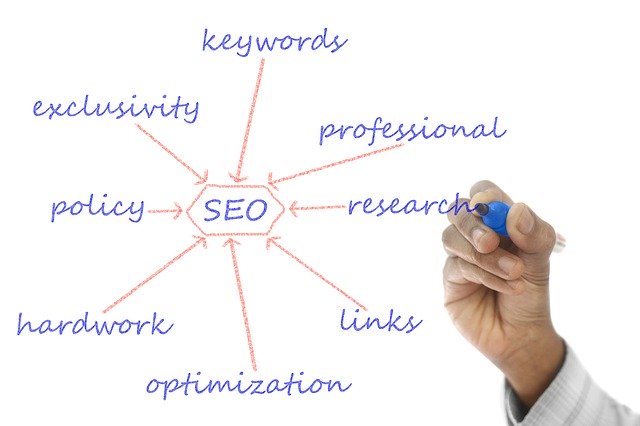 How to become an Expert Web Developer